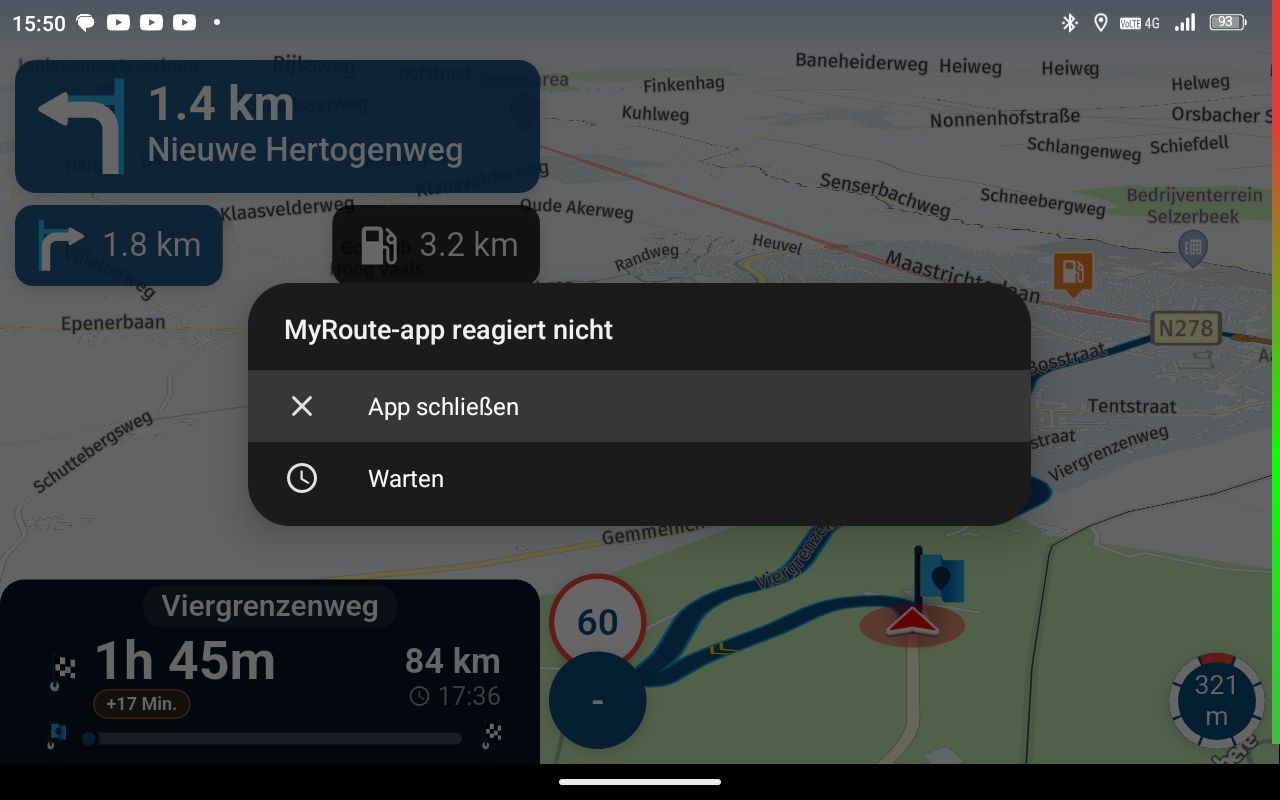
Auto skip many waypoints by itself while I was on route. [5.2.0 - 474]
-

@con-hennekens
This is the route i'm talking about:
https://www.myrouteapp.com/nl/social/route/14017569?mode=shareAnd a screenshot were I combined the recorded tracklog and the route
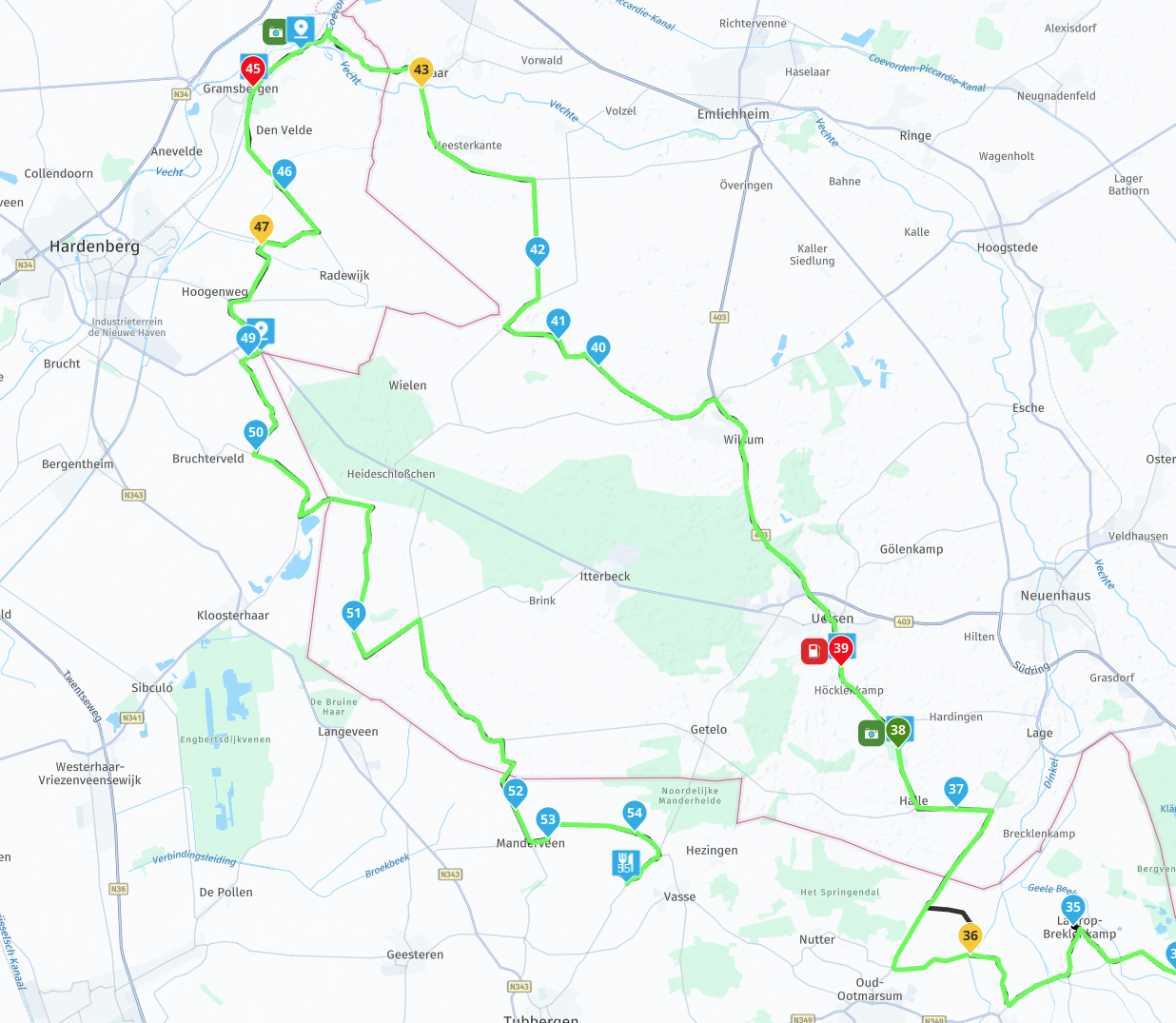
I was heading towards waypoint 40, around a quarter between 39 and 40, when i heared a beep for the autoskipped waypoint. At that moment i saw waypoint 53 as my next waypoint. I stopped and switched on the screen of my phone (i use Android Auto). That was the moment i saw the orange message for switching from online to offline. I went in the menu and manually selected waypoint 40 as my next waypoint. And start driving again.
Around halfway waypoint 39 and 40 i heared the beep again and saw i was skipped to 53 again. Again switched on screen of the phone and again i saw the message switching from offline back to online.
Again selected waypoint 40 as my next waypoint and from that moment on, it went well. Also i didn't see any lost cell coverage anymore.When i look at the route. The first time it happend, waypoint 53 was one of the closest waypoints. This could explain something. But the second time waypoint 53 was definitely not one of the closest waypoints. But still it was choosen by MRA
(I use MRA Next only on Android Auto. Every comment, suggestion, etc will be based on my usage with Android Auto)
-
@con-hennekens
This is the route i'm talking about:
https://www.myrouteapp.com/nl/social/route/14017569?mode=shareAnd a screenshot were I combined the recorded tracklog and the route
I was heading towards waypoint 40, around a quarter between 39 and 40, when i heared a beep for the autoskipped waypoint. At that moment i saw waypoint 53 as my next waypoint. I stopped and switched on the screen of my phone (i use Android Auto). That was the moment i saw the orange message for switching from online to offline. I went in the menu and manually selected waypoint 40 as my next waypoint. And start driving again.
Around halfway waypoint 39 and 40 i heared the beep again and saw i was skipped to 53 again. Again switched on screen of the phone and again i saw the message switching from offline back to online.
Again selected waypoint 40 as my next waypoint and from that moment on, it went well. Also i didn't see any lost cell coverage anymore.When i look at the route. The first time it happend, waypoint 53 was one of the closest waypoints. This could explain something. But the second time waypoint 53 was definitely not one of the closest waypoints. But still it was choosen by MRA

@M.-Schrijver It's a beautifully made Route! I do not see anything strange about it.
The only little thing I see under full magnification is that at the point 40 the black line brakes.
I don't think it would cause this issue... or....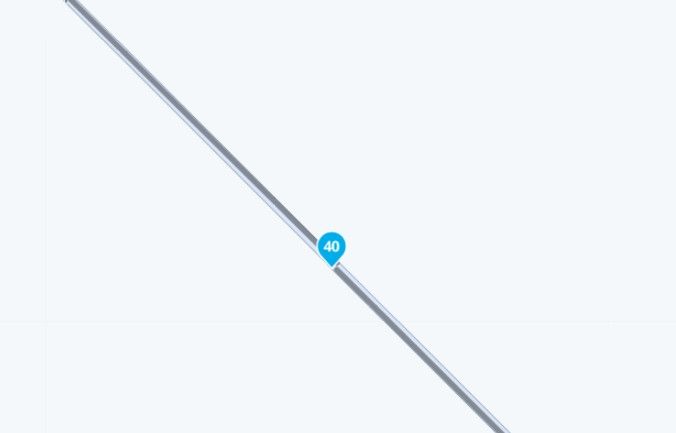
While having nothing to offer in the way of the solution, I am very interested to learn what caused it...
Following this closely. -

Experienced this twice last week as well; while passing a waypoint, I got the message 'waypoint skipped'... Even though I was simply following the route and hadn't deviated from it.
-
@lennyo i recognise what you mean. When i make a route myself and i see this kind of things. I correct them. But i don't think they effect the navigation. I think it is more a kind of a screen error than a real opening in the routeline. This time the route came from the Route Expert library.
@hans-van-de-ven-mr.mra Skipping one waypoint without any signs why, is something i see more often. Maybe the same deeper underlaying cause. I don't know.
-
@M.-Schrijver It's a beautifully made Route! I do not see anything strange about it.
The only little thing I see under full magnification is that at the point 40 the black line brakes.
I don't think it would cause this issue... or....While having nothing to offer in the way of the solution, I am very interested to learn what caused it...
Following this closely.
@LennyO the breaking happens when the shaping point is nog 100% on the route. When you move it a bit of disappears
Honda Goldwing GL1500,
Honda Silverwing GL 650
DMD2 T865X 8 inch Android tablet using MRA next for navigation
Garmin XT sold
Samsung S24FE mounted on a Quadlock and using Android Auto in my car -
@LennyO the breaking happens when the shaping point is nog 100% on the route. When you move it a bit of disappears
@Marinus-van-Deudekom 100%! I am aware of that. Thos was the only thing I could spot on the route.
But this should not the cause the problem with crazy skipping.Positive emotions are worth every penny ;)
-
LennyO referenced this topic on
-
@Marinus-van-Deudekom 100%! I am aware of that. Thos was the only thing I could spot on the route.
But this should not the cause the problem with crazy skipping.
@LennyO totally agree with you
I hope that @m.-schrijver has send in the log files so Corjan can have a look at those -
Please remind me. How can i download the log files
-

Long press on the version number.
-
Today i noticed also something in autoskipping procedure. I don't know if the rootcause is the same. But still i write it here.
- From my current position i need to drive approx. 20 km before i'm on the route.
- My standard setting is "Closest point" as startpoint when (re)starting a route.
- Auto skipping is enabled as a default setting.
Today MRA auto-selected "point 7" of the route as startingpoint. I changed this manual to "point 2". MRA created a route from my position to "point 2". So far nothing strange.
Pretty after riding away from the where i started, i did need to deviate. MRA did a recalculation and skipped to "point 7". The recalculation was expected but auto-skipping to "point 7" not. Changed manual back to point 2 and keep on driving. A bit further and nicely on (pre-)route, MRA started a recalculation and auto-skipped to point 7. This time both were complete unexpected. -
My guess is that it's normal behavior because you've stated that MRA saw nr 7 as the nearest point therefore skipping 1 to 6
-
You can see it as normal behaviour. But there are more ways to look at it.
The selected startpoint of the route is kind of an endpoint for the extra added part of the route. An endpoint normally doesn't change.
Another point of view. When you are riding the route and you are deviating from the route and the next waypoint is still ahead of you. The navigation won't skip this one either.(I use MRA Next only on Android Auto. Every comment, suggestion, etc will be based on my usage with Android Auto)
-
You can see it as normal behaviour. But there are more ways to look at it.
The selected startpoint of the route is kind of an endpoint for the extra added part of the route. An endpoint normally doesn't change.
Another point of view. When you are riding the route and you are deviating from the route and the next waypoint is still ahead of you. The navigation won't skip this one either.
@M.-Schrijver I agree with @marinus-van-deudekom the system is pretty much doing what you asked it to do
your settings "My standard setting is "Closest point" as start point when (re)starting a route." set the system up to designate point #7 as the start
when this is locked into MRA & you then deviate & cause a recalculation, it is going to recalculate to point #7
-
That is just a different opinion. When i select a different point to start from, i expect the navigation stick to this point. No matter what happens during the trip to that selected point. Otherwise there is no reason to select a different point.
There are only 2 options. Startpoint (first point) or closest point. Either way following your explanation. In both situations i don't gonna be where i want to be. -
I agree that MRA should not have skipped waypoints to wp7 on a recalculation.
-
There is a simple solution to these issues!
Turn off auto skip waypoints!
We had similar issues where it would randomly skip waypoints. There is 7 of us that sometimes we all had the problem and other times it was two or three of us.
We have all turned off auto skip waypoints and we skip them as and when we need to manually.
The next issue we need to figure out is why sometimes 2 people in the group end up with a different route than the one that was planned! coincidentally its the two who are using offline maps but that's for a different thread
-
There is a simple solution to these issues!
Turn off auto skip waypoints!
We had similar issues where it would randomly skip waypoints. There is 7 of us that sometimes we all had the problem and other times it was two or three of us.
We have all turned off auto skip waypoints and we skip them as and when we need to manually.
The next issue we need to figure out is why sometimes 2 people in the group end up with a different route than the one that was planned! coincidentally its the two who are using offline maps but that's for a different thread

hi @stuart-marritt said:
The next issue we need to figure out is why sometimes 2 people in the group end up with a different route than the one that was planned!
sorry this has nothing to do with the OP, just thought I'd comment on the above.
funnily enough, I had this issue during the last weekend. me and a ridding buddy spent two days in lakes, I planned the routes on my computer, and as usual I always use the compare tool to make sure there are no nasty surprises.
My friend accessed the routes through the friends tab, both our devices are set up the same way in settings, although mine does not have internet as no SIM card, so obviously offline navigation. Android on rugged tablet.
He uses his phone iPhone 16 using NN also with offline navigation enabled.
when we compared the routes on our devices, both of the routes had changed on his, not a huge amount, but enough to make it like the red arrows at some junctions. some of the waypoints for him were skipped and others tried to get him to go back, did not happen on mine.
I could not understand the reason for this, I checked all settings and everything was exactly the same.
I think it might be something to do with internet access even tho offline nav is enabled, this is the only difference in our set up, save for android and IOS.
it did not spoil the rides as we were aware of the parts where NN would try to send him a different way. -
There is a simple solution to these issues!
Turn off auto skip waypoints!
We had similar issues where it would randomly skip waypoints. There is 7 of us that sometimes we all had the problem and other times it was two or three of us.
We have all turned off auto skip waypoints and we skip them as and when we need to manually.
The next issue we need to figure out is why sometimes 2 people in the group end up with a different route than the one that was planned! coincidentally its the two who are using offline maps but that's for a different thread
There is a simple solution to these issues!
Turn off auto skip waypoints!
A better solution. Use no points at all.
-
Went out for a 400km ride today. Everything worked great. Did a detour manually due to construction. MRA attempted to reroute me 4 times and then skipped a waypoint and I was back on route. Maybe next time I'll try the new feature for devouring around construction.
-
hi @stuart-marritt said:
The next issue we need to figure out is why sometimes 2 people in the group end up with a different route than the one that was planned!
sorry this has nothing to do with the OP, just thought I'd comment on the above.
funnily enough, I had this issue during the last weekend. me and a ridding buddy spent two days in lakes, I planned the routes on my computer, and as usual I always use the compare tool to make sure there are no nasty surprises.
My friend accessed the routes through the friends tab, both our devices are set up the same way in settings, although mine does not have internet as no SIM card, so obviously offline navigation. Android on rugged tablet.
He uses his phone iPhone 16 using NN also with offline navigation enabled.
when we compared the routes on our devices, both of the routes had changed on his, not a huge amount, but enough to make it like the red arrows at some junctions. some of the waypoints for him were skipped and others tried to get him to go back, did not happen on mine.
I could not understand the reason for this, I checked all settings and everything was exactly the same.
I think it might be something to do with internet access even tho offline nav is enabled, this is the only difference in our set up, save for android and IOS.
it did not spoil the rides as we were aware of the parts where NN would try to send him a different way.
@paul69 did you both have the same version of offline maps loaded?

if the underlying map data is different then the routing calculation between points could calculate differentlywhat happens if you set both devices to ride the paths as a track?
BlackView BV7100, Android 12
Navigate "Routes as Tracks" in Offline mode with Offline Maps
No Wifi, no internet, no interruptions, works well
Hello! It looks like you're interested in this conversation, but you don't have an account yet.
Getting fed up of having to scroll through the same posts each visit? When you register for an account, you'll always come back to exactly where you were before, and choose to be notified of new replies (either via email, or push notification). You'll also be able to save bookmarks and upvote posts to show your appreciation to other community members.
With your input, this post could be even better 💗
Register Login
-
18186
-
 0527
0527
-
 128423
-
0788
-
0321
-
0372
-
 0248
0248
-
03151