Skip to content
  • Categories
  • Recent
  • Popular
  • Support
  • MyRoute-app
Collapse
Brand Logo

MRA Community Forum

  1. Home
  2. Export assistance
  3. [Export] Garmin
  4. Is It Me?

Is It Me?

Scheduled Pinned Locked Moved [Export] Garmin
15 Posts 6 Posters 1.1k Views 3 Watching
  • Oldest to Newest
  • Newest to Oldest
  • Most Votes
Reply
  • Reply as topic
Log in to reply
This topic has been deleted. Only users with topic management privileges can see it.
  • D A Wakefield Offline
    D A Wakefield Offline
    D A Wakefield
    wrote on last edited by
    #3

    I have tried all of the gpx formats, and get the same result. The export function should work. I have been fighting the other methods, but want to use the export function. I am trying to use the Drive app on my phone and that is just as bad.

    1 Reply Last reply
    0
    • Mzokk Offline
      Mzokk Offline
      Mzokk
      wrote on last edited by
      #4

      I think it is you. I have used the exporter, directly transferring files to the Garmin>GPX folder on the sd card in the device and via Drive (my preferred method). All work fine. I use GPX 1.1 for various reasons.

      1 Reply Last reply
      0
      • D A Wakefield Offline
        D A Wakefield Offline
        D A Wakefield
        wrote on last edited by
        #5

        So I connect my Garmin to my computer and it is visible in Windows Explorer and Garmin Connect. I pick the route in My-Route on my computer select export, pick any of the gpx formats and it always says device not found. What am I doing wrong?

        1 Reply Last reply
        0
        • Mzokk Offline
          Mzokk Offline
          Mzokk
          wrote on last edited by
          #6

          Do you have any AV/malware software settings that might be preventing the exporter from working? If the Zumo XT is visible in Windows explorer why don't you just put the GPX files you want to save on the device in the GPX file on the unit or the Garmin>GPX folder on the SD card in the unit? (If you have an SD card.)

          1 Reply Last reply
          0
          • Mzokk Offline
            Mzokk Offline
            Mzokk
            wrote on last edited by
            #7

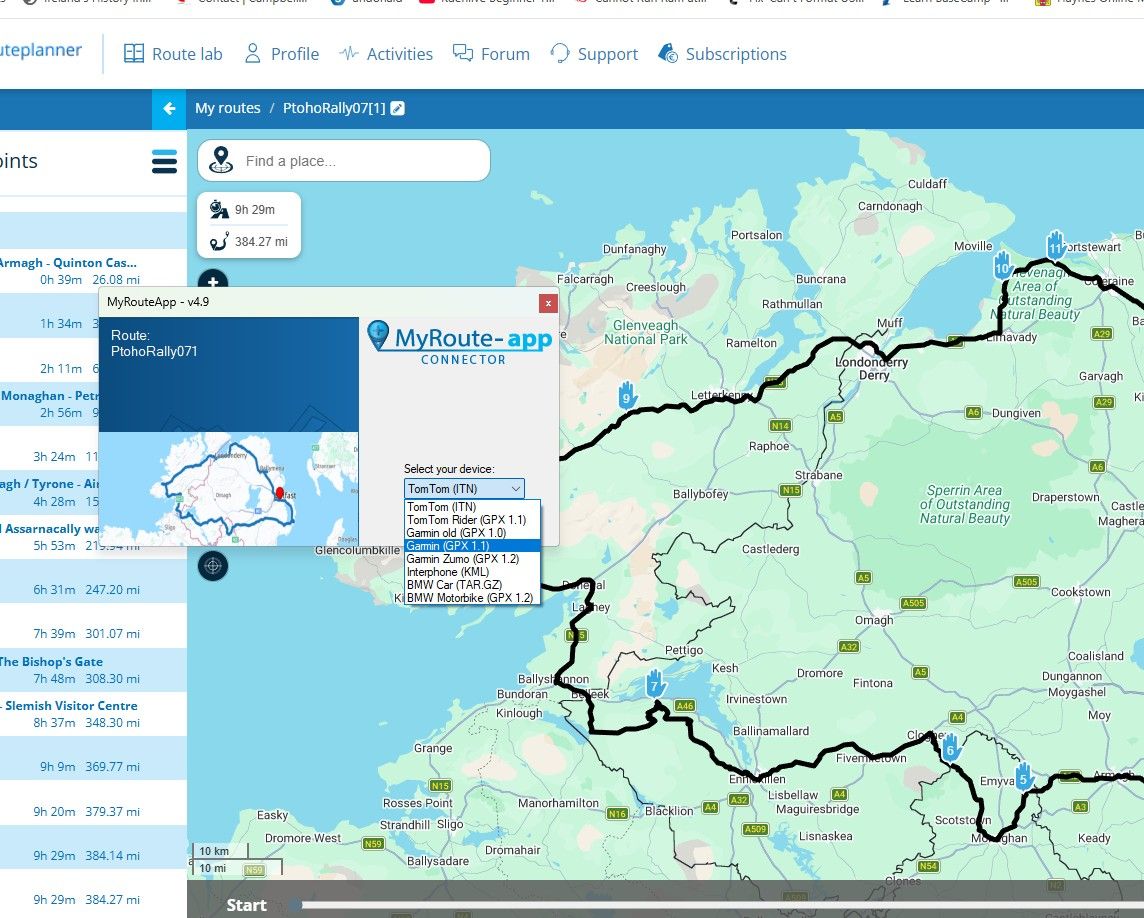
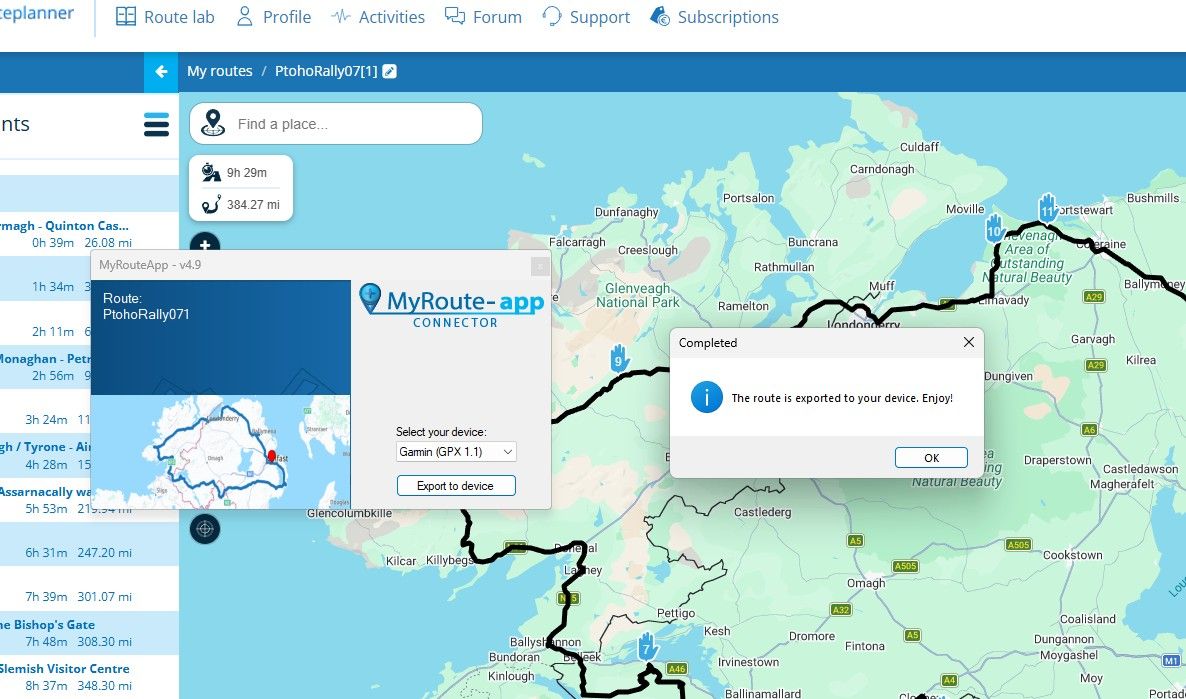
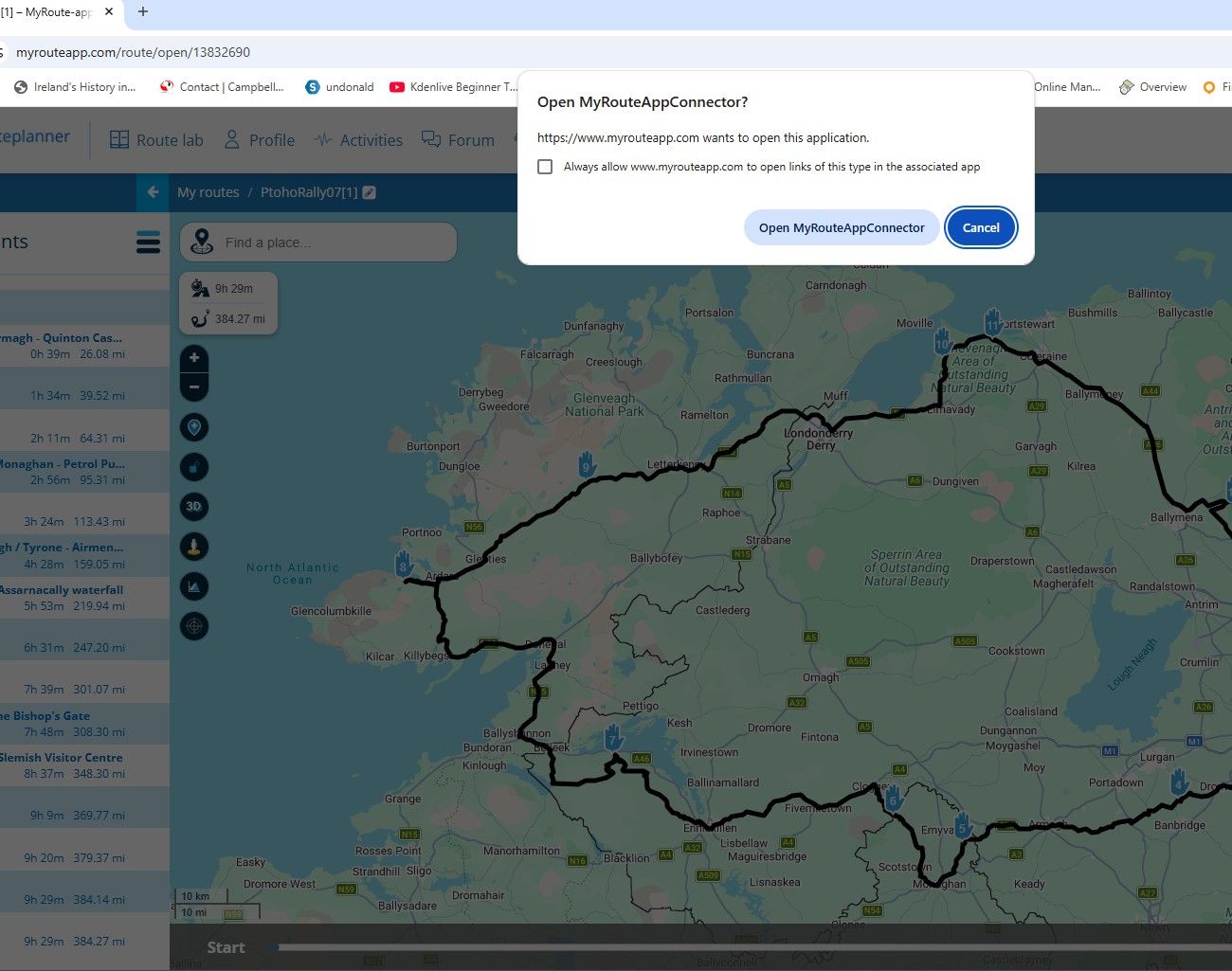
            This is what I get using Win 11 and the exporter this is not my preferred transfer route I use my phone and Garmin "Drive" usually and my "Daily" computer is Linux based so I just transfer files from MRA directly to the device.
            bc58f6a0-9930-4508-a20e-1b0a46f0ea8a-image.jpeg

            Click on open MyRouteAppConnector

            ea4e32db-39ff-4d12-a036-1306ccae6169-image.jpeg

            5b323f52-75c3-4b90-be7a-7b59e6fb7f3b-image.jpeg

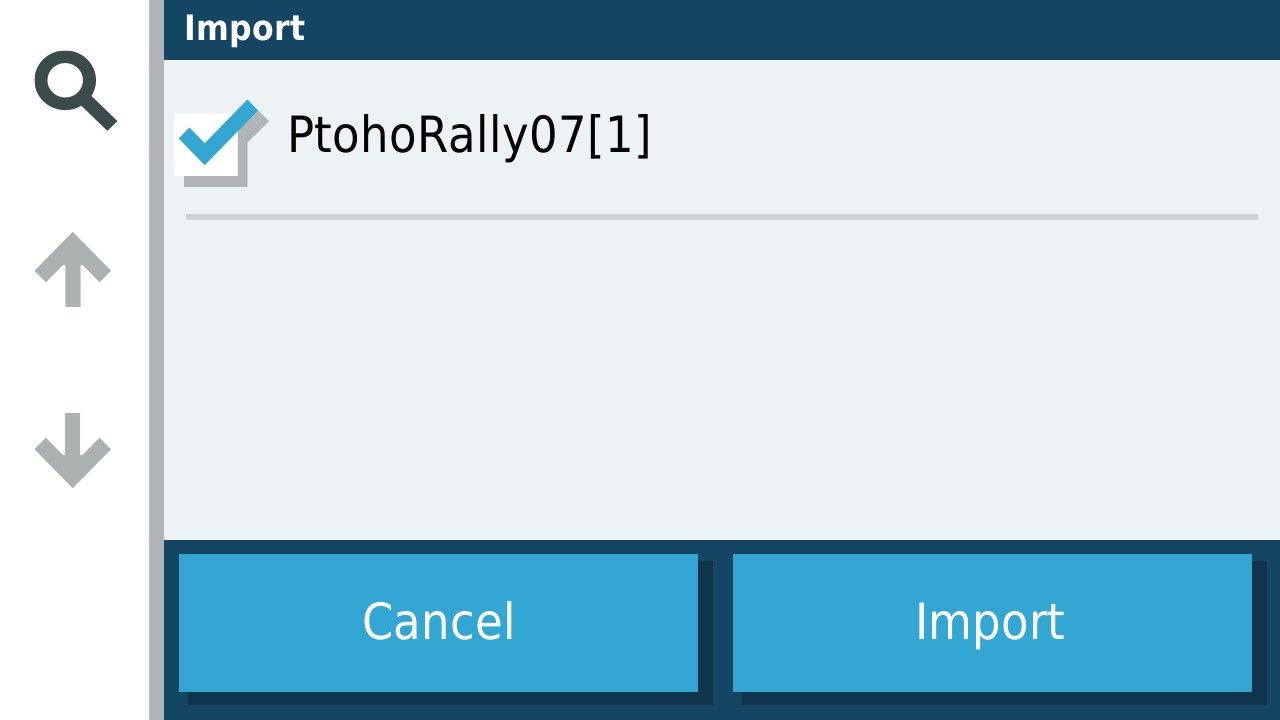
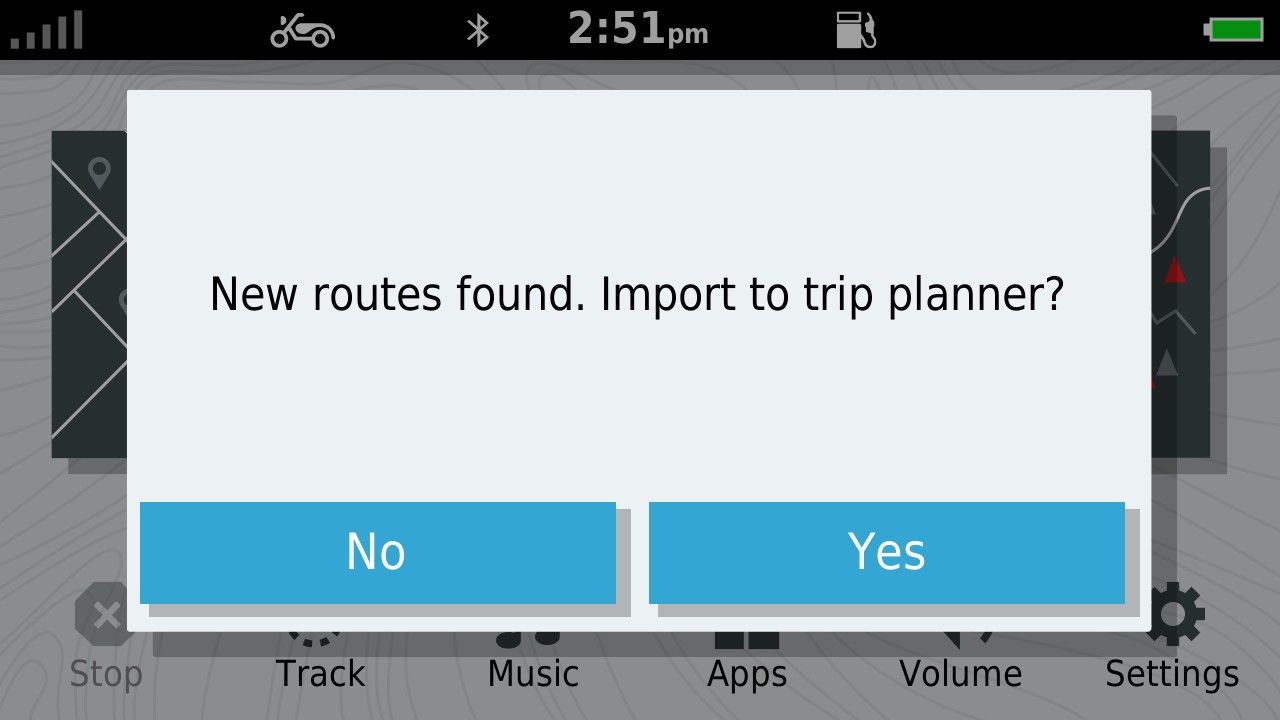
            In the unit when detached from the Computer you get this
            6a1e2df5-606c-4d3b-95bf-509839ebcfe9-image.jpeg

            acb87575-c6e2-4f4c-b8ab-c8eb88b1f233-image.jpeg

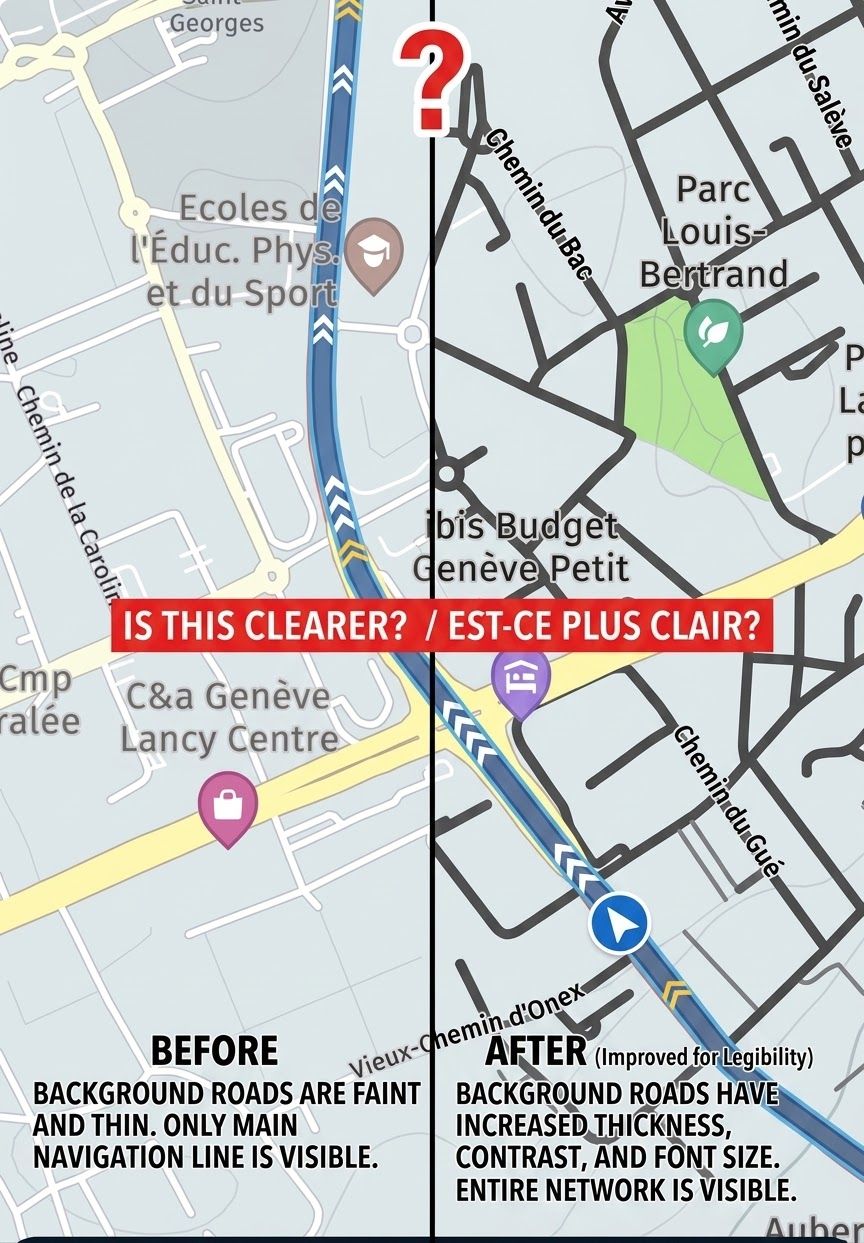
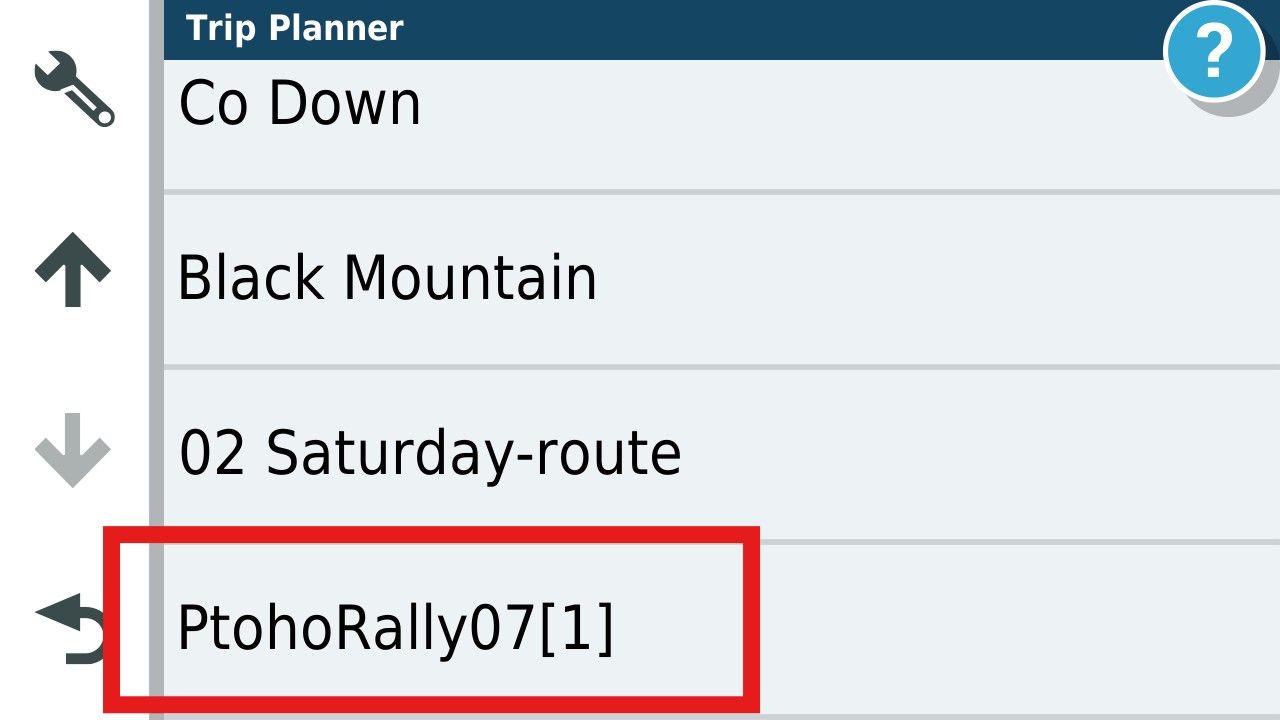
            When imported (and calculated in the case of GPX1.1 you get this in Trip planner.
            605034dc-f972-4d78-a6b2-6b7af107d435-image.jpeg

            1 Reply Last reply
            0
            • Mzokk Offline
              Mzokk Offline
              Mzokk
              wrote on last edited by
              #8

              Alternately you can just plonk the downloaded GPX file directly on a SD card in the device and import the route and track. I always download the track for the ZumoXT and run the track under the route to see any discrepancies.

              d4b5e478-892b-4712-8bf8-5f16e713a9c0-image.jpeg

              1 Reply Last reply
              0
              • Mzokk Offline
                Mzokk Offline
                Mzokk
                wrote on last edited by
                #9

                The easiest way is to transfer the file from your phone.
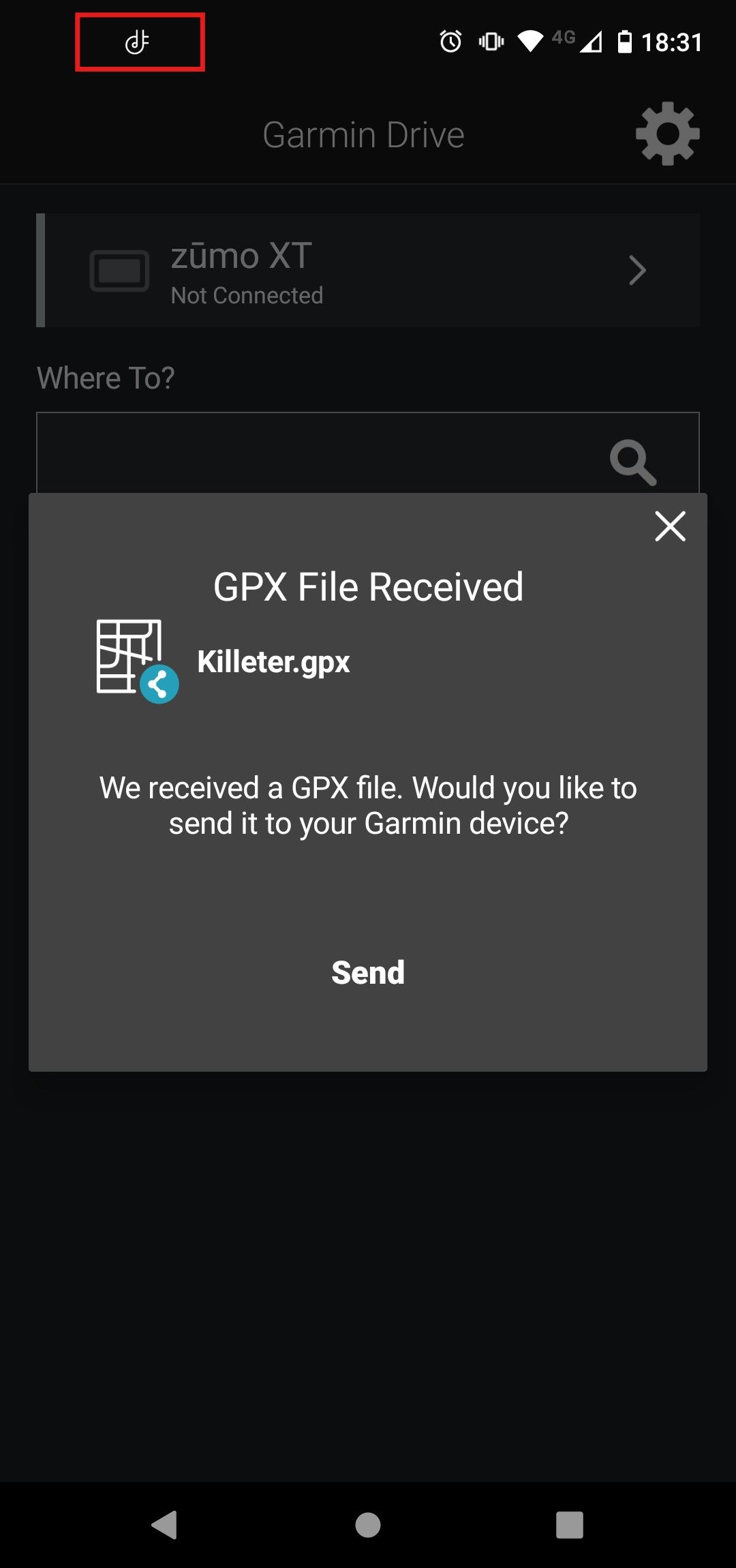
                1c020f31-2176-440a-a6fc-41eb8362e3d9-image.jpeg

                As long as the little Icon in the red square is highlighted your phone and device are connected and the file will send. For me this has been 100% reliable and a boon when using the XT and MyRoute app on tour. All that said I now navigate with MyRoute app and use my XT as a backup and to run tracks and proximity alerted POI's which I still have a use for and that MyRoute app is (understandably as its a niche requirement) not capable of.

                Brian McG 1 Reply Last reply
                1
                • Mzokk Mzokk

                  The easiest way is to transfer the file from your phone.

                  1c020f31-2176-440a-a6fc-41eb8362e3d9-image.jpeg

                  As long as the little Icon in the red square is highlighted your phone and device are connected and the file will send. For me this has been 100% reliable and a boon when using the XT and MyRoute app on tour. All that said I now navigate with MyRoute app and use my XT as a backup and to run tracks and proximity alerted POI's which I still have a use for and that MyRoute app is (understandably as its a niche requirement) not capable of.

                  Brian McG Offline
                  Brian McG Offline
                  Brian McG
                  wrote on last edited by
                  #10

                  as @Mzokk says the easiest way to transfer files to your XT is to open the MRA app on your phone & send the file to the Garmin Drive app,
                  it is simple & takes seconds & avoids any messing with cables or pc's

                  BlackView BV7100, Android 12
                  Navigate "Routes as Tracks" in Offline mode with Offline Maps
                  No Wifi, no internet, no interruptions, works well

                  Travellexxie 1 Reply Last reply
                  0
                  • Mzokk Mzokk referenced this topic on
                  • Marinus van Deudekom Offline
                    Marinus van Deudekom Offline
                    Marinus van Deudekom
                    RouteXpert
                    wrote on last edited by
                    #11

                    Maybe a dumb ass question but did you install the export function using MRA at least one time

                    Honda Goldwing GL1500,
                    Honda Silverwing GL 650
                    DMD2 T865X 8 inch Android tablet using MRA next for navigation
                    Garmin XT sold
                    Samsung S24FE mounted on a Quadlock and using Android Auto in my car

                    1 Reply Last reply
                    1
                    • Brian McG Brian McG

                      as @Mzokk says the easiest way to transfer files to your XT is to open the MRA app on your phone & send the file to the Garmin Drive app,
                      it is simple & takes seconds & avoids any messing with cables or pc's

                      Travellexxie Offline
                      Travellexxie Offline
                      Travellexxie
                      Valued contributor
                      wrote on last edited by
                      #12

                      @Brian-McG oh, I love messing with cables 🤣

                      Met andere apps maak je een route, met MRA componeer je een route!

                      Ducati Monster 1200 met Garmin Zümo XT
                      Fiat 124 Spider/Camper Dethleffs met Navigation-App op Samsung Tab Active4 Pro
                      MRA Lifetime Gold

                      Brian McG 1 Reply Last reply
                      0
                      • Travellexxie Travellexxie

                        @Brian-McG oh, I love messing with cables 🤣

                        Brian McG Offline
                        Brian McG Offline
                        Brian McG
                        wrote on last edited by
                        #13

                        @Travellexxie not so easy when your on tour & half way across the continent, several 1000's of miles from your PC 😂

                        BlackView BV7100, Android 12
                        Navigate "Routes as Tracks" in Offline mode with Offline Maps
                        No Wifi, no internet, no interruptions, works well

                        1 Reply Last reply
                        0
                        • Travellexxie Offline
                          Travellexxie Offline
                          Travellexxie
                          Valued contributor
                          wrote on last edited by
                          #14

                          @Brian-McG come on, we'll buy a Goldwing 😝

                          Met andere apps maak je een route, met MRA componeer je een route!

                          Ducati Monster 1200 met Garmin Zümo XT
                          Fiat 124 Spider/Camper Dethleffs met Navigation-App op Samsung Tab Active4 Pro
                          MRA Lifetime Gold

                          1 Reply Last reply
                          0
                          • D A Wakefield Offline
                            D A Wakefield Offline
                            D A Wakefield
                            wrote on last edited by
                            #15

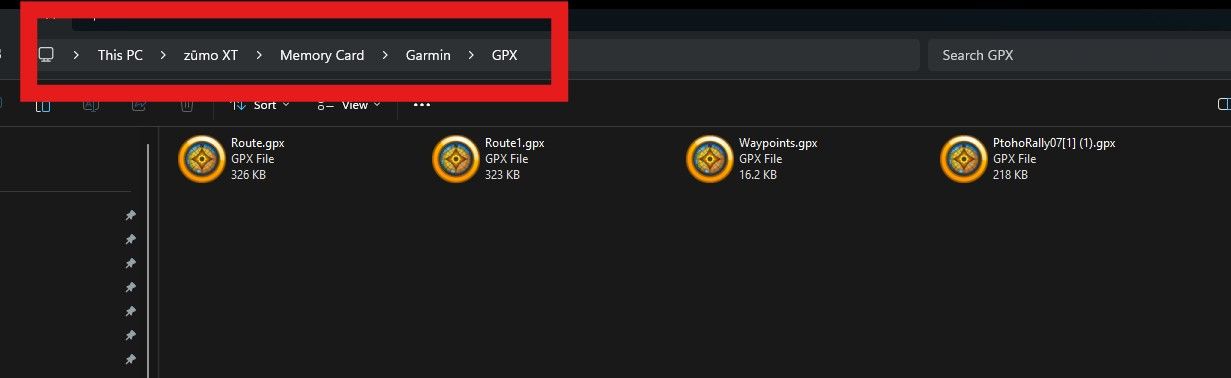
                            I used the Drive app when I am away from my PC. I did have the exporter working, but it stopped with the device not found error. Thought is was my PC so rebuilt it, but got the same. I use drag and drop in windows explorer from now . Just wondered whey the exporter wasn't working as advertised.

                            1 Reply Last reply
                            0

                            Hello! It looks like you're interested in this conversation, but you don't have an account yet.

                            Getting fed up of having to scroll through the same posts each visit? When you register for an account, you'll always come back to exactly where you were before, and choose to be notified of new replies (either via email, or push notification). You'll also be able to save bookmarks and upvote posts to show your appreciation to other community members.

                            With your input, this post could be even better 💗

                            Register Login
                            Reply
                            • Reply as topic
                            Log in to reply
                            • Oldest to Newest
                            • Newest to Oldest
                            • Most Votes


                            ACTIVE USERS
                            Travellexxie
                            Travellexxie
                            Marinus van Deudekom
                            Marinus van Deudekom
                            Mzokk
                            Mzokk
                            Brian McG
                            Brian McG
                            nomko
                            nomko
                            D A Wakefield
                            D A Wakefield
                            POPULAR TOPICS
                            • It was not possible to find a correct route to Wheels Through Time
                              Nick Carthew
                              Nick Carthew
                              0
                              16
                              245

                            • Is there a way to put a Home button in the program
                              RetiredWingMan
                              RetiredWingMan
                              0
                              5
                              49

                            • MRA 5.2.2 (489) Route time is calculated incorrectly /// Strecken Zeit wird falsch berechnet
                              Nick Carthew
                              Nick Carthew
                              0
                              4
                              29

                            • Is there a way to re-order the routes in your routes folder?
                              superg
                              superg
                              0
                              3
                              48

                            • Route doesn’t recalculate to my destination
                              Peter Zehentreiter
                              Peter Zehentreiter
                              0
                              7
                              236

                            • routepunten overslaan gebeurd niet zoals verwacht
                              Bruno 7
                              Bruno 7
                              1
                              21
                              632

                            • MRA In the BMW - Cradel vertically and horizontally /// MRA im BMW - Cradel senkrecht und waagerecht nutzen
                              Hubert Thoring
                              Hubert Thoring
                              0
                              2
                              37

                            • Opening Route Direct from Android Auto Screen
                              Marinus van Deudekom
                              Marinus van Deudekom
                              0
                              6
                              262

                            MY GROUPS
                            • Login

                            • Login or register to search.
                            • First post
                              Last post
                            0
                            • Categories
                            • Recent
                            • Popular
                            • Support
                            • MyRoute-app