Route Color line option?
-
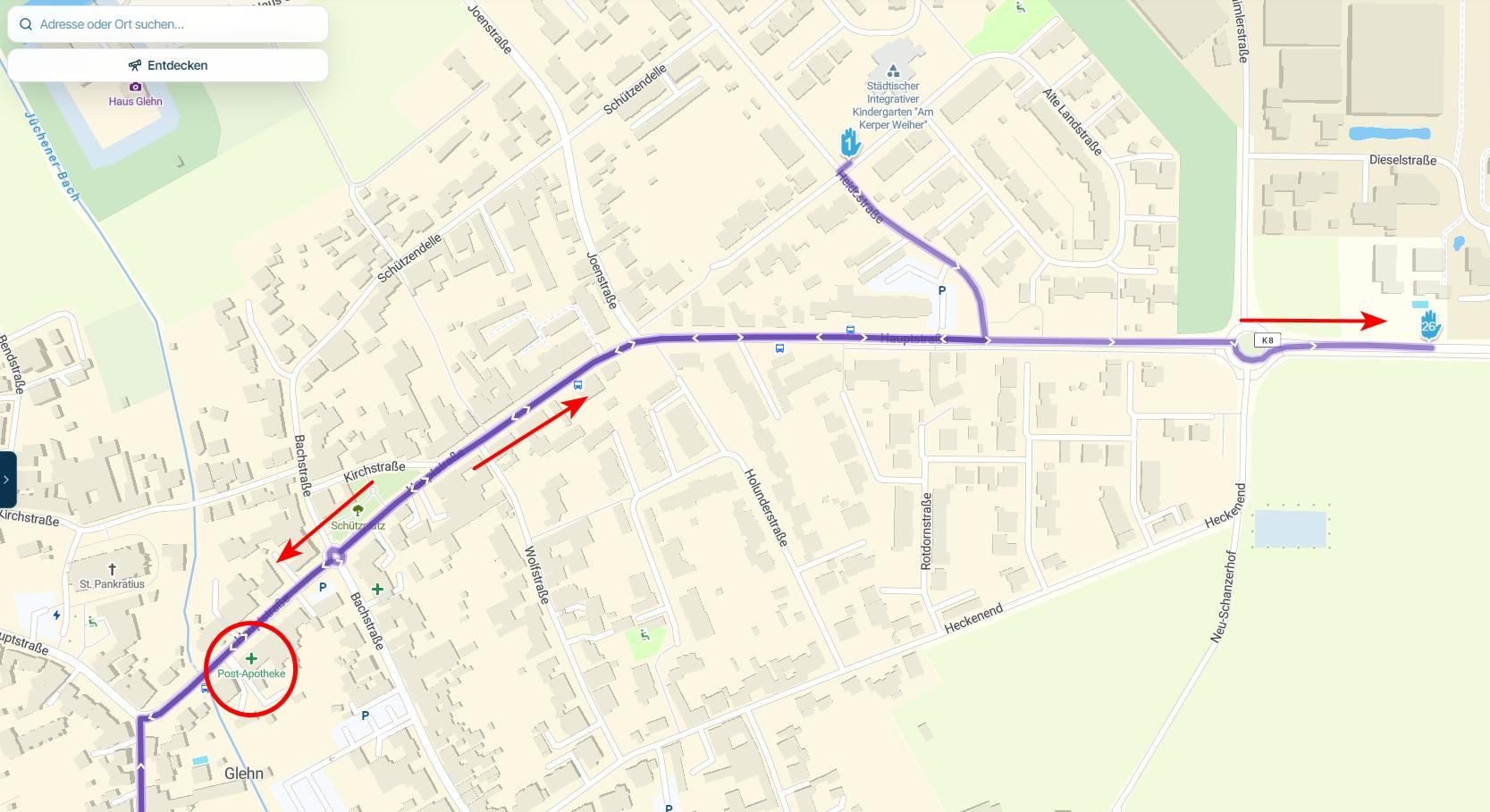
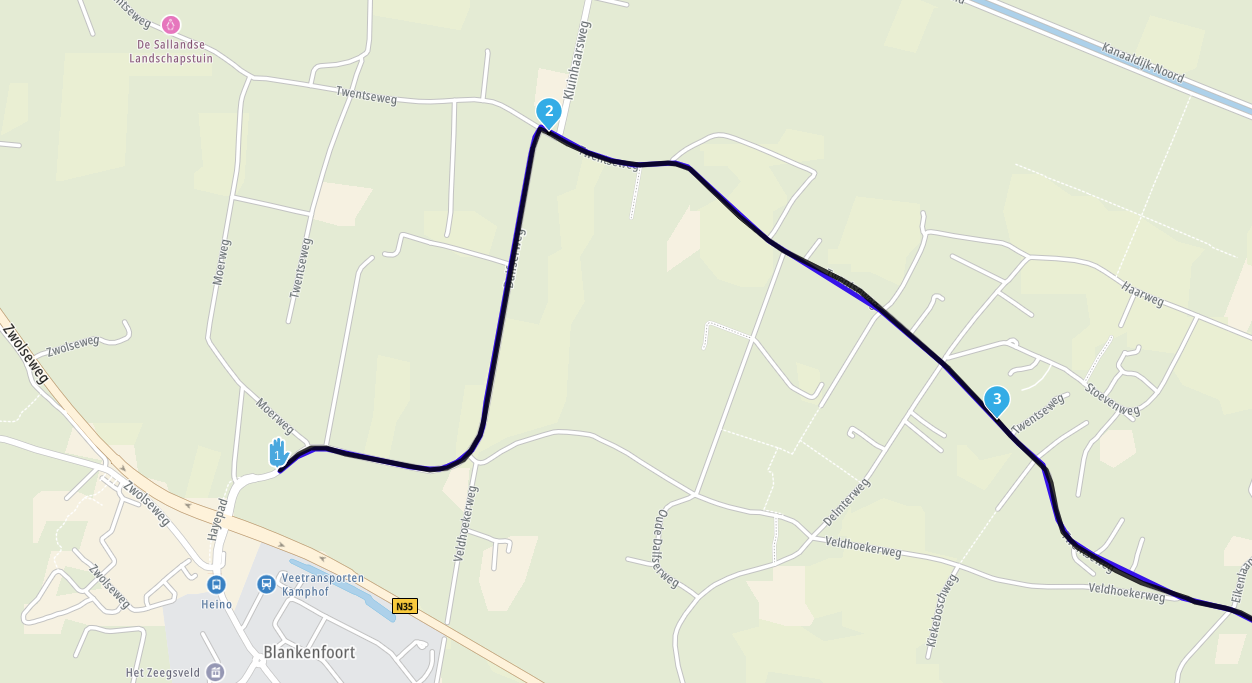
I would love to have have a choice in color-line. Especially when using Satellite maps. When woods are represented in the route, the black line is almost invisible.
-
I would love to have have a choice in color-line. Especially when using Satellite maps. When woods are represented in the route, the black line is almost invisible.

@Angelique-de-leon is already on the wishlist for a future update.
-
I would love to have have a choice in color-line. Especially when using Satellite maps. When woods are represented in the route, the black line is almost invisible.

@Angelique-de-leon
Do you mean in the MRA Planner Web or in the Phone App? -
@Angelique-de-leon
Do you mean in the MRA Planner Web or in the Phone App?
@Jack-van-Tilburg Relevant for both

@Angelique-de-leon Within the Routeplanner you can change the opacity (not colour) of the line using the toolkit. This won't however help much if you find the black color not visible enough

-
@Angelique-de-leon is already on the wishlist for a future update.
-

Is this still on the wishlist or did is disappear. If so, please put it back on the list - it's about 2.5 years from now.
Thank you so much -
2026...helaas nog niet gelukt


@Angelique-de-leon english please.
-
Is there any update on this feature? It has been requested for more than three years now. Is it still on the wishlist?
Being able to change the route line color would greatly improve navigation, especially in daytime mode and when using satellite maps, where the current contrast often makes the route difficult to see.
Thank you.
-
Is there any update on this feature? It has been requested for more than three years now. Is it still on the wishlist?
Being able to change the route line color would greatly improve navigation, especially in daytime mode and when using satellite maps, where the current contrast often makes the route difficult to see.
Thank you.

@Franxu I can only support this request.
When using the satellite map, the blue line is very difficult to make out. -
It would be so helpful. Satelite map is not really of use when the route is not visable.
-

The difficulty lies in that the colors already change, based on traffic information. Blue turns into orange to red based on traffic density. Also the colors have a meaning: blue line is calculated route / yellow line is tracked route / white line is original route. Customizing colors would mess things up very badly. Besides, the sattelite map does not strike me as preferable map to navigate on anyway, but that might be a matter of taste
-
The difficulty lies in that the colors already change, based on traffic information. Blue turns into orange to red based on traffic density. Also the colors have a meaning: blue line is calculated route / yellow line is tracked route / white line is original route. Customizing colors would mess things up very badly. Besides, the sattelite map does not strike me as preferable map to navigate on anyway, but that might be a matter of taste
The difficulty lies in that the colors already change, based on traffic information. Blue turns into orange to red based on traffic density. Also the colors have a meaning: blue line is calculated route / yellow line is tracked route / white line is original route. Customizing colors would mess things up very badly. Besides, the sattelite map does not strike me as preferable map to navigate on anyway, but that might be a matter of taste
I understand the issue with traffic colors and the meaning associated with each route color. However, I'm not suggesting unlimited color customization.
What I mean is having a single high-contrast alternative option for the calculated route, such as pink or magenta (as used by some other navigation apps). This would make the route much easier to see on satellite maps and in certain daytime conditions, while keeping all the other colors unchanged.
The traffic colors (orange/red), the tracking route color (yellow), and the original route color (white) could remain exactly as they are today. The idea is simply to provide an optional high-contrast mode that improves visibility without affecting the existing color scheme or the meaning of the other route indicators.
-
The difficulty lies in that the colors already change, based on traffic information. Blue turns into orange to red based on traffic density. Also the colors have a meaning: blue line is calculated route / yellow line is tracked route / white line is original route. Customizing colors would mess things up very badly. Besides, the sattelite map does not strike me as preferable map to navigate on anyway, but that might be a matter of taste
I understand the issue with traffic colors and the meaning associated with each route color. However, I'm not suggesting unlimited color customization.
What I mean is having a single high-contrast alternative option for the calculated route, such as pink or magenta (as used by some other navigation apps). This would make the route much easier to see on satellite maps and in certain daytime conditions, while keeping all the other colors unchanged.
The traffic colors (orange/red), the tracking route color (yellow), and the original route color (white) could remain exactly as they are today. The idea is simply to provide an optional high-contrast mode that improves visibility without affecting the existing color scheme or the meaning of the other route indicators.
-
for me the white line is important but not always good to see. i never use tracking.... so for me i would like to switch them. but that will not happen so i have my alternative to have trackline always good te see. not all tools can be perfect for everybody. i accept that and i found a solution that fits my need.
-
Thank you all for your replies! I do not use satellite mode to navigate, but I do enjoy creating routes using the various maps available in MRA. Satellite map is definitely one of them. MRA is a great program, and it is not a big deal, but it does occasionally bother me (just a little
). -
The difficulty lies in that the colors already change, based on traffic information. Blue turns into orange to red based on traffic density. Also the colors have a meaning: blue line is calculated route / yellow line is tracked route / white line is original route. Customizing colors would mess things up very badly. Besides, the sattelite map does not strike me as preferable map to navigate on anyway, but that might be a matter of taste
Besides, the sattelite map does not strike me as preferable map to navigate on anyway, but that might be a matter of taste
In my view, however, it is precisely this view (Wong) & Satellite that offers very detailed streets and locations; even if I want to zoom in or out because I might be looking for an alternative route, it’s easier to find with this view.
With Garmin, for example, you could set a bold magenta colour.
Why shouldn’t that also be possible in MRA?
BMW R 1250 GS
MRA Navigation & SilverFox C1 Controller
DMD-NOR7E 7"
SPC Universal mount
Motorola Edge 40 "offline"
Sena SLR 3
Sena 50 R -
Besides, the sattelite map does not strike me as preferable map to navigate on anyway, but that might be a matter of taste
In my view, however, it is precisely this view (Wong) & Satellite that offers very detailed streets and locations; even if I want to zoom in or out because I might be looking for an alternative route, it’s easier to find with this view.
With Garmin, for example, you could set a bold magenta colour.
Why shouldn’t that also be possible in MRA?
@Peter-Zehentreiter, yes, those colored roads projected on the satellite view certainly makes things better.
Why shouldn’t that also be possible in MRA?
I am not saying it shouldn't be possible
I am merely mentioning some probable difficulties.Does playing with opacity and width not lead to better visibility? I tried and see that enabling darkmode gives a much much better visibility of the route line. Satellite maps tend to be dark after all, so that's not a crazy idea I think
Does that work for you?I am just an enthusiastic MRA user, and hope you will be one too!
Most motorcycle problems are caused by the nut that connects the handlebar to the saddle.
Check out RideSleepRepeat.eu, a biker community for sharing stays across Europe
-
@Peter-Zehentreiter, yes, those colored roads projected on the satellite view certainly makes things better.
Why shouldn’t that also be possible in MRA?
I am not saying it shouldn't be possible
I am merely mentioning some probable difficulties.Does playing with opacity and width not lead to better visibility? I tried and see that enabling darkmode gives a much much better visibility of the route line. Satellite maps tend to be dark after all, so that's not a crazy idea I think
Does that work for you?
@Con-Hennekens As for opacity, I’ve already set it to 1.0; reducing it makes the blue colour look rather pale.
I’ve tried out a lot of different widths; for me, 0.75 is the best choice here.
But dark mode is an alternative, as it turns the blue line turquoise, making it stand out much better.
I’ll give that a go in sunlight to see if it might be an improvement.
Still, having the option of, say, magenta in day mode would be brilliant.
BMW R 1250 GS
MRA Navigation & SilverFox C1 Controller
DMD-NOR7E 7"
SPC Universal mount
Motorola Edge 40 "offline"
Sena SLR 3
Sena 50 R -
@Con-Hennekens As for opacity, I’ve already set it to 1.0; reducing it makes the blue colour look rather pale.
I’ve tried out a lot of different widths; for me, 0.75 is the best choice here.
But dark mode is an alternative, as it turns the blue line turquoise, making it stand out much better.
I’ll give that a go in sunlight to see if it might be an improvement.
Still, having the option of, say, magenta in day mode would be brilliant.
But dark mode is an alternative, as it turns the blue line turquoise, making it stand out much better.
I would not know, I am (partly) colorblind

But I can see a much better contrast that way
Hello! It looks like you're interested in this conversation, but you don't have an account yet.
Getting fed up of having to scroll through the same posts each visit? When you register for an account, you'll always come back to exactly where you were before, and choose to be notified of new replies (either via email, or push notification). You'll also be able to save bookmarks and upvote posts to show your appreciation to other community members.
With your input, this post could be even better 💗
Register Login-
 0836
0836
-
1425550
-
 0516
0516
-
 0570
0570
-
0584
-
 116278
-
 08498
08498
-
0420