Export waypoints to Google Maps on mobile
-
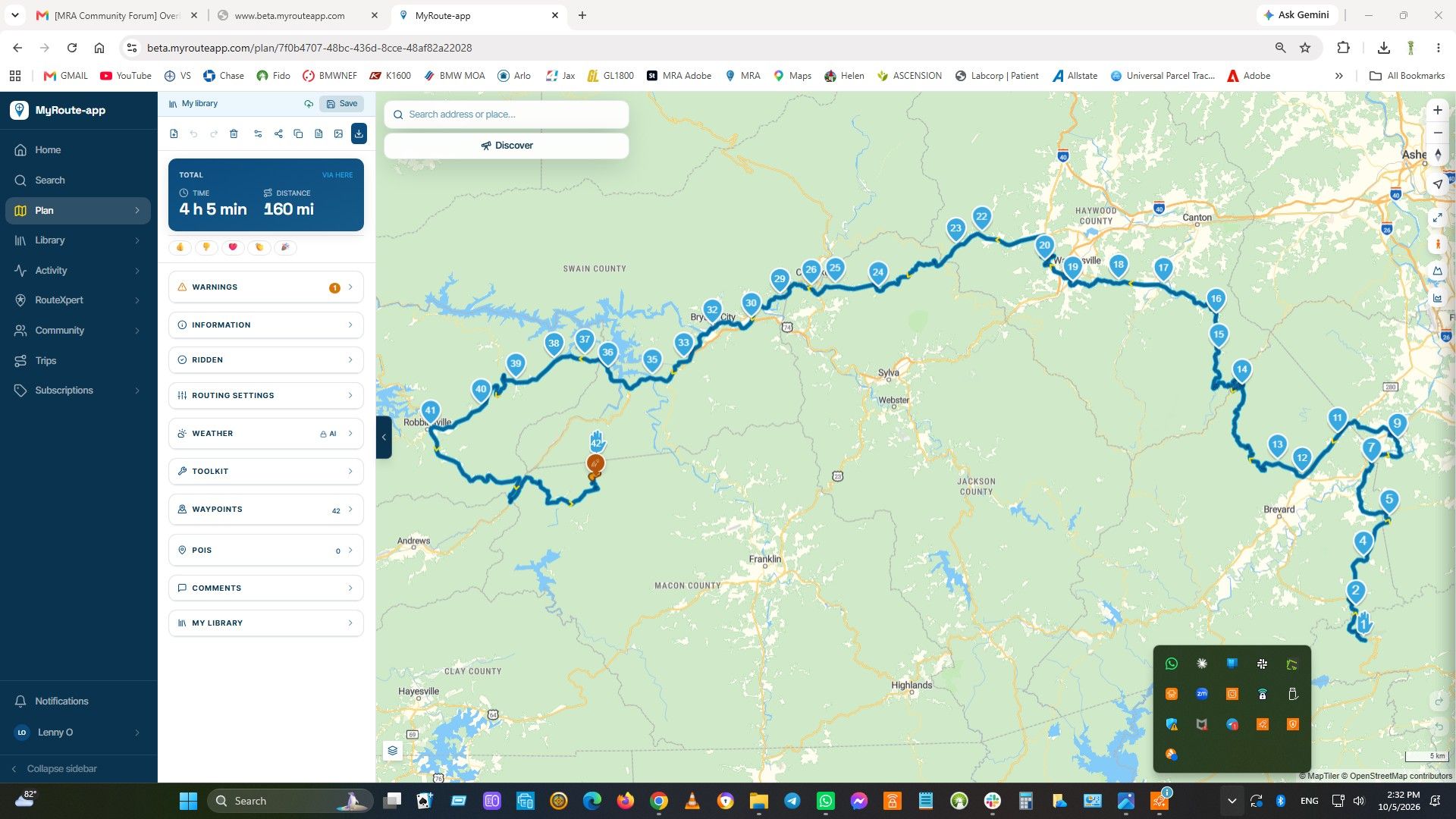
I use myrouteapp.com for creating storing and managing road trip routes. I have a lifetime subscription so I'd really like to keep using it. I have the MRA app on my android mobile, which allows me to access my stored maps.
I use Google maps on my bike. I used to use tomtom, but I've recently switched. I like to use waypoints, so on tomtom I exported itn files rather than gpx. Worked perfectly, and I could do this on the road using a sdcard.
So MRA > TomTom could be done in a few minutes.I'm seeking a similar workflow MRA > Google Maps. Which to my mind if all on the same mobile, should be super easy. But I can't find an option - hence my suggestion, can there be an export direct to google maps.
I have tried the optional turn-by-turn navigation from MRA, but it's not for me. Will try again in the future. But even if that's good for me, I like to have multiple options.

unfortunately I do not think MRA > Google maps is going to work for you
I used a similar workflow to you when I had a TomTom 410, it worked very wellGoogle navigation is pretty much an start position A > destination B navigation system
you can add in the odd Via point in Google maps but the system does not accept import of GPX/KML files that can be navigatedI totaly agree with having a second back navigation option, I use MRA navigation as my main app & Osmand as the backup
Osmand is clunky but it does function reasonably well -
I use myrouteapp.com for creating storing and managing road trip routes. I have a lifetime subscription so I'd really like to keep using it. I have the MRA app on my android mobile, which allows me to access my stored maps.
I use Google maps on my bike. I used to use tomtom, but I've recently switched. I like to use waypoints, so on tomtom I exported itn files rather than gpx. Worked perfectly, and I could do this on the road using a sdcard.
So MRA > TomTom could be done in a few minutes.I'm seeking a similar workflow MRA > Google Maps. Which to my mind if all on the same mobile, should be super easy. But I can't find an option - hence my suggestion, can there be an export direct to google maps.
I have tried the optional turn-by-turn navigation from MRA, but it's not for me. Will try again in the future. But even if that's good for me, I like to have multiple options.

@BFG, What do you dislike about the MRA Route Navigation, and what do you like better on gMaps for a feature that it does not even have (scenic routing, navigating many route points)? Given the many features asked for in this forum, I do not understand what anyone could prefer on gMaps to be honest (besides A2B navigation that is).
-

The last time I tried the app, its instructions were completely wrong. I had it running in parallel with TomTom, and was testing it on a very well known route. No milestone / waypoints, just a single destination set. NN make 10 mistakes in the first 30 miles, telling me to take the wrong road each time. Many times I could see it wanted to take me into a car park, turn around and come out again. Stopped and double-checked destination and settings. Set it going also in parallel on my partner's phone. Set off again and it failed almost immediately. It felt like it was a pre-Alpha release. OK, I could keep it running in parallel, but then it was doing very strange things with the display which became a distraction.
This was Mar last year. https://forum.myrouteapp.com/topic/8980/first-time-navigation-next-on-android-auto-strange-display-rotation
I didn't try it again. If another free trial was offered I'd have given it another go after a few months.
Maybe I should try again. -

If you’ve that many faults it must have something to do with your navigationsettings
-
The last time I tried the app, its instructions were completely wrong. I had it running in parallel with TomTom, and was testing it on a very well known route. No milestone / waypoints, just a single destination set. NN make 10 mistakes in the first 30 miles, telling me to take the wrong road each time. Many times I could see it wanted to take me into a car park, turn around and come out again. Stopped and double-checked destination and settings. Set it going also in parallel on my partner's phone. Set off again and it failed almost immediately. It felt like it was a pre-Alpha release. OK, I could keep it running in parallel, but then it was doing very strange things with the display which became a distraction.
This was Mar last year. https://forum.myrouteapp.com/topic/8980/first-time-navigation-next-on-android-auto-strange-display-rotation
I didn't try it again. If another free trial was offered I'd have given it another go after a few months.
Maybe I should try again.
@BFG, Who is to say your TomTom didn't get it right all that time instead...

I don't recognize anything you say... -
does export route in kml not work with google mymaps.
does export route in kml not work with google mymaps.
It does! they come in as pins. Thank you. This is a step closer. There are android apps that allow navigation from My Map pins.
-
is it not so that routes made in mymaps can be used in google maps... i am not in it but it is just a idea. you also can try kmz...
-
I have a workflow. AI tools will do this easily. Tested with both chatgpt and claude.
A prompt such as the following works perfectly, and loads to google maps navigation (not to google my maps), so turn-by-turn is working. It does this by creating a single URL containing lat-long co-ordinates. I've only tested with .itn but it will work with gpx etc.
The prompt I used is:
Please prepare a google maps navigation route, using latitude and longitude, and provide me with a re-usable link to the navigation, using the attached .itn file as a source
Also, prompted by this thread, I've decided to give NN another go and purchased a subscription.
-
i do not use AI... the fun is half to play arround with routes and then try to find solution for navigation. it can be use off a lot of shaping points or use OSM but then use a OSM navigation app. sometimes i just use a track and then also NN but with some tracks it is better to use other app. i never use google maps for planned routes. for planned routes i use NN, Comaps(track), osmand (osm) and komoot for walking or bike. i am now also looking at bmaps, android app working alone with tracks and osm maps. As long as Here maps are supports the roads i use NN. If road support is better in OSM then i plan in OSM and export track to what ever i like to use.
Hello! It looks like you're interested in this conversation, but you don't have an account yet.
Getting fed up of having to scroll through the same posts each visit? When you register for an account, you'll always come back to exactly where you were before, and choose to be notified of new replies (either via email, or push notification). You'll also be able to save bookmarks and upvote posts to show your appreciation to other community members.
With your input, this post could be even better 💗
Register Login-
 0925
0925
-
015524
-
 4261.9k
-
018679
-
 1623
1623
-
 91058.0k
-
0488
-
 08275
08275