Skip to content
  • Categories
  • Recent
  • Popular
  • Support
  • MyRoute-app
Collapse
Brand Logo

MRA Community Forum

  1. Home
  2. General Discussion
  3. Adding exist spots on map to route

Adding exist spots on map to route
Scheduled Pinned Locked Moved General Discussion
10 Posts 5 Posters 245 Views 4 Watching
  • Oldest to Newest
  • Newest to Oldest
  • Most Votes
Reply
  • Reply as topic
Log in to reply
This topic has been deleted. Only users with topic management privileges can see it.
  • Kerry Lebelundefined Offline
    Kerry Lebelundefined Offline
    Kerry Lebel
    wrote last edited by
    #1

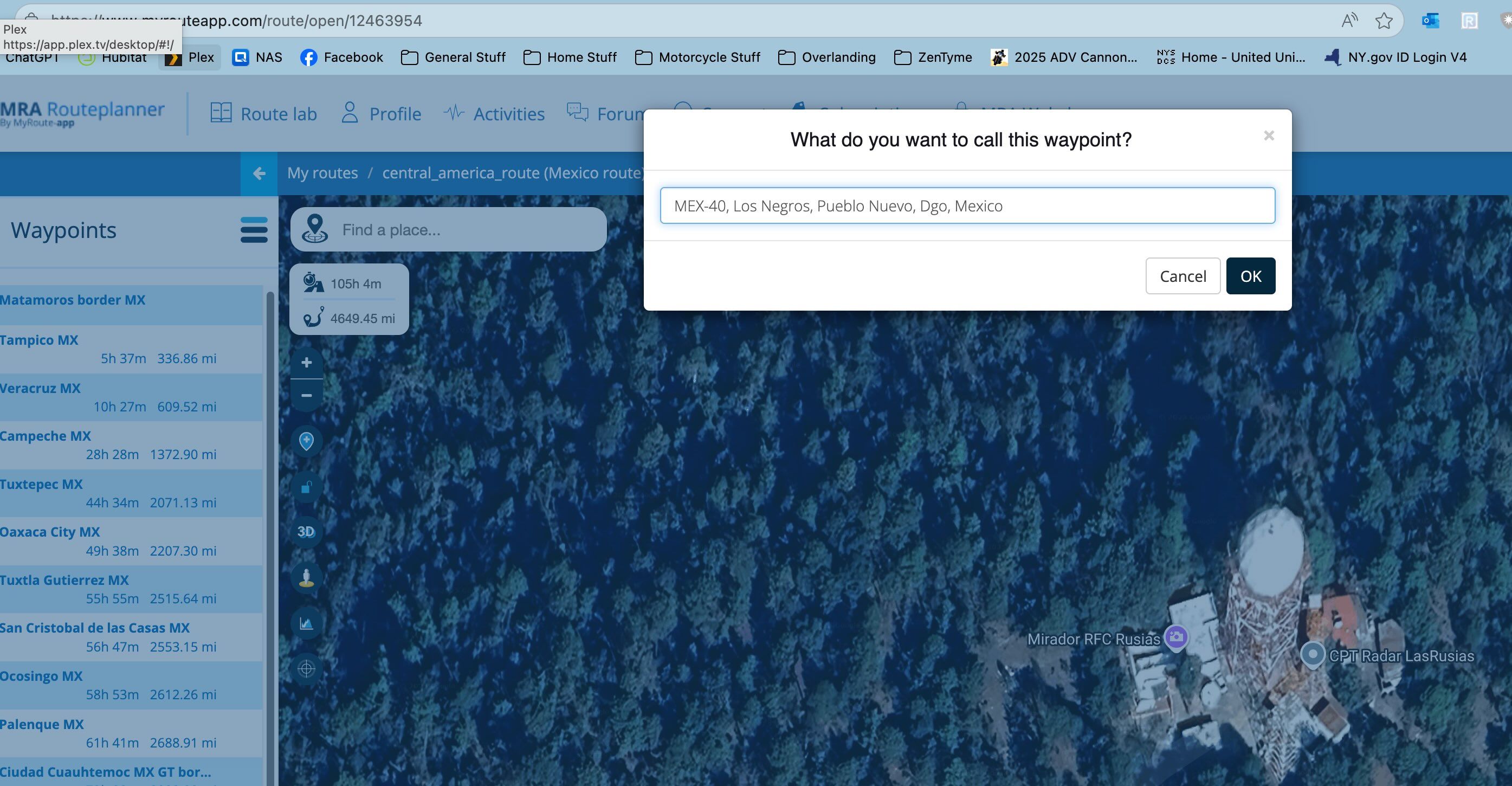
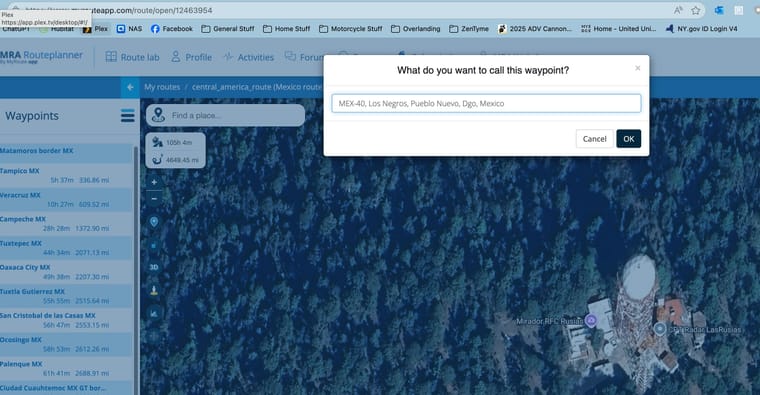
    As I am building a route through Mexico, I am finding there are lots of interesting photo op locations marked on the map. Can I just add those directy to the route by clicking them somehow? When I try to click on the photo op location the route builder prompts me to add a name rather than use the existing one. Example here.
    Screenshot 2025-12-26 at 2.40.09 PM.jpg

    Rob Verhoeffundefined 1 Reply Last reply
    0
    • Kerry Lebelundefined Kerry Lebel

      As I am building a route through Mexico, I am finding there are lots of interesting photo op locations marked on the map. Can I just add those directy to the route by clicking them somehow? When I try to click on the photo op location the route builder prompts me to add a name rather than use the existing one. Example here.

      Screenshot 2025-12-26 at 2.40.09 PM.jpg

      Rob Verhoeffundefined Offline
      Rob Verhoeffundefined Offline
      Rob Verhoeff
      Alpha tester
      wrote last edited by
      #2

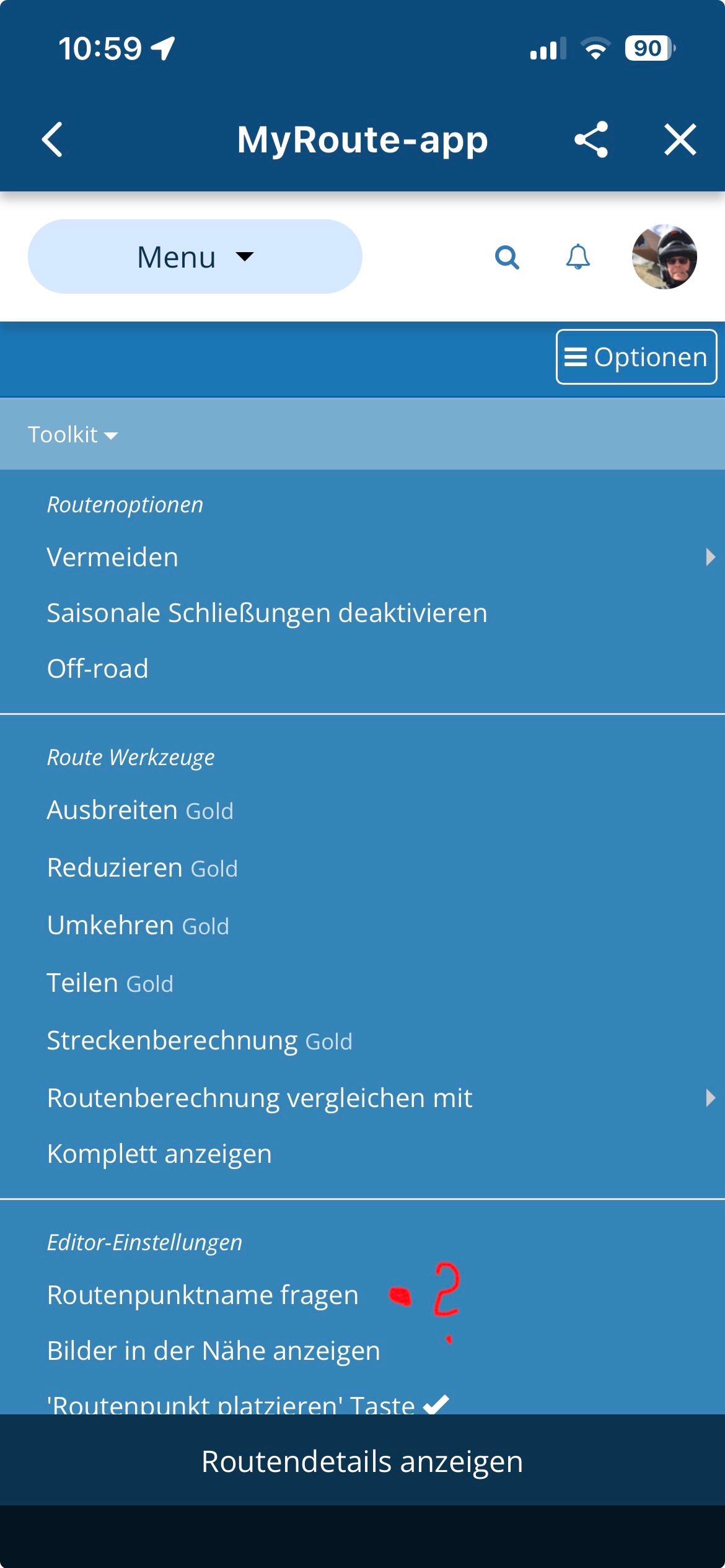
      @Kerry-Lebel Because in the toolkit menu, under the option “Editor setting”, you have checked the menu option “ask for route point name.”

      BMW K1600GT-P (2013) with BMW Navigator | Nolan N100-5 with Sena 30K
      iOS on iPhone 13 & 16 (mounted on Quadlock)
      Apple CarPlay in VW T-Roc (wired)
      Routelab on MacBook Air & iMac (Tahoe & Ventura)

      Rob Verhoeffundefined 1 Reply Last reply
      0
      • Rob Verhoeffundefined Rob Verhoeff

        @Kerry-Lebel Because in the toolkit menu, under the option “Editor setting”, you have checked the menu option “ask for route point name.”

        Rob Verhoeffundefined Offline
        Rob Verhoeffundefined Offline
        Rob Verhoeff
        Alpha tester
        wrote last edited by
        #3

        @Kerry-Lebel Adding exist spots on map to route:

        “ask for route point name.”

        Must be: "Aks for waypoint name" in "Editor setting" of the Toolkit-menu.

        BMW K1600GT-P (2013) with BMW Navigator | Nolan N100-5 with Sena 30K
        iOS on iPhone 13 & 16 (mounted on Quadlock)
        Apple CarPlay in VW T-Roc (wired)
        Routelab on MacBook Air & iMac (Tahoe & Ventura)

        1 Reply Last reply
        0
        • Hubert Thoringundefined Offline
          Hubert Thoringundefined Offline
          Hubert Thoring
          Valued contributor
          wrote last edited by
          #4

          IMG_5426.jpeg

          VG Hubert
          Info Beta Test "Next App" dazu die Hardware .
          iPad 9. Gen iOS 26.2 / iPhone 16e iOS 26.2 / iPhone Xr iOS 18.7.3 / PC mit MS Win11 /❗️MyRoute-App im Cradel und Remotek-One❗️ Info zu MRA & Remotek One

          1 Reply Last reply
          0
          • Kerry Lebelundefined Offline
            Kerry Lebelundefined Offline
            Kerry Lebel
            wrote last edited by
            #5

            Great. Thanks gents!

            1 Reply Last reply
            1
            • Kerry Lebelundefined Offline
              Kerry Lebelundefined Offline
              Kerry Lebel
              wrote last edited by
              #6

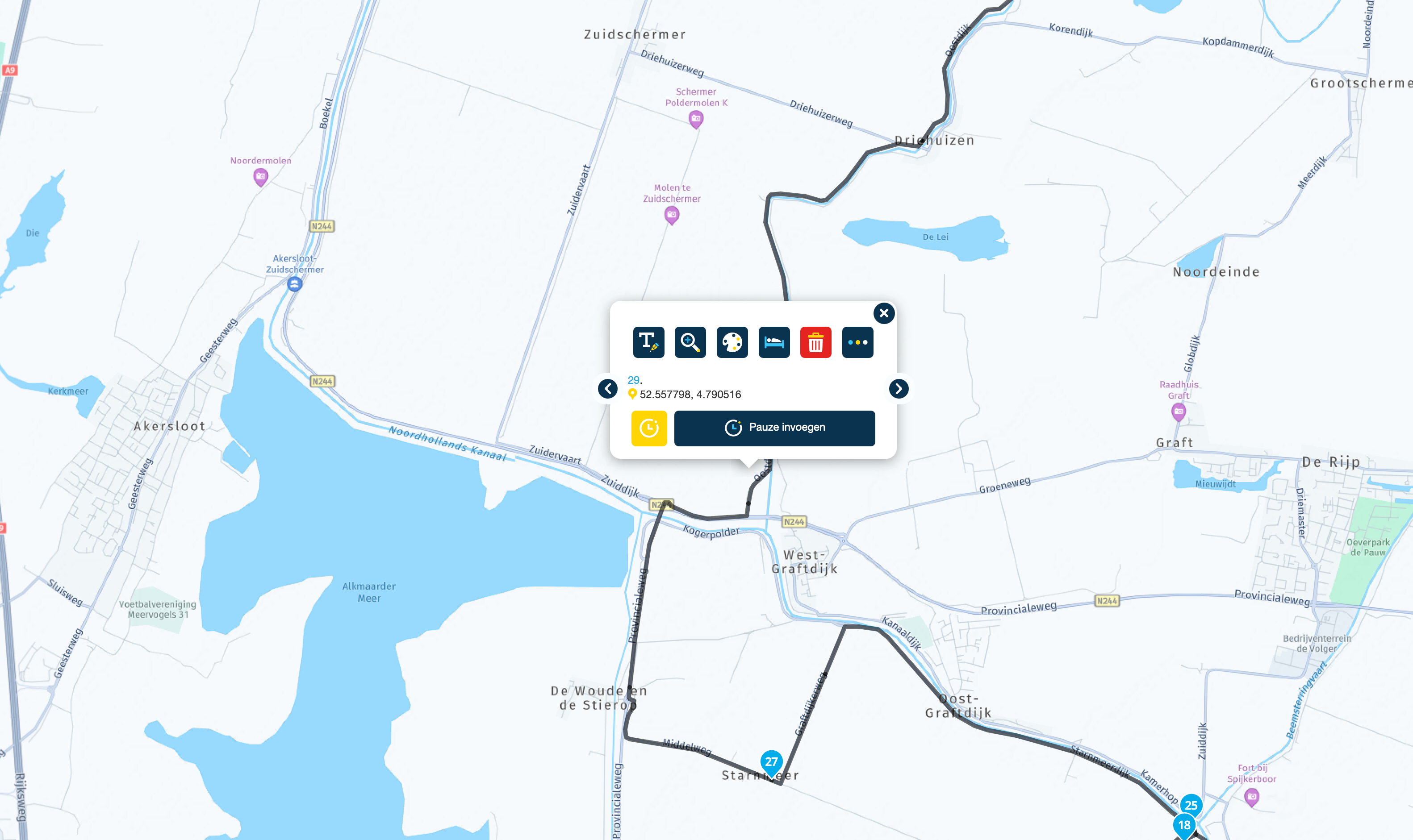
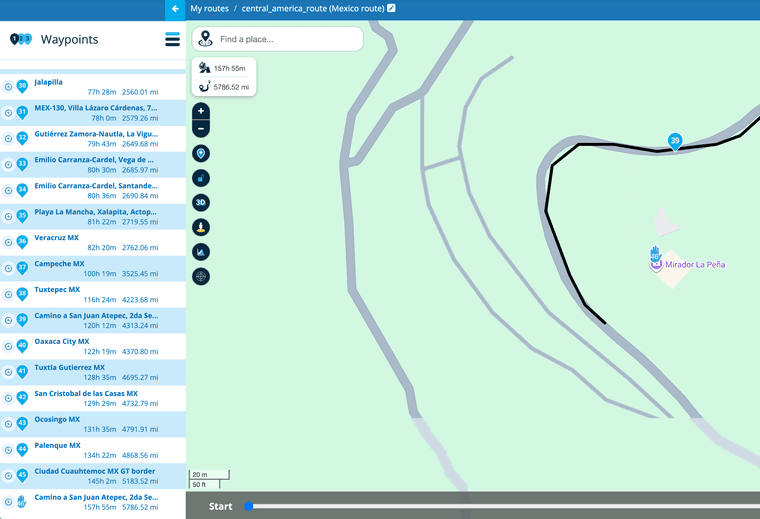
              OK Guys, sorry but that didn't work. It didn't prompt me for a name, but it also didn't use the viewpoint name that was already on the map. It came up with its own name based on the physical location. In the screenshot you can see the name of stop 46 assigned by MRA, and you can see the name of the viewpoint on the map.
              Screenshot 2025-12-29 at 10.01.18 AM.png

              Rob Verhoeffundefined Guzzistundefined 2 Replies Last reply
              0
              • Kerry Lebelundefined Kerry Lebel

                OK Guys, sorry but that didn't work. It didn't prompt me for a name, but it also didn't use the viewpoint name that was already on the map. It came up with its own name based on the physical location. In the screenshot you can see the name of stop 46 assigned by MRA, and you can see the name of the viewpoint on the map.

                Screenshot 2025-12-29 at 10.01.18 AM.png

                Rob Verhoeffundefined Offline
                Rob Verhoeffundefined Offline
                Rob Verhoeff
                Alpha tester
                wrote last edited by
                #7

                @Kerry-Lebel Yes, that's how it works. You can't select the name of the icon.

                BMW K1600GT-P (2013) with BMW Navigator | Nolan N100-5 with Sena 30K
                iOS on iPhone 13 & 16 (mounted on Quadlock)
                Apple CarPlay in VW T-Roc (wired)
                Routelab on MacBook Air & iMac (Tahoe & Ventura)

                Kerry Lebelundefined 1 Reply Last reply
                0
                • Rob Verhoeffundefined Rob Verhoeff

                  @Kerry-Lebel Yes, that's how it works. You can't select the name of the icon.

                  Kerry Lebelundefined Offline
                  Kerry Lebelundefined Offline
                  Kerry Lebel
                  wrote last edited by
                  #8

                  @Rob-Verhoeff Got it. Thank you. Thats a bummer. It would have been awesome if it would use the actually map location name. I will just edit it manually for now.

                  Nick Carthewundefined 1 Reply Last reply
                  0
                  • Kerry Lebelundefined Kerry Lebel

                    @Rob-Verhoeff Got it. Thank you. Thats a bummer. It would have been awesome if it would use the actually map location name. I will just edit it manually for now.

                    Nick Carthewundefined Offline
                    Nick Carthewundefined Offline
                    Nick Carthew
                    RouteXpert
                    wrote last edited by
                    #9

                    @Kerry-Lebel I would also point out that it is not wise to position a route point on a point of interest. Only position route points on the black track line.

                    Always willing to help if I can.
                    Triumph Tiger 1200 XRT called Tina.
                    MRA Navigation Next and SilverFox BJ8

                    1 Reply Last reply
                    1
                    • Kerry Lebelundefined Kerry Lebel

                      OK Guys, sorry but that didn't work. It didn't prompt me for a name, but it also didn't use the viewpoint name that was already on the map. It came up with its own name based on the physical location. In the screenshot you can see the name of stop 46 assigned by MRA, and you can see the name of the viewpoint on the map.

                      Screenshot 2025-12-29 at 10.01.18 AM.png

                      Guzzistundefined Offline
                      Guzzistundefined Offline
                      Guzzist
                      Valued contributor
                      wrote last edited by Guzzist
                      #10

                      @Kerry-Lebel ...your mentioned point "Mirador la Peña" serms a so called view point. You can use it by a click as route point if:

                      • on your screen left side, there is the list of waypoints - but you need to switch to list of POI (click on "Hamburger-Menue, right side of word "Waypoint" to select it)
                      • in the list of POI, you need to select the category "viewpoints"
                      • with a little luck, the "Mirador la Peña" is well known and an icon becomes visible in map (by zooming in!)
                      • you can click on this icon and select, if you want it entered as always visible POI - or/and as route point. Mostly the icon has the name as in the map shown (but you can override).

                      Nothing is impossible ;-)
                      In past: GARMIN Zumo 210->GARMIN Zumo 395->GARMIN XT=> now: DMD T865-X + MyRoute-App, LocusMaps, OsmAnd.
                      In past: GARMIN MapSource ->GARMIN BaseCamp->Tyre->Kurviger->Calimoto=> now: MRA-Routplanner.

                      1 Reply Last reply
                      0
                      Reply
                      • Reply as topic
                      Log in to reply
                      • Oldest to Newest
                      • Newest to Oldest
                      • Most Votes


                      ACTIVE USERS
                      Guzzistundefined
                      Guzzist
                      Rob Verhoeffundefined
                      Rob Verhoeff
                      Nick Carthewundefined
                      Nick Carthew
                      Kerry Lebelundefined
                      Kerry Lebel
                      Hubert Thoringundefined
                      Hubert Thoring
                      POPULAR TOPICS
                      • Continuous freezing on Android Auto
                        Corjan Meijerinkundefined
                        Corjan Meijerink
                        0
                        6
                        47

                      • Adding exist spots on map to route
                        Guzzistundefined
                        Guzzist
                        0
                        10
                        245

                      • “Back” button is hidden
                        Tuxiundefined
                        Tuxi
                        0
                        4
                        87

                      • Can't increase the number of waypoints
                        Rob Verhoeffundefined
                        Rob Verhoeff
                        0
                        4
                        45

                      • Track, route als track slaat lus over
                        undefined
                        0
                        1
                        38

                      • Waypoints icones too big during navigation (Android 9)
                        Forestundefined
                        Forest
                        0
                        4
                        100
                      MY GROUPS
                      • Login

                      • Login or register to search.
                      • First post
                        Last post
                      0
                      • Categories
                      • Recent
                      • Popular
                      • Support
                      • MyRoute-app