Skip to content
  • Categories
  • Recent
  • Popular
  • Support
  • MyRoute-app
Collapse
Brand Logo

MRA Community Forum

  1. Home
  2. MyRoute-app Routeplanner
  3. [Web] Suggestions and Discussion
  4. "Spily your route" window

"Spily your route" window

Scheduled Pinned Locked Moved [Web] Suggestions and Discussion
6 Posts 3 Posters 2.0k Views 2 Watching
  • Oldest to Newest
  • Newest to Oldest
  • Most Votes
Reply
  • Reply as topic
Log in to reply
This topic has been deleted. Only users with topic management privileges can see it.
  • Spili Offline
    Spili Offline
    Spili
    wrote on last edited by
    #1

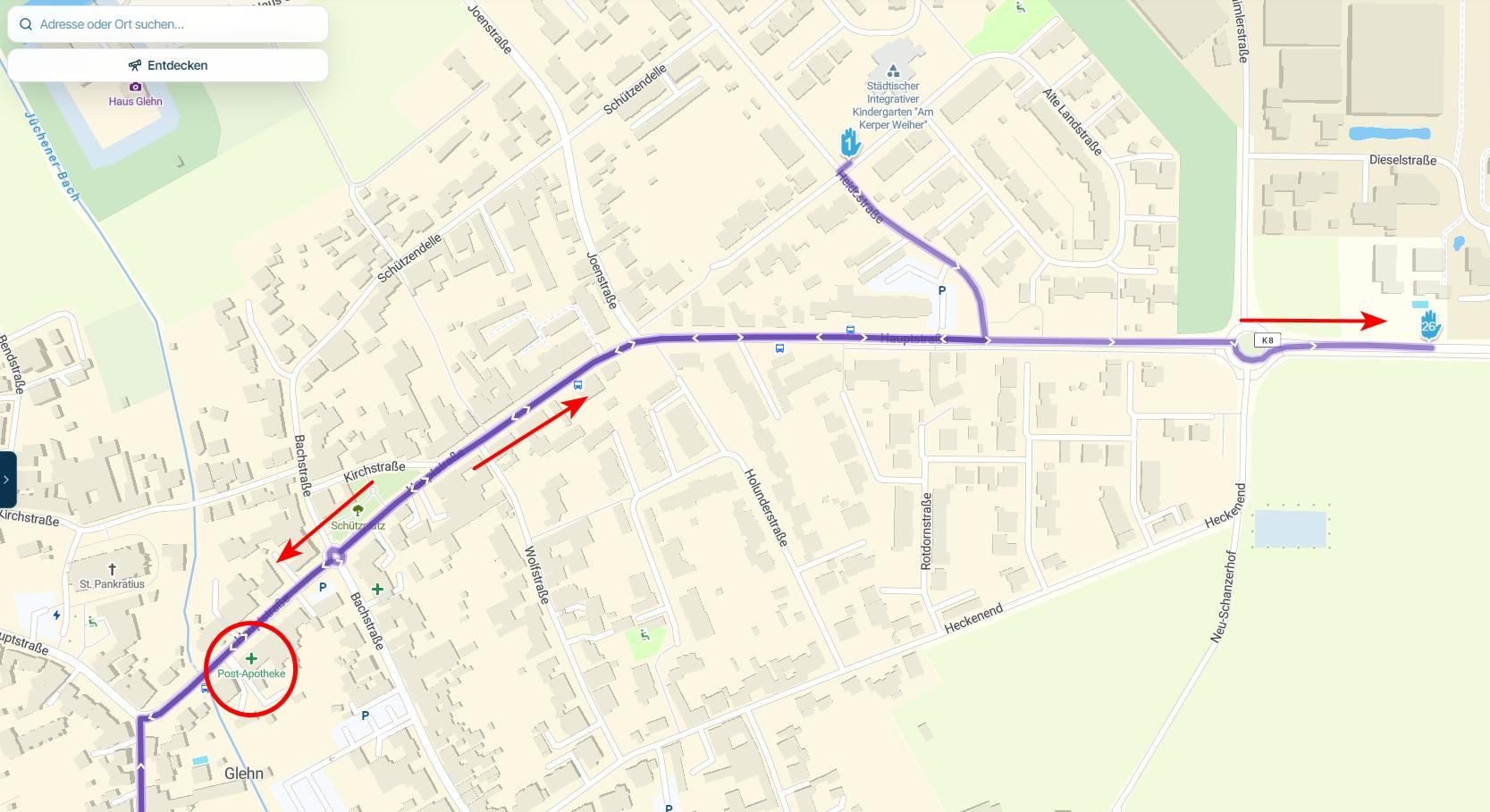
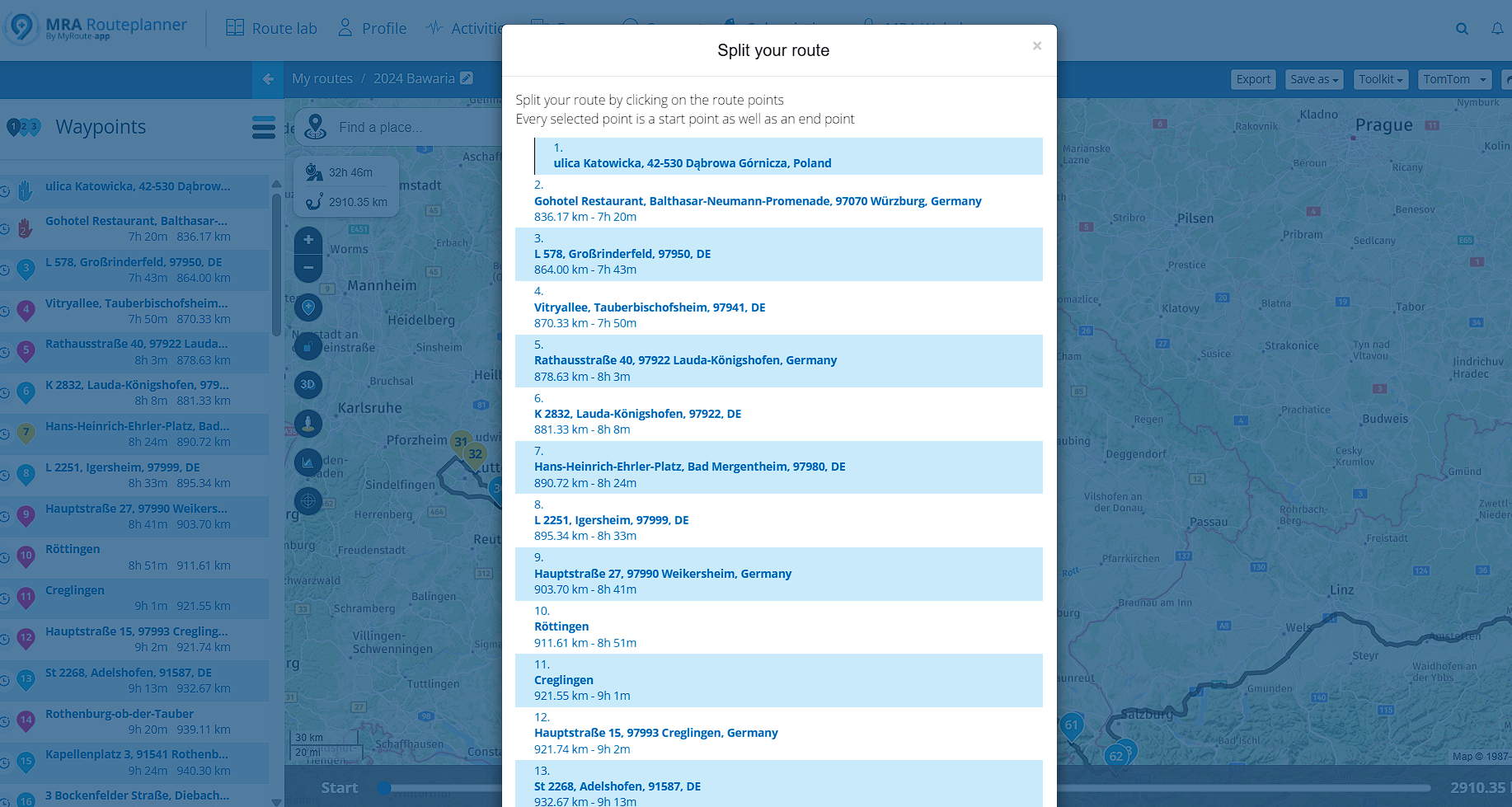
    Make this window moveable.
    It covers a route.
    It will be easier to drag this window to the side and see map with points.
    Perfect will be to make map still active for zooming when this window is open.

    80b68d58-2b62-4960-9306-1d06a7e3d182-image.png

    Nick Carthew Brian McG 2 Replies Last reply
    1
    • Spili Spili

      Make this window moveable.
      It covers a route.
      It will be easier to drag this window to the side and see map with points.
      Perfect will be to make map still active for zooming when this window is open.

      80b68d58-2b62-4960-9306-1d06a7e3d182-image.png

      Nick Carthew Offline
      Nick Carthew Offline
      Nick Carthew
      RouteXpert
      wrote on last edited by
      #2

      @Spili Make sure that you name the route points where you need to split the route with recognisable names, Hotel for example, then you don’t need to see the route.

      Always willing to help if I can.
      Triumph Tiger 1200 XRT called Tina.
      MRA Navigation Next and SilverFox BJ8

      Brian McG 1 Reply Last reply
      0
      • Nick Carthew Nick Carthew

        @Spili Make sure that you name the route points where you need to split the route with recognisable names, Hotel for example, then you don’t need to see the route.

        Brian McG Away
        Brian McG Away
        Brian McG
        wrote on last edited by Brian McG
        #3

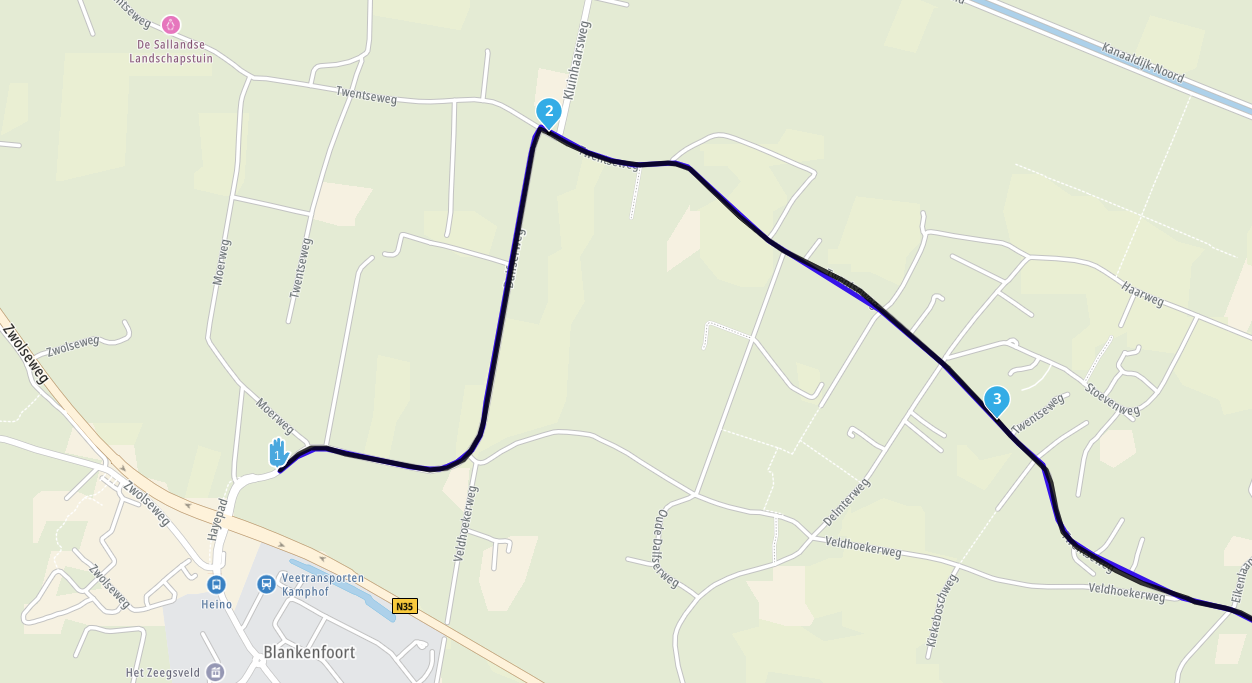
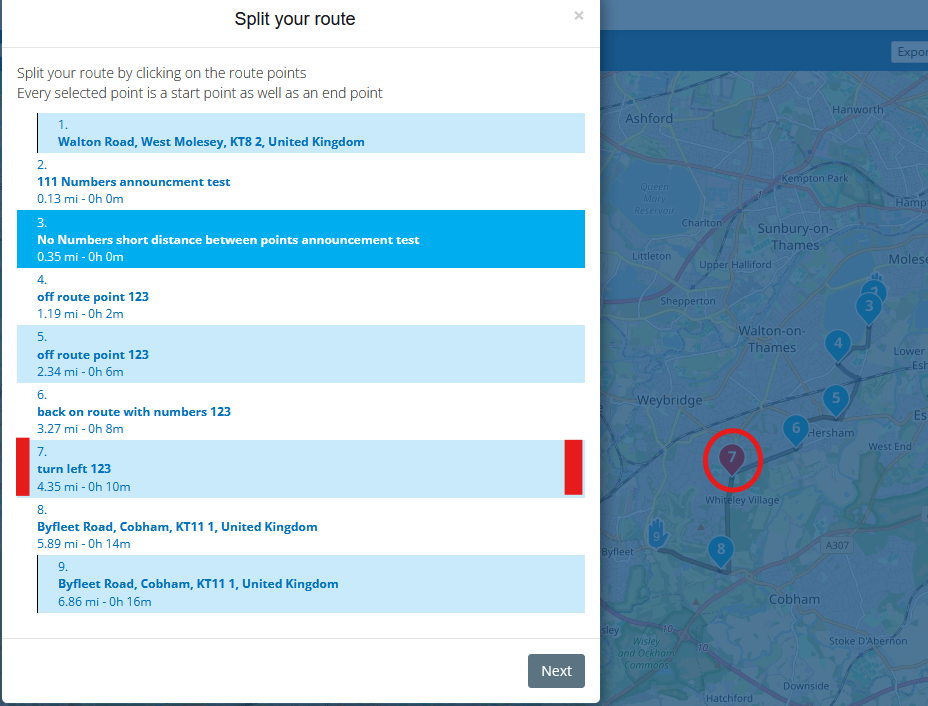
        @Nick-Carthew it has been requested before but it would be so much easier if in the list of points, the background area for each point was highlighted with the colours assigned to the points in the map
        8d913696-2084-45b4-ada7-9fc80a72602b-image.png

        would be an even bigger bonus if any icon associated with a point, like hotel or beer was also visible in the split list 😁

        BlackView BV7100, Android 12
        Navigate "Routes as Tracks" in Offline mode with Offline Maps
        No Wifi, no internet, no interruptions, works well

        1 Reply Last reply
        3
        • Spili Spili

          Make this window moveable.
          It covers a route.
          It will be easier to drag this window to the side and see map with points.
          Perfect will be to make map still active for zooming when this window is open.

          80b68d58-2b62-4960-9306-1d06a7e3d182-image.png

          Brian McG Away
          Brian McG Away
          Brian McG
          wrote on last edited by Brian McG
          #4

          hi @Spili I think my suggestion above would be a relatively simple & quick fix
          I do however like your suggestion as it would allow for a more flexible user experience, I think it would just take more work to implement

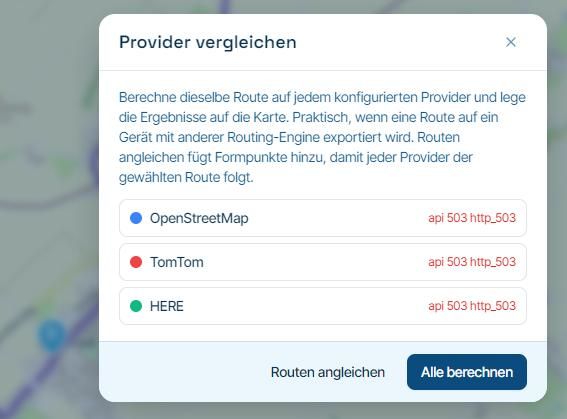
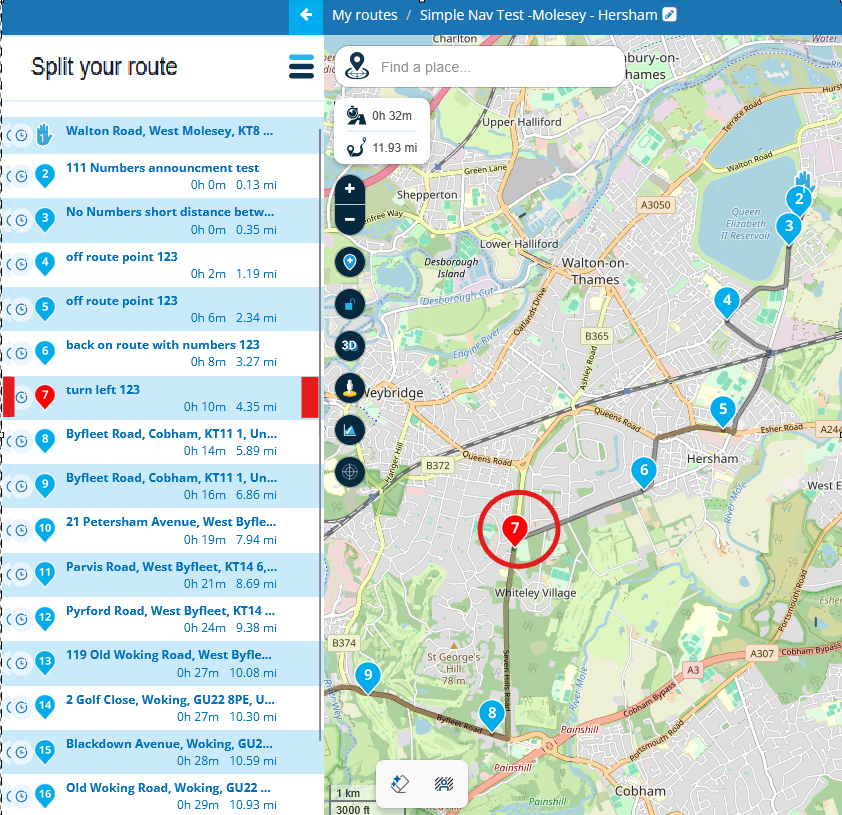
          one possibility could be for the "split your route" window not to appear as an independent window but fill/takeover the zone used by the waypoints, the split list would replace the waypoints list & be scroll-able & the map would be moveable just like it is now when the waypoint list is shown
          1321f965-6696-4b67-8374-5ed2a2bb61e4-image.png

          BlackView BV7100, Android 12
          Navigate "Routes as Tracks" in Offline mode with Offline Maps
          No Wifi, no internet, no interruptions, works well

          Nick Carthew 1 Reply Last reply
          1
          • Brian McG Brian McG

            hi @Spili I think my suggestion above would be a relatively simple & quick fix
            I do however like your suggestion as it would allow for a more flexible user experience, I think it would just take more work to implement

            one possibility could be for the "split your route" window not to appear as an independent window but fill/takeover the zone used by the waypoints, the split list would replace the waypoints list & be scroll-able & the map would be moveable just like it is now when the waypoint list is shown
            1321f965-6696-4b67-8374-5ed2a2bb61e4-image.png

            Nick Carthew Offline
            Nick Carthew Offline
            Nick Carthew
            RouteXpert
            wrote on last edited by Nick Carthew
            #5

            @Brian-McG The last sentence of your first reply is basically what my method is, only my method needs no changes to the system.
            You said: “it would be an even bigger bonus if any icon associated with a point, like hotel or beer was also visible in the split list”
            Adding the word Hotel or stop or even split to the route point title is not only easy to do but it makes finding your split points easy too and after splitting the title could be adjusted.
            I’m a firm believer in keeping things simple.

            Always willing to help if I can.
            Triumph Tiger 1200 XRT called Tina.
            MRA Navigation Next and SilverFox BJ8

            Brian McG 1 Reply Last reply
            0
            • Nick Carthew Nick Carthew

              @Brian-McG The last sentence of your first reply is basically what my method is, only my method needs no changes to the system.
              You said: “it would be an even bigger bonus if any icon associated with a point, like hotel or beer was also visible in the split list”
              Adding the word Hotel or stop or even split to the route point title is not only easy to do but it makes finding your split points easy too and after splitting the title could be adjusted.
              I’m a firm believer in keeping things simple.

              Brian McG Away
              Brian McG Away
              Brian McG
              wrote on last edited by
              #6

              Sorry @Nick-Carthew yes your method is simple & doable with the current system
              but IMO just naming the points with a keyword does not make that particular point stand out enough
              especially if you have a long route with near the maximum number of points, which is exactly the type of route you will be wanting to use the split tool

              BlackView BV7100, Android 12
              Navigate "Routes as Tracks" in Offline mode with Offline Maps
              No Wifi, no internet, no interruptions, works well

              1 Reply Last reply
              0

              Hello! It looks like you're interested in this conversation, but you don't have an account yet.

              Getting fed up of having to scroll through the same posts each visit? When you register for an account, you'll always come back to exactly where you were before, and choose to be notified of new replies (either via email, or push notification). You'll also be able to save bookmarks and upvote posts to show your appreciation to other community members.

              With your input, this post could be even better 💗

              Register Login
              Reply
              • Reply as topic
              Log in to reply
              • Oldest to Newest
              • Newest to Oldest
              • Most Votes


              ACTIVE USERS
              Brian McG
              Brian McG
              Nick Carthew
              Nick Carthew
              Spili
              Spili
              POPULAR TOPICS
              • Is there a way to put a Home button in the program
                Marinus van Deudekom
                Marinus van Deudekom
                0
                7
                82

              • MRA 5.2.2 (489) Route time is calculated incorrectly /// Strecken Zeit wird falsch berechnet
                Nick Carthew
                Nick Carthew
                0
                4
                30

              • It was not possible to find a correct route to Wheels Through Time
                Nick Carthew
                Nick Carthew
                0
                16
                262

              • Google maps and Streetview
                Stevedo 6 0
                Stevedo 6 0
                1
                13
                596

              • routepunten overslaan gebeurd niet zoals verwacht
                Marinus van Deudekom
                Marinus van Deudekom
                1
                22
                654

              • Is there a way to re-order the routes in your routes folder?
                superg
                superg
                0
                3
                54

              • Route doesn’t recalculate to my destination
                Peter Zehentreiter
                Peter Zehentreiter
                0
                7
                275

              • MRA In the BMW - Cradel vertically and horizontally /// MRA im BMW - Cradel senkrecht und waagerecht nutzen
                Hubert Thoring
                Hubert Thoring
                0
                2
                46

              MY GROUPS
              • Login

              • Login or register to search.
              • First post
                Last post
              0
              • Categories
              • Recent
              • Popular
              • Support
              • MyRoute-app