Skip to content
  • Categories
  • Recent
  • Popular
  • Support
  • MyRoute-app
Collapse
Brand Logo

MRA Community Forum

  1. Home
  2. The MyRoute-app
  3. [App] Problems, Bugs and other Issues
  4. Shaping point ignored by app

Shaping point ignored by app

Scheduled Pinned Locked Moved [App] Problems, Bugs and other Issues
16 Posts 5 Posters 3.4k Views 2 Watching
  • Oldest to Newest
  • Newest to Oldest
  • Most Votes
Reply
  • Reply as topic
Log in to reply
This topic has been deleted. Only users with topic management privileges can see it.
  • Adrian Avramundefined Adrian Avram

    @Con-Hennekens said in Shaping point ignored by app:

    They always are

    No they are not ! Because in the planner I could select for example to use Highways and in the app to disable that, and it changes the route !
    I already tried it ...

    Con Hennekensundefined Offline
    Con Hennekensundefined Offline
    Con Hennekens
    Alpha tester
    wrote on last edited by
    #7

    @Adrian-Avram, yes of course you can change it manually, but then it would be no surprise if the route changes. If you don't change it manually in the app, the allowed roads setting will follow the ones used in the planner (if you use the correct map).

    The real surprise in this case is that the blue route line refuses to go to the shaping point, one way or the other. Something I cannot reproduce by the way. The route in my app seems to follow the desired road without problem.

    I am just an enthusiastic MRA user, and hope you will be one too!

    Most motorcycle problems are caused by the nut that connects the handlebar to the saddle.

    Check out RideSleepRepeat.eu, a biker community for sharing stays across Europe

    Steve Jarrellundefined 2 Replies Last reply
    1
    • RetiredWingManundefined Offline
      RetiredWingManundefined Offline
      RetiredWingMan
      Valued contributor
      wrote on last edited by
      #8

      I loaded your route. I tried everything I could think of, changed options, used motorcycle and car. Nothing I did caused Navigator to skip wp 22. Is it possible that there was s blockage on the road when you looked at it.

      2010 GL1800 Goldwing using Samsung Galaxy S20 5G Android 13.

      1 Reply Last reply
      0
      • Steve Jarrellundefined Offline
        Steve Jarrellundefined Offline
        Steve Jarrell
        Valued contributor
        wrote on last edited by
        #9

        Thanks. Nothing that I know of. I had all avoidances turned off in the app. That's why I was surprised when it ignored my shaping point. I appreciate you looking!

        Steve Jarrell
        Western North Carolina US

        Lifetime Routeplanner Gold & Navigation Next
        2025 BMW R1200GS
        2025 Can-Am Spyder
        DMD T865-X 8" Tablet
        Garmin XT3

        1 Reply Last reply
        0
        • Adrian Avramundefined Adrian Avram

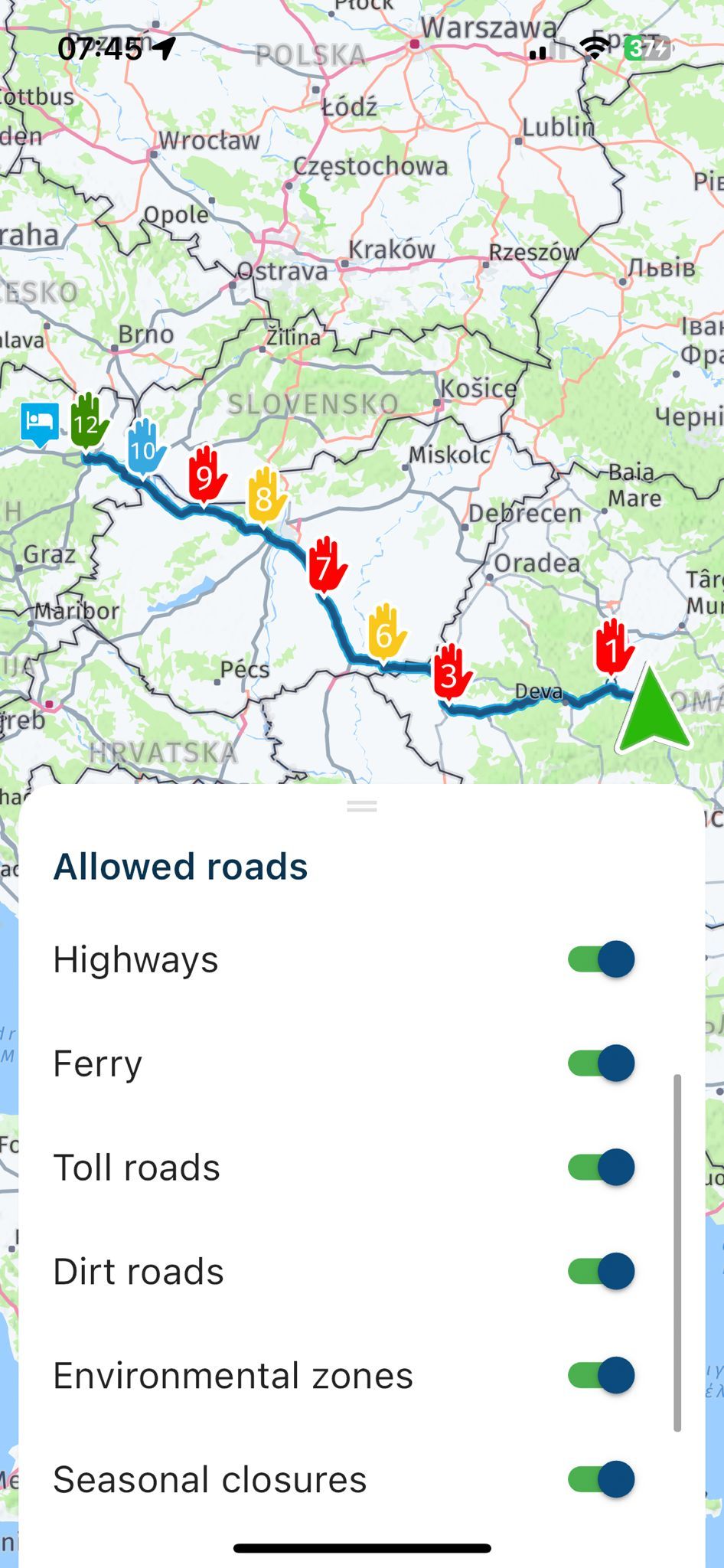
          @Steve-Jarrell are your settings the same as they are in the planner ? I am talking about allowed roads ? When you hit navigate on the phone, drag the bottom bar and check what you have allowed or not allowed there. I think only these settings can modify route while navigating.
          Also you can try navigating "Route as a track", it can be enabled from settings !
          WhatsApp Image 2025-05-23 at 07.46.04_e2ad5f8c.jpg

          Steve Jarrellundefined Offline
          Steve Jarrellundefined Offline
          Steve Jarrell
          Valued contributor
          wrote on last edited by
          #10

          @Adrian-Avram Thanks Adrian. I will double check but I'm almost sure that my settings are correct. There wasn't anything unusual about that road as far as I could tell (i.e it wasn't a dirt road, seasonal closure, etc.)

          Thanks!

          Steve

          Steve Jarrell
          Western North Carolina US

          Lifetime Routeplanner Gold & Navigation Next
          2025 BMW R1200GS
          2025 Can-Am Spyder
          DMD T865-X 8" Tablet
          Garmin XT3

          1 Reply Last reply
          1
          • Con Hennekensundefined Con Hennekens

            @Adrian-Avram, yes of course you can change it manually, but then it would be no surprise if the route changes. If you don't change it manually in the app, the allowed roads setting will follow the ones used in the planner (if you use the correct map).

            The real surprise in this case is that the blue route line refuses to go to the shaping point, one way or the other. Something I cannot reproduce by the way. The route in my app seems to follow the desired road without problem.

            Steve Jarrellundefined Offline
            Steve Jarrellundefined Offline
            Steve Jarrell
            Valued contributor
            wrote on last edited by
            #11

            @Con-Hennekens That one has me scratching my head for sure. In this case I decided to skip both of the via points as I decided not to make the stops 23 and 24, and this worked just fine and the rest of the route worked flawlessly.

            Thanks for your input.

            Steve

            Steve Jarrell
            Western North Carolina US

            Lifetime Routeplanner Gold & Navigation Next
            2025 BMW R1200GS
            2025 Can-Am Spyder
            DMD T865-X 8" Tablet
            Garmin XT3

            1 Reply Last reply
            0
            • Con Hennekensundefined Con Hennekens

              @Adrian-Avram, yes of course you can change it manually, but then it would be no surprise if the route changes. If you don't change it manually in the app, the allowed roads setting will follow the ones used in the planner (if you use the correct map).

              The real surprise in this case is that the blue route line refuses to go to the shaping point, one way or the other. Something I cannot reproduce by the way. The route in my app seems to follow the desired road without problem.

              Steve Jarrellundefined Offline
              Steve Jarrellundefined Offline
              Steve Jarrell
              Valued contributor
              wrote on last edited by
              #12

              @Con-Hennekens The one other possibility is that I am using the offline mode with the offline HERE maps, and perhaps there's a slight difference between using the online maps with the app for testing and actually navigating using the online ones.

              I thought at first the perhaps I accidentally passed by the road that the shaping point was on, but looking back at the screenshot there was no symbol in the upper left corner indicating that a shaping point was being bypassed.

              Steve

              Steve Jarrell
              Western North Carolina US

              Lifetime Routeplanner Gold & Navigation Next
              2025 BMW R1200GS
              2025 Can-Am Spyder
              DMD T865-X 8" Tablet
              Garmin XT3

              Con Hennekensundefined 1 Reply Last reply
              0
              • Steve Jarrellundefined Steve Jarrell

                @Con-Hennekens The one other possibility is that I am using the offline mode with the offline HERE maps, and perhaps there's a slight difference between using the online maps with the app for testing and actually navigating using the online ones.

                I thought at first the perhaps I accidentally passed by the road that the shaping point was on, but looking back at the screenshot there was no symbol in the upper left corner indicating that a shaping point was being bypassed.

                Steve

                Con Hennekensundefined Offline
                Con Hennekensundefined Offline
                Con Hennekens
                Alpha tester
                wrote on last edited by
                #13

                @Steve-Jarrell, yesterday I was planning an entirely different route when I saw something that looked quite similar... There was NO road going to my waypoint on the basemap, but there was on the overlay map. I don't know if this could apply to your case, but thought I would drop it here 😉 .

                I am just an enthusiastic MRA user, and hope you will be one too!

                Most motorcycle problems are caused by the nut that connects the handlebar to the saddle.

                Check out RideSleepRepeat.eu, a biker community for sharing stays across Europe

                Steve Jarrellundefined 1 Reply Last reply
                0
                • Con Hennekensundefined Con Hennekens

                  @Steve-Jarrell, yesterday I was planning an entirely different route when I saw something that looked quite similar... There was NO road going to my waypoint on the basemap, but there was on the overlay map. I don't know if this could apply to your case, but thought I would drop it here 😉 .

                  Steve Jarrellundefined Offline
                  Steve Jarrellundefined Offline
                  Steve Jarrell
                  Valued contributor
                  wrote on last edited by
                  #14

                  @Con-Hennekens Thanks! I'm betting there was something in the offline HERE map that caused the anamoly. I'll watch it closely for a while and see if it happens again.

                  I appreciate your input!

                  Steve

                  Steve Jarrell
                  Western North Carolina US

                  Lifetime Routeplanner Gold & Navigation Next
                  2025 BMW R1200GS
                  2025 Can-Am Spyder
                  DMD T865-X 8" Tablet
                  Garmin XT3

                  1 Reply Last reply
                  0
                  • Steve Jarrellundefined Steve Jarrell

                    Can anyone explain to me why my shaping point #22 that was created in the online route editor was ignored by the app? I specifically put this shaping point into my route to take me to the end of town so that I would stop at a restaurant first (via point #23), then the gas station (via point #24), then continue on. Here's a link to the route.

                    Thanks!

                    Steve

                    Online planner:
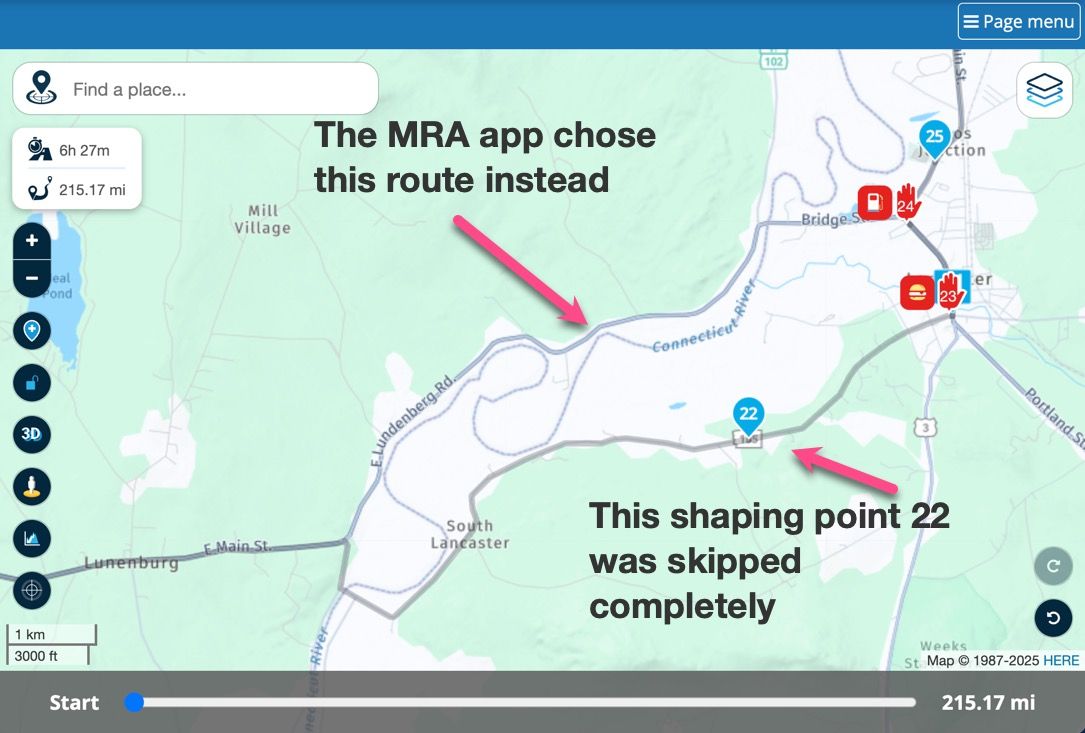
                    Skipped shaping point.jpg

                    Screenshot from DMD T865X when shaping point was skipped
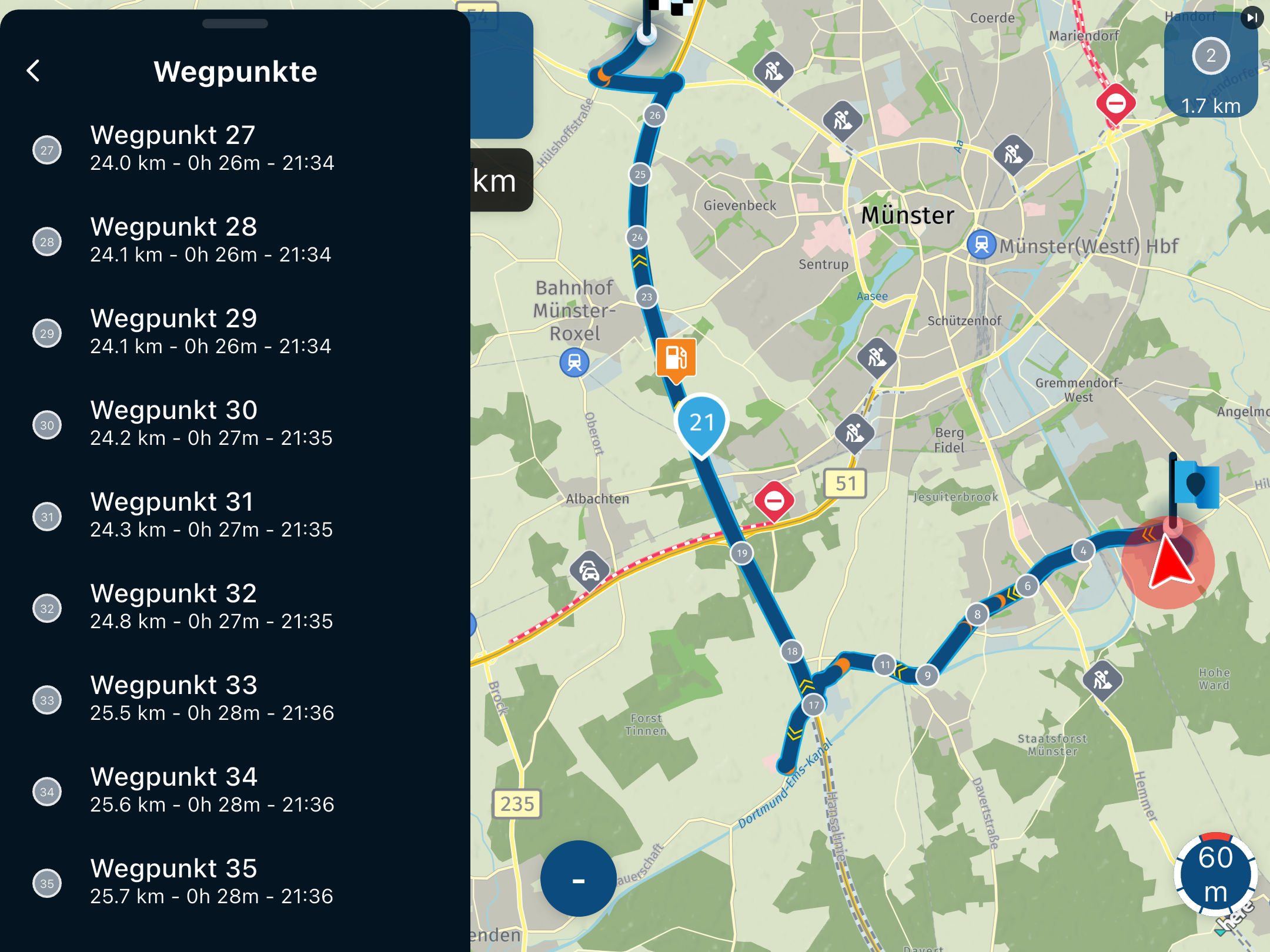
                    Skipped shaping point screenshot.jpg

                    MyZ51undefined Offline
                    MyZ51undefined Offline
                    MyZ51
                    wrote on last edited by
                    #15

                    @Steve-Jarrell J ran the animation and it followed timeouts as designed. I suppose if one had deliberately turned and took the unplanned route ther’d have been ‘revert’ options come up.

                    I always figured that if you designed it on the desktop and emailed the route or QR, the recipient’s app would follow your shaped route, thus overriding any settings they have in their device setup.

                    Con Hennekensundefined 1 Reply Last reply
                    0
                    • MyZ51undefined MyZ51

                      @Steve-Jarrell J ran the animation and it followed timeouts as designed. I suppose if one had deliberately turned and took the unplanned route ther’d have been ‘revert’ options come up.

                      I always figured that if you designed it on the desktop and emailed the route or QR, the recipient’s app would follow your shaped route, thus overriding any settings they have in their device setup.

                      Con Hennekensundefined Offline
                      Con Hennekensundefined Offline
                      Con Hennekens
                      Alpha tester
                      wrote on last edited by
                      #16

                      @MyZ51 said in Shaping point ignored by app:

                      I always figured that if you designed it on the desktop and emailed the route or QR, the recipient’s app would follow your shaped route, thus overriding any settings they have in their device setup.

                      You figured correctly, except for that not device settings are honored, but planner settings are. And of course only within the MRA ecosystem. An exported GPX does not contain any planner settings.
                      I am just an enthusiastic MRA user, and hope you will be one too!

                      Most motorcycle problems are caused by the nut that connects the handlebar to the saddle.

                      Check out RideSleepRepeat.eu, a biker community for sharing stays across Europe

                      1 Reply Last reply
                      0

                      Hello! It looks like you're interested in this conversation, but you don't have an account yet.

                      Getting fed up of having to scroll through the same posts each visit? When you register for an account, you'll always come back to exactly where you were before, and choose to be notified of new replies (either via email, or push notification). You'll also be able to save bookmarks and upvote posts to show your appreciation to other community members.

                      With your input, this post could be even better 💗

                      Register Login
                      Reply
                      • Reply as topic
                      Log in to reply
                      • Oldest to Newest
                      • Newest to Oldest
                      • Most Votes


                      ACTIVE USERS
                      Con Hennekensundefined
                      Con Hennekens
                      Steve Jarrellundefined
                      Steve Jarrell
                      RetiredWingManundefined
                      RetiredWingMan
                      Adrian Avramundefined
                      Adrian Avram
                      MyZ51undefined
                      MyZ51
                      POPULAR TOPICS
                      • Manual Zoom
                        Guzzistundefined
                        Guzzist
                        0
                        11
                        115

                      • Na 5000km MyRoute-app: helemaal klaar met deze Bugware
                        Corjan Meijerinkundefined
                        Corjan Meijerink
                        -4
                        36
                        941

                      • Geen snelheidsweergave bij Android Auto
                        Koen Vandecauter 0undefined
                        Koen Vandecauter 0
                        0
                        10
                        167

                      • Back from vacation
                        Corjan Meijerinkundefined
                        Corjan Meijerink
                        13
                        13
                        221

                      • WunderLinQ: BMW Wonderwheel to the left for a long time does not work
                        Mopetenpitundefined
                        Mopetenpit
                        0
                        10
                        1.3k

                      • fuel stops when using track navigation
                        Con Hennekensundefined
                        Con Hennekens
                        0
                        3
                        101

                      • Wunderlinq mive keft
                        Nick Carthewundefined
                        Nick Carthew
                        0
                        3
                        43

                      • Hello, i want to make a trip to the Dolomieten (cortina )from Halle 1500(Belgium) in about 3 days. came somebody tell me a nice route or what i must avoid?Thanks
                        Travellexxieundefined
                        Travellexxie
                        0
                        8
                        711

                      MY GROUPS
                      • Login

                      • Login or register to search.
                      • First post
                        Last post
                      0
                      • Categories
                      • Recent
                      • Popular
                      • Support
                      • MyRoute-app