MRA keeps going metric!
-

Can anyone help me please?
I'm new to MRA.
My routes keep going metric!
I have put my settings to miles in the settings area, but when I use the app 'live" the distances and speed units default to metric. (I'm located in the UK should that make a difference).
Any ideas please! -
Can anyone help me please?
I'm new to MRA.
My routes keep going metric!
I have put my settings to miles in the settings area, but when I use the app 'live" the distances and speed units default to metric. (I'm located in the UK should that make a difference).
Any ideas please!
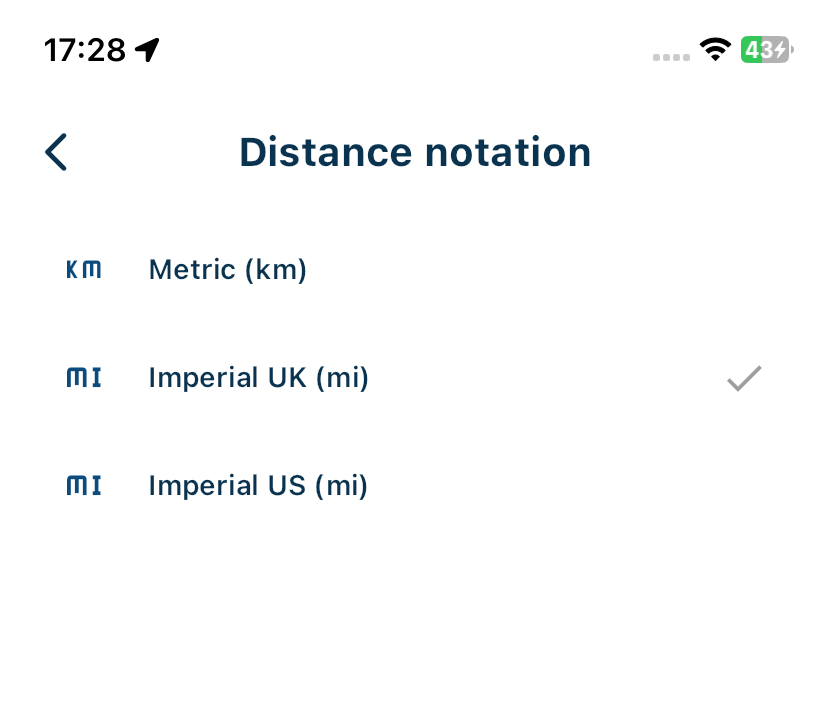
@Mark-Thomas-3 In your app account page there is a section for distance notation.
-
Thanks for the reply Nick.
I have set up the units as suggested on my iMac (I had done this as you indicate initially) but when I open the same route on my iPhone via the app, the units seem to default to metric..
Not the end of the world but something I hope to suss out! -
Thanks for the reply Nick.
I have set up the units as suggested on my iMac (I had done this as you indicate initially) but when I open the same route on my iPhone via the app, the units seem to default to metric..
Not the end of the world but something I hope to suss out!
@Mark-Thomas-3 as indicated in the previous response, you have to make the change in the options section in the App.
Hello! It looks like you're interested in this conversation, but you don't have an account yet.
Getting fed up of having to scroll through the same posts each visit? When you register for an account, you'll always come back to exactly where you were before, and choose to be notified of new replies (either via email, or push notification). You'll also be able to save bookmarks and upvote posts to show your appreciation to other community members.
With your input, this post could be even better 💗
Register Login-
1122156
-
 0618
0618
-
 0563
0563
-
 0529
0529
-
18161.6k
-
 0419
0419
-
0878
-
0577