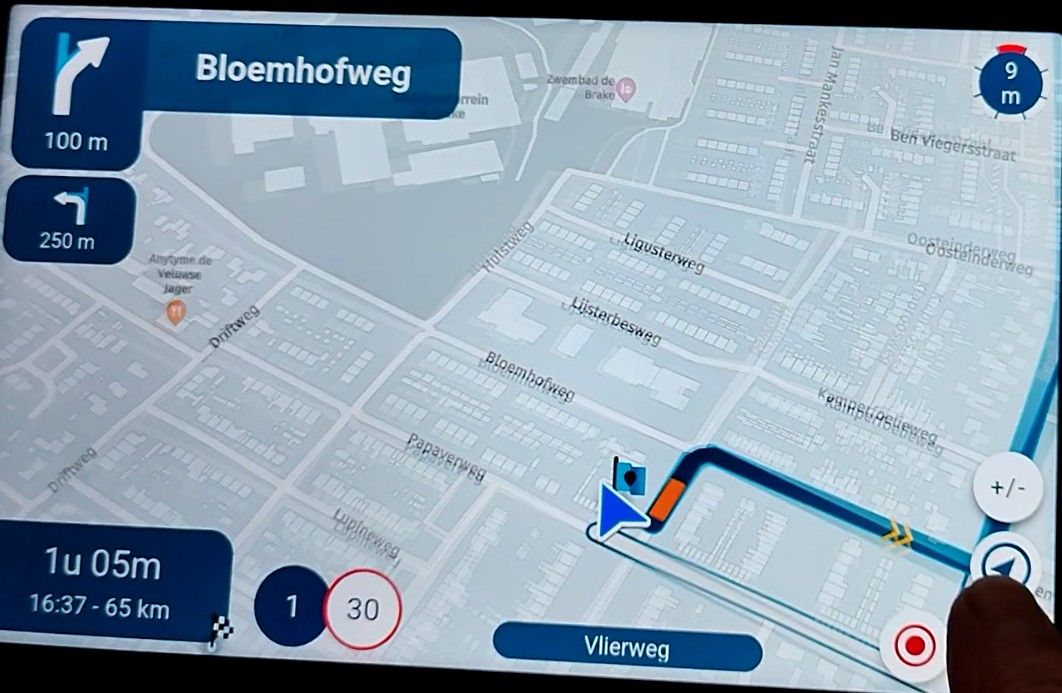
MyRoute-App - worst navigation experience ever
-
Exactly. I have no complaints about the navigation performance itself. My problem is that the app simply stops working after a few hours. Very often the voice output suddenly stops. Or only the local position is displayed, but no further navigation instructions and no local route properties such as speed limit. In these cases, I have tried restarting the MRA app and also restarting the entire phone. But when I called up MRA, I kept coming back to exactly the same point: either no sound, or only position display without navigation information for the saved route, or neither. Then you simply switch to another sat nav app and everything works perfectly for the next few hours. The next morning on the return journey, I tried again with MRA with a simple route from A via B to C. Everything was fine for the first few minutes, then a two-hour walk (phone stayed in the car) and then five kilometres further on the sound and navigation disappeared. Then two hours of trouble-free driving with Google Maps. Then tried MRA again (the waypoint now behind is skipped), sat nav works perfectly for about 30 minutes, then no sound. These are my problems with MRA.

@Thomas-Piechocki Interesting, thanks!
And that was all with Android Auto? -

OMG!
It's an old song, but 'How Long Has This Been Going On' (ACE 1974). Listen to the song and read the lyrics at YouTube.I mean the discussion in this topic and the ever continuing answers: Will someone ever be convinced or will this discussion never stop?
-
@Thomas-Piechocki Interesting, thanks!
And that was all with Android Auto?
yes.
-
OMG!
It's an old song, but 'How Long Has This Been Going On' (ACE 1974). Listen to the song and read the lyrics at YouTube.I mean the discussion in this topic and the ever continuing answers: Will someone ever be convinced or will this discussion never stop?
Well then, be glad that I haven't turned to the forum every time over the last six months, but only shared my experience at the end. As various people have suggested that incorrect route planning may be one of the causes, I wanted to set the record straight. And I think it's polite to answer questions. But don't worry, everything has been said and the subject is closed for me, so you can get back to more enjoyable things.
-
Just a question.
How do you connect your phone to AA?@Corjan-Meijerink did explain it already. The stability of MRA in AA or ACP not there yet. Because of this.
How you connect to AA can affect MRA more than other apps.Besides this
AA and ACP have some limitations.
With apps like Google Maps you do not notice this so much. But when you starting using an app like MRA or TomTom Go for riding a pre-planned route. You will see those limitations.(I use MRA Next only on Android Auto. Every comment, suggestion, etc will be based on my usage with Android Auto)
-
Just a question.
How do you connect your phone to AA?@Corjan-Meijerink did explain it already. The stability of MRA in AA or ACP not there yet. Because of this.
How you connect to AA can affect MRA more than other apps.Besides this
AA and ACP have some limitations.
With apps like Google Maps you do not notice this so much. But when you starting using an app like MRA or TomTom Go for riding a pre-planned route. You will see those limitations.
@M-Schrijver
The connection is made via Bluetooth. -
@cvlmtg said in MyRoute-App - worst navigation experience ever:
not a simpler app, just a smarter one
No, I really think a simpler one. You cannot automate a thinking process for everyone in general. What is smart for you, can be very dumb for me (en vice versa of course). Many features lead to many switches and toggles and sometimes it is too much for the one, while the other desires even more.

I'm not here to bash the MRA team
That's fine, I was not trying to bash back either
@Con-Hennekens said in MyRoute-App - worst navigation experience ever:
not a simpler app, just a smarter one
No, I really think a simpler one. You cannot automate a thinking process for everyone in general. What is smart for you, can be very dumb for me (en vice versa of course). Many features lead to many switches and toggles and sometimes it is too much for the one, while the other desires even more.
Can't think of any situation where I need a switch to tell the app not to use the internet because there is no internet.
-
@Con-Hennekens said in MyRoute-App - worst navigation experience ever:
not a simpler app, just a smarter one
No, I really think a simpler one. You cannot automate a thinking process for everyone in general. What is smart for you, can be very dumb for me (en vice versa of course). Many features lead to many switches and toggles and sometimes it is too much for the one, while the other desires even more.
Can't think of any situation where I need a switch to tell the app not to use the internet because there is no internet.

@cvlmtg said in MyRoute-App - worst navigation experience ever:
Can't think of any situation where I need a switch to tell the app not to use the internet because there is no internet.
That switch is there to prevent data usage when there actually IS an internet connection. Also to prevent the app from accidentally using internet data when you don't want that. It's not that difficult...
-
@Thomas-Piechocki Interesting, thanks!
And that was all with Android Auto?
@Corjan-Meijerink sort of off topic but here is something that I discovered with Android Auto and my Africa Twin which might help some folk.
I recently got a new phone a Motorola edge 40 neo (Android14). When I used it for Android Auto plugged into the car for AA or if I tried it on my Africa Twin it would invariably operate normally for a while, then repeatedly cycle on and off AA every couple of minutes. I never had this when using my old Motorola G8 or G7. I tried a few different leads and that did not make any difference, then I tried using wireless AA in the car and it never glitched. Long story short after a lot of Googling and my own observations, I realised that the glitching started when the phone Battery was 100% full. Some phones are set up so that Android issues regular notifications when the battery is 100% full. Flashing the phone screen at a regular interval (completely pointless??). This appears to cause Android auto to glitch. Anyhow, I turned this notification off on the phone (not easy to find as its part of the OS) and have had no issues since. My old MotoG8 (Android 11) and my wifes old MotoG7 (Android 10) had the 100% charged warning switched off by default. This might help someone who is having similar issues.
The glitch affected all apps.
-
@cvlmtg said in MyRoute-App - worst navigation experience ever:
Can't think of any situation where I need a switch to tell the app not to use the internet because there is no internet.
That switch is there to prevent data usage when there actually IS an internet connection. Also to prevent the app from accidentally using internet data when you don't want that. It's not that difficult...
@Con-Hennekens said in MyRoute-App - worst navigation experience ever:
That switch is there to prevent data usage when there actually IS an internet connection. Also to prevent the app from accidentally using internet data when you don't want that. It's not that difficult...
- I had to switch that setting otherwise the app would not calculate a route when I had no internet connection, so no, it is not there just to prevent using internet data. And this is the reason why I talk about smarter apps
- if you don't want to use internet data when there is internet connection, you can just put the phone in airplane mode. on ios there is also a setting to switch off just the data connection. or disable roaming so it is off only when abroad. there are plenty of possibilities without the need to put such an option in the MRA app which, IMHO, makes just the app more difficult to use and learn
-
@M-Schrijver
The connection is made via Bluetooth.
@Thomas-Piechocki
If possible. Did you try it wired?
Normally wireless should work. But just to rule out issues, try it wired also.(I use MRA Next only on Android Auto. Every comment, suggestion, etc will be based on my usage with Android Auto)
-
@Thomas-Piechocki
If possible. Did you try it wired?
Normally wireless should work. But just to rule out issues, try it wired also.
@M-Schrijver
Yes, of course. I tried four different USB cables, all supposedly AA-capable, but none of them really worked properly with AA, even though the vehicle system (2023) was supposed to support it. Connected via Bluetooth, I have no problems at all with AA, with the exception of MRA.
-
Hi Im having the same issue with my newly installed Aoocci using AA. The phone works well and tracks/guides me on a route however the Aoocci C6 Pro Ive installed initially opens the map with the triangle illustrating my location, but after that the navigation doesn't work.
Pulling my hair out
-
Hi Im having the same issue with my newly installed Aoocci using AA. The phone works well and tracks/guides me on a route however the Aoocci C6 Pro Ive installed initially opens the map with the triangle illustrating my location, but after that the navigation doesn't work.
Pulling my hair out

@Stephen-Holmes The developers are aware of this and I believe this issue will be resolved in the next update.
Always willing to help if I can.
Triumph Tiger 1200 XRT called Tina.
MRA Navigation Next and SilverFox BJ8 -
@Stephen-Holmes The developers are aware of this and I believe this issue will be resolved in the next update.
@Nick-Carthew thanks for coming back so swiftly. Have you seen this in writing anywhere/how do you know? How sure are you that they are committed and any idea of timescales? Much appreciated.
-
@Nick-Carthew thanks for coming back so swiftly. Have you seen this in writing anywhere/how do you know? How sure are you that they are committed and any idea of timescales? Much appreciated.
@Stephen-Holmes I confirmed to be working on it

I am hoping to put something in beta next week!
Minor public update in ~2 weeks? -
Ik heb hetzelfde probleem. MRA navigeert de routes van de routeplanner nooit zonder problemen of fouten. Maar mijn probleem is opgelost vandaag. Heb route van MRA van 260 km gereden op de motor via app Osmand op CarPlay. Niet te geloven maar van de eerste keer foutloos !!! Heb ik na bijna 2 jaar MRA Navigation niet voor mekaar gekregen. Dus het ligt niet aan de motor en niet aan de iPhone en niet aan de verbinding, maar aan MRA! Hoe leg je dit uit ?
-
Routes gemaakt in MRA kunnen echt wel foutloos gereden worden. Carplay en Android Auto kunnen het inderdaad complexer maken.
Ben nu in Ierland en heb nu 5 dagen achter elkaar (zo lang ben ik hier) MRA op Android Auto volledig foutloos en zonder problemen gebruikt. Versie 5.2 -
Ik heb hetzelfde probleem. MRA navigeert de routes van de routeplanner nooit zonder problemen of fouten. Maar mijn probleem is opgelost vandaag. Heb route van MRA van 260 km gereden op de motor via app Osmand op CarPlay. Niet te geloven maar van de eerste keer foutloos !!! Heb ik na bijna 2 jaar MRA Navigation niet voor mekaar gekregen. Dus het ligt niet aan de motor en niet aan de iPhone en niet aan de verbinding, maar aan MRA! Hoe leg je dit uit ?

@pvspike als je routes in MRA nooit foutloos verlopen en in Osmand wel foutloos zou ik bijna zeggen dat je de routes in MRA met de OSM kaart hebt gemaakt ipv met de Here kaart.
Ik heb inmiddels al ruim 15000 km met MRA routes gereden. De laatste 2 jaar, zeg maar 10000 km nagenoeg foutloos met MRA next. Daar waar het in het verleden niet goed ging bleek dat proefondervindelijk aan mijn eigen in de route gemaakte fouten te hebben gelegen.
Dus als al jouw routes niet goed gaan moet je ff in de spiegel kijken.
Tip er zijn echt heel veel goede instructie filmpjes te zien hoe je de routes wel goed kunt maken. Ook kun je je inschrijven voor de gratis online cursussen die frequent worden aangeboden.
Bij problemen kun je ook dit forum raadplegen en dan gaan we je zeker van goed advies voorzien zodat je routes rijden weer fijn gaat worden op. Ergernis
Have funHonda Goldwing GL1500,
Honda Silverwing GL 650
DMD2 T865X 8 inch Android tablet using MRA next for navigation
Garmin XT sold
Samsung S24FE mounted on a Quadlock and using Android Auto in my car -
@pvspike als je routes in MRA nooit foutloos verlopen en in Osmand wel foutloos zou ik bijna zeggen dat je de routes in MRA met de OSM kaart hebt gemaakt ipv met de Here kaart.
Ik heb inmiddels al ruim 15000 km met MRA routes gereden. De laatste 2 jaar, zeg maar 10000 km nagenoeg foutloos met MRA next. Daar waar het in het verleden niet goed ging bleek dat proefondervindelijk aan mijn eigen in de route gemaakte fouten te hebben gelegen.
Dus als al jouw routes niet goed gaan moet je ff in de spiegel kijken.
Tip er zijn echt heel veel goede instructie filmpjes te zien hoe je de routes wel goed kunt maken. Ook kun je je inschrijven voor de gratis online cursussen die frequent worden aangeboden.
Bij problemen kun je ook dit forum raadplegen en dan gaan we je zeker van goed advies voorzien zodat je routes rijden weer fijn gaat worden op. Ergernis
Have fun
@Marinus-van-Deudekom
Ik zeg niet dat ik misschien geen fout maak, maar ik heb al mijn route opgestuurd naar MRA en de route bleek foutloos te zijn. Ik heb al twee online cursussen gevolgd en heb mij al serieus verdiept in MRA. De routeplanner is top, maar het rijden gaat fout. Ik rijd met een iPhone 12 op een Honda NT 1100 en gebruik CarPlay op het Honda scherm. ik deed gisteren hetzelfde met Osmand en het ging van de eerste keer perfect. Dus het zal niet aan de motor liggen of aan het CarPlay scherm of aan de bekabelde verbinding of weet ik veel. Dus wat gaat er fout?
Hello! It looks like you're interested in this conversation, but you don't have an account yet.
Getting fed up of having to scroll through the same posts each visit? When you register for an account, you'll always come back to exactly where you were before, and choose to be notified of new replies (either via email, or push notification). You'll also be able to save bookmarks and upvote posts to show your appreciation to other community members.
With your input, this post could be even better 💗
Register Login









-
0443.6k
-
 026206
-
 010220
-
 0347
0347
-
16346
-
0253
-
0235
-
09211