Nav 6 without plugging in
-

Good afternoon,
I have plotted loads of routes on my route and downloaded but my wife has asked that if we get there and a road is closed for whatever reason can we create a route on a tablet that we take and get it onto a nav6 with plugging it in.
-
Good afternoon,
I have plotted loads of routes on my route and downloaded but my wife has asked that if we get there and a road is closed for whatever reason can we create a route on a tablet that we take and get it onto a nav6 with plugging it in.
@Colin-Hodgkinson the only way I have found is to share the map from another Garmin device via Bluetooth. during a recent tour I would produce the route for the day on MRA and upload it to an XT via Garmin Drive app and then share it with the Nav 6s and 5s via Bluetooth sharing. It works well.
I used to use a NAV 6 and had a USB C to A adaptor that I could upload to the device via a cable from an android tablet or phone. I dont use iphone so cant comment on that -
@Colin-Hodgkinson the only way I have found is to share the map from another Garmin device via Bluetooth. during a recent tour I would produce the route for the day on MRA and upload it to an XT via Garmin Drive app and then share it with the Nav 6s and 5s via Bluetooth sharing. It works well.
I used to use a NAV 6 and had a USB C to A adaptor that I could upload to the device via a cable from an android tablet or phone. I dont use iphone so cant comment on that
@Stuart-Greer hi, thanks for that. If I have it on my phone can I Bluetooth it,
K -
@Stuart-Greer hi, thanks for that. If I have it on my phone can I Bluetooth it,
K
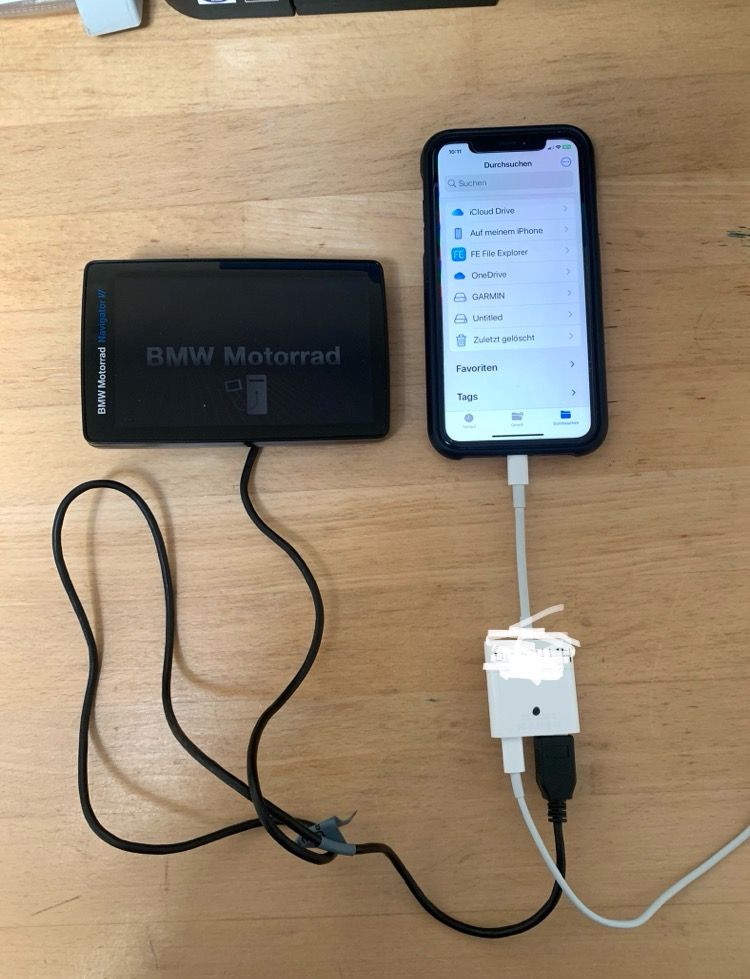
@Colin-Hodgkinson : Beim N6 gehts nur mit dem Kabel und USB Adapter…!
-
@Stuart-Greer hi, thanks for that. If I have it on my phone can I Bluetooth it,
K
@Colin-Hodgkinson unfortunately not Colin, hard to believe on such as expensive device.
-
Good afternoon,
I have plotted loads of routes on my route and downloaded but my wife has asked that if we get there and a road is closed for whatever reason can we create a route on a tablet that we take and get it onto a nav6 with plugging it in.

@Colin-Hodgkinson If you have an Android phone you can connect the Nav 6 directly to the phone and download the GPX file to the device.
Older Garmin GPS devices can’t use Garmin Drive to transfer routes to the unit. For those with Old units and an Android phone the GPX files can be transferred as follows. (Tested on a Zumo 340 390 and BMW Nav 4). So that you can have a compact on the Fly routing solution for trips.
-
Download the route you want to put on the device from MRA routeplanner to your phone.
-
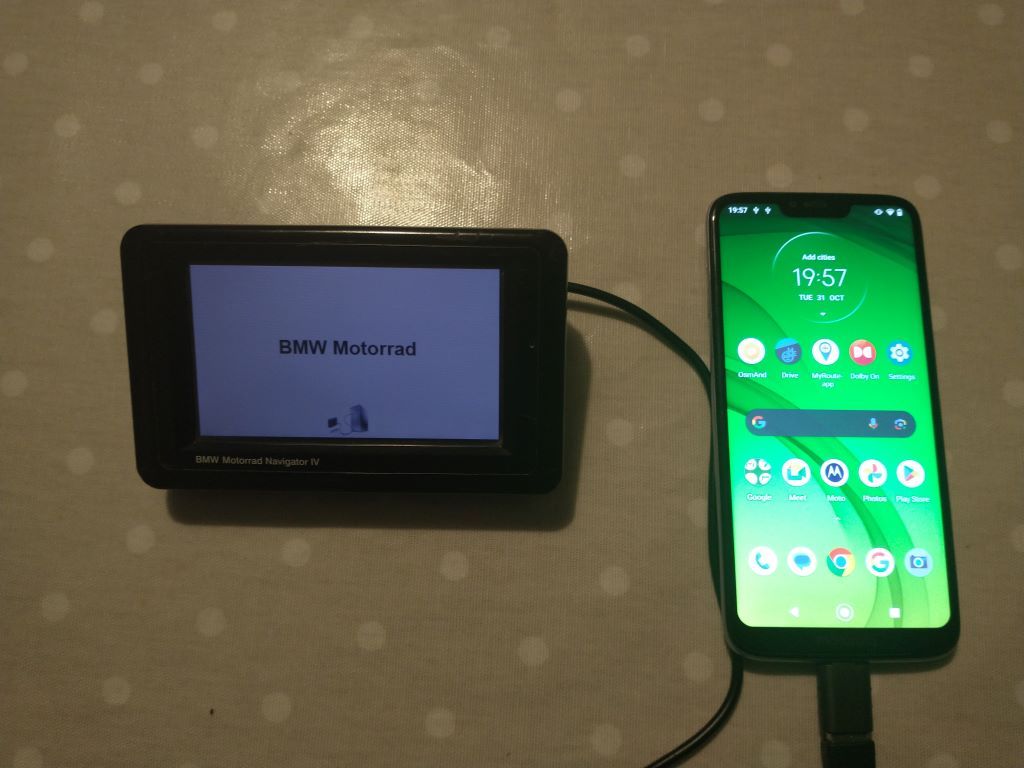
Connect the phone to the Garmin GPS device with the Garmin unit lead and a USB (A) female to USB (C) adaptor or a USB (C) to mini USB(B) lead. I’m not sure that this will work with a phone that has a micro USB connector (with the appropriate adaptor or with an apple phone)
-
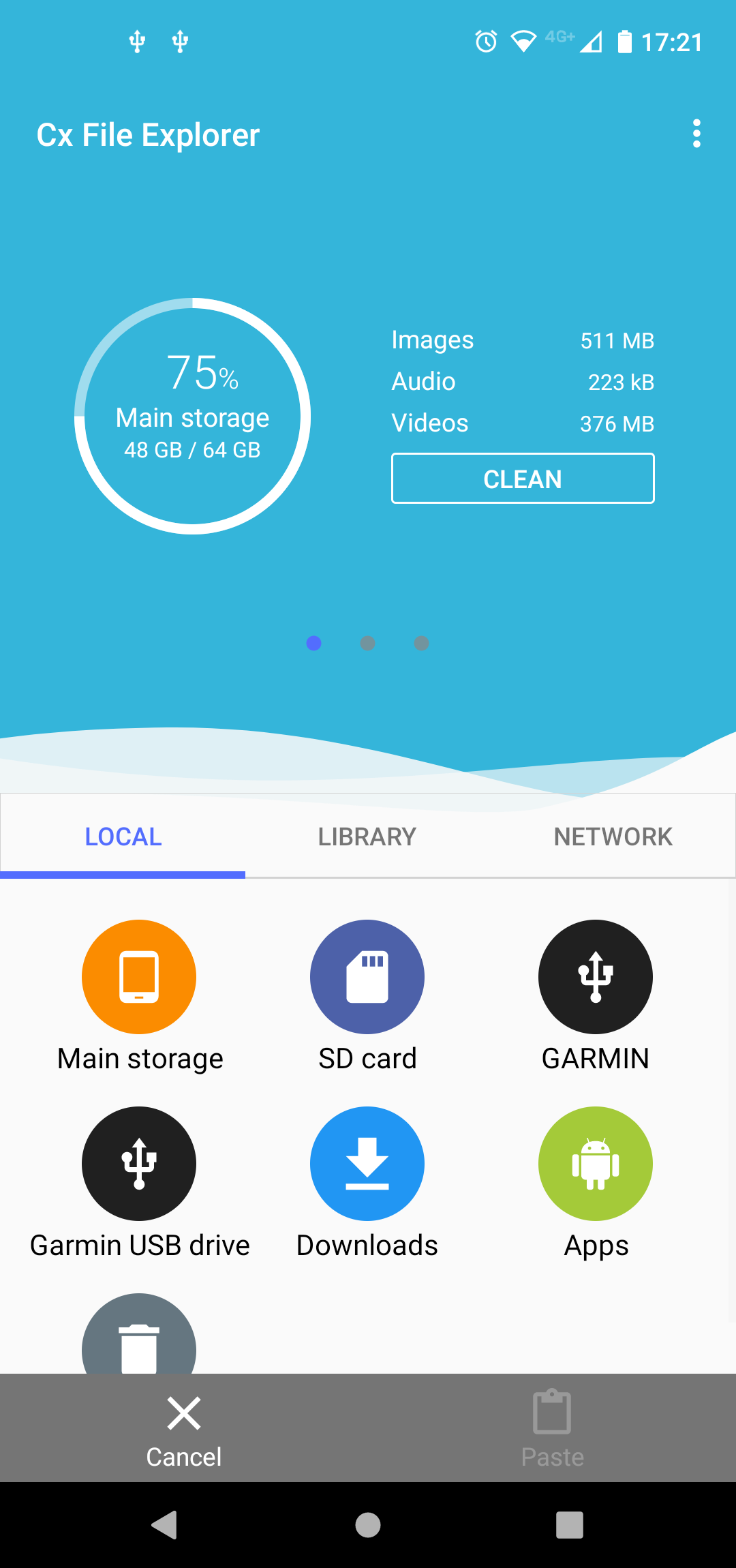
Open the phone and navigate to its file manager. This varies depending on the make of mobile phone/personal choice but you should see the Garmin as an attached device. The Garmin USB device is just the SD card if you have one in your unit.
-
I had downloaded a route from MRA routeplanner onto the phone so I hit the downloads button and selected the file I wanted to transfer.
-
And copied it into the Garmin>GPX folder
-
The file will appear on your imports on the device.
Similar transfer capabilities could be achieved with a USB(C) micro SD card reader and transfer the micro SD card with the GPX file on it from unit to unit.
-
-
@Colin-Hodgkinson If you have an Android phone you can connect the Nav 6 directly to the phone and download the GPX file to the device.
Older Garmin GPS devices can’t use Garmin Drive to transfer routes to the unit. For those with Old units and an Android phone the GPX files can be transferred as follows. (Tested on a Zumo 340 390 and BMW Nav 4). So that you can have a compact on the Fly routing solution for trips.
-
Download the route you want to put on the device from MRA routeplanner to your phone.
-
Connect the phone to the Garmin GPS device with the Garmin unit lead and a USB (A) female to USB (C) adaptor or a USB (C) to mini USB(B) lead. I’m not sure that this will work with a phone that has a micro USB connector (with the appropriate adaptor or with an apple phone)
-
Open the phone and navigate to its file manager. This varies depending on the make of mobile phone/personal choice but you should see the Garmin as an attached device. The Garmin USB device is just the SD card if you have one in your unit.
-
I had downloaded a route from MRA routeplanner onto the phone so I hit the downloads button and selected the file I wanted to transfer.
-
And copied it into the Garmin>GPX folder
-
The file will appear on your imports on the device.
Similar transfer capabilities could be achieved with a USB(C) micro SD card reader and transfer the micro SD card with the GPX file on it from unit to unit.
@Mzokk Thank you
-
Hello! It looks like you're interested in this conversation, but you don't have an account yet.
Getting fed up of having to scroll through the same posts each visit? When you register for an account, you'll always come back to exactly where you were before, and choose to be notified of new replies (either via email, or push notification). You'll also be able to save bookmarks and upvote posts to show your appreciation to other community members.
With your input, this post could be even better 💗
Register Login-
 843412
-
434343
-
 18261.8k
-
 67509
67509
-
1226233
-
0419
-
08695
-
 0566
0566