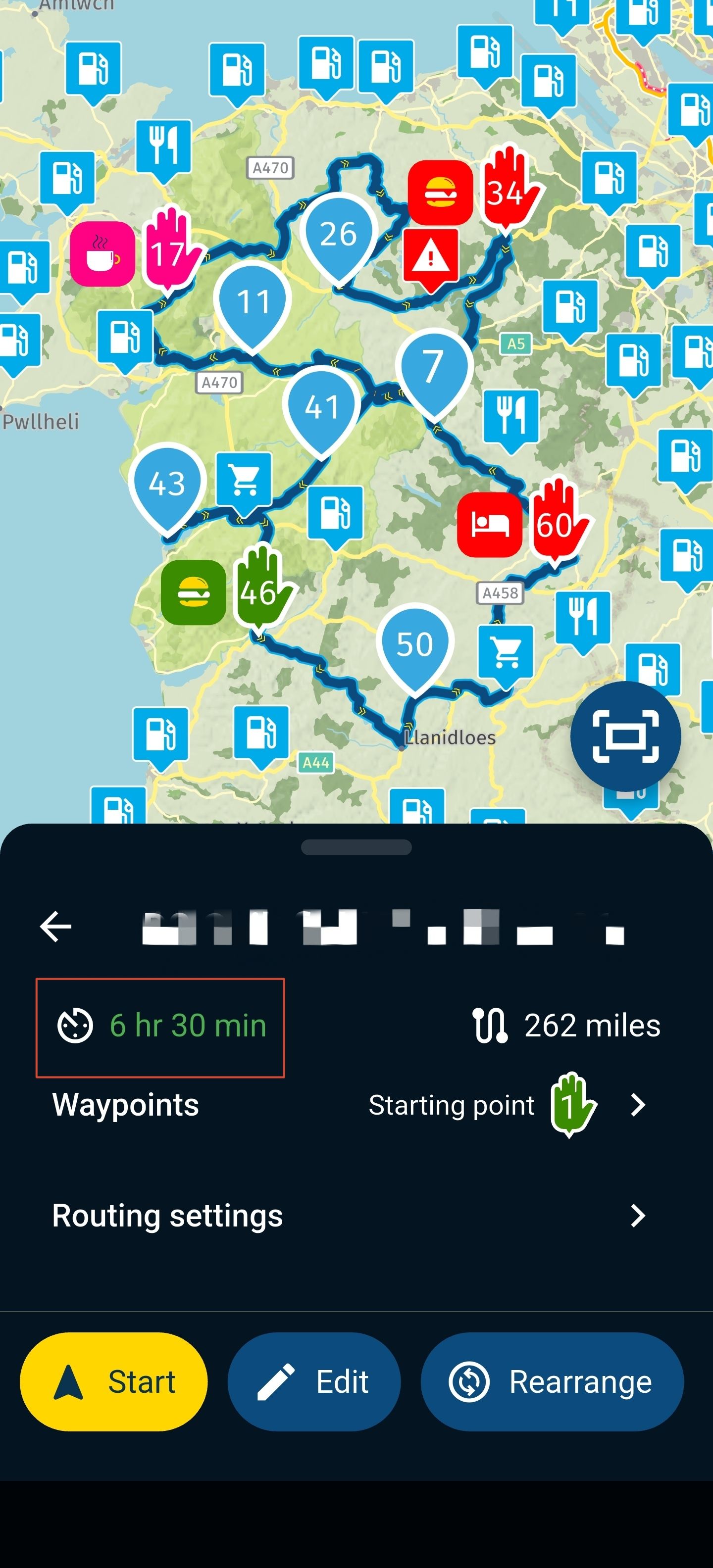
Instructions to download Beta
-

Where do I find the MRA Navigation Next "Beta" app (for Android)?
Is it in Play Store? -
Where do I find the MRA Navigation Next "Beta" app (for Android)?
Is it in Play Store?
@David-Chrastecky Once signed up for the Beta using the provided form, you will receive the relevant instructions.
Please also see this post: https://forum.myrouteapp.com/topic/2804/beta-instructions-android-forum
-

For me it took a few hours after enrolling, until the beta-update was offered through PlayStore.
I am just an enthusiastic MRA user, and hope you will be one too!
Most motorcycle problems are caused by the nut that connects the handlebar to the saddle.
Check out RideSleepRepeat.eu, a biker community for sharing stays across Europe
-
For me it took a few hours after enrolling, until the beta-update was offered through PlayStore.

@Con-Hennekens During that time, did you receive the correct information? The user-flow should be as follows.
1.) purchase Navigation Lifetime or otherwise get access (Ambassadors only)
2.a) receive onboarding e-mails Navigation Lifetime
2.b) receive registration survey for the Next Beta
3.) receive confirmation of succesful registration
4.) wait
5.a) receive platform e-mail (iOS/Android)
5.b) receive access ticket -
@Con-Hennekens During that time, did you receive the correct information? The user-flow should be as follows.
1.) purchase Navigation Lifetime or otherwise get access (Ambassadors only)
2.a) receive onboarding e-mails Navigation Lifetime
2.b) receive registration survey for the Next Beta
3.) receive confirmation of succesful registration
4.) wait
5.a) receive platform e-mail (iOS/Android)
5.b) receive access ticket
@Timo-Martosatiman-MRA, It was yesterday morning, after I saw the mail "Toegangsticket etcetera (Android)".
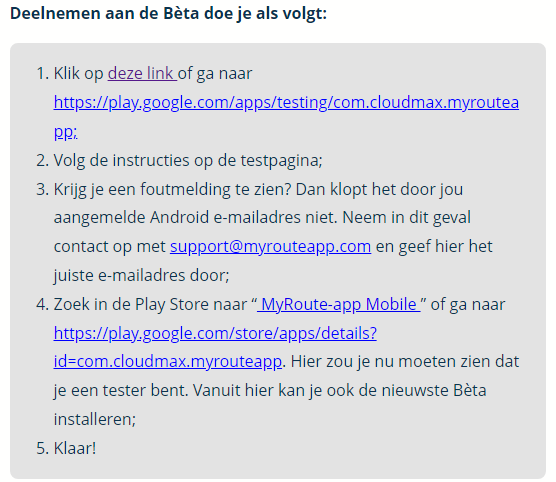
I followed 1. first and it welcomed me as a tester but there are no real instructions there. So I went to the playstore which said I already had the latest version, but it did not have the update yet (v 3.2.3-138). It did not offer to update. I left it there because I was to busy. This morning I opened the playstore again, and the update was available and I installed it (v 3.2.4-143).
-
@Timo-Martosatiman-MRA, It was yesterday morning, after I saw the mail "Toegangsticket etcetera (Android)".
I followed 1. first and it welcomed me as a tester but there are no real instructions there. So I went to the playstore which said I already had the latest version, but it did not have the update yet (v 3.2.3-138). It did not offer to update. I left it there because I was to busy. This morning I opened the playstore again, and the update was available and I installed it (v 3.2.4-143).
@Con-Hennekens Happy to hear that the Beta has become available to you

-
@Timo-Martosatiman-MRA, It was yesterday morning, after I saw the mail "Toegangsticket etcetera (Android)".
I followed 1. first and it welcomed me as a tester but there are no real instructions there. So I went to the playstore which said I already had the latest version, but it did not have the update yet (v 3.2.3-138). It did not offer to update. I left it there because I was to busy. This morning I opened the playstore again, and the update was available and I installed it (v 3.2.4-143).
@Con-Hennekens Thanks for explaining what you've experienced so far. Do you agree with me that maybe we should add something to the first bulletpoint? Like:
1.) Klik op deze link of ga naar xxx, let op: nadat je deze mail hebt ontvangen kan het nog even duren voordat je ook daadwerkelijk de update kan downloaden.
-
@Con-Hennekens Thanks for explaining what you've experienced so far. Do you agree with me that maybe we should add something to the first bulletpoint? Like:
1.) Klik op deze link of ga naar xxx, let op: nadat je deze mail hebt ontvangen kan het nog even duren voordat je ook daadwerkelijk de update kan downloaden.
@Timo-Martosatiman-MRA, That seems appropriate yes, but I have no idea if there is some mechanism in the playstore in which time is involved or this link indeed first has to be clicked. I suspect that without clicking that link the update would also have appeared, since the beta flag has been set on my profile. But as I said, I don't really know

I am just an enthusiastic MRA user, and hope you will be one too!
Most motorcycle problems are caused by the nut that connects the handlebar to the saddle.
Check out RideSleepRepeat.eu, a biker community for sharing stays across Europe
-
@Timo-Martosatiman-MRA, That seems appropriate yes, but I have no idea if there is some mechanism in the playstore in which time is involved or this link indeed first has to be clicked. I suspect that without clicking that link the update would also have appeared, since the beta flag has been set on my profile. But as I said, I don't really know
@Con-Hennekens Dank, we hebben de mailtjes aangepast.
Closing this thread as it's original post has been long since answered by @Corjan-Meijerink
-
MyRoute-app community locked this topic on
-
MyRoute-app community moved this topic from [Beta] The MyRoute-app on
Hello! It looks like you're interested in this conversation, but you don't have an account yet.
Getting fed up of having to scroll through the same posts each visit? When you register for an account, you'll always come back to exactly where you were before, and choose to be notified of new replies (either via email, or push notification). You'll also be able to save bookmarks and upvote posts to show your appreciation to other community members.
With your input, this post could be even better 💗
Register Login-
 110317
-
 0594
0594
-
0467
-
013419
-
 0498
0498
-
0237
-
0259
-
2146.2k