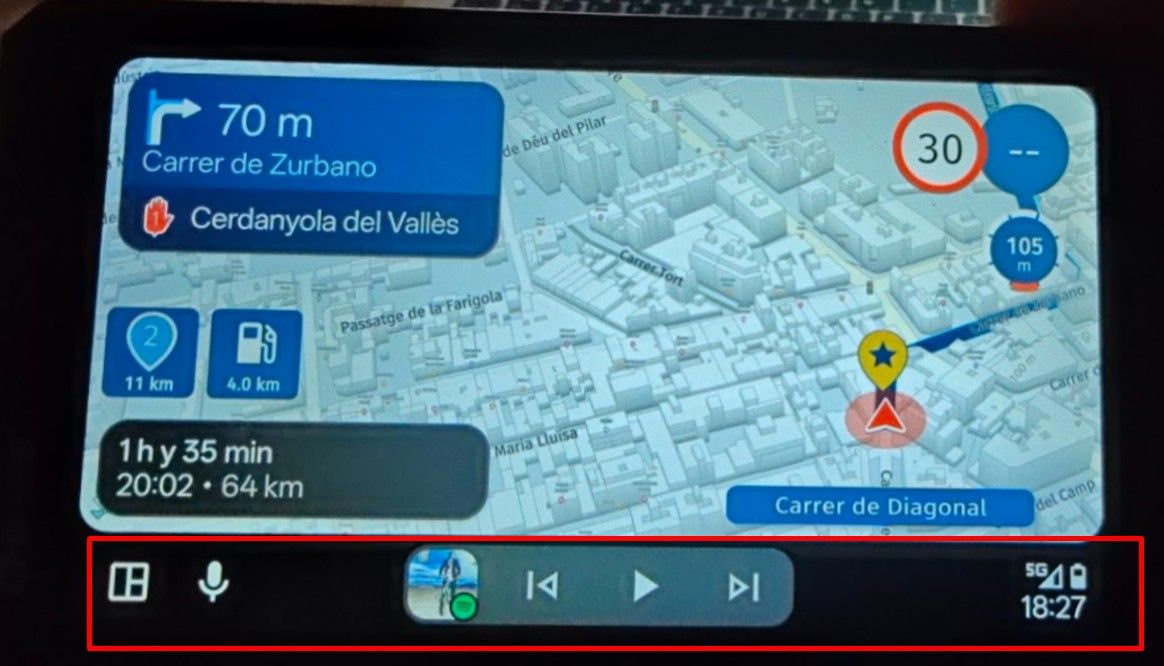
I discovered that it’s actually a “user error.” If you (accidentally) click the magic wheel in the opposite direction when making a selection, it goes “back.” This causes the software to think you want to close the app.
Maybe the developers could remove this feature and add a real “stop” button instead? For now, I’ll just set the wonder wheel to control the TFT instead of the NAV.
Hier van hetzelfde sinds gisteren. Carpuride in combi met iphone. Bijzonder vervelend dit. Ik heb het al eerder gehad. Aanwijzingen in helm doen het wel. Iphone zelf werkt ook.
That is not the issue. Only MRA has this issue.
My test yesterday showed me that HereWeGo has the same problem. So Here is the cause of this.
TomTom (GO Expert), Waze and Google Maps doesn't have this problem.
Kreeg je ook geen aanwijzingen meer. Wat er dus op duidt dat de navigatie op de achtergrond wel of niet doorgaat.
Mijn laatste rit met de Auto had ik ook veel last van het bevriezen van het scherm (Android Auto overigens. Maar de aanwijzingen gingen wel door. En daarmee het navigeren in feite ook.
@Andre-Klap Zoomen met het wiel werkt niet. Maakt niet uit welke instelling je gebruikt bij het tabje "invoerinstellingen"
Wel kan je door met het wieltje te draaien en kantelen alle opties in het scherm bedienen. Hou wel rekening met het feit dat AA/CP zijn beperkingen heeft tov de
native-app.
Dit is niet doordat de ontwikkelaars van MRA dit niet willen maar wat er mogelijk is
of vrijgegeven is voor AA/CP.
Dit had ik gisteren dus ook voor, al had ik het niet meteen door ... En al rijdende even een 20-tal routepunten overslaan (en bevestigen) was ook niet zo handig. Dus even aan kant en via de GSM het juiste punt selecteren om in te pikken in de route.
Ben zeer benieuwd naar de aanpassingen voor CarPlay
Agreed. One of our group used OSM maps and they worked fine on his Garmin.
I was really wanting MyRouteApp Navigation to work but it is not there yet (if using a head unit)
This is not possible. You need to scroll through and select the "+" or "-" button. I tend to leave it on the selection screen so it is easy to zoom in or out
@Rob-van-den-Boomen Welke opties er nog in de pijplijn zitten voor CarPlay en AndroidAuto weet ik niet, maar je kunt zeker wel de snelwegen, hoofdwegen en steden negeren. Je moet die alleen in de vermijdingsopties nog even van groen naar rood zetten...
[image: 1775314572881-img_3355.jpeg]
[image: 1775314580733-img_3356.jpeg]
@M.-Schrijver said in MRA lagging and freezing on AA:
The Here navigation app itself does not have any problems with both issues mention above.
I can tell from experience that this is not true. The problem I had with MRA that was not there in gMpas, Waze, Flitsmeister and a few other navigation apps, DID actually occur in Here's WeGo app. Although that was some time ago.