Skip to content

[App] Problems, Bugs and other Issues

1.3k Topics 11.3k Posts
  • Another Erratic Routing Incident

    11
    1
    0 Votes
    11 Posts
    259 Views
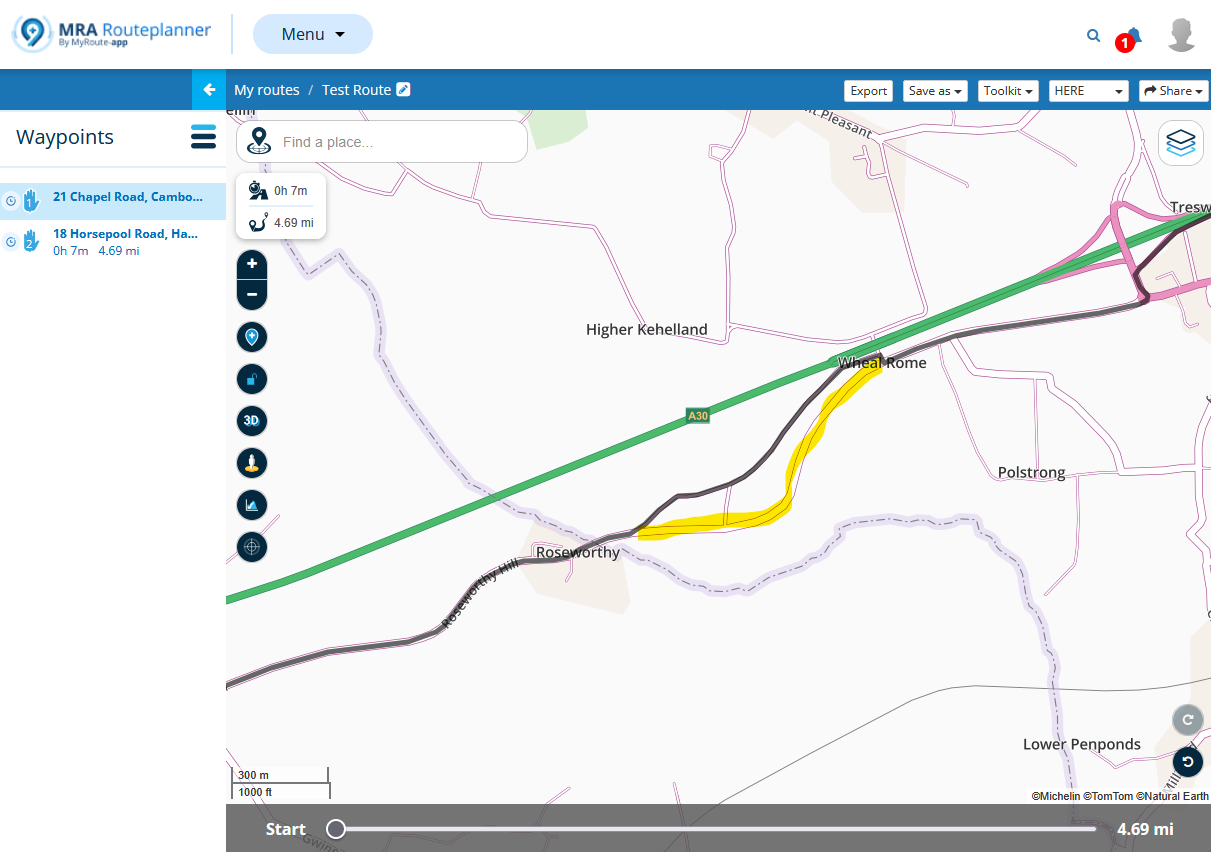
    @Brian-McG Good suggestion, and I agree. That's why in my second iteration, linked in post#4, I moved point#7 further up the road to the straight area where the map and the route line converged again. For good MRA practice, I'll definitely be more conscious of this in the future. I'm more concerned that the MRA route line and HERE map are out of sync. I use other phone apps (inRoute and OsmAnd) and I've never an issue where I place a waypoint/marker along the middle of a road. It shouldn't matter. In fact, OsmAnd has a "snap" feature to ensure the route line is attached to the road. Back to MRA, I trusted that what is OK in Routeplanner will sync accurately to the Next App without issue. Clearly that isn't always the case. Again, I get what happened. It's a HERE issue, and the MRA developers seem to wash their hands of anything happening at that layer. I understand they have enough on their plate having to chase endlessly evolving CarPlay/Android Auto issues. I'll leave them at peace....
  • Audio van Navigatie scheiden van muziek in Android Auto

    5
    1 Votes
    5 Posts
    368 Views
    Heel fijn. Laat me verassen.
  • Herberekenen werkt niet.

    4
    2
    0 Votes
    4 Posts
    201 Views
    @Hans-van-de-Ven-MR.MRA ik heb gisteren een vandaag de functie uitgebreid getest. Met een AB route en afwijken van de route, hetzij doordat ik dat zelf deed naar bij wijze van toeval ook omdat ik een onverwachte afsluiting tegen kwam. In beide situaties werd herberekenen keurig volgens verwachting uitgevoerd. Ik kwam keurig op mijn route terug
  • App stürzt bei aktiver Route immer wieder ab

    3
    0 Votes
    3 Posts
    119 Views
    @Günter-Schwarz said: Ich war jetzt mehre Tage von Deutschland nach Österreich und zurück unterwegs. Arbeite mit dem R7M Display und der Route APP Nach gefühlt einer Stunde Fahrt stürzt die App ab. Wenn ich dann neu Starte beginnt diese dann am Anfangspunkt und vor allem berechnet und verändert sie die vorgeplante Route. Bsp. zuvor ohne Autobahn geplant nach dem Absturz und Neuberechnung führt sie über die Autobahn und hat einen Teil der alten Route verworfen. Zuvor hatte ich die geplanten Routen auf mein Garmin Navi übertragen dort hat es zwar auch mit dem einen oder anderen Problem gekämpft aber in Summe funktioniert. Hey, du kannst in den Einstellungen den Startpunkt einer Route einstellen, gerade wenn man unterwegs neu starten muss ist das sinnvoll. Nachdem du auf navigieren gedrückt hast dann s. Bilder beachten , das einstellen bevor du auf Start drückst. [image: 1783405084540-img_0039.jpeg] [image: 1783405084943-img_0041.jpeg]
  • IOS: App crashes 2-3 times a day (v5.1/5.2)

    49
    0 Votes
    49 Posts
    2k Views
    I've always used routes and an active tracklog, and I've had problems. I was trying to make some hypotheses to understand what the conditions are that cause the app to crash. It seems to work well with offline navigation. I don't know, but let's hope they find a solution.
  • erratic routing instructions

    14
    0 Votes
    14 Posts
    366 Views
    @Marinus-van-Deudekom said: Did you make the route with the webplanner. I see that the route is with the Here map. I always plan my routes on the web planner, and use Here, I do compare with OSM and tom tom while making them. I also use the Michelin overlay as the Here is very wishy washy, and bad contrast. perhaps I inadvertently changed it, but I do not know why I would do that. @Brian-McG said: I think the only way to try & figure out what is occurring is if you can re-ride the route & get a repeat of the issue then save the app log file for the devs as stated above, I have ridden the route previously (3-4 times) without issue. I have sent the logs. @Brian-McG said: in fact I get the exact opposite, at every junction it is telling me to stay ON the m-way or main A-road when I have ridden the route before, that is what normally happens. For info to all, I merely put this on here as discussion point, and to highlight the behaviour, although it is good to read the differing points of view. I am touring around Ireland from Thursday, no motorway to speak of so may not see this again. @Brian-McG said: It looks like a decent ride to Hawick so should not be to much of a hard task it is a very nice route, although the road between Middleton and Alston is very uneven, not great on my K1600, almost throws me out of the seat in places, enjoyed it more when I had the GSA @marinus-van-deudekom, @Marinus-van-Deudekom said: That could be the result of the settings in NN. Could you share your settings I use fastest route in optimisation, the rest is below [image: 1783355754115-img_1231.jpeg] [image: 1783355764069-img_1232.jpeg] [image: 1783356048716-screenshot-2026-07-06-at-17.37.25-resized.png]
  • Issues since the 5.1.0-462 update / Crashes and lag

    84
    1 Votes
    84 Posts
    6k Views
    @Massimo-Cardone I wish you all the best Please remember that the Tour de France is currently underway too
  • CarPlay says that I need a subscription

    5
    0 Votes
    5 Posts
    321 Views
    @Albert-van-den-Elsen said: Hello @martin-garand. You can try this. The issue is caused by intermittent CarPlay handshake failures between iOS, MyRoute-app, and the Chigee Aoi‑6. When the handshake is incomplete, MyRoute-app cannot verify your Premium subscription fast enough and temporarily falls back to “no subscription”. Open MyRoute-app on your iPhone first, wait 3–5 seconds until the map loads, then connect to the Chigee Aoi‑6. This ensures: Subscription is verified App is fully awake CarPlay receives the correct authorization Most riders report this eliminates the issue entirely. Hello, I tried your suggestion but it is not always validating the subscription correctly. So i'm still having problem using it with Carplay
  • Onbekende fout, 3 problemen

    17
    0 Votes
    17 Posts
    561 Views
    @Brian-McG In dit specifieke geval had ik een route-track geïmporteerd die de maker in Basecamp had gemaakt. Ik had de route alleen geïmporteerd, dus niet met MRA bewerkt in de HERE kaart. Gemini zegt hierover: Let op bij tracks (.GPX): Zuivere tracks of 'route-tracks' kunnen soms moeite hebben met offline opstarten omdat de app deze probeert te herberekenen. Zorg er dus voor dat je gpx-bestanden in de MRA planner (op de HERE-kaart) eerst netjes hebt omgezet naar een definitieve route met routepunten. Wat betreft het overslaan van routepunten. Na een uur terug verwezen te worden is inderdaad mijn geduld op. Ps Ik zie dat bovenstaande tekst bij het verzenden verandert. Zo wordt “geïmporteerd” verandert in het woord vervangen. Hierdoor kunnen leuke misverstanden ontstaan.
  • Allowing Highways

    6
    0 Votes
    6 Posts
    218 Views
    @Mark-Williams-5-0 I think we may be talking at cross purposes or different things as this is not adding up at all correctly for me & does not match what I see when I "enter a destination". You say..... When I enter a destination on the MRA Android app and select the allow Highways option For me this means a simple A > B route from your location to a destination To do this I would select "Destination" from the route options draw, Search for & then select my destination, followed by pressing the Navigate button & my route options would be shown [image: 1782936974149-392084b1-2409-4e32-91d1-fc2f1a419ee8-image.jpeg] As you can see when select Leicester as my destination from west London it definitely allows me to use motorways / highways as it gives me the choice of routing via the M1 or M40 Under "Avoidance options" the "Highways" button is the default green as an allowed road I think to help further you will need to explain your steps a bit more fully
  • Location always on, why?

    2
    2
    0 Votes
    2 Posts
    71 Views
    It is what it is by design
  • Route Tracking a bit laggy on the new 5.2 update

    4
    0 Votes
    4 Posts
    181 Views
    I have no clue why other apps do work fine and MRA is lagging beside a different approach of tracking and/or different usage of resources
  • Doe ik iets verkeerd of...

    16
    2
    1 Votes
    16 Posts
    734 Views
    M.-Schrijver said: @Michel-71-0 said: Gisteren een ritje gedaan en ik moet zeggen dat de ervaring al een stuk beter was. Wat ik me nog wel afvroeg: gedurende de rit heb ik één waypoint overgeslagen omdat dit eenrichtingsverkeer was geworden. Het apparaat probeert dan eerst terug te navigeren naar dit punt, maar als je dat negeert, springt hij vanzelf over naar het volgende punt. Rechtsboven wordt dan weergegeven dat je het punt gemist hebt. Wanneer ik daarop tik, wordt er gevraagd of ik dit punt wil overslaan; ondanks dat ik op 'ja' drukte, bleef het waypoint echter de rest van de rit staan. Is dit zo "by design" of ging er iets niet goed? Nee, dit is niet "by-design" Rechtsboven moet altijd het volgende routepunt getoond worden. Doe je een correctie door handmatig een punt over te slaan, moet dit ook rechtsboven zichtbaar zijn. Dit doet mij denken aan een ander topic. Ik kan deze helaas niet meer terugvinden. Ook hier bleef het verkeerde routepunt rechtboven staan.
  • Round trip issues

    1
    0 Votes
    1 Posts
    61 Views
    No one has replied
  • Route wijkt af van de geplande route

    6
    1
    0 Votes
    6 Posts
    320 Views
    Top gedaan Tip maak de routes in de Here kaart en vergelijk de route met de TomTom kaart en zorg ervoor met behulp van extra shaping points op de Here dat de TomTom lijn de Here lijn volgt. Als je maat dan de route gaat rijden hier doet hij dat dan een met welke app De file die hij van jou krijgt is in ieder geval TomTom compatible
  • Manual Zoom

    12
    0 Votes
    12 Posts
    598 Views
    @guzzist : You must have misunderstood, ... sorry if I didn't describe it clearly enough. So again briefly: It should be so that you can choose one of the current three compass 🧭 settings if you want to, in which the system goes back automatically after a time x seconds. Account functions: Switch A compass 🧭 Make a selection: Top Down Automatic zoom () North orientation Switch Off: as it is current, it remains at the setting on the compass 🧭 ——— Hast du wohl falsch verstanden, … sorry wenn ich es nicht deutlich genug beschreiben habe. Also nochmal kurz: Es sollte so sein das man eine der aktuellen drei Kompass 🧭 Einstellungen fest wählen kann wenn man es möchte in die das System nach einer Zeit x Sekunden immer wieder automatisch zurück geht. Konto - Funktionen: Schalter Ein Kompass 🧭 Eine Auswahl treffen: Top Down Automatischer Zoom () Nord Ausrichtung Schalter Aus: so wie es aktuell ist, es bleibt bei der Einstellung am Kompass 🧭
  • Geen snelheidsweergave bij Android Auto

    10
    0 Votes
    10 Posts
    379 Views
    @Rob-Verhoeff Als het scherm in portret staat is de horizontale resolutie 480 pixels en zie ik de aanduiding wel tov een resolutie van 854 pixels waarbij ik het niet zie dus dat zal het niet zijn. Nogmaals als geen route geselecteerd is zie ik aanduiding wel, is er een route geselecteerd dan verschijnt de aanduiding heel even bij opstart van de route om daarna voor goed te verdwijnen. Zelfde probleem in een nieuwe auto met 10 inch display dus die resolutie zal het niet zijn... de plaats van het menu blijkt wel van invloed te zijn maar bij mij kan ik die in horizontale modus niet onderaan zetten...
  • 0 Votes
    10 Posts
    1k Views
    @chudy I haven’t been using WunderLINQ for a few months now. I’m currently using a RiderNav CarPlay device and I’m very happy with it at the moment. Thanks anyway for thinking about my problem!
  • Na 5000km MyRoute-app: helemaal klaar met deze Bugware

    Locked
    36
    -4 Votes
    36 Posts
    2k Views
    @pieterg Dan is dit het moment dat ik ook maar even wat zeg voordat ik de topic sluit Bedankt voor de feedback! Ik heb de app afgelopen tijd ook zeer intensief gebruikt en daar weinig problemen ondervonden. Ook hebben we gelukkig erg veel gebruikers die het zonder problemen kunnen gebruiken. Dat is niet vreemd want anders hadden we ook niet de beoordelingen die we hebben en de hoeveelheid gebruikers. Dat gezegd hebbende, daar heb jij niks aan! Dat begrijp ik ook. Mocht je de app nog willen gebruiken, maak dan gerust een support ticket aan als je problemen tegen komt. Wij zorgen dan dat daar naar gekeken wordt. CarPlay en Android Auto blijven een grote extra factor van complexiteit. Daar ben ik daadwerkelijk ook nu weer direct na mn vakantie weer mee bezig. We hebben de ambitie om op alle platformen perfect te functioneren. Jouw toon bij het begin van het bericht helpt niet, dat moet ik bekennen. Dat maakt je verdere valide punten en terechte feedback helaas minder sterk. De reacties van enkele community mensen is dan ook weer niet direct nodig. Maarja, zo gaat dat soms. Ik ga dit topic sluiten. Mocht je nog de behoefte hebben verder contact te hebben, stuur dan gerust een bericht via het forum. Voor concrete problemen verzoek ik je vriendelijk een support ticket aan te maken. Mocht je het nog eens willen proberen dan hoop ik dat toekomstige updates ook jouw problemen oplossen. Ik ben er echt mee bezig!
  • Routenpunkt platzieren

    3
    0 Votes
    3 Posts
    159 Views
    [image: 1782164369729-381fa8ed-ed3a-4411-b1b2-c3e9780dae99-image.jpeg] [image: 1782164424673-0984f9d4-8536-49ab-9223-be3804fb269c-image.jpeg]
ACTIVE USERS POPULAR TOPICS MY GROUPS