Skip to content
  • Categories
  • Recent
  • Popular
  • Support
  • MyRoute-app
Collapse
Brand Logo

MRA Community Forum

  1. Home
  2. The MyRoute-app
  3. [App] Suggestions and Discussion
  4. Resume navigation automatically

Resume navigation automatically
Scheduled Pinned Locked Moved [App] Suggestions and Discussion
4 Posts 2 Posters 965 Views 2 Watching
  • Oldest to Newest
  • Newest to Oldest
  • Most Votes
Reply
  • Reply as topic
Log in to reply
This topic has been deleted. Only users with topic management privileges can see it.
  • ginoginoundefined Offline
    ginoginoundefined Offline
    ginogino
    wrote on last edited by
    #1

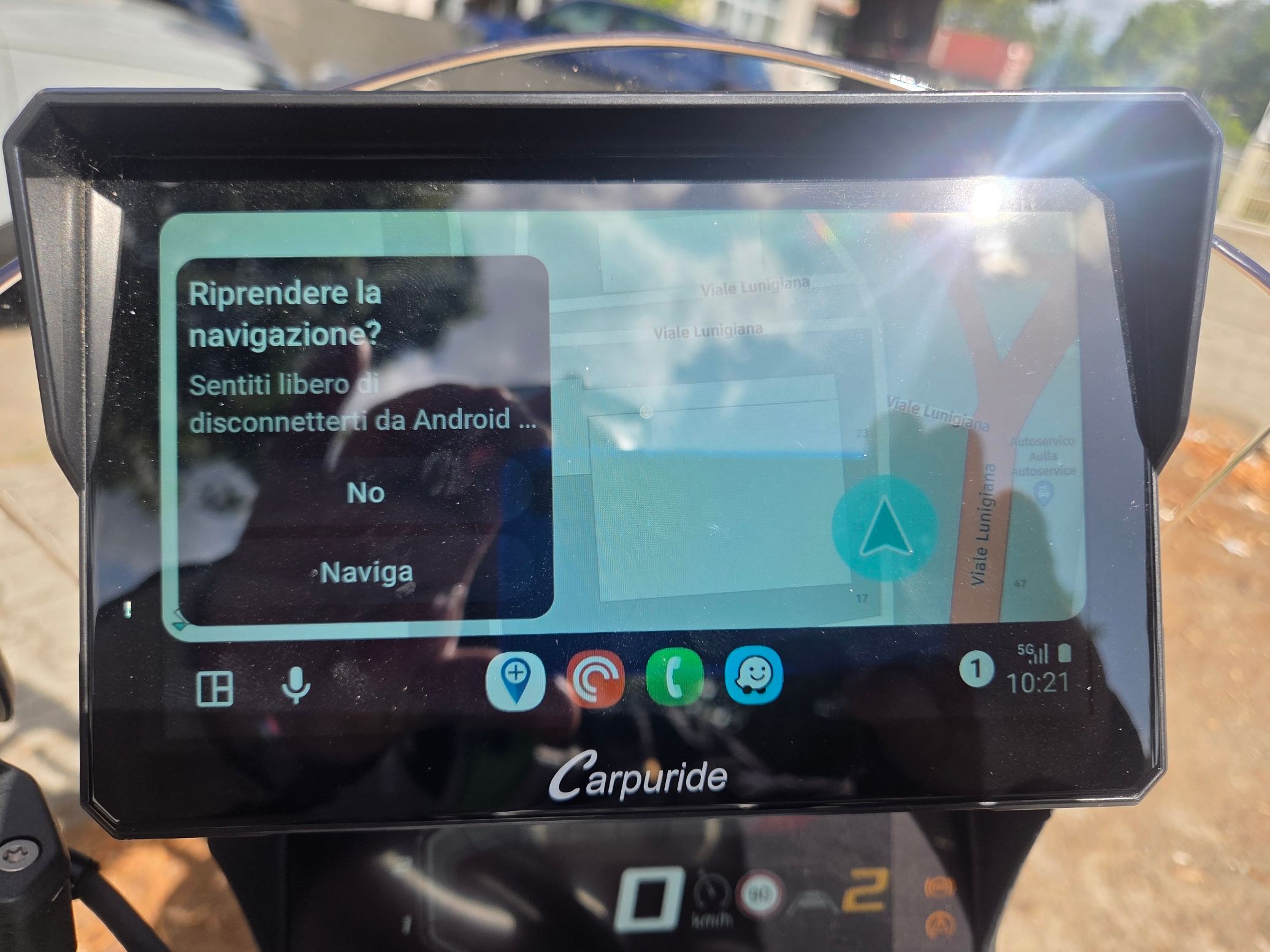
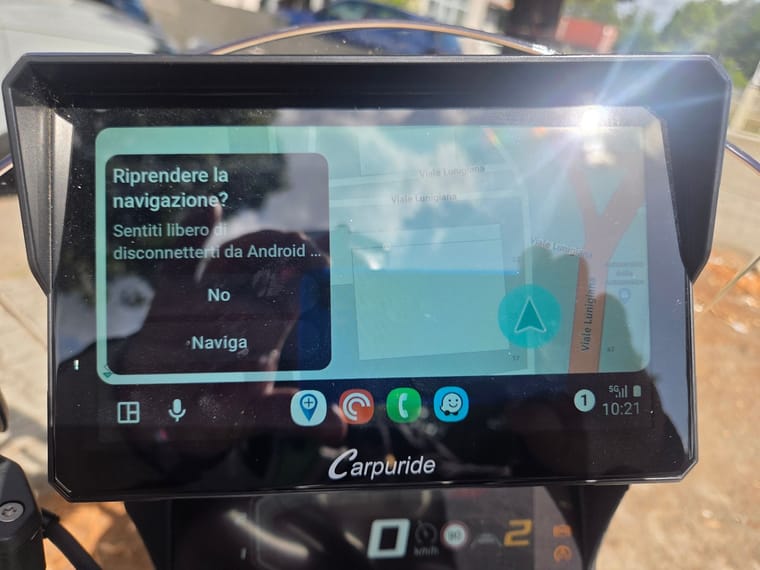
    Currently in Android Auto, when you turn off the motorcycle, the next time you restart it, a message appears asking if you want to resume navigation or not. If you don't select anything, that message remains there even for hours and kilometres travelled, which is quite annoying because it forces you to turn on the motorcycle, wait for the device to turn on and connect to Android Auto, and then, after selecting ‘Navigate’, you can start.
    It is possible to set a 30-second timer so that if nothing is selected, navigation starts automatically.
    20250723_102113.jpg

    1 Reply Last reply
    0
    • M. Schrijverundefined Offline
      M. Schrijverundefined Offline
      M. Schrijver
      Valued contributor
      wrote on last edited by
      #2

      In my setup, this message disappears after a few seconds.

      (I use MRA Next only on Android Auto. Every comment, suggestion, etc will be based on my usage with Android Auto)

      ginoginoundefined 1 Reply Last reply
      0
      • M. Schrijverundefined M. Schrijver

        In my setup, this message disappears after a few seconds.

        ginoginoundefined Offline
        ginoginoundefined Offline
        ginogino
        wrote on last edited by
        #3

        @M.-Schrijver

        @M.-Schrijver said in Resume navigation automatically:

        In my setup, this message disappears after a few seconds.

        Since the problem doesn't appear in your setup, you can share your setup.

        1 Reply Last reply
        0
        • M. Schrijverundefined Offline
          M. Schrijverundefined Offline
          M. Schrijver
          Valued contributor
          wrote on last edited by
          #4

          Mine is the Goldwing OEM setup. I cannot find a setting which controls the automatic closing of this pop-up.
          I recognize the message. I show on my screen also but within a second it is gone.
          Why it is working for me but not for you. I do not have a clue.

          (I use MRA Next only on Android Auto. Every comment, suggestion, etc will be based on my usage with Android Auto)

          1 Reply Last reply
          0

          Hello! It looks like you're interested in this conversation, but you don't have an account yet.

          Getting fed up of having to scroll through the same posts each visit? When you register for an account, you'll always come back to exactly where you were before, and choose to be notified of new replies (either via email, or push notification). You'll also be able to save bookmarks and upvote posts to show your appreciation to other community members.

          With your input, this post could be even better 💗

          Register Login
          Reply
          • Reply as topic
          Log in to reply
          • Oldest to Newest
          • Newest to Oldest
          • Most Votes


          ACTIVE USERS
          M. Schrijverundefined
          M. Schrijver
          ginoginoundefined
          ginogino
          POPULAR TOPICS
          • Update 5.1 - CarPlay / Android Auto improvements and more!
            Marcel Prinsen 0 0undefined
            Marcel Prinsen 0 0
            12
            9
            209

          • Route Rx bibliotheek overzetten naar Garmin
            nomkoundefined
            nomko
            0
            7
            83

          • Mixed mode route
            Travellexxieundefined
            Travellexxie
            0
            7
            192

          • Compass with direction
            Dave J 0undefined
            Dave J 0
            2
            10
            74

          • Rondrit maken en vervolgens navigeren lukt niet
            supergundefined
            superg
            0
            10
            410

          • Kleur van de rit veranderen.
            Leike Lodiersundefined
            Leike Lodiers
            0
            2
            52

          • Ik krijg bij Scenic de vermijdopties (In mijn geval: Snelwegen, Steden en Woonwijken) niet uitgeschakeld.
            Leike Lodiersundefined
            Leike Lodiers
            0
            2
            30

          • Input Settings, Turned off v Standard
            Corjan Meijerinkundefined
            Corjan Meijerink
            0
            8
            970

          MY GROUPS
          • Login

          • Login or register to search.
          • First post
            Last post
          0
          • Categories
          • Recent
          • Popular
          • Support
          • MyRoute-app