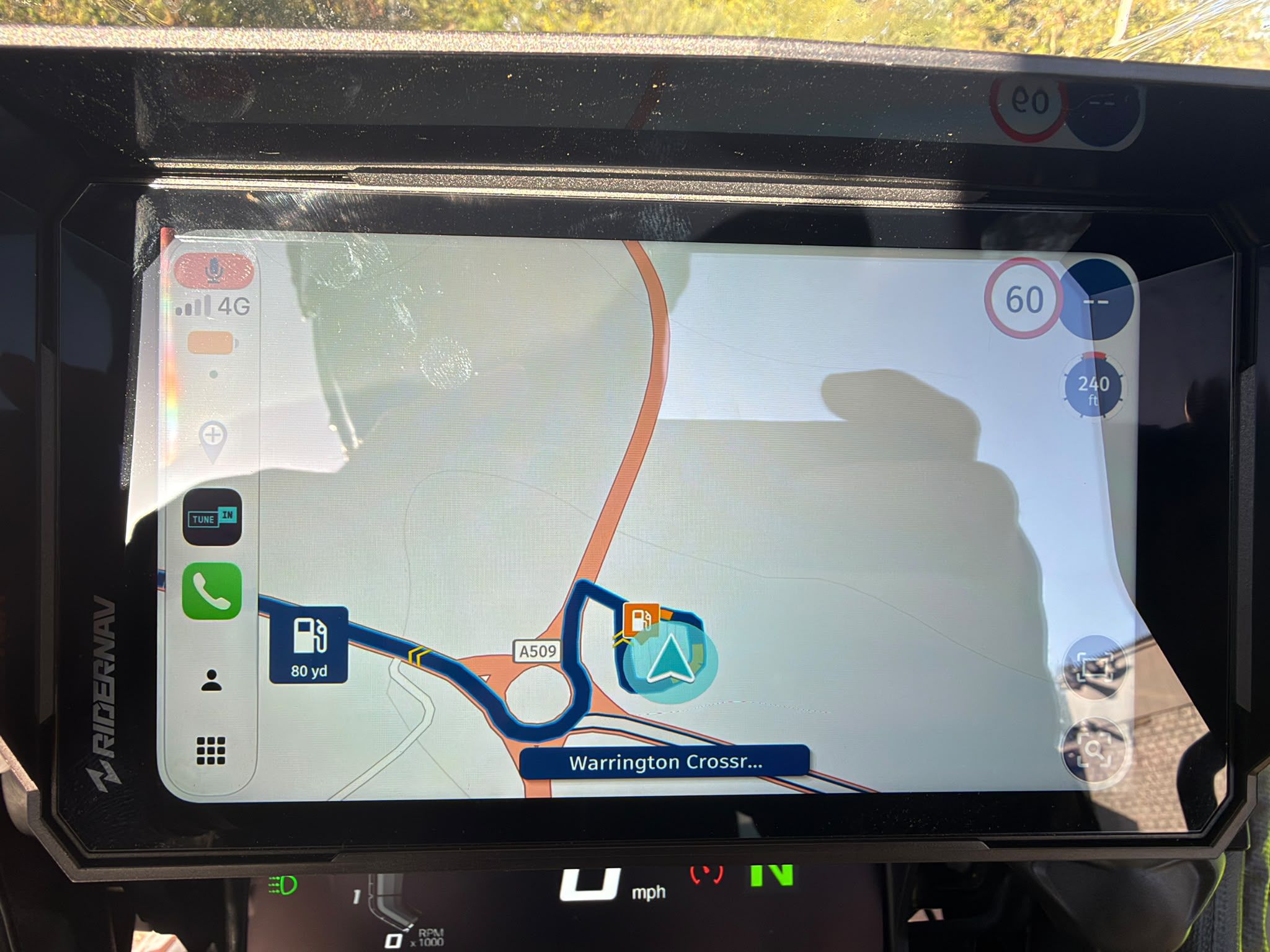
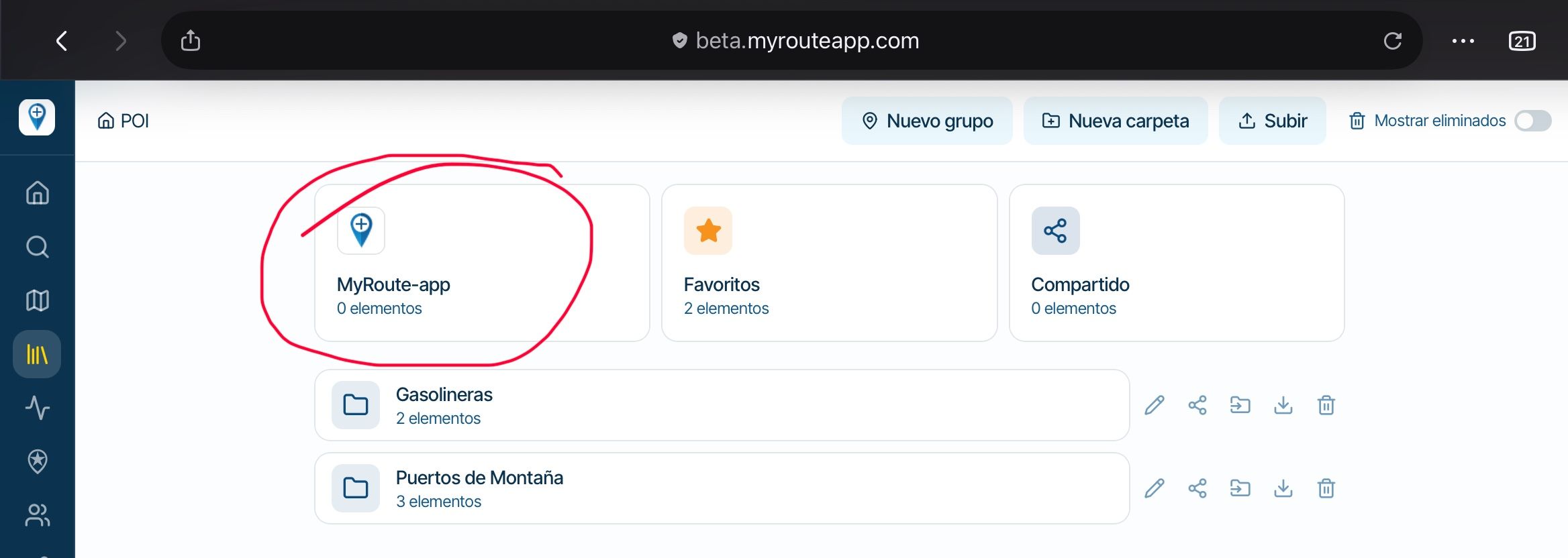
New update! (4.1.3)
-
Hi everyone!

It's time for a new release!
 It's packed with nice new features and improvements. We expect it to be available around Wednesday. Just as technicality, this is version 4.1.3 with build 311.
CarPlay / Android Auto changes
There are quite come nice changes for these platforms!Route library
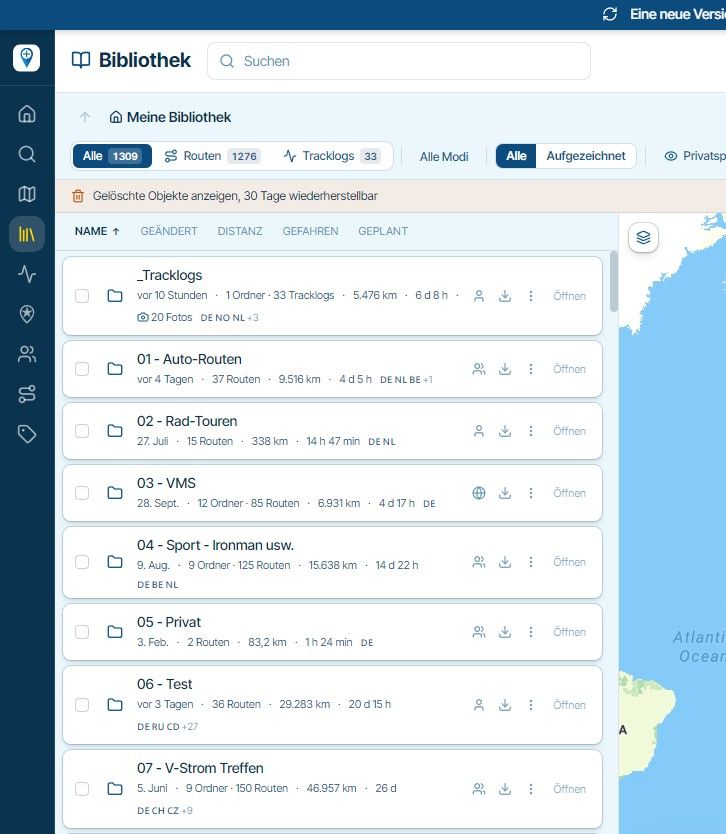
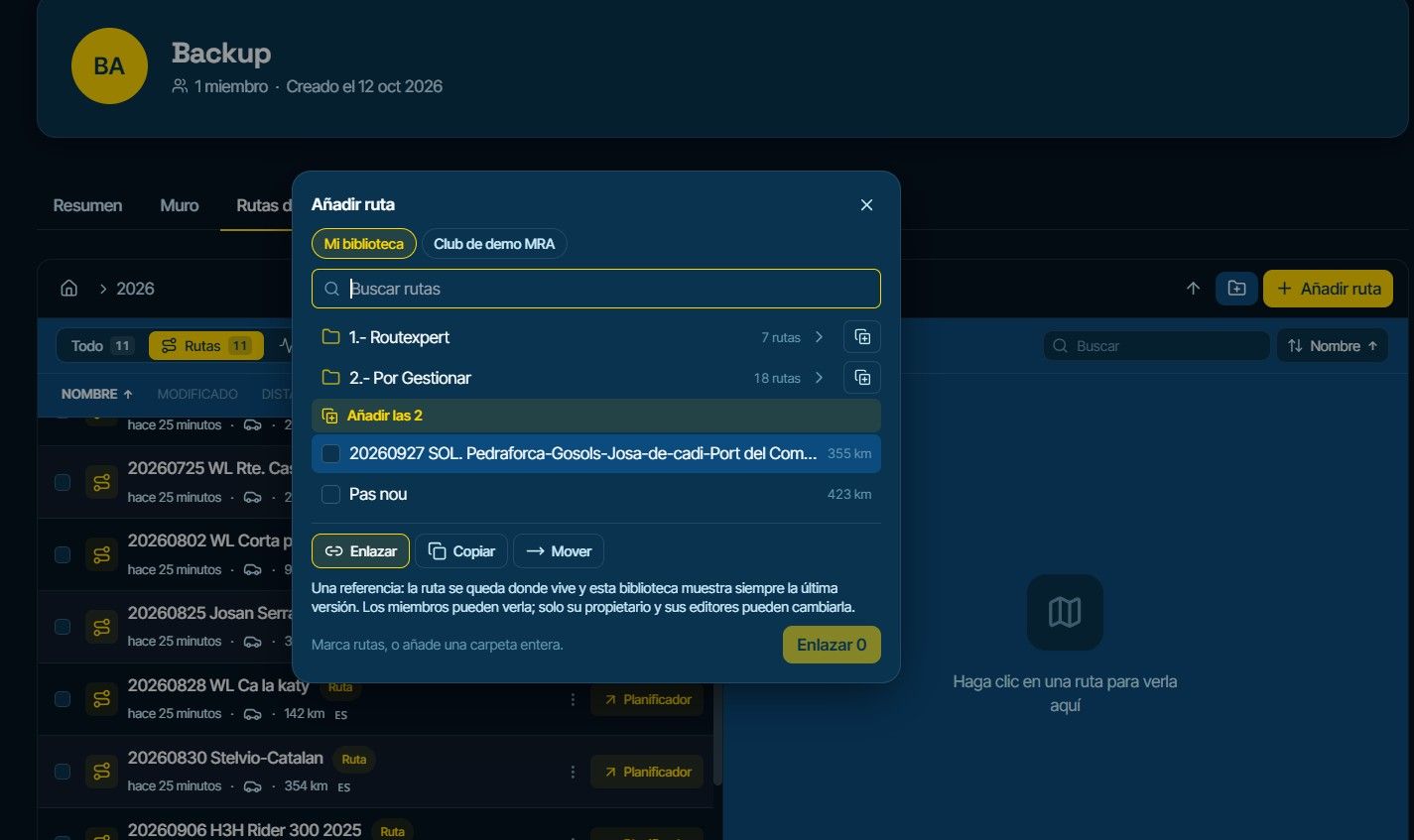
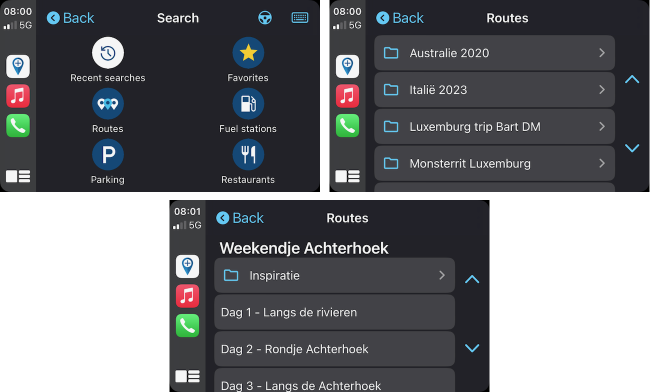
Finally! One of the most anticipated changes. Directly load any of your routes from CarPlay / Android Auto!

Speeding
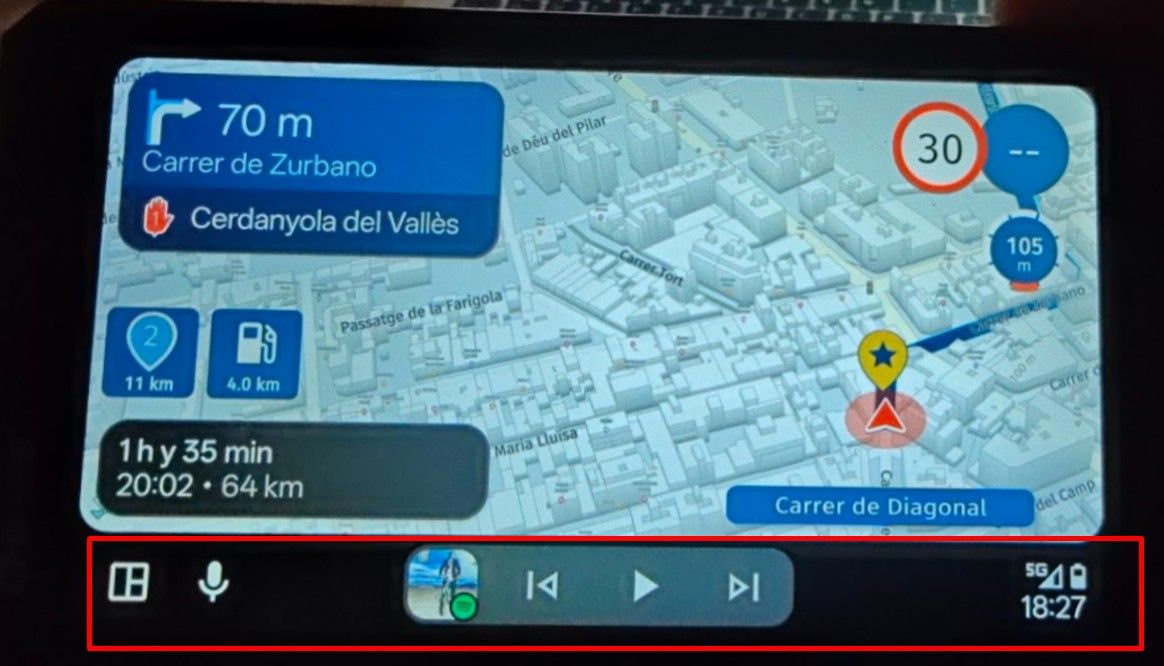
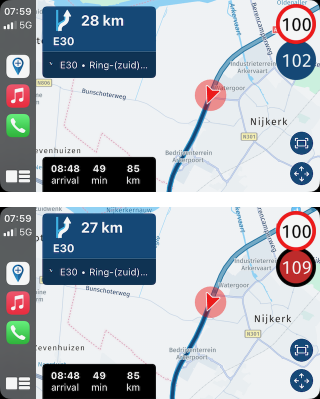
When exceeding the speed limit - this will now be visible too
Resume navigation & skip waypoint
The resume navigation prompt has been improved and when skipping a waypoint, we ask you to confirm and we show the number of the waypoint that will be skipped!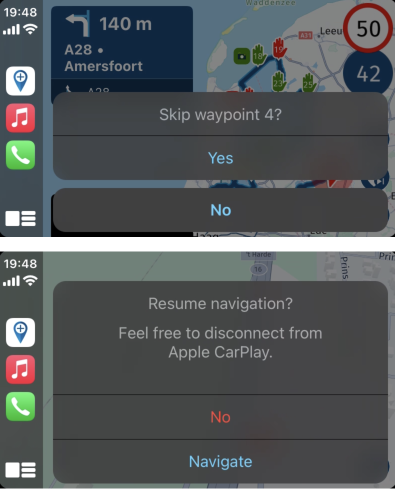
More settings!
As you all enjoy settings, we added some more!
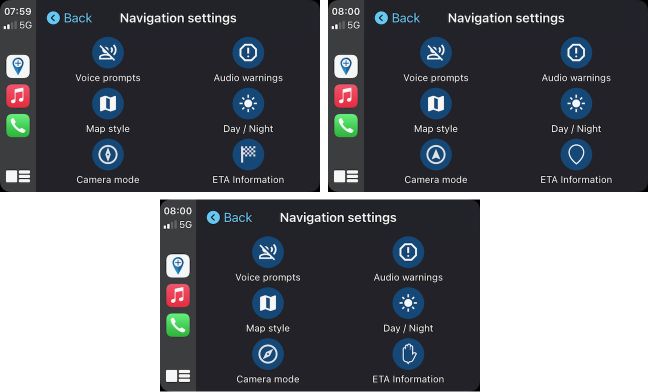
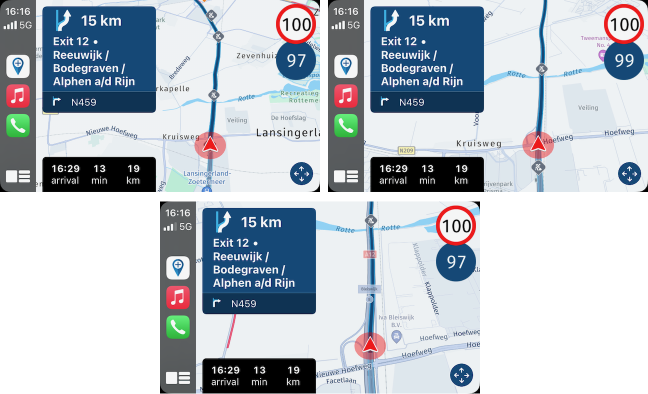
You can change the displayed arrival time as you can do in the app too. Now you can toggle between displaying duration / distance to the end / next waypoint / next viapoint.You can also change the camera orientation between the available modes!
Common changes
As we also changed some general things the app, these are listed below!North-up
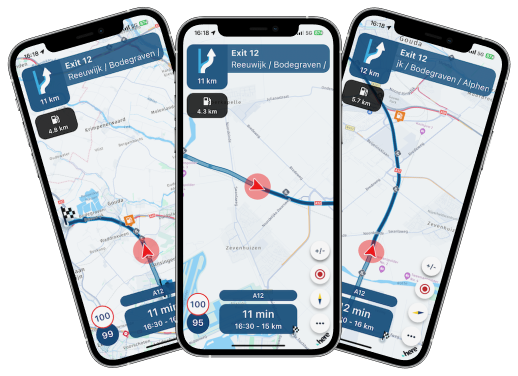
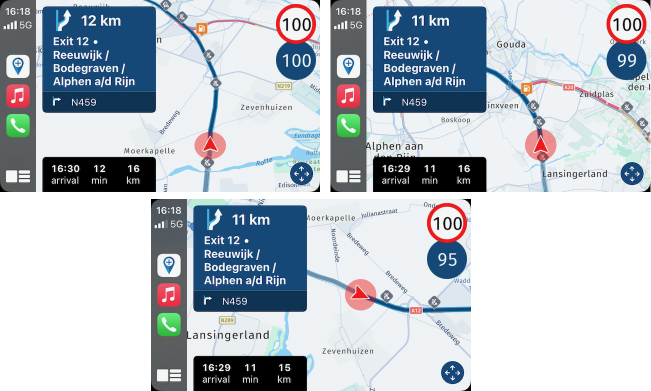
We already had the dynamic and topdown camera mode. Now we added a north-up mode where the camera is fixed north. This allows you to navigate using the orientation that matches that of a traditional map!
Simply tap the compass as you are used to in order to cycle through these modes. We remember the last choice you made so you never have to tap the button again once you selected the mode you like
All modes are available in CarPlay / Android Auto too! (and you can cycle through them directly through the settings on those platforms, see screenshots above).
Display search results on map home screen
When searching for things we wouldn't display them on the map in the home screen. Now we do!Short tap a displayed icon to display the name, long press it to navigate to that item.
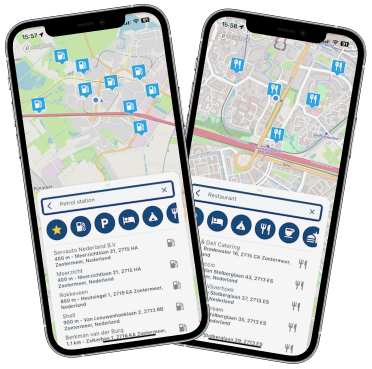
Configuration options auto zoom
We would automatically zoom out when you were driving faster or when the next instruction was farther away. Most of you enjoyed this but some did not. We decided that it's up to you how it works!- Off: we do nothing extra
- Speed icon: based on speed slightly less zoom
- Instruction icon: based on next instruction distance less zoom
- On: we use both! This was default like it was
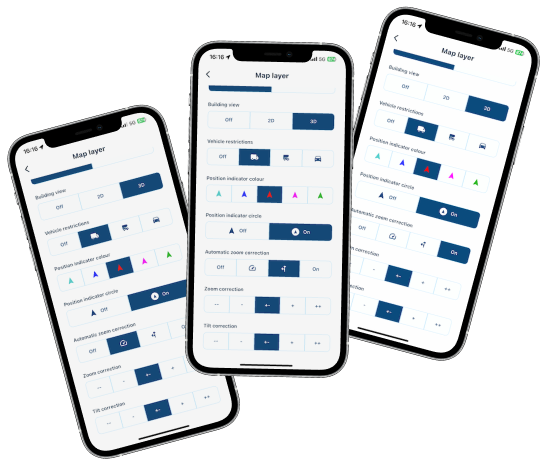
The difference can be observed here:
Major details
- Solved white screen (map loading issue) + crash! (rare issue)
- Improved position delay on all Android devices!
Minor stuff
- Improved waypoint skip algorithm and fixed an issue causing it to skip large sections unintended.
- Improved algorithm that places stops (such as fuel stations) between your waypoints
- Added extra Carpe Iter controller configuration option
- More little tweaks
- General stability
Quite a long list! Hope you enjoy all of it!
I'm heading to Scotland tomorrow to use this version properly! Excuse me for not responding within the usual timeframe you expect from me.
What's next
In my absence development will continue to support editing / creating routes directly in the app!
Cheers,
Corjan
4.1.3 - 311 is now available on Android.
-
Hi everyone!
It's time for a new release!
It's packed with nice new features and improvements. We expect it to be available around Wednesday. Just as technicality, this is version 4.1.3 with build 311.CarPlay / Android Auto changes
There are quite come nice changes for these platforms!Route library
Finally! One of the most anticipated changes. Directly load any of your routes from CarPlay / Android Auto! Speeding
When exceeding the speed limit - this will now be visible tooResume navigation & skip waypoint
The resume navigation prompt has been improved and when skipping a waypoint, we ask you to confirm and we show the number of the waypoint that will be skipped!More settings!
As you all enjoy settings, we added some more!
You can change the displayed arrival time as you can do in the app too. Now you can toggle between displaying duration / distance to the end / next waypoint / next viapoint.You can also change the camera orientation between the available modes!
Common changes
As we also changed some general things the app, these are listed below!North-up
We already had the dynamic and topdown camera mode. Now we added a north-up mode where the camera is fixed north. This allows you to navigate using the orientation that matches that of a traditional map!Simply tap the compass as you are used to in order to cycle through these modes. We remember the last choice you made so you never have to tap the button again once you selected the mode you like
All modes are available in CarPlay / Android Auto too! (and you can cycle through them directly through the settings on those platforms, see screenshots above).
Display search results on map home screen
When searching for things we wouldn't display them on the map in the home screen. Now we do!Short tap a displayed icon to display the name, long press it to navigate to that item.
Configuration options auto zoom
We would automatically zoom out when you were driving faster or when the next instruction was farther away. Most of you enjoyed this but some did not. We decided that it's up to you how it works!- Off: we do nothing extra
- Speed icon: based on speed slightly less zoom
- Instruction icon: based on next instruction distance less zoom
- On: we use both! This was default like it was
The difference can be observed here:
Major details
- Solved white screen (map loading issue) + crash! (rare issue)
- Improved position delay on all Android devices!
Minor stuff
- Improved waypoint skip algorithm and fixed an issue causing it to skip large sections unintended.
- Improved algorithm that places stops (such as fuel stations) between your waypoints
- Added extra Carpe Iter controller configuration option
- More little tweaks
- General stability
Quite a long list! Hope you enjoy all of it!
I'm heading to Scotland tomorrow to use this version properly! Excuse me for not responding within the usual timeframe you expect from me.
What's next
In my absence development will continue to support editing / creating routes directly in the app!Cheers,
Corjan
@Corjan-Meijerink Goed nieuws ik kijk uit naar de nieuwe update

 groetjes Erik.
 -
Hi everyone!
It's time for a new release!
It's packed with nice new features and improvements. We expect it to be available around Wednesday. Just as technicality, this is version 4.1.3 with build 311.CarPlay / Android Auto changes
There are quite come nice changes for these platforms!Route library
Finally! One of the most anticipated changes. Directly load any of your routes from CarPlay / Android Auto! Speeding
When exceeding the speed limit - this will now be visible tooResume navigation & skip waypoint
The resume navigation prompt has been improved and when skipping a waypoint, we ask you to confirm and we show the number of the waypoint that will be skipped!More settings!
As you all enjoy settings, we added some more!
You can change the displayed arrival time as you can do in the app too. Now you can toggle between displaying duration / distance to the end / next waypoint / next viapoint.You can also change the camera orientation between the available modes!
Common changes
As we also changed some general things the app, these are listed below!North-up
We already had the dynamic and topdown camera mode. Now we added a north-up mode where the camera is fixed north. This allows you to navigate using the orientation that matches that of a traditional map!Simply tap the compass as you are used to in order to cycle through these modes. We remember the last choice you made so you never have to tap the button again once you selected the mode you like
All modes are available in CarPlay / Android Auto too! (and you can cycle through them directly through the settings on those platforms, see screenshots above).
Display search results on map home screen
When searching for things we wouldn't display them on the map in the home screen. Now we do!Short tap a displayed icon to display the name, long press it to navigate to that item.
Configuration options auto zoom
We would automatically zoom out when you were driving faster or when the next instruction was farther away. Most of you enjoyed this but some did not. We decided that it's up to you how it works!- Off: we do nothing extra
- Speed icon: based on speed slightly less zoom
- Instruction icon: based on next instruction distance less zoom
- On: we use both! This was default like it was
The difference can be observed here:
Major details
- Solved white screen (map loading issue) + crash! (rare issue)
- Improved position delay on all Android devices!
Minor stuff
- Improved waypoint skip algorithm and fixed an issue causing it to skip large sections unintended.
- Improved algorithm that places stops (such as fuel stations) between your waypoints
- Added extra Carpe Iter controller configuration option
- More little tweaks
- General stability
Quite a long list! Hope you enjoy all of it!
I'm heading to Scotland tomorrow to use this version properly! Excuse me for not responding within the usual timeframe you expect from me.
What's next
In my absence development will continue to support editing / creating routes directly in the app!Cheers,
Corjan
@Corjan-Meijerink Thank you for the great work you are doing! I will test the new app with Android Auto the next evenings in a test ride. Biggest issue was the lag and frozen screen with Android Auto. I am really looking forward to testing out the new version.

-
4.1.3 - 311 is now available on Android.

@Lynchy67 thanks! iOS too I just saw.
This means Apple and Google were also eager to get the update out to you all
-
Hi everyone!
It's time for a new release!
It's packed with nice new features and improvements. We expect it to be available around Wednesday. Just as technicality, this is version 4.1.3 with build 311.CarPlay / Android Auto changes
There are quite come nice changes for these platforms!Route library
Finally! One of the most anticipated changes. Directly load any of your routes from CarPlay / Android Auto! Speeding
When exceeding the speed limit - this will now be visible tooResume navigation & skip waypoint
The resume navigation prompt has been improved and when skipping a waypoint, we ask you to confirm and we show the number of the waypoint that will be skipped!More settings!
As you all enjoy settings, we added some more!
You can change the displayed arrival time as you can do in the app too. Now you can toggle between displaying duration / distance to the end / next waypoint / next viapoint.You can also change the camera orientation between the available modes!
Common changes
As we also changed some general things the app, these are listed below!North-up
We already had the dynamic and topdown camera mode. Now we added a north-up mode where the camera is fixed north. This allows you to navigate using the orientation that matches that of a traditional map!Simply tap the compass as you are used to in order to cycle through these modes. We remember the last choice you made so you never have to tap the button again once you selected the mode you like
All modes are available in CarPlay / Android Auto too! (and you can cycle through them directly through the settings on those platforms, see screenshots above).
Display search results on map home screen
When searching for things we wouldn't display them on the map in the home screen. Now we do!Short tap a displayed icon to display the name, long press it to navigate to that item.
Configuration options auto zoom
We would automatically zoom out when you were driving faster or when the next instruction was farther away. Most of you enjoyed this but some did not. We decided that it's up to you how it works!- Off: we do nothing extra
- Speed icon: based on speed slightly less zoom
- Instruction icon: based on next instruction distance less zoom
- On: we use both! This was default like it was
The difference can be observed here:
Major details
- Solved white screen (map loading issue) + crash! (rare issue)
- Improved position delay on all Android devices!
Minor stuff
- Improved waypoint skip algorithm and fixed an issue causing it to skip large sections unintended.
- Improved algorithm that places stops (such as fuel stations) between your waypoints
- Added extra Carpe Iter controller configuration option
- More little tweaks
- General stability
Quite a long list! Hope you enjoy all of it!
I'm heading to Scotland tomorrow to use this version properly! Excuse me for not responding within the usual timeframe you expect from me.
What's next
In my absence development will continue to support editing / creating routes directly in the app!Cheers,
Corjan
@Corjan-Meijerink hallo, Is in de toekomst een update dat routepunt overslaan op mijn carplay scherm (hd boombox) getoond wordt mogelijk? Spijtig om telefoon te moeten uithalen om dit te doen. Alles werk top voor het rest. Mvg.
-
Is de snelheidsmeter tijdens het vrij rijden zonder route in Auto Android nu ook mee genomen in de update ?

@Erik-35 said in New update! (4.1.3):
Is de snelheidsmeter tijdens het vrij rijden zonder route in Auto Android nu ook mee genomen in de update ?
Dit staat toch niet in de release notes?
Daarnaast is de snelheid indicatie in vrij rijden nog helemaal niet beschikbaar in de app zelf, laat staan in AA...
Manks bu'j te bange.
-
@Erik-35 said in New update! (4.1.3):
Is de snelheidsmeter tijdens het vrij rijden zonder route in Auto Android nu ook mee genomen in de update ?
Dit staat toch niet in de release notes?
Daarnaast is de snelheid indicatie in vrij rijden nog helemaal niet beschikbaar in de app zelf, laat staan in AA...
@Stefan-Hummelink
"Daarnaast is de snelheid indicatie in vrij rijden nog helemaal niet beschikbaar in de app zelf, laat staan in AA..."
En dat is dus juist wat ik mis in de App vandaar dat ik het vraag . -
@Stefan-Hummelink
"Daarnaast is de snelheid indicatie in vrij rijden nog helemaal niet beschikbaar in de app zelf, laat staan in AA..."
En dat is dus juist wat ik mis in de App vandaar dat ik het vraag .
@Erik-35 Dat snap ik! Maar je vraagt dat op een bericht waarin juist genoemd staat wat er wél is meegenomen.
Daar staat overduidelijk deze functie niet bij.

Functie wensen of suggesties plaats je het beste hier:
-
@Corjan-Meijerink said in New update! (4.1.3):
Added extra Carpe Iter controller configuration option

-
Great work and great information, as always.
Richard
-
Hi everyone!
It's time for a new release!
It's packed with nice new features and improvements. We expect it to be available around Wednesday. Just as technicality, this is version 4.1.3 with build 311.CarPlay / Android Auto changes
There are quite come nice changes for these platforms!Route library
Finally! One of the most anticipated changes. Directly load any of your routes from CarPlay / Android Auto! Speeding
When exceeding the speed limit - this will now be visible tooResume navigation & skip waypoint
The resume navigation prompt has been improved and when skipping a waypoint, we ask you to confirm and we show the number of the waypoint that will be skipped!More settings!
As you all enjoy settings, we added some more!
You can change the displayed arrival time as you can do in the app too. Now you can toggle between displaying duration / distance to the end / next waypoint / next viapoint.You can also change the camera orientation between the available modes!
Common changes
As we also changed some general things the app, these are listed below!North-up
We already had the dynamic and topdown camera mode. Now we added a north-up mode where the camera is fixed north. This allows you to navigate using the orientation that matches that of a traditional map!Simply tap the compass as you are used to in order to cycle through these modes. We remember the last choice you made so you never have to tap the button again once you selected the mode you like
All modes are available in CarPlay / Android Auto too! (and you can cycle through them directly through the settings on those platforms, see screenshots above).
Display search results on map home screen
When searching for things we wouldn't display them on the map in the home screen. Now we do!Short tap a displayed icon to display the name, long press it to navigate to that item.
Configuration options auto zoom
We would automatically zoom out when you were driving faster or when the next instruction was farther away. Most of you enjoyed this but some did not. We decided that it's up to you how it works!- Off: we do nothing extra
- Speed icon: based on speed slightly less zoom
- Instruction icon: based on next instruction distance less zoom
- On: we use both! This was default like it was
The difference can be observed here:
Major details
- Solved white screen (map loading issue) + crash! (rare issue)
- Improved position delay on all Android devices!
Minor stuff
- Improved waypoint skip algorithm and fixed an issue causing it to skip large sections unintended.
- Improved algorithm that places stops (such as fuel stations) between your waypoints
- Added extra Carpe Iter controller configuration option
- More little tweaks
- General stability
Quite a long list! Hope you enjoy all of it!
I'm heading to Scotland tomorrow to use this version properly! Excuse me for not responding within the usual timeframe you expect from me.
What's next
In my absence development will continue to support editing / creating routes directly in the app!Cheers,
Corjan
Thanks a lot Corjan. Love driving with MRA. Enjoy Scotland. Groetjes John
-
Ik kan mijn app op de android wel openen maar dan blokkeert hij?
-
Ik kan mijn app op de android wel openen maar dan blokkeert hij?

@Monty-Schmieman, Android? Even geforceerd stoppen vanuit het systeem - Apps menu, of je telefoon even herstarten. De eerste app start na een update wil wel eens wat rommelig zijn.
-
Ik kan mijn app op de android wel openen maar dan blokkeert hij?
thxs Cor, ik heb dat gedaan maar zonder resultaat. Als ik MRA open en druk dan op drie balkjes links boven, krijg ik het start scherm. Vervolgens als ik dan links boven druk op het icoontje poppetje blokkeert het verder alles.
-
thxs Cor, ik heb dat gedaan maar zonder resultaat. Als ik MRA open en druk dan op drie balkjes links boven, krijg ik het start scherm. Vervolgens als ik dan links boven druk op het icoontje poppetje blokkeert het verder alles.
@Monty-Schmieman, vreemd. Ik zou proberen eens de cache te legen, ook weer in de Android systeem settings - Apps - Storage. Helpt dat ook niet, dan ook de gebruikersdata legen in datzelfde menu, maar dan moet je wel ook je offline maps opnieuw downloaden.
I am just an enthusiastic MRA user, and hope you will be one too!
Most motorcycle problems are caused by the nut that connects the handlebar to the saddle.
Check out RideSleepRepeat.eu, a biker community for sharing stays across Europe
-
@Monty-Schmieman, vreemd. Ik zou proberen eens de cache te legen, ook weer in de Android systeem settings - Apps - Storage. Helpt dat ook niet, dan ook de gebruikersdata legen in datzelfde menu, maar dan moet je wel ook je offline maps opnieuw downloaden.
@Con-Hennekens opgelost. App navigatie verwijderd en opnieuw ingesteld
-
thxs Cor, ik heb dat gedaan maar zonder resultaat. Als ik MRA open en druk dan op drie balkjes links boven, krijg ik het start scherm. Vervolgens als ik dan links boven druk op het icoontje poppetje blokkeert het verder alles.

@Monty-Schmieman als je op het poppetje drukt kom je in het instellingen menu.
Dat gaat sinds 2 updates erg langzaam, bij mij meer dan een minuut. Ik denk dat het door de offline kaarten komt. Heb daar eerder al wat over geschreven en bij @Corjan-Meijerink onder de aandacht gebracht -
Come mai sul telefono si vede la distanza alla prossima area di servizio mentre su android auto non si vede? Grazie


Hello! It looks like you're interested in this conversation, but you don't have an account yet.
Getting fed up of having to scroll through the same posts each visit? When you register for an account, you'll always come back to exactly where you were before, and choose to be notified of new replies (either via email, or push notification). You'll also be able to save bookmarks and upvote posts to show your appreciation to other community members.
With your input, this post could be even better 💗
Register Login
-
02034
-
 0620
0620
-
 08251
08251
-
 0517
0517
-
 010641
-
0456
-
04114
-
 0424
0424