
Imperial Units in saved routes (pdf)
-
I do not know if that came up before, when I save (email) the route in pdf format, it gives me km instead of mi. How can I change that to imperial units (US?)

@UltraStar I think I understand what the issue is

It will be solved this afternoon. Please report back to me. -
@UltraStar I think I understand what the issue is
It will be solved this afternoon. Please report back to me.
@Corjan-Meijerink Thank you, I will.
Have a good day! -
@UltraStar I think I understand what the issue is
It will be solved this afternoon. Please report back to me.
@Corjan-Meijerink said in Imperial Units in saved routes (pdf):
@UltraStar I think I understand what the issue is
It will be solved this afternoon. Please report back to me.Hi Corjan,
I am resurrecting this to ask if the fix was applied to both the PC version of Route Planner and the Android App version.
If I save as PDF from the PC browser the units are in Miles with English text however when I save the same route from my Android App (V4.3.6-382) the units are Km with instructions in English and the headings in Dutch.App Version:
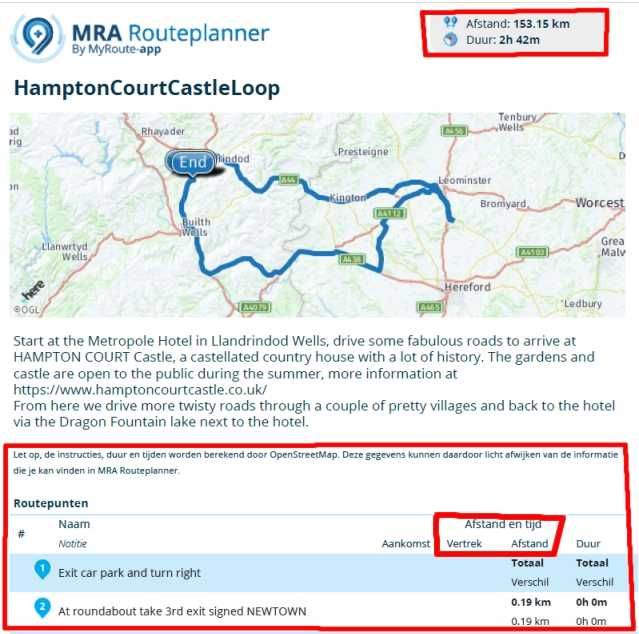
PC Version:
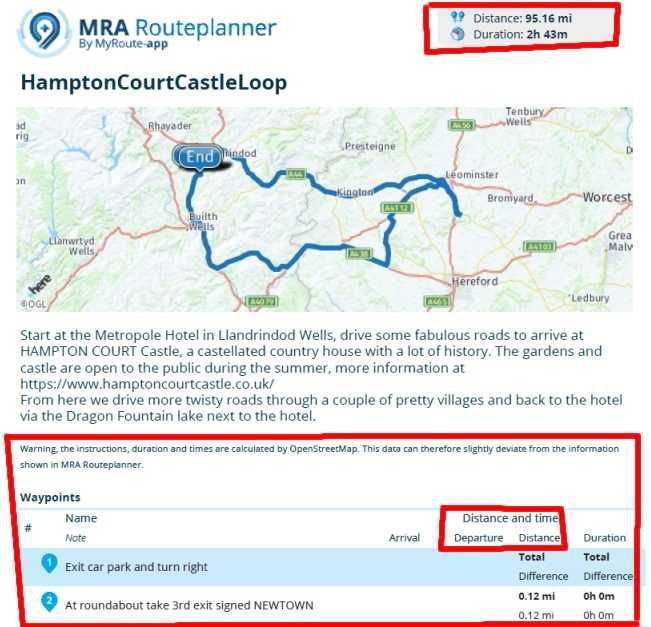
-
@Corjan-Meijerink
Hi Corjan,
See pictures in previous post....
I am resurrecting this to ask if the fix was applied to both the PC version of Route Planner and the Android App version.
When I save as PDF from the PC browser the units are in Miles with English text however when I save the same route from my Android App (V4.3.6-382) the units are Km with instructions in English and the headings in Dutch. -
@Corjan-Meijerink
Hi Corjan,
See pictures in previous post....
I am resurrecting this to ask if the fix was applied to both the PC version of Route Planner and the Android App version.
When I save as PDF from the PC browser the units are in Miles with English text however when I save the same route from my Android App (V4.3.6-382) the units are Km with instructions in English and the headings in Dutch.
@Captain-Haddock Sorry for the late reply.
I use the iPhone, and I have the same results as you. The PC (Windows) saves pdf with miles (I am in the USA, so I have everything set up in miles,) the iPhone saves the route in km, and part in Dutch. I haven't used the iPhone previously to save the routes, that's why I did not see that.PC version
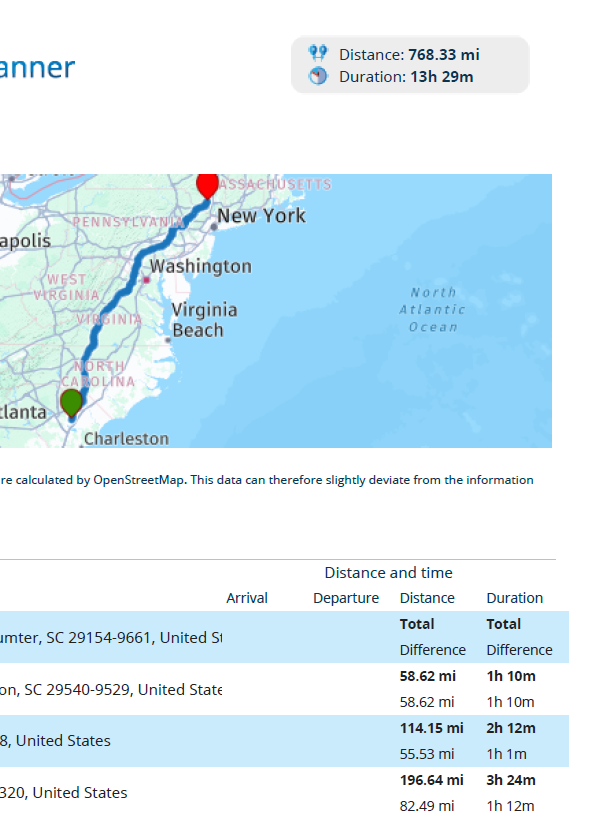
iPhone version
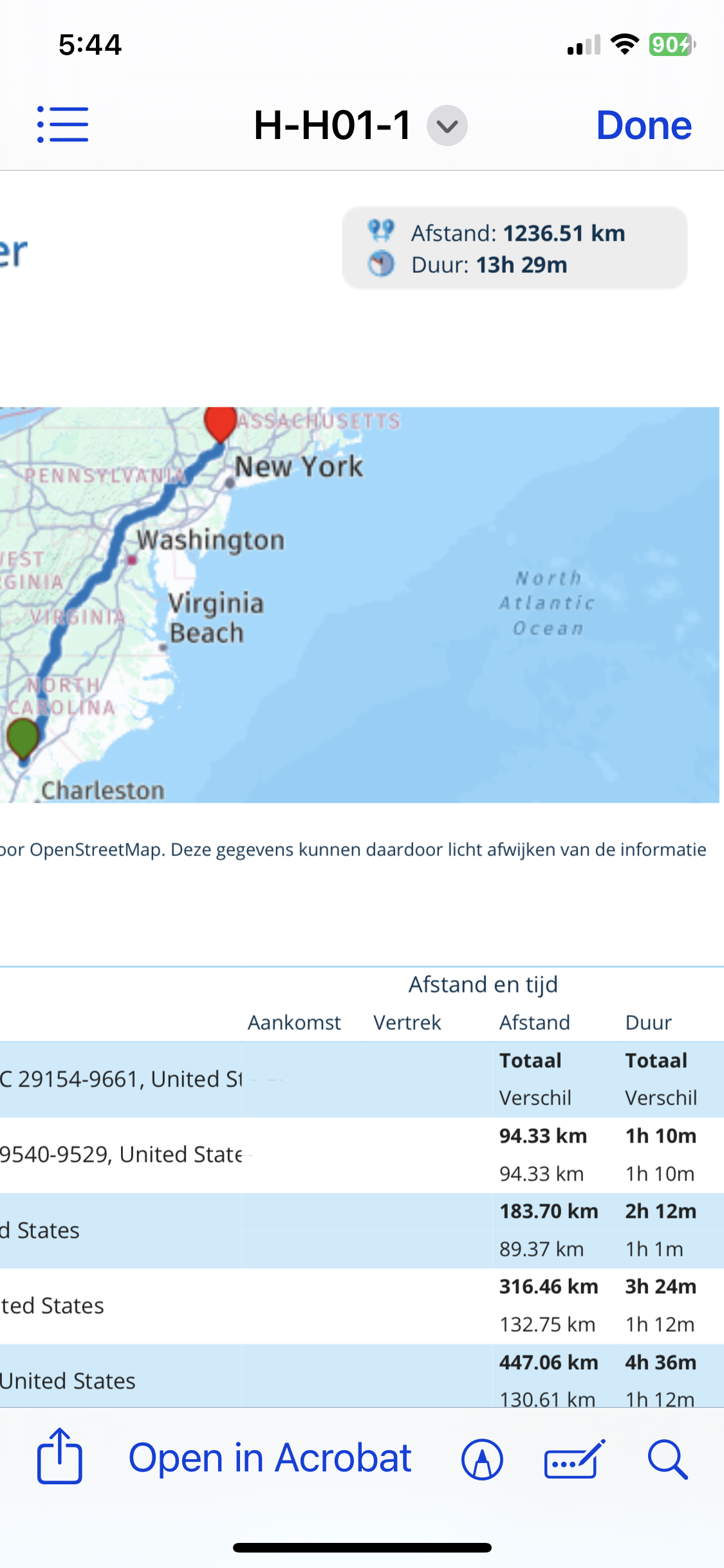
Hello! It looks like you're interested in this conversation, but you don't have an account yet.
Getting fed up of having to scroll through the same posts each visit? When you register for an account, you'll always come back to exactly where you were before, and choose to be notified of new replies (either via email, or push notification). You'll also be able to save bookmarks and upvote posts to show your appreciation to other community members.
With your input, this post could be even better 💗
Register Login-
 5962.6k
-
 9942.6k
-
 0574
0574
-
 023807
-
 0594
0594
-
 05126
05126
-
05180
-
01166

