Skip to content
  • Categories
  • Recent
  • Popular
  • Support
  • MyRoute-app
Collapse
Brand Logo

MRA Community Forum

  1. Home
  2. [Beta] The MyRoute-app
  3. [Beta] Problems, Bugs and other Issues
  4. Vehicle Restrictions- Map Signage Incorrect for Selected Vehicle Type?

Vehicle Restrictions- Map Signage Incorrect for Selected Vehicle Type?

Scheduled Pinned Locked Moved [Beta] Problems, Bugs and other Issues
4 Posts 2 Posters 99 Views 2 Watching
  • Oldest to Newest
  • Newest to Oldest
  • Most Votes
Reply
  • Reply as topic
Log in to reply
This topic has been deleted. Only users with topic management privileges can see it.
  • Dave J 0undefined Offline
    Dave J 0undefined Offline
    Dave J 0
    Valued contributor
    wrote on last edited by Dave J 0
    #1

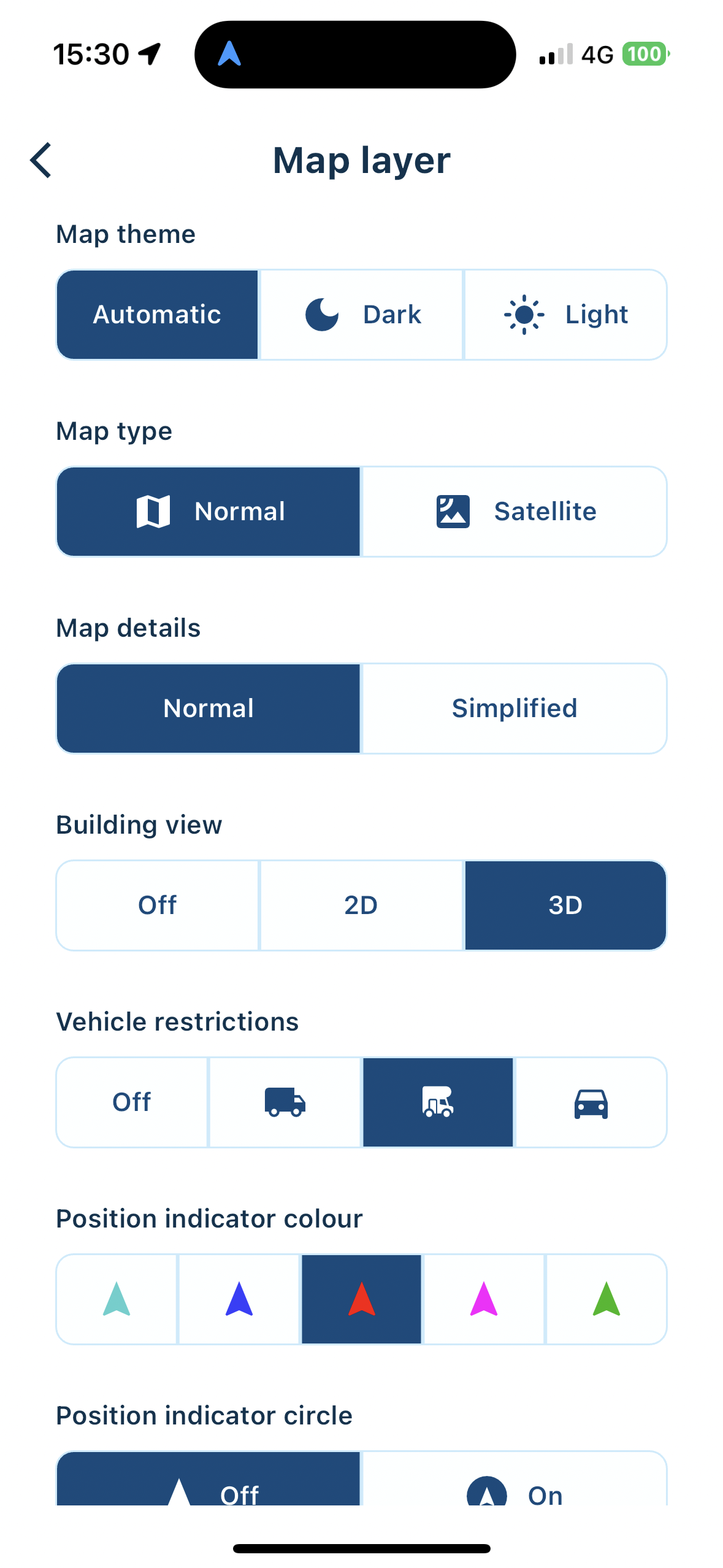
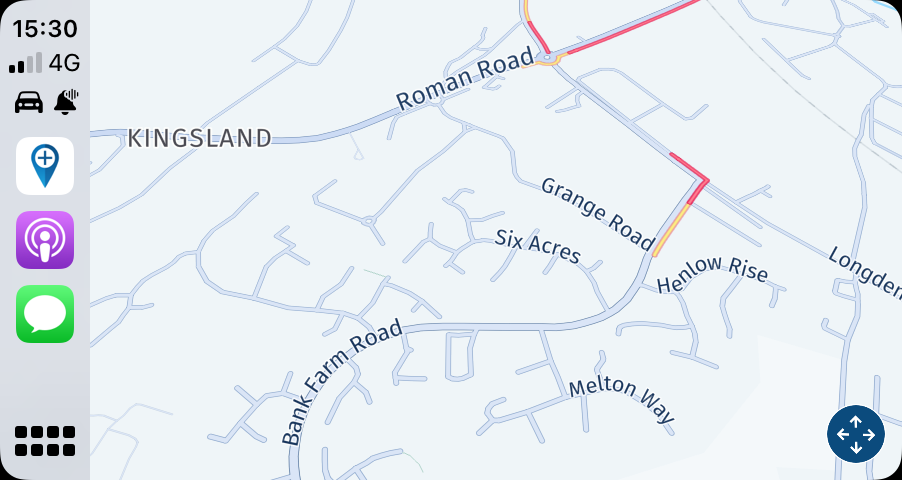
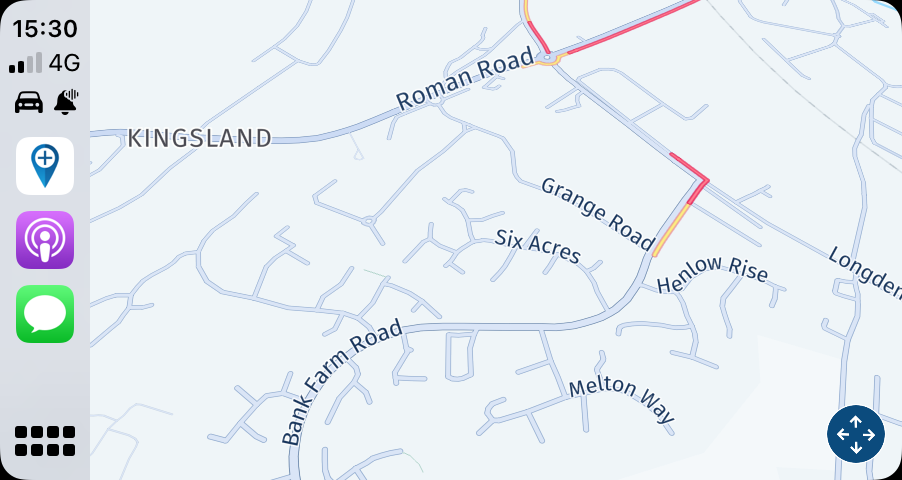
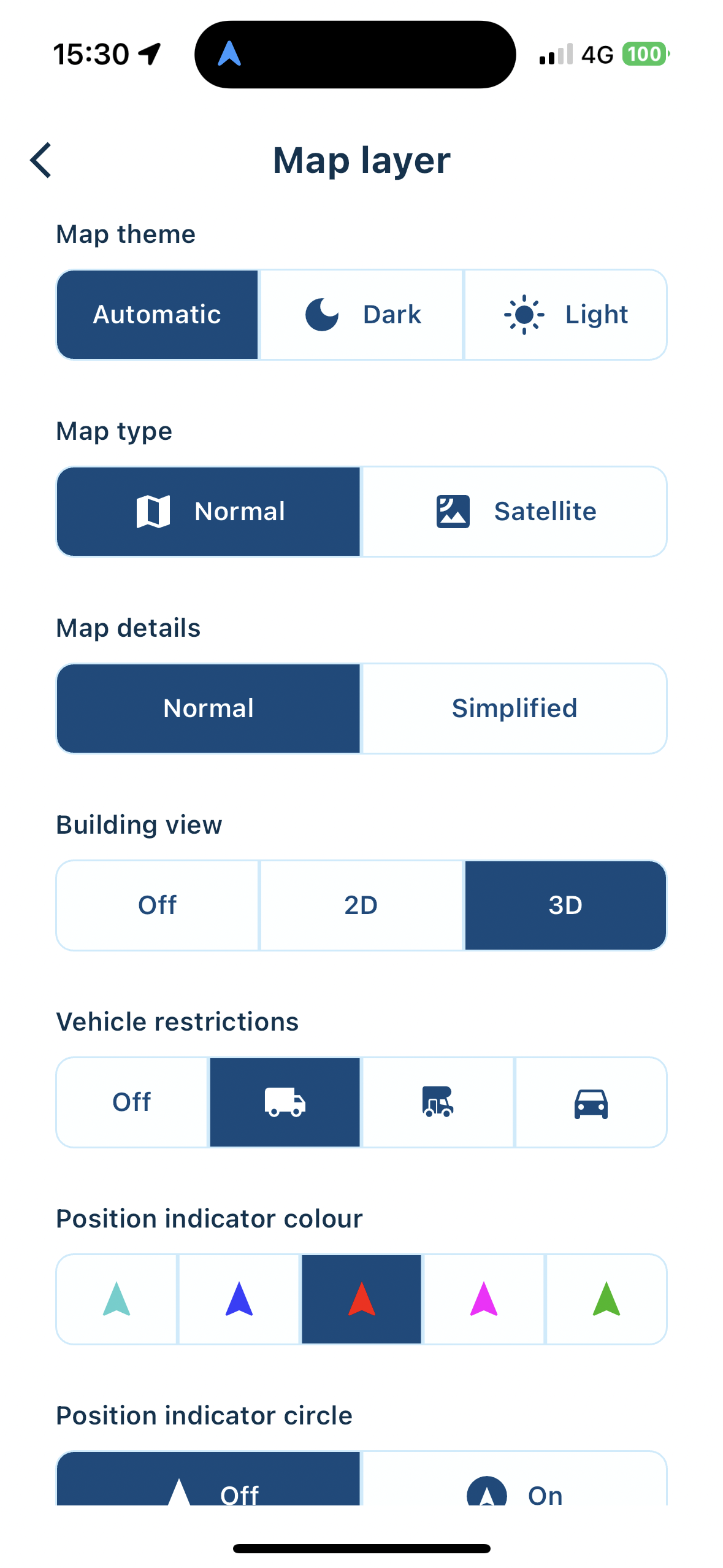
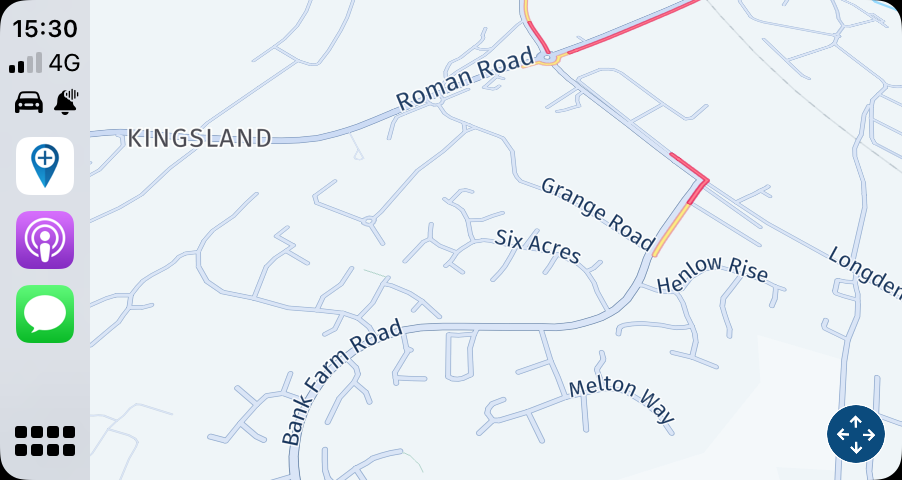
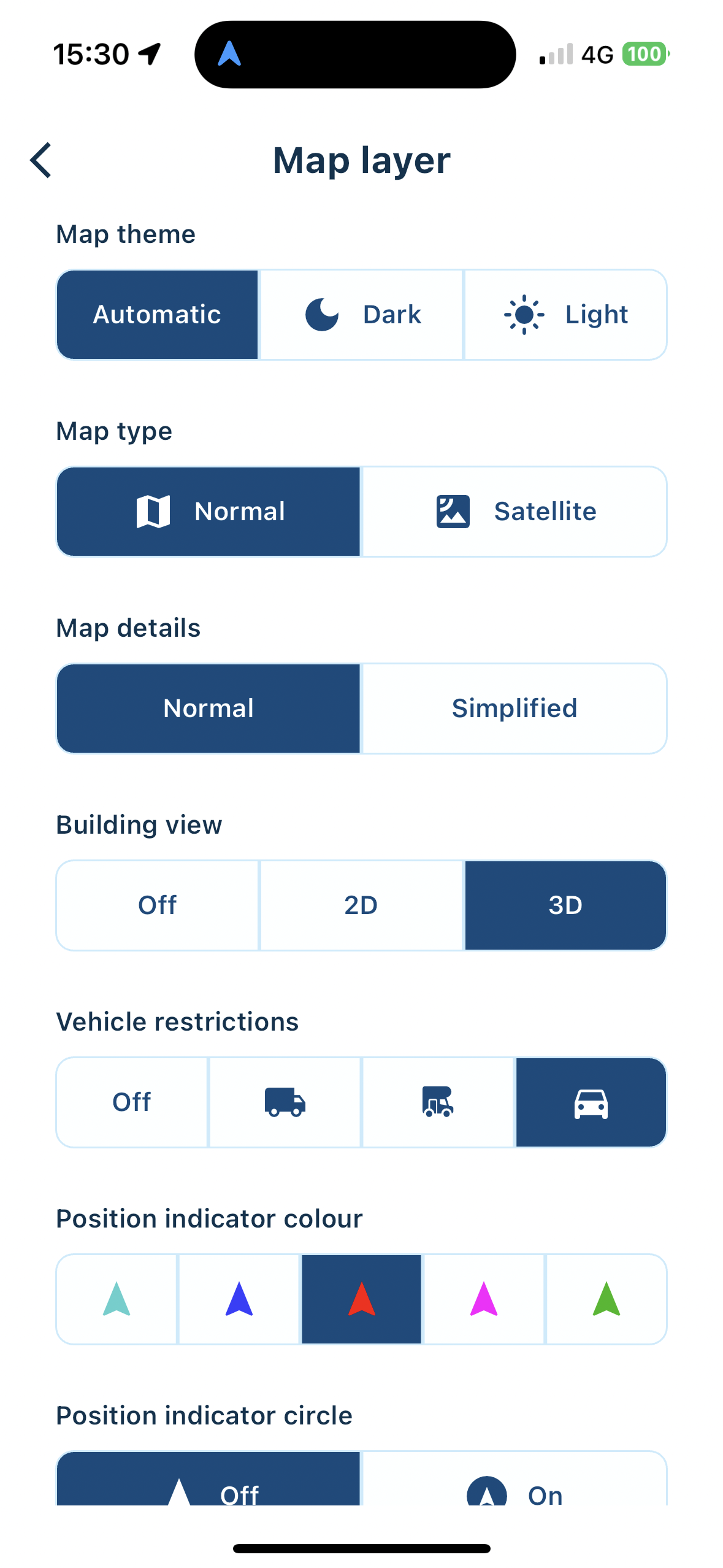
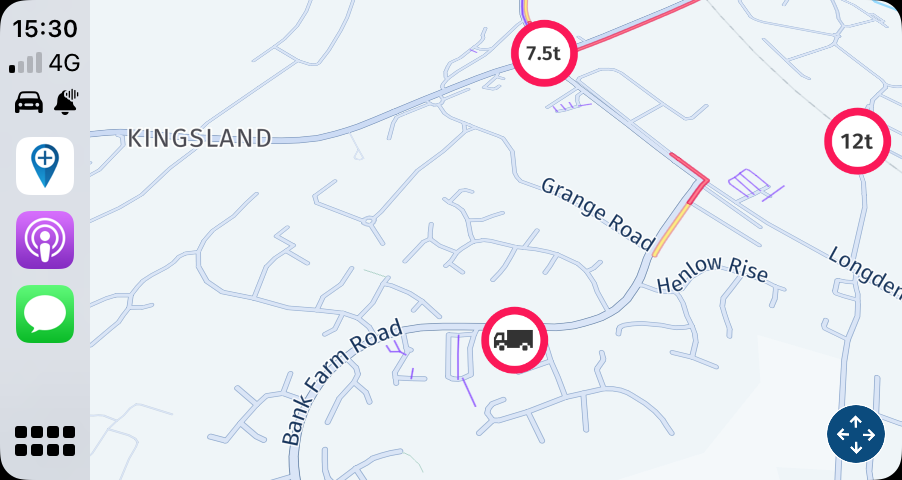
    Using 4.0.8 (244) on iPhone 15 Pro and for both a phone screen and CarPlay, the restriction signage shown the map seems to come on for car and then off for the heavier vehicles. Not sure that this is what was intended. Same behaviour on Android 14 (Google Pixel 6 Pro).
    IMG_0159.png
    IMG_0158.png
    IMG_0161.png
    IMG_0160.png
    IMG_0162.png
    IMG_0163.png
    IMG_0162.png

    Kind Regards. Help where I can.
    Ducati Multistrada V4 Rally
    iPhone 15 Pro
    CHIGEE AIO-6 LTE
    Google Pixel 6 Pro - mounted on SP Connect Plus
    Ex Garmin XT2 and XT1 as well as Ex TomTom Rider User

    1 Reply Last reply
    0
    • Dave J 0undefined Dave J 0 referenced this topic on
    • Corjan Meijerinkundefined Offline
      Corjan Meijerinkundefined Offline
      Corjan Meijerink
      Developer
      wrote on last edited by
      #2

      Ah clear! I guess a slight confusion about the setting.
      So when the car is selected, all vehicle restrictions will be shown from car and heavier (motorhome / truck). This to cover some customer requests saying they want to see the warnings even when not driving RV / Truck.

      So easy put the setting asks you what the minimum vehicle category needs to be for warnings to be shown.

      Dave J 0undefined 1 Reply Last reply
      0
      • Corjan Meijerinkundefined Corjan Meijerink

        Ah clear! I guess a slight confusion about the setting.
        So when the car is selected, all vehicle restrictions will be shown from car and heavier (motorhome / truck). This to cover some customer requests saying they want to see the warnings even when not driving RV / Truck.

        So easy put the setting asks you what the minimum vehicle category needs to be for warnings to be shown.

        Dave J 0undefined Offline
        Dave J 0undefined Offline
        Dave J 0
        Valued contributor
        wrote on last edited by
        #3

        @Corjan-Meijerink ok. Thank you for the explanation. Why not have a toggle to override if some customers want to see all restrictions irrespective of vehicle selected? That said, why are some of the restrictions not shown in motorhome or truck as appropriate? There were some in the car view that I would have expected to see, at least, in the truck view. The screenshots are all at the same location as I was testing Android Auto whilst waiting for my wife.

        Kind Regards. Help where I can.
        Ducati Multistrada V4 Rally
        iPhone 15 Pro
        CHIGEE AIO-6 LTE
        Google Pixel 6 Pro - mounted on SP Connect Plus
        Ex Garmin XT2 and XT1 as well as Ex TomTom Rider User

        1 Reply Last reply
        0
        • Corjan Meijerinkundefined Offline
          Corjan Meijerinkundefined Offline
          Corjan Meijerink
          Developer
          wrote on last edited by
          #4

          There are 2 conversations going on about the same.
          See this one: https://forum.myrouteapp.com/topic/6039/no-truck-route-signs

          For convenience, I'll lock this.

          1 Reply Last reply
          0
          • Corjan Meijerinkundefined Corjan Meijerink locked this topic on

          Hello! It looks like you're interested in this conversation, but you don't have an account yet.

          Getting fed up of having to scroll through the same posts each visit? When you register for an account, you'll always come back to exactly where you were before, and choose to be notified of new replies (either via email, or push notification). You'll also be able to save bookmarks and upvote posts to show your appreciation to other community members.

          With your input, this post could be even better 💗

          Register Login
          Reply
          • Reply as topic
          Log in to reply
          • Oldest to Newest
          • Newest to Oldest
          • Most Votes


          ACTIVE USERS
          Corjan Meijerinkundefined
          Corjan Meijerink
          Dave J 0undefined
          Dave J 0
          POPULAR TOPICS
          • New beta! 5.1 (457)
            Vince Hydeundefined
            Vince Hyde
            15
            76
            706

          • MyRoute App installeren op Carpuride 702 Plus
            Con Hennekensundefined
            Con Hennekens
            0
            6
            23

          • Rondrit maken en vervolgens navigeren lukt niet
            Marinus van Deudekomundefined
            Marinus van Deudekom
            0
            5
            172

          • MRA 5.1.0-458 beta: Altitude keeps re-appearing
            Marinus van Deudekomundefined
            Marinus van Deudekom
            0
            7
            68

          • Wrong One Way Arrow on Map
            Brian McGundefined
            Brian McG
            0
            4
            30

          • Position Indicator Shown as Dot & Not Triangular Pointer
            Corjan Meijerinkundefined
            Corjan Meijerink
            0
            2
            82

          • Kant en klare BarButtons
            undefined
            1
            1
            15

          • MRA V5.1.0 (458)- Karte nach Anruf verschwunden
            Hubert Thoringundefined
            Hubert Thoring
            0
            5
            47

          MY GROUPS
          • Login

          • Login or register to search.
          • First post
            Last post
          0
          • Categories
          • Recent
          • Popular
          • Support
          • MyRoute-app