Tracklogs "save button
-

Dear MRA team.
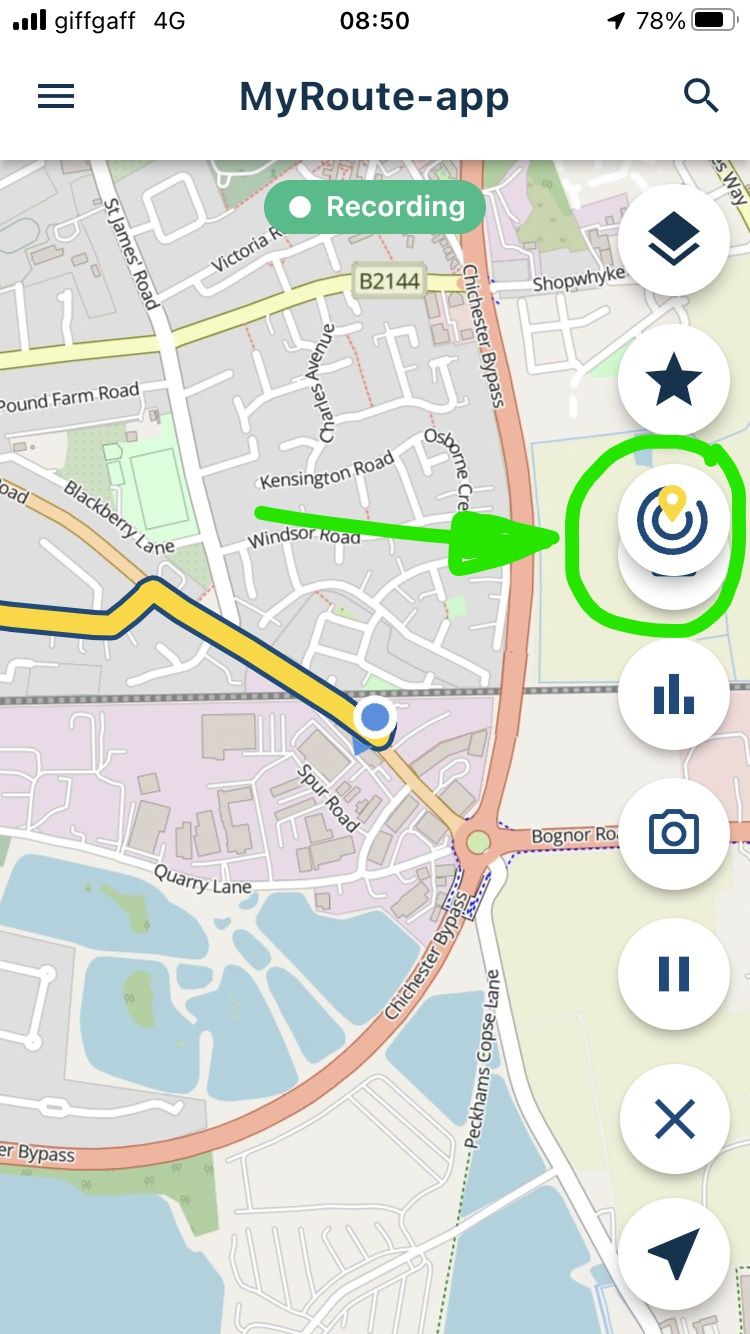
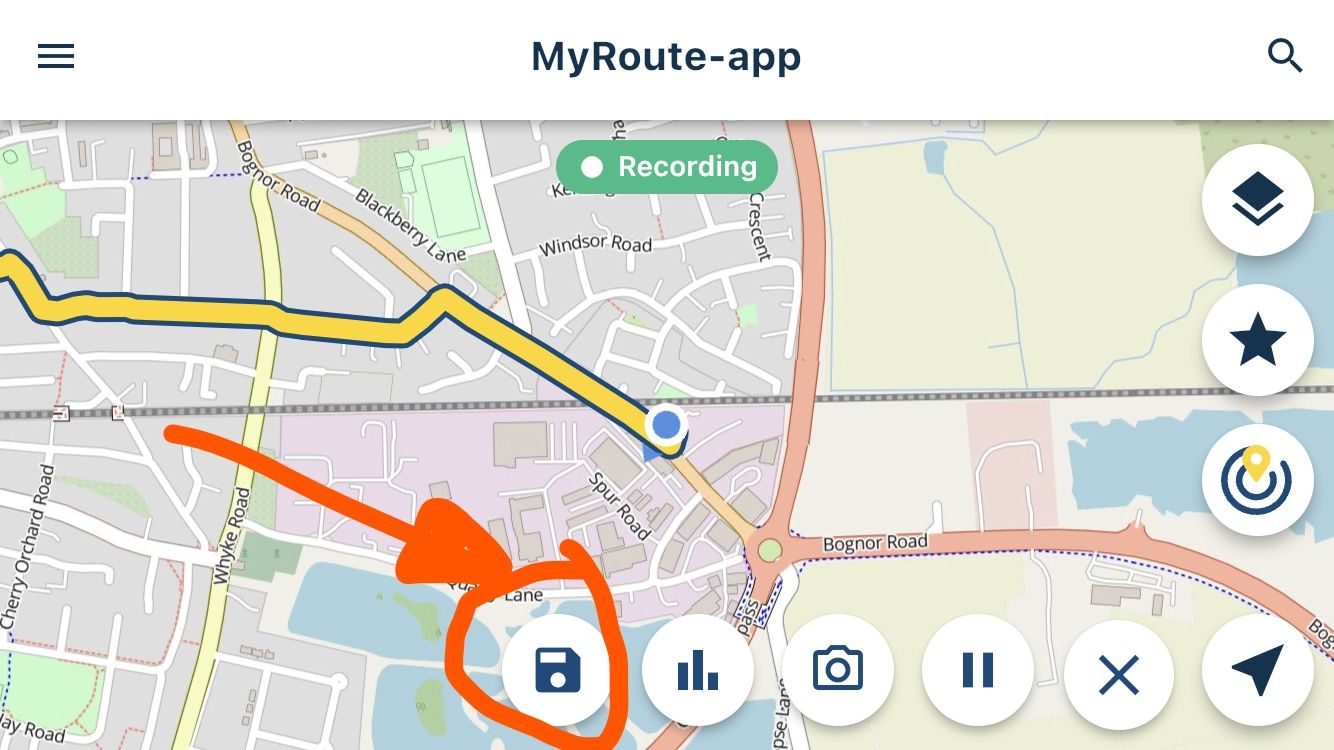
When recording a track and then wanting to save when finished, the SAVE button is located behind the Nearby Routes button when the phone is in portrait mode.
See pictures marked with green.Not a big issue as can be accessed by changing the orientation of the phone but a pain while mounted.
Picture marked in orange.Changing the text size does not seem to make any difference.
Iphone SE 3rd generation
App version 3.2.17-181Thanks for all your efforts
-
Dear MRA team.
When recording a track and then wanting to save when finished, the SAVE button is located behind the Nearby Routes button when the phone is in portrait mode.
See pictures marked with green.Not a big issue as can be accessed by changing the orientation of the phone but a pain while mounted.
Picture marked in orange.Changing the text size does not seem to make any difference.
Iphone SE 3rd generation
App version 3.2.17-181Thanks for all your efforts

@Hein-Greeff I can also reproduce this if I display the screen zoomed in the standard setting of my iPhone. Is that the case for you as well?
On iPhone: Settings > Display & Brightness > Display Zoom > Larger Text. -

Lovely issue

I've fixed it and it will be available at release!
Hello! It looks like you're interested in this conversation, but you don't have an account yet.
Getting fed up of having to scroll through the same posts each visit? When you register for an account, you'll always come back to exactly where you were before, and choose to be notified of new replies (either via email, or push notification). You'll also be able to save bookmarks and upvote posts to show your appreciation to other community members.
With your input, this post could be even better 💗
Register Login-
 5761.4k
-
9821.4k
-
017605
-
 1332359
-
1122.3k
-
02108
-
 0285
0285
-
 0231
0231