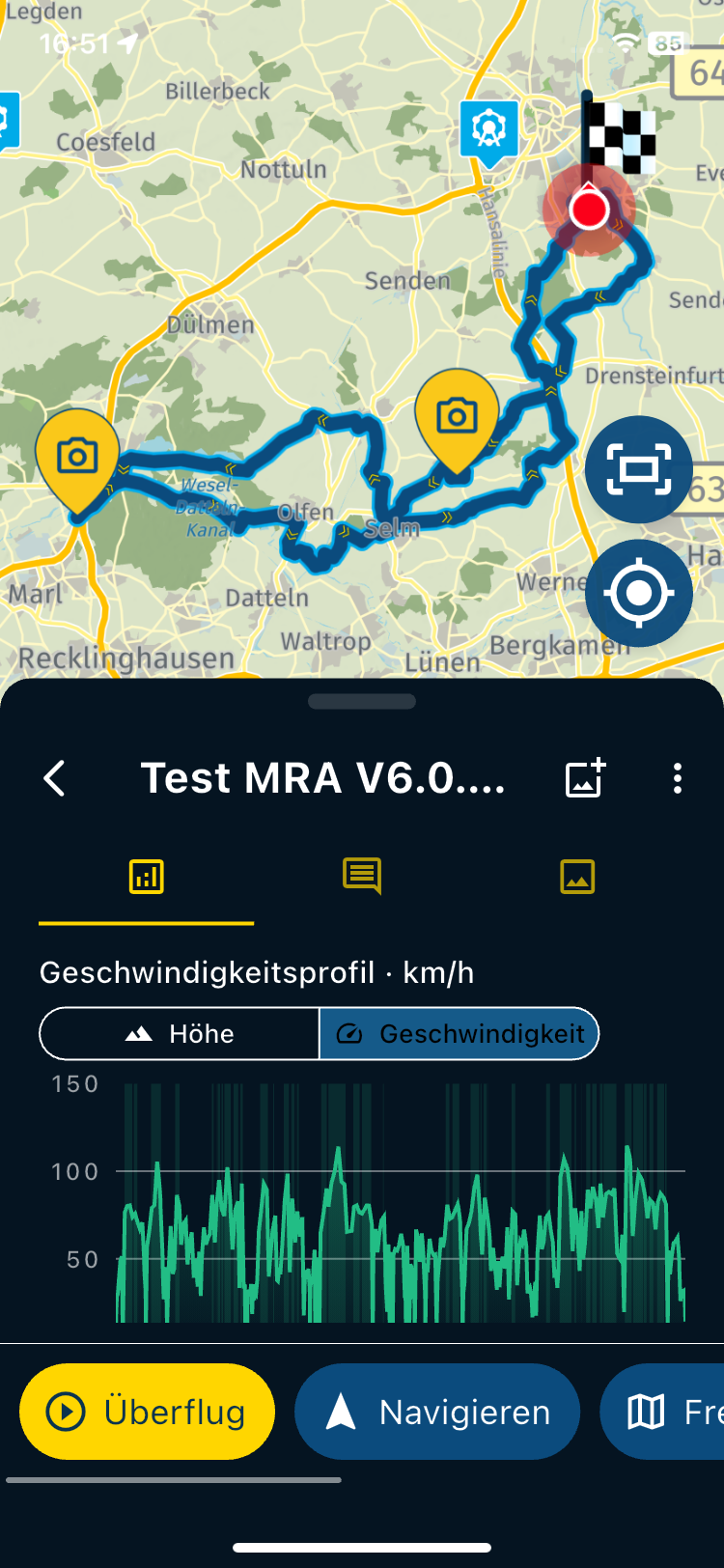
Road Test Friday 9/06/23
-

Latest update had installed:
On a trip and route I know well, decided to take MRA to check performance.
From Home I searched for and selected destination, selected direct route and Navigate. Online Navigation selected and voice prompts activated.
MRA appears to always try to route me from home down a side street with poor acces to the main road, so I ignore the first instruction to Turn Right but turn left which is then leads 500 yds to a cross road where the next instruction shoud be straight ahead. A recalculation was triggered soon after I turned left.-
No voice prompts heard (volume was on full)
-
At the corss road the route line was shown as straight ahead but the direction arrow was showing turn Left in 15Yds. Unable to take screenshot.
-
Lagging issue appeared slightly better than previouse but still at times could be 50+ Yds out
-
during the journey saw message saying "Internet Connection Lost", "Switching to Offline". (or similar)
I am still confused by how this is designed to work. For my logic any navigation app intended for adventure use should be able to do all navigation and rout calculations Offline and only connect to internet for specific functions as and when it needs to. Is this how MRA should or will work? -
ROute recalculation was triggered after some junctions even though the route was being followed. While on a 5 mile stretch of dual carriageway (A1) with no turn off, route recalculation was triggered 4 times, is this normal?
-
Average Speed Check zone warning dialogue appeared to be working well. However while in a speed check zone my route turned to the right and left the speed check zone but the warning did not close down and remained to the end of my route some 3 miles further ahead..
-
For the returne journey I selected home location from my favourites, pressed Navigate , got error can't calculate route Offline then gave option to go online. As mentioned in (4) route calculation should work offline?
-
On returne journey voice prompts were working but at very low volume.
Many thanks, keep up the good work!
-
-
Latest update had installed:
On a trip and route I know well, decided to take MRA to check performance.
From Home I searched for and selected destination, selected direct route and Navigate. Online Navigation selected and voice prompts activated.
MRA appears to always try to route me from home down a side street with poor acces to the main road, so I ignore the first instruction to Turn Right but turn left which is then leads 500 yds to a cross road where the next instruction shoud be straight ahead. A recalculation was triggered soon after I turned left.-
No voice prompts heard (volume was on full)
-
At the corss road the route line was shown as straight ahead but the direction arrow was showing turn Left in 15Yds. Unable to take screenshot.
-
Lagging issue appeared slightly better than previouse but still at times could be 50+ Yds out
-
during the journey saw message saying "Internet Connection Lost", "Switching to Offline". (or similar)
I am still confused by how this is designed to work. For my logic any navigation app intended for adventure use should be able to do all navigation and rout calculations Offline and only connect to internet for specific functions as and when it needs to. Is this how MRA should or will work? -
ROute recalculation was triggered after some junctions even though the route was being followed. While on a 5 mile stretch of dual carriageway (A1) with no turn off, route recalculation was triggered 4 times, is this normal?
-
Average Speed Check zone warning dialogue appeared to be working well. However while in a speed check zone my route turned to the right and left the speed check zone but the warning did not close down and remained to the end of my route some 3 miles further ahead..
-
For the returne journey I selected home location from my favourites, pressed Navigate , got error can't calculate route Offline then gave option to go online. As mentioned in (4) route calculation should work offline?
-
On returne journey voice prompts were working but at very low volume.
Many thanks, keep up the good work!

@Angelo-Greco said in Road Test Friday 9/06/23:
I am still confused by how this is designed to work
You can either navigatie online, or offline by user setting in the nav settings! If during online mode, the internet connection drops, the app auto switches to offline. Sinds the route and your map is already downloaded (assumption made by me), this works.
If you start in offline mode you won't get traffic aware routing. If you've preplanned the route meticulously, one in fact does not need online mode, and offline mode suffices. This does require you to have downloaded the map of the country or region your driving in!
Manks bu'j te bange.
-
-
@Angelo-Greco said in Road Test Friday 9/06/23:
I am still confused by how this is designed to work
You can either navigatie online, or offline by user setting in the nav settings! If during online mode, the internet connection drops, the app auto switches to offline. Sinds the route and your map is already downloaded (assumption made by me), this works.
If you start in offline mode you won't get traffic aware routing. If you've preplanned the route meticulously, one in fact does not need online mode, and offline mode suffices. This does require you to have downloaded the map of the country or region your driving in!
@StefanHummelink , yes understood. However, MRA appear to need internet to calculate a route. I may not have access to internet when I need it to calculate a route. I may be happy to disregard traffic aware routing and just need a route.
-
@StefanHummelink , yes understood. However, MRA appear to need internet to calculate a route. I may not have access to internet when I need it to calculate a route. I may be happy to disregard traffic aware routing and just need a route.
@Angelo-Greco ah, in the old app one had to "load" the route once on internet the night before in the hotel or somewhere else, and after that the route was "saved" for offline use.
I thought this was fixed already for this beta release. Perhaps not. I've asked the developer to confirm this.
Edit: since the route itself is stored in your online account you still need to download the route once, while having internet.
After that the nav can calculate the route offline! Not that in this explanation, "downloading" is not the same as "calculating" by definition.One van "download" the route for offline calculation in two ways:
-
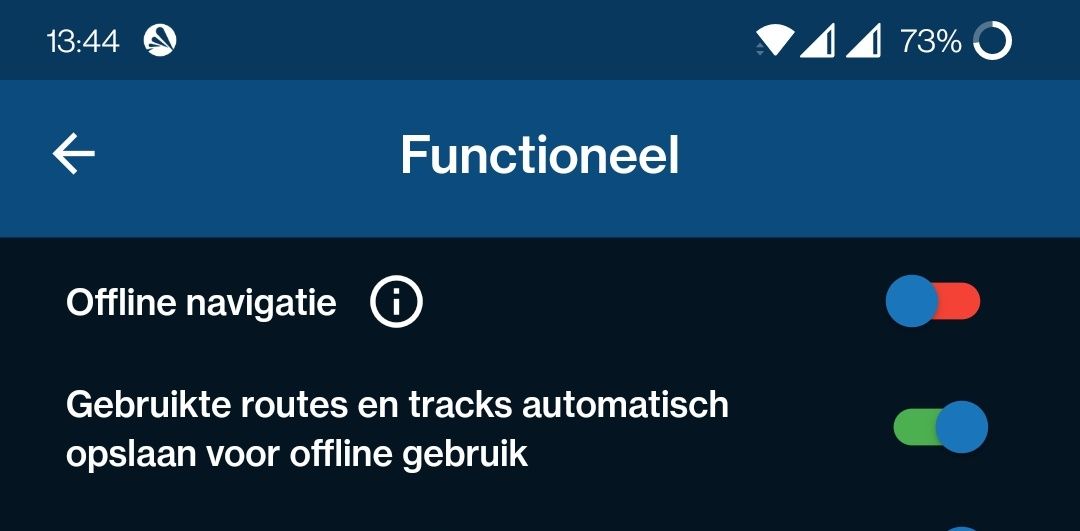
Open the route and click "navigate" while in online mode. If the toggle switch shown below is set to on, the route is now automatically downloaded for offline use.
-
Open the route and "download" the route for offline use
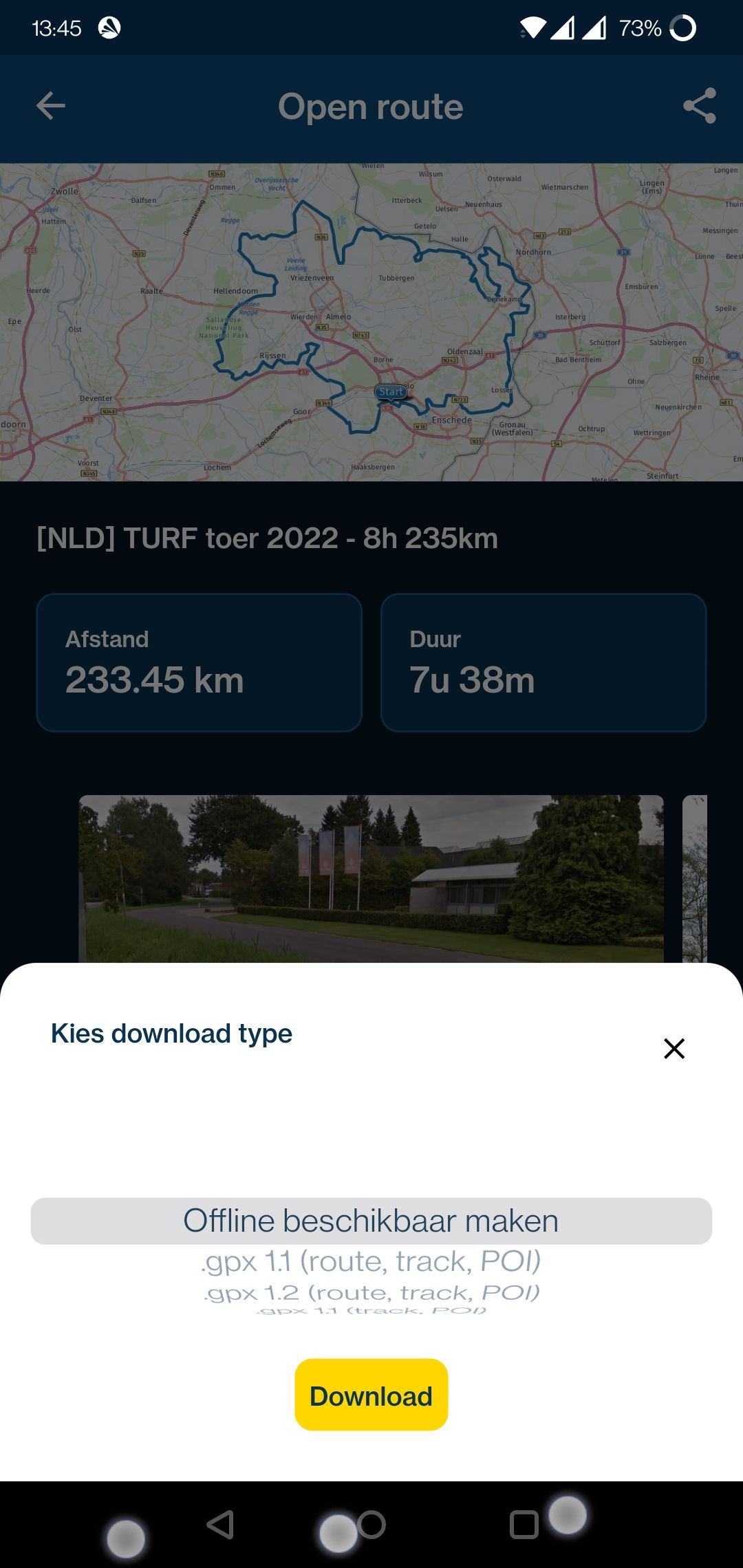
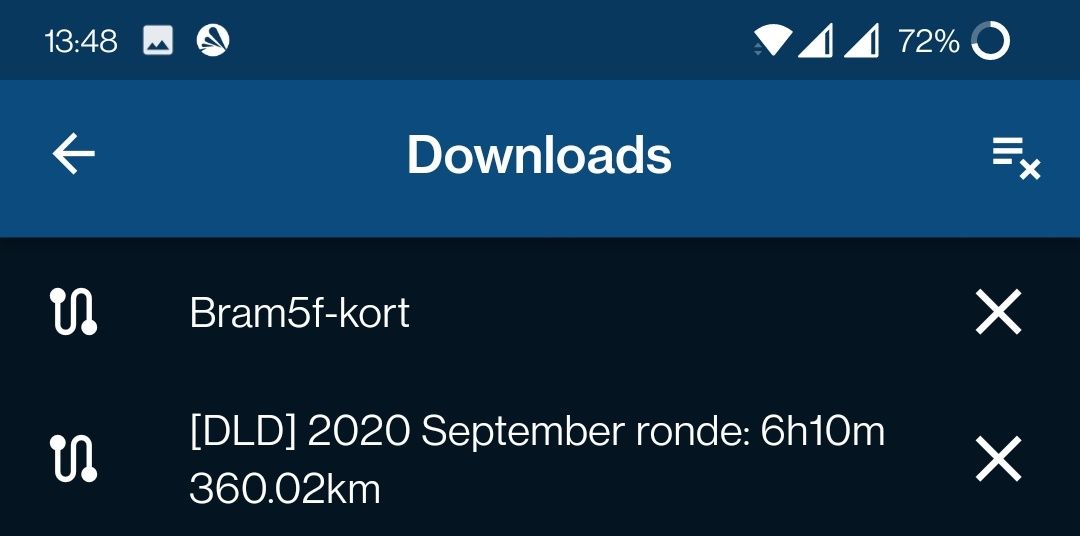
In the end you shall confirm the route to be downloaded by looking into your "Downloads" menu under your "account" settings in the app:
Manks bu'j te bange.
-
-
@Angelo-Greco ah, in the old app one had to "load" the route once on internet the night before in the hotel or somewhere else, and after that the route was "saved" for offline use.
I thought this was fixed already for this beta release. Perhaps not. I've asked the developer to confirm this.
Edit: since the route itself is stored in your online account you still need to download the route once, while having internet.
After that the nav can calculate the route offline! Not that in this explanation, "downloading" is not the same as "calculating" by definition.One van "download" the route for offline calculation in two ways:
-
Open the route and click "navigate" while in online mode. If the toggle switch shown below is set to on, the route is now automatically downloaded for offline use.
-
Open the route and "download" the route for offline use
In the end you shall confirm the route to be downloaded by looking into your "Downloads" menu under your "account" settings in the app:
@StefanHummelink , this was not a pre planned route, I simply selected my home address from my Favourite, then Navigate. MRA was unable to calculate the route because no internet access. It should do.
-
-
@StefanHummelink , this was not a pre planned route, I simply selected my home address from my Favourite, then Navigate. MRA was unable to calculate the route because no internet access. It should do.

@Angelo-Greco, I am afraid that that is not possible at the moment. The Offline HERE map is not used to lookup A2B routes, the OSM basemap is used for that. Likewise if you lookup addresses, they are not taken from the HERE map, but from OSM live data. It is a bit complicated to explain, but that is because that functionality was already in the Mobile app before the Next module was added.
-
Latest update had installed:
On a trip and route I know well, decided to take MRA to check performance.
From Home I searched for and selected destination, selected direct route and Navigate. Online Navigation selected and voice prompts activated.
MRA appears to always try to route me from home down a side street with poor acces to the main road, so I ignore the first instruction to Turn Right but turn left which is then leads 500 yds to a cross road where the next instruction shoud be straight ahead. A recalculation was triggered soon after I turned left.-
No voice prompts heard (volume was on full)
-
At the corss road the route line was shown as straight ahead but the direction arrow was showing turn Left in 15Yds. Unable to take screenshot.
-
Lagging issue appeared slightly better than previouse but still at times could be 50+ Yds out
-
during the journey saw message saying "Internet Connection Lost", "Switching to Offline". (or similar)
I am still confused by how this is designed to work. For my logic any navigation app intended for adventure use should be able to do all navigation and rout calculations Offline and only connect to internet for specific functions as and when it needs to. Is this how MRA should or will work? -
ROute recalculation was triggered after some junctions even though the route was being followed. While on a 5 mile stretch of dual carriageway (A1) with no turn off, route recalculation was triggered 4 times, is this normal?
-
Average Speed Check zone warning dialogue appeared to be working well. However while in a speed check zone my route turned to the right and left the speed check zone but the warning did not close down and remained to the end of my route some 3 miles further ahead..
-
For the returne journey I selected home location from my favourites, pressed Navigate , got error can't calculate route Offline then gave option to go online. As mentioned in (4) route calculation should work offline?
-
On returne journey voice prompts were working but at very low volume.
Many thanks, keep up the good work!

@Angelo-Greco Thanks for the feedback!
Searching doesn't yet work offline - this will be added later.
Coming update (the release) includes improvement to:- Audio volume (& config)
- Audio instruction stability
- Automatically switching between offline & online
Other issues you mention will be worked on!
-
Hello! It looks like you're interested in this conversation, but you don't have an account yet.
Getting fed up of having to scroll through the same posts each visit? When you register for an account, you'll always come back to exactly where you were before, and choose to be notified of new replies (either via email, or push notification). You'll also be able to save bookmarks and upvote posts to show your appreciation to other community members.
With your input, this post could be even better 💗
Register Login-
 5761.4k
-
9821.4k
-
017605
-
 1332359
-
1122.3k
-
02108
-
 0285
0285
-
 0231
0231