Skip to content
  • Categories
  • Recent
  • Popular
  • Support
  • MyRoute-app
Collapse
Brand Logo

MRA Community Forum

  1. Home
  2. General Discussion
  3. Exporting Route To Garmin

Exporting Route To Garmin

Scheduled Pinned Locked Moved General Discussion
4 Posts 2 Posters 893 Views 1 Watching
  • Oldest to Newest
  • Newest to Oldest
  • Most Votes
Reply
  • Reply as topic
Log in to reply
This topic has been deleted. Only users with topic management privileges can see it.
  • Neil Goodall Offline
    Neil Goodall Offline
    Neil Goodall
    wrote on last edited by
    #1

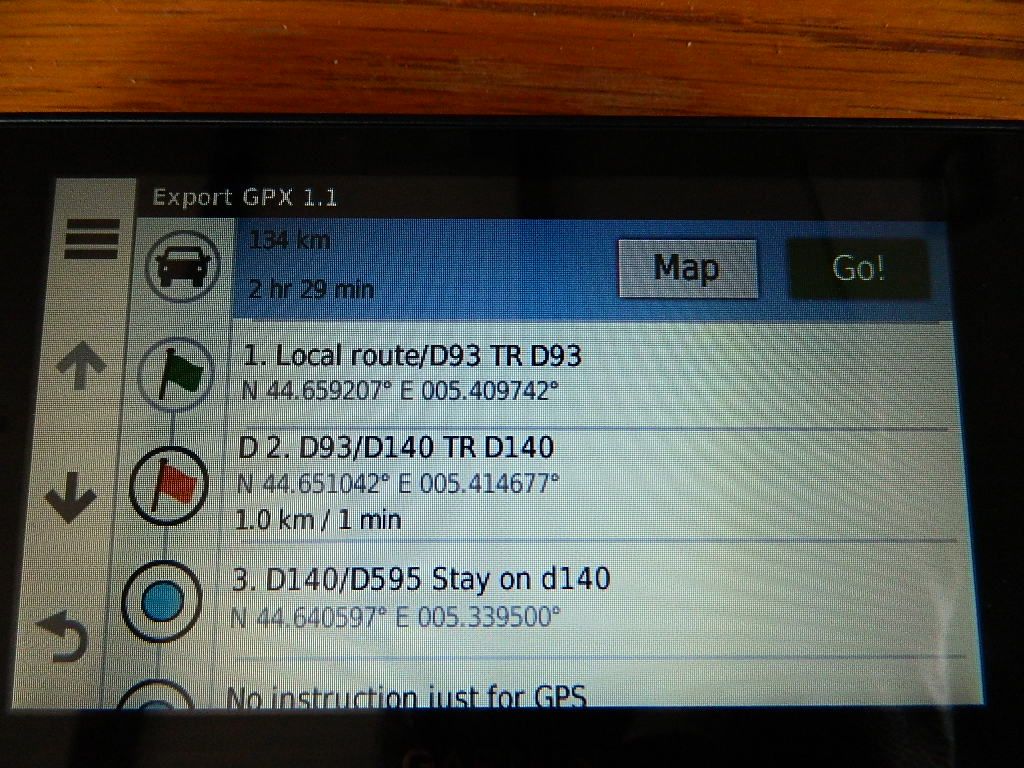
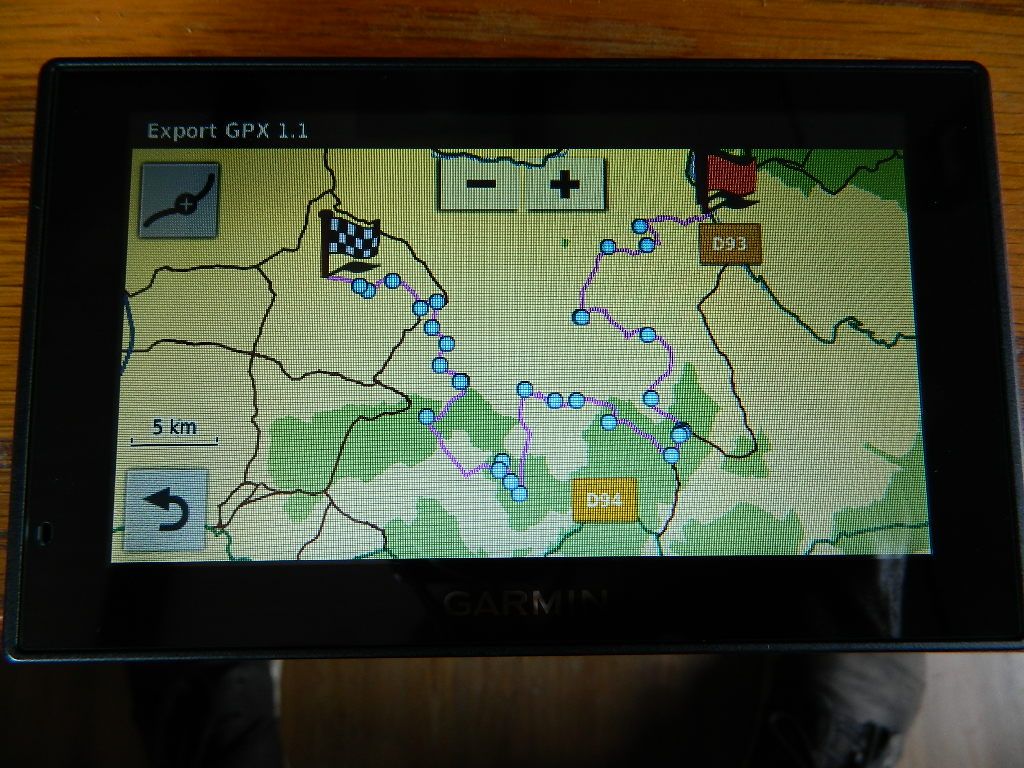
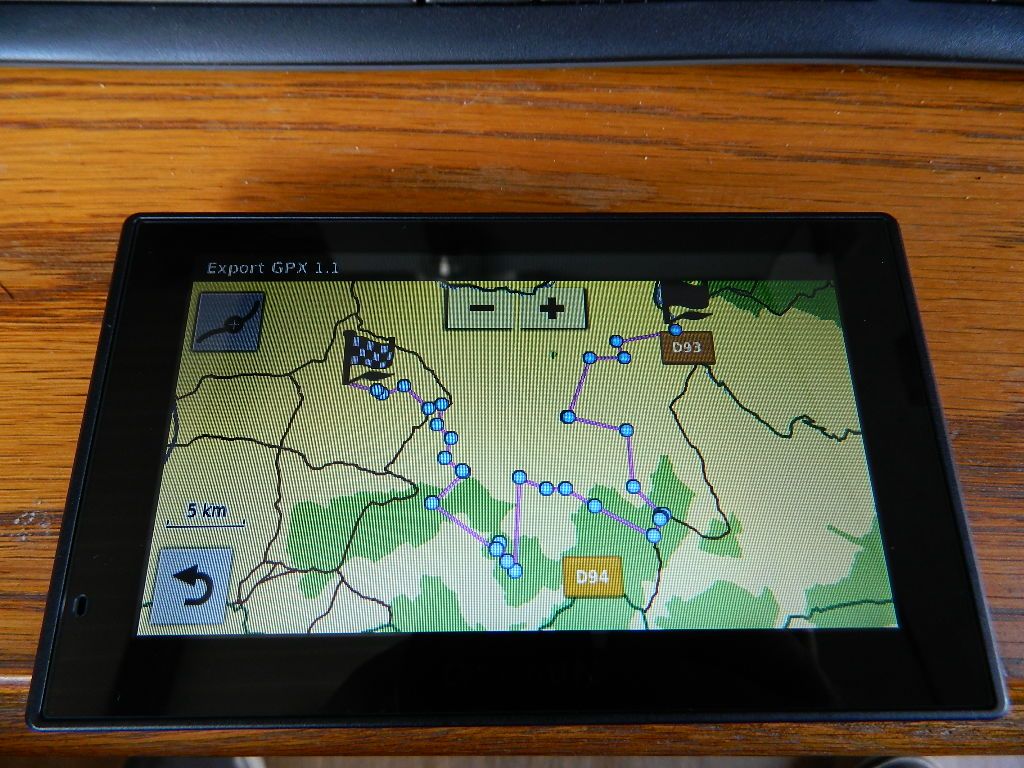
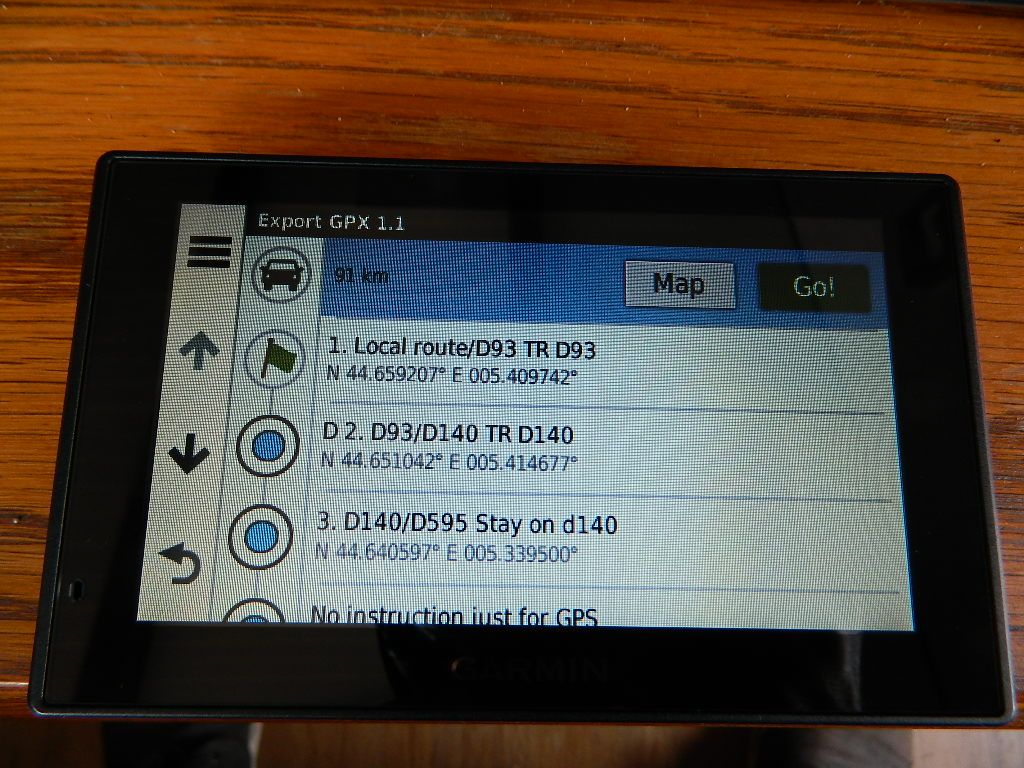
    When exporting a GPX 1.1 route to my Garmin using the 'Export' button the results on the device are odd. Upon opening the route in the application/Trips option and navigating from there the route is shown in 'straight lines' NOT on the roads. However, if you return to the list of instructions and tap on the blue dot (shaping point I think) the Garmin recalculates the route and then when looking on the map the route follows the roads. If I export as a GPX 1.0 file my route is split into 2 (I suppose it's a GPX 1.0 limitation) but it does store the route as all waypoints (orange flags)
    DSCN6527.JPG DSCN6528.JPG DSCN6529.JPG DSCN6530.JPG

    Reinhard-32 1 Reply Last reply
    0
    • Neil Goodall Neil Goodall

      When exporting a GPX 1.1 route to my Garmin using the 'Export' button the results on the device are odd. Upon opening the route in the application/Trips option and navigating from there the route is shown in 'straight lines' NOT on the roads. However, if you return to the list of instructions and tap on the blue dot (shaping point I think) the Garmin recalculates the route and then when looking on the map the route follows the roads. If I export as a GPX 1.0 file my route is split into 2 (I suppose it's a GPX 1.0 limitation) but it does store the route as all waypoints (orange flags)
      DSCN6527.JPG DSCN6528.JPG DSCN6529.JPG DSCN6530.JPG

      Reinhard-32 Offline
      Reinhard-32 Offline
      Reinhard-32
      wrote on last edited by
      #2

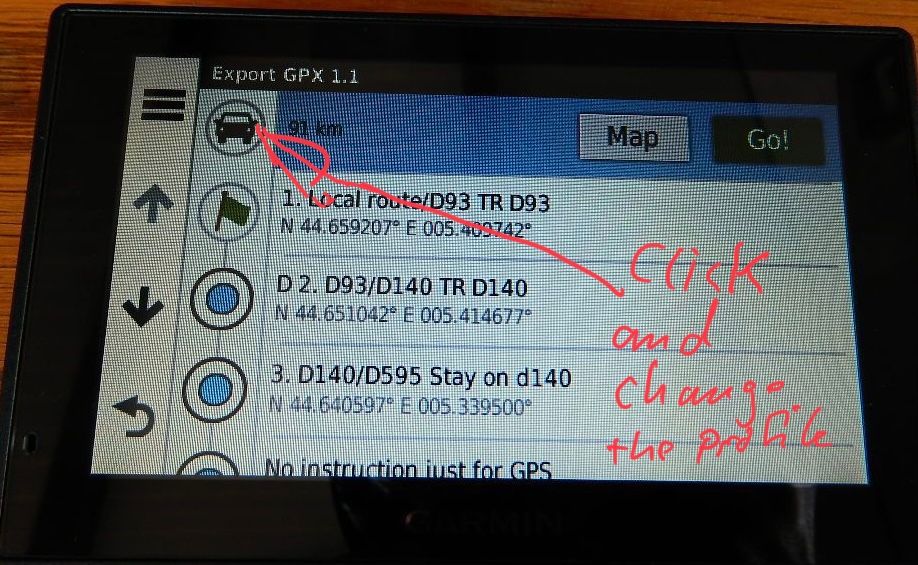
      @Neil-Goodall You didn’t mention which device you’re using. If it is a ZumoXT than the GPX 1.1 (beta) is usefull. In other cases you can use th GPX 1.1 format. After importing the route into the Device it endet up with straight lines. Then click to the car symbol and change the profile. The route will calculated. After that click the symbol angain and switch back to the original profile. A recalculation starts again and the route will follow the streets..
      202EE98E-E696-48F4-9260-3D85ACAF0B4E.jpeg

      Kindly regards
      Reinhard

      Montana 700i and Mac

      1 Reply Last reply
      0
      • Neil Goodall Offline
        Neil Goodall Offline
        Neil Goodall
        wrote on last edited by
        #3

        Thanks for the suggestion Reinhard but this is a Garmin and the car symbol doesn't do anything when tapped.

        Reinhard-32 1 Reply Last reply
        0
        • Neil Goodall Neil Goodall

          Thanks for the suggestion Reinhard but this is a Garmin and the car symbol doesn't do anything when tapped.

          Reinhard-32 Offline
          Reinhard-32 Offline
          Reinhard-32
          wrote on last edited by
          #4

          @Neil-Goodall Ok, I have a ZumoXT and my suggestion was based on it.
          But can you tab at the first waypoint symbol without alarm and change it to alarm visa versa ? That initiates a new calculation at my ZumoXT and maybe at your device as well.

          Kindly regards
          Reinhard

          Montana 700i and Mac

          1 Reply Last reply
          0

          Hello! It looks like you're interested in this conversation, but you don't have an account yet.

          Getting fed up of having to scroll through the same posts each visit? When you register for an account, you'll always come back to exactly where you were before, and choose to be notified of new replies (either via email, or push notification). You'll also be able to save bookmarks and upvote posts to show your appreciation to other community members.

          With your input, this post could be even better 💗

          Register Login
          Reply
          • Reply as topic
          Log in to reply
          • Oldest to Newest
          • Newest to Oldest
          • Most Votes


          ACTIVE USERS
          Reinhard-32
          Reinhard-32
          Neil Goodall
          Neil Goodall
          POPULAR TOPICS
          • The most important rule: all content is to be posted in English 🇬🇧 unless the post is made in the language specific area in the Self Support forum.
            BertM
            BertM
            2
            14
            335

          • App probleem scenic route niet mogelijk
            Philip Verbeek
            Philip Verbeek
            1
            14
            371

          • routes opening as tracks on iphone
            Guzzist
            Guzzist
            0
            5
            55

          • Android auto loopt vast op Aoocci scherm
            paul69
            paul69
            0
            14
            857

          • How to share route with another member.
            Peter Zehentreiter
            Peter Zehentreiter
            0
            2
            23

          • Routes en verblijf Zwitserland
            Travellexxie
            Travellexxie
            0
            20
            661

          • App with car or motorbike carplay
            Pedro de Cleen
            Pedro de Cleen
            0
            5
            180

          • One time glitch after lost gps signal
            Herman Veldhuizen
            Herman Veldhuizen
            0
            8
            170

          MY GROUPS
          • Login

          • Login or register to search.
          • First post
            Last post
          0
          • Categories
          • Recent
          • Popular
          • Support
          • MyRoute-app