F042 Is it possible to also display POIs on the library map?
-

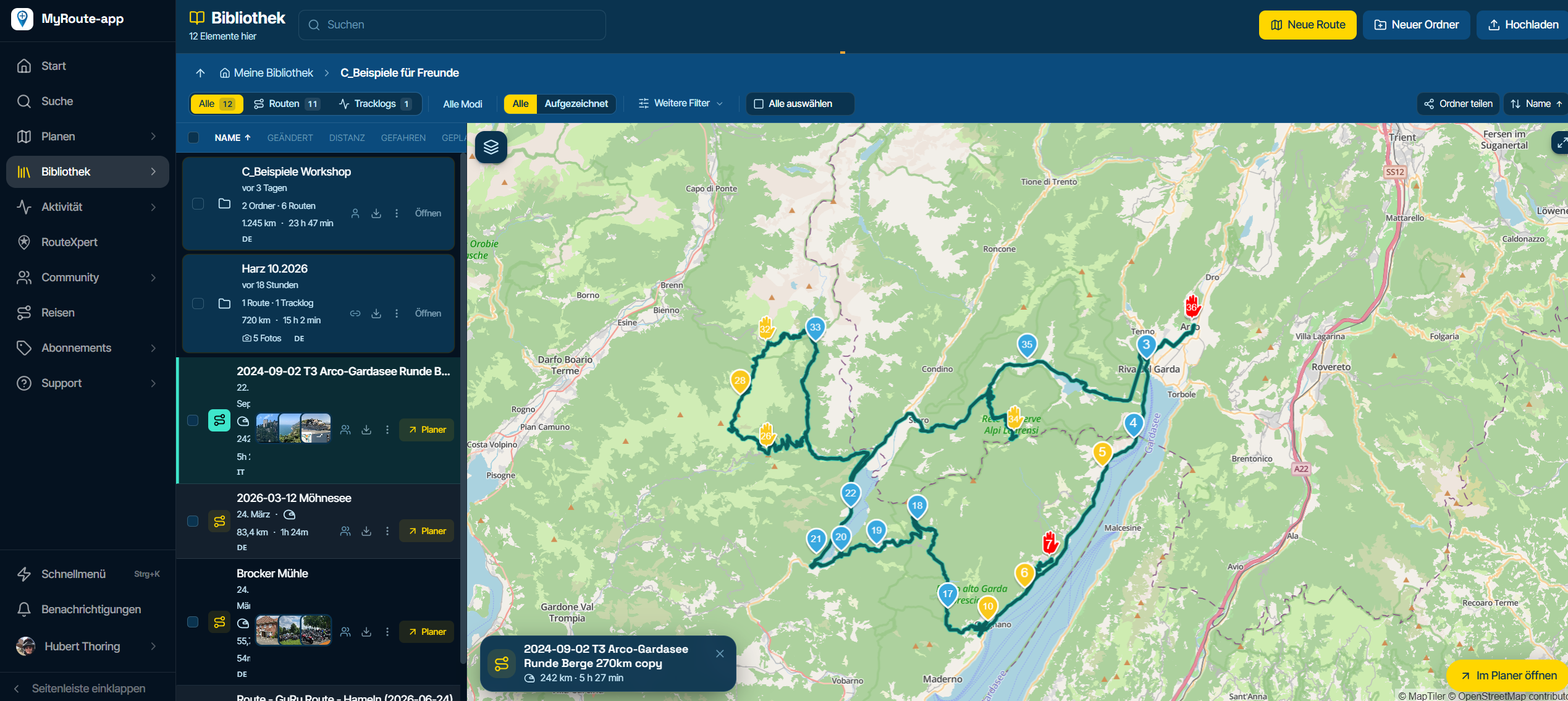
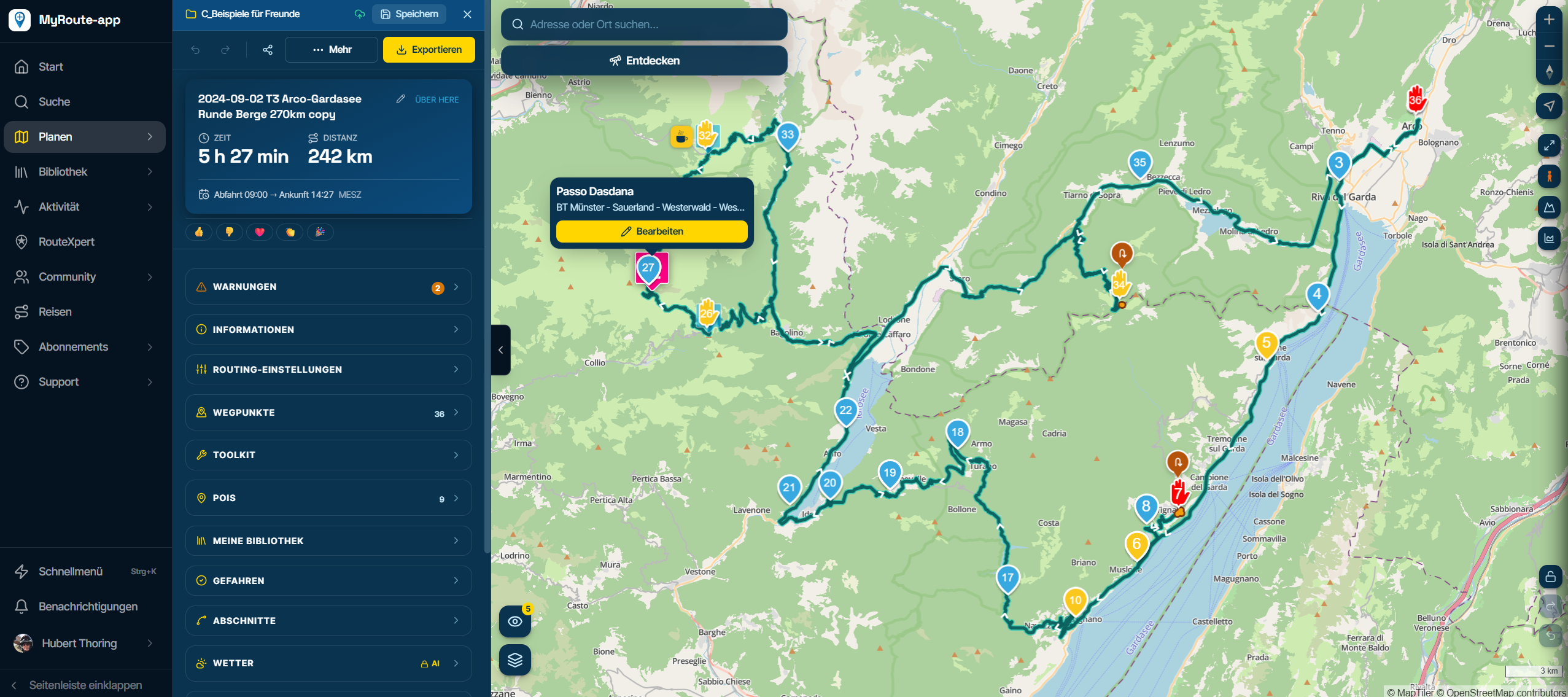
I am missing the pre-configured POI display—available in the planner—within the "library" view of my routes. When I look at the routes stored in a folder, the POIs I’ve set up are unfortunately not visible. They only appear on the map (along with the route itself) once I open a specific route in the planner.
It would be great if the "fixed POI" feature—which works in the planner—were also available in the library view (see photo). Ideally, it should display the same POIs that have already been selected in the planner.
For example, the mountain pass (passo) located next to waypoint 27.
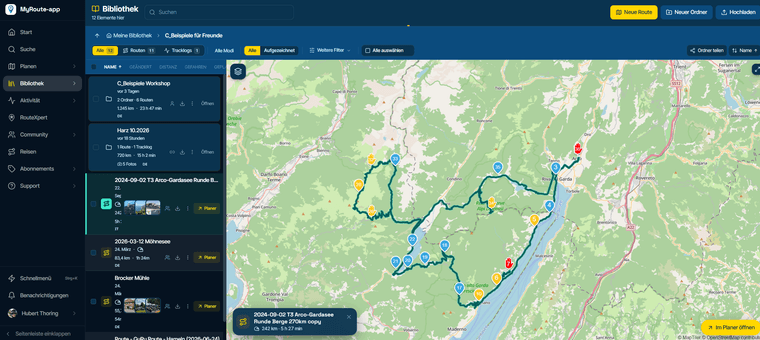
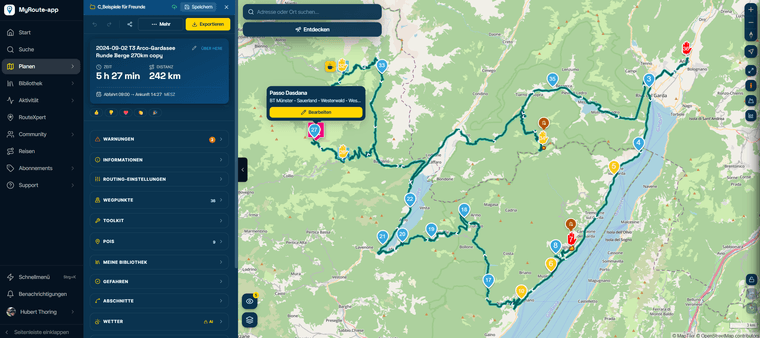
-

No, not going to do that.
It's the library view. Minimal by design. -
Corjan Meijerink locked this topic
Hello! It looks like you're interested in this conversation, but you don't have an account yet.
Getting fed up of having to scroll through the same posts each visit? When you register for an account, you'll always come back to exactly where you were before, and choose to be notified of new replies (either via email, or push notification). You'll also be able to save bookmarks and upvote posts to show your appreciation to other community members.
With your input, this post could be even better 💗
Register Login-
 110211
-
109130
-
0544
-
 0329
-
0669
-
 0327
-
025
-
0224