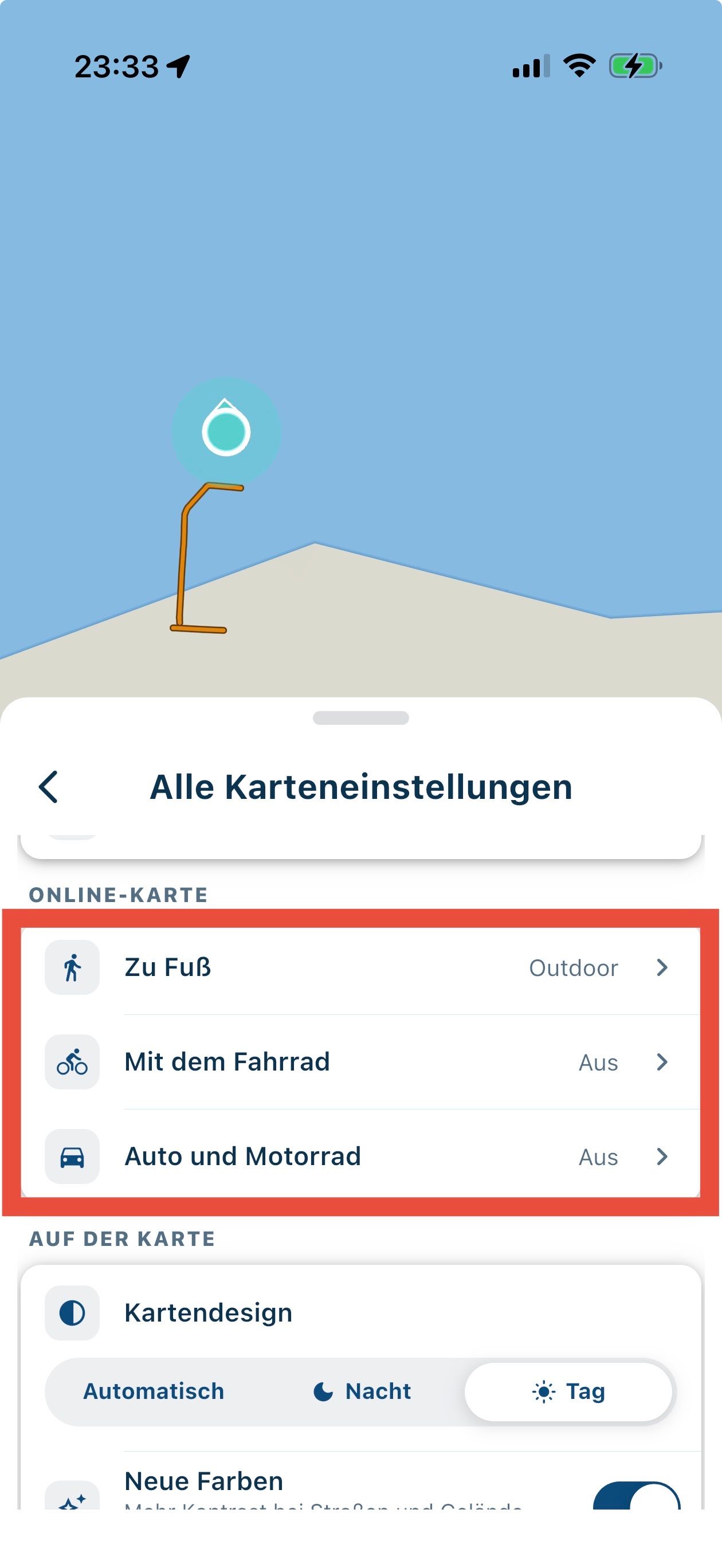
Online map settings
-
Ok, danke für die Infos!
Letzte Frage: wie sieht es denn aus, wenn du eine solche Fahrrad-Route navigierst?
@MartinW Ich hab mich auf einen virtuellen Trip begeben um Deine Frage zu beantworten.
https://1drv.ms/f/c/94b7ec629bb8bee5/IgBzCVGHUkkaTqPT4waxqaf9AZfJPI8Eilwru7xQtttBd5A?e=Rlr5Vg
BMW R 1250 GS
MRA Navigation & SilverFox C1 Controller
DMD-NOR7E 7"
SPC Universal mount
Motorola Edge 40 "offline"
Sena SLR 3
Sena 50 R -
@MartinW Ich hab mich auf einen virtuellen Trip begeben um Deine Frage zu beantworten.
https://1drv.ms/f/c/94b7ec629bb8bee5/IgBzCVGHUkkaTqPT4waxqaf9AZfJPI8Eilwru7xQtttBd5A?e=Rlr5Vg
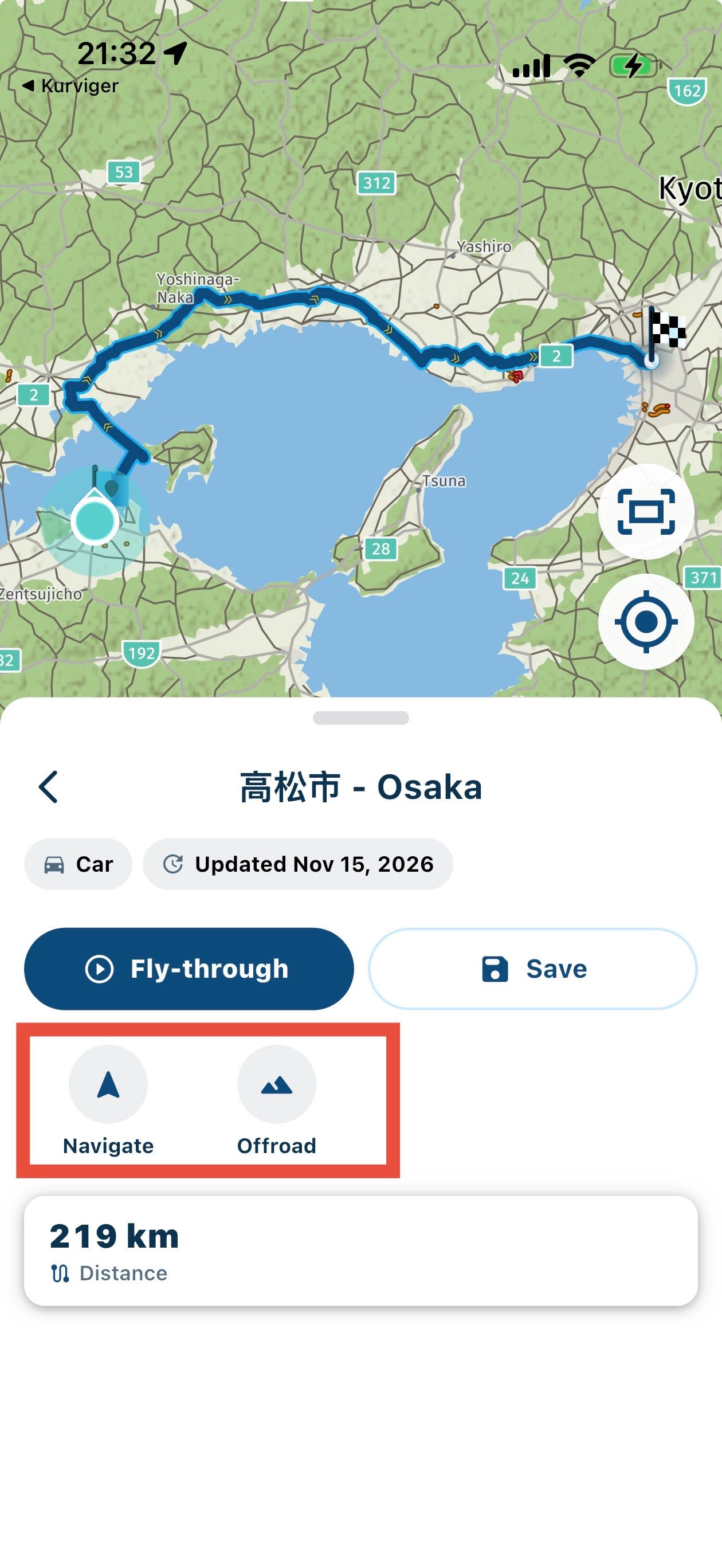
Das mp4 zeigt einen fly-through - mich interessiert hauptsächlich, wie die echte Navigation aussieht. Gibt es TBT Anweisungen oder geht das nur als off-road Navigation?
-
Das mp4 zeigt einen fly-through - mich interessiert hauptsächlich, wie die echte Navigation aussieht. Gibt es TBT Anweisungen oder geht das nur als off-road Navigation?
@MartinW Dazu müsste ich jetzt eine Route abfahren... ist mir persönlich aber heute zu kalt .
Ich hab noch ein kurzes Video gemacht (ist im vorherigen Ordner abgelegt) wo Du sehen kannst das ich die Route gestartet habe und dann die weiteren Optionen aufgemacht, zumindest dort werden Sprachansagen gemäß der Einstellungen angezeigt und die Routenführung zeigt die Entfernung bis zum Ziel an und warnt Dich wenn Du die Route verlassen solltest.
-
Yes, some kind of auto-assignment of a map type according to the route type.
But how does it work?
Not while navigating: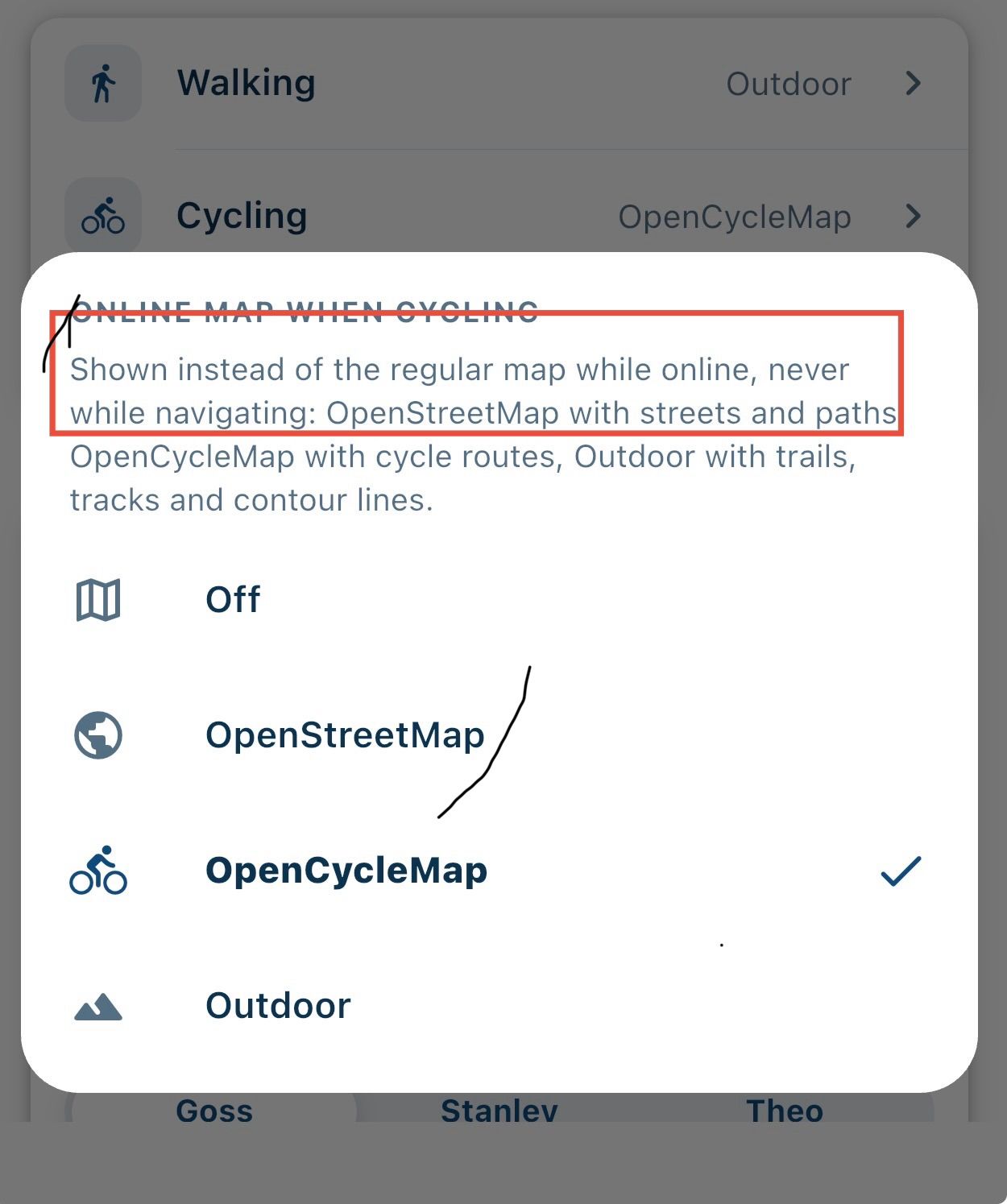
And if I create a new route, I can't select bicycle as the route type:
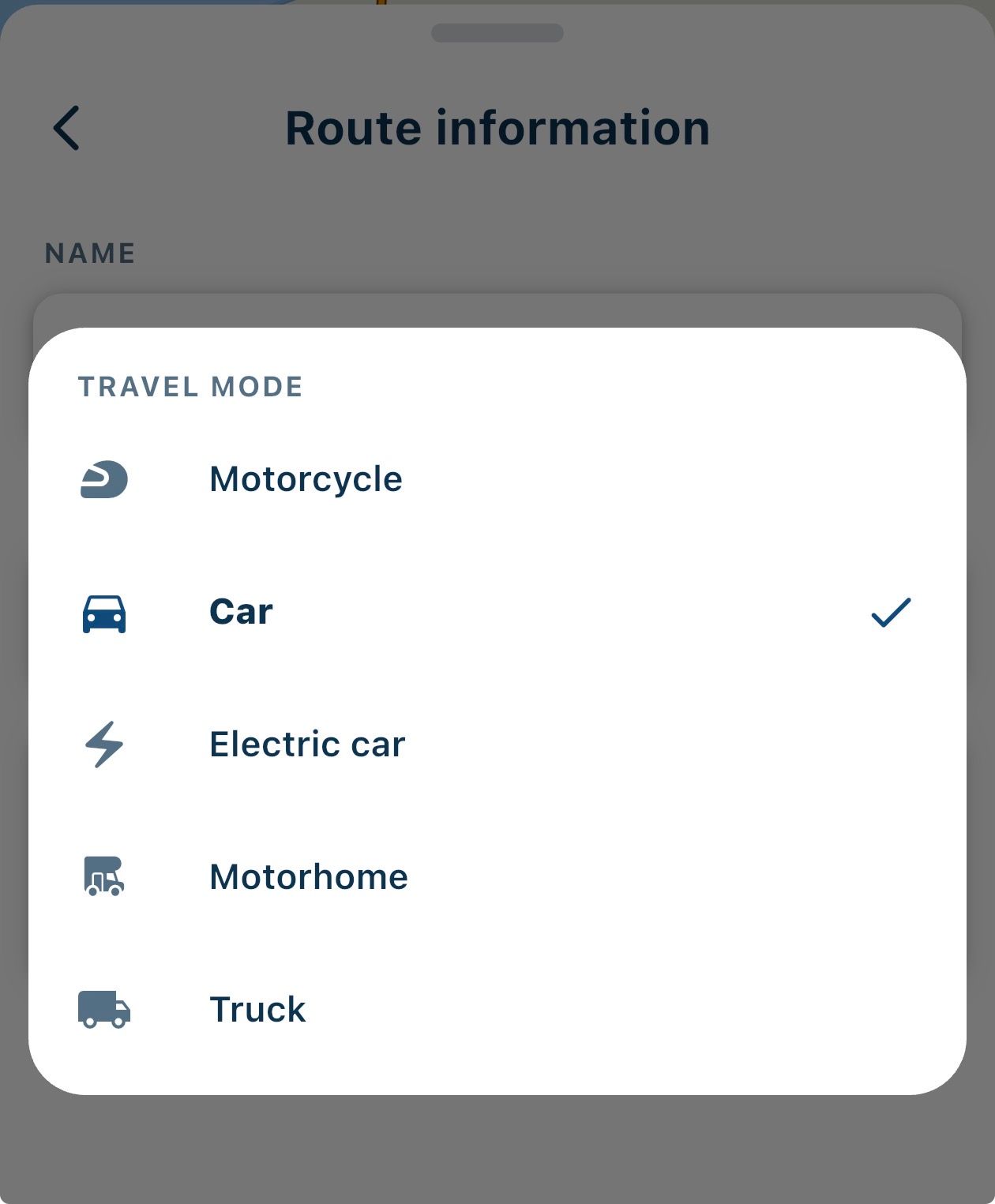
Could you please provide more details on how to use it?

Yes, some kind of auto-assignment of a map type according to the route type.
But how does it work?
Not while navigating:And if I create a new route, I can't select bicycle as the route type:
No, creating a route in the app is only is possible on the Here map, and does not support bicycle, only car and motorbike
Could you please provide more details on how to use it?
If you have a route from your libary made for bicyle it will open the selected map. If you have outdoor selected for hiking it selects this map. It will then use this map for navigating the route
-
Yes, some kind of auto-assignment of a map type according to the route type.
But how does it work?
Not while navigating:And if I create a new route, I can't select bicycle as the route type:
No, creating a route in the app is only is possible on the Here map, and does not support bicycle, only car and motorbike
Could you please provide more details on how to use it?
If you have a route from your libary made for bicyle it will open the selected map. If you have outdoor selected for hiking it selects this map. It will then use this map for navigating the route
Thanks!
That's exactly what I expected: I can create hiking/cycling routes in OSM using the new beta planner and navigate them with NN V6, where the map automatically switches according to the settings mentioned above. I get basic info on the remaining distance while navigating (”off-road mode”), but no TBTs.
Since NN V6 is limited to the HERE routing engine, that's likely the best we can get.
-
@martinw
Your understanding is correct. I must admit that i struggled to understand the above also, but @nick-carthew helped me on that
I hope the new planner has some improvements for cycling. (I do not participate in the Beta).I do not use NN on the bicycle, but use a Garmin Edge. I like the web planner and use that one to create my cycling routes, the GPX of the track I then convert to a Garmin TCX or FIT file with turn alerts with a little tool I made.
-
HERE does support pedestrian and cycling mode. That is I think what you get when you "navigate" (walk) a foot or (cycle) a cycling route.
-
HERE does support pedestrian and cycling mode. That is I think what you get when you "navigate" (walk) a foot or (cycle) a cycling route.
HERE does support pedestrian and cycling mode. That is I think what you get when you "navigate" (walk) a foot or (cycle) a cycling route.
correct, but you cannot plan routes in NN
-
HERE does support pedestrian and cycling mode. That is I think what you get when you "navigate" (walk) a foot or (cycle) a cycling route.
correct, but you cannot plan routes in NN
-
If I only use the app and only the Here maps (no "online" map), both for planning and navigation, I am not working cross platform. In that case I don't see a reason why editing should not be allowed.
Here is an example.
The first picture shows my walking route through a city. Perfectly ok and made by the app.
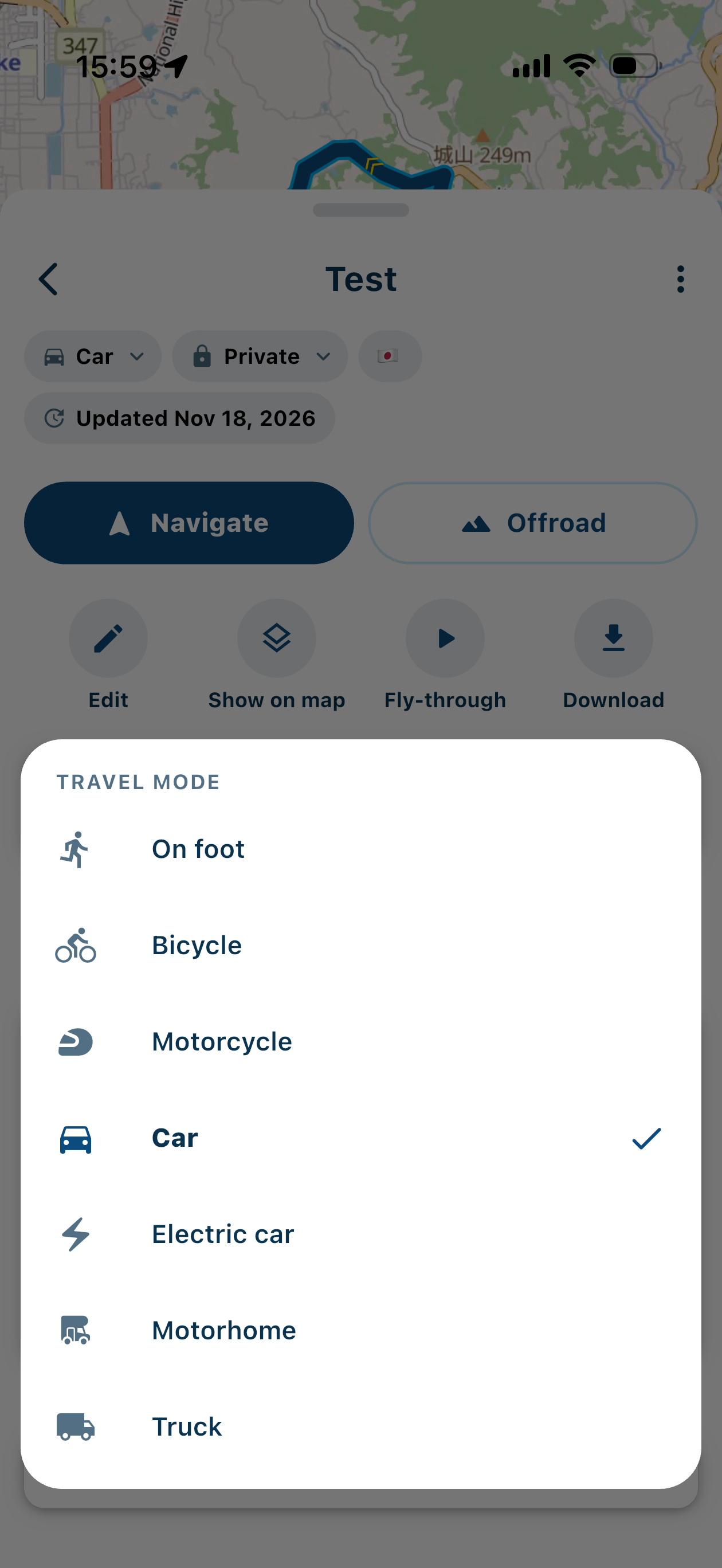
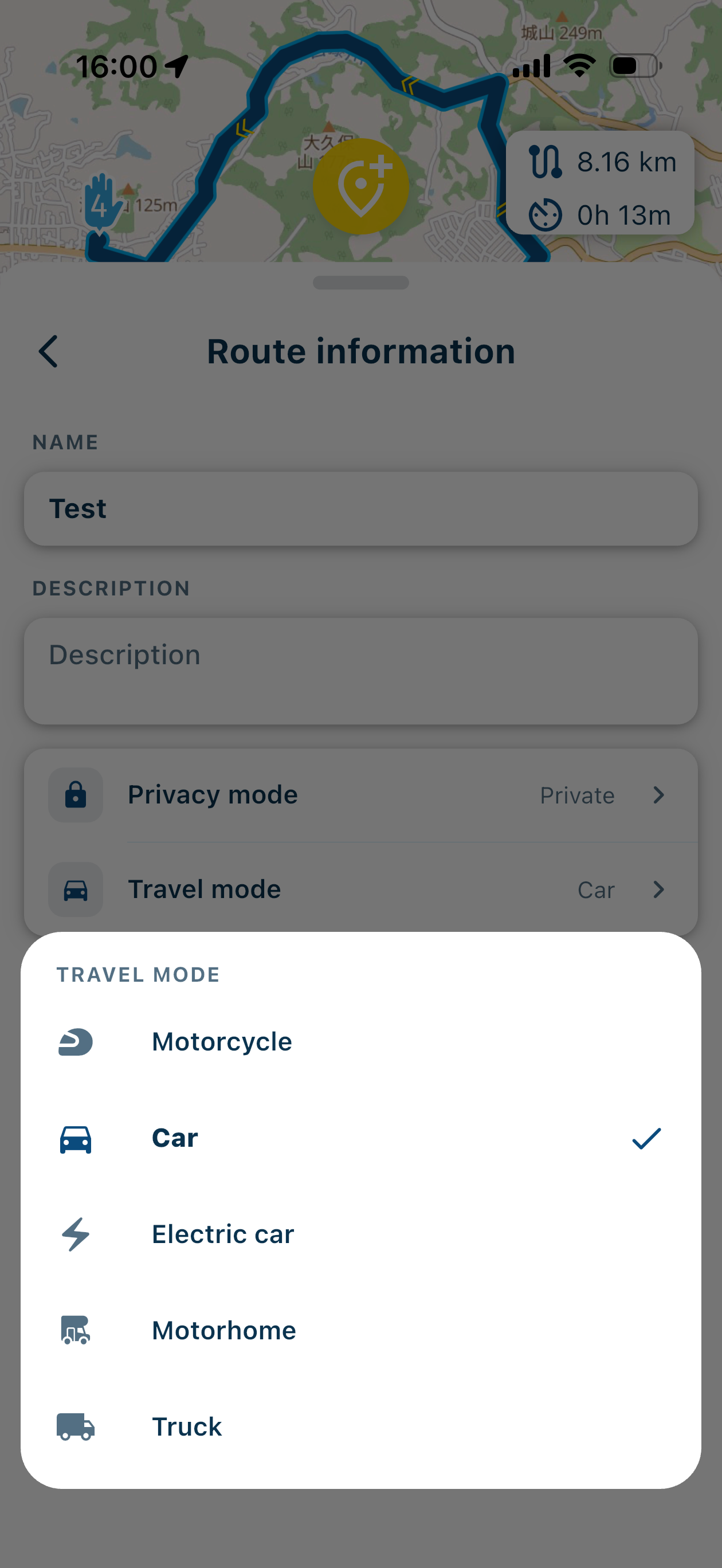
The second one shows the route with the travel mode car. But the only way to make the first is though the second : by using the travel car for editing. The route becomes a walking route by changing the travel mode to foot, after editing.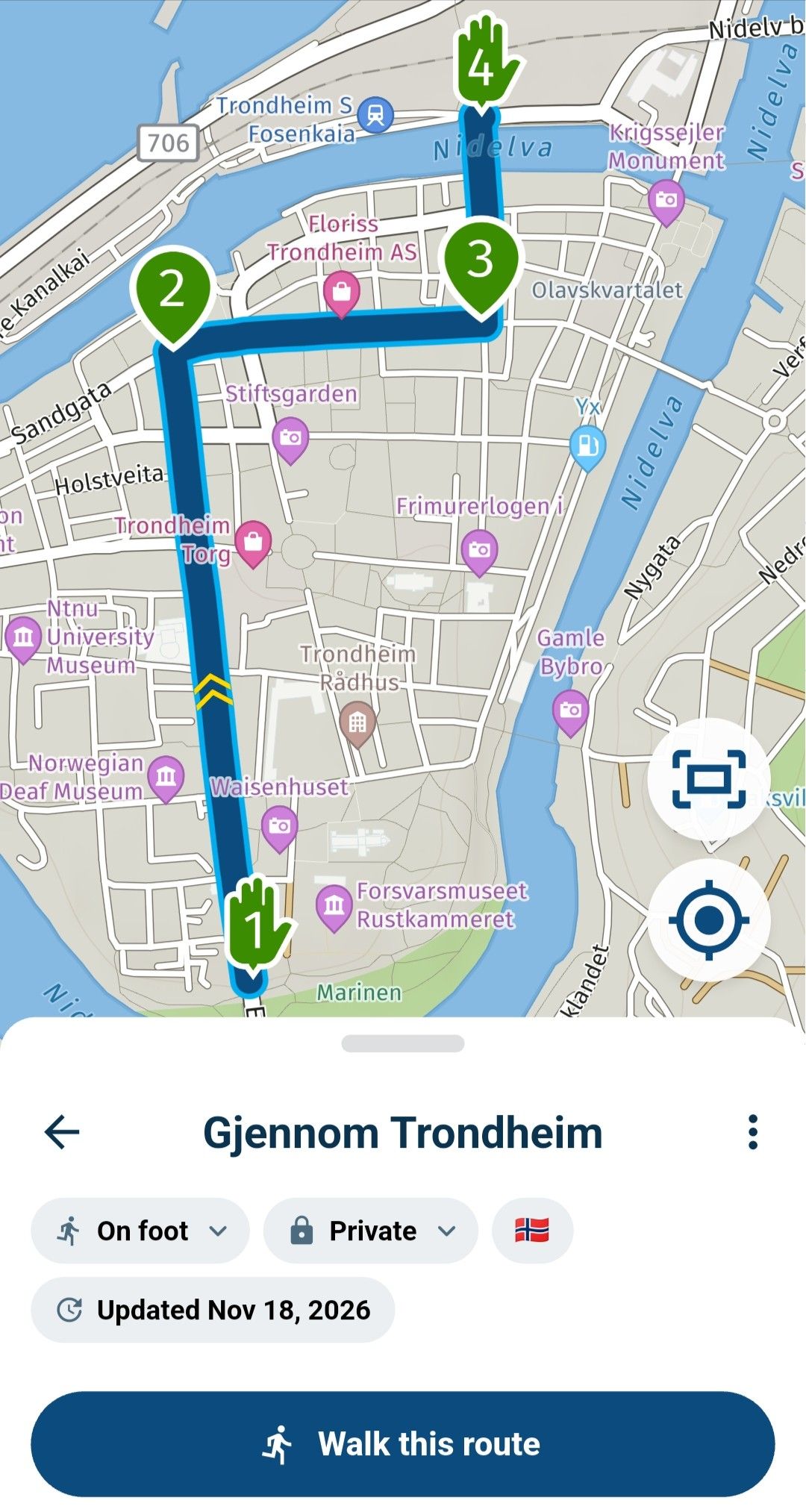
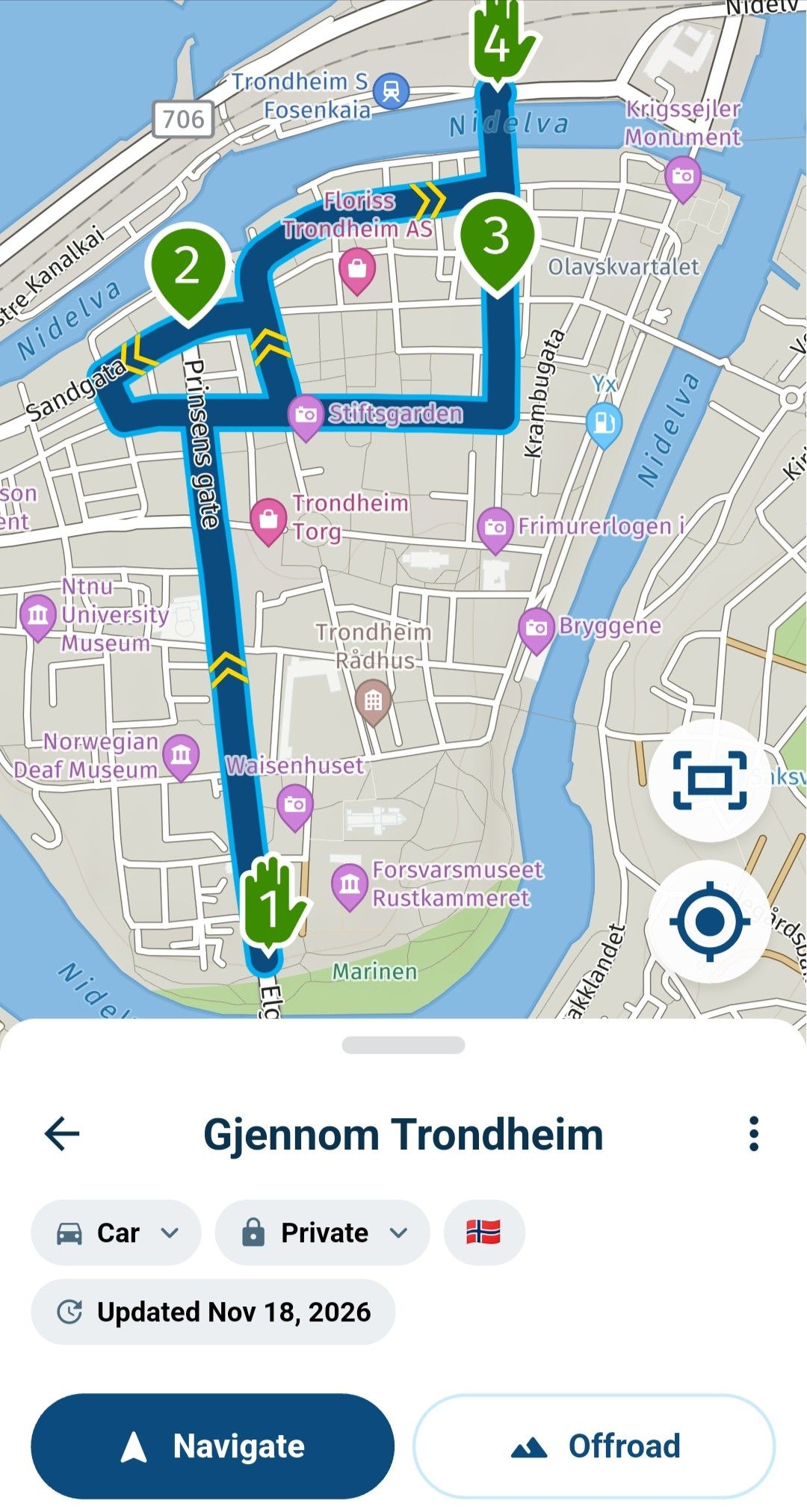
-
That’s interesting!
Have you signed up for the beta? When I start creating a new route with the app, there are no options for walking or cycling: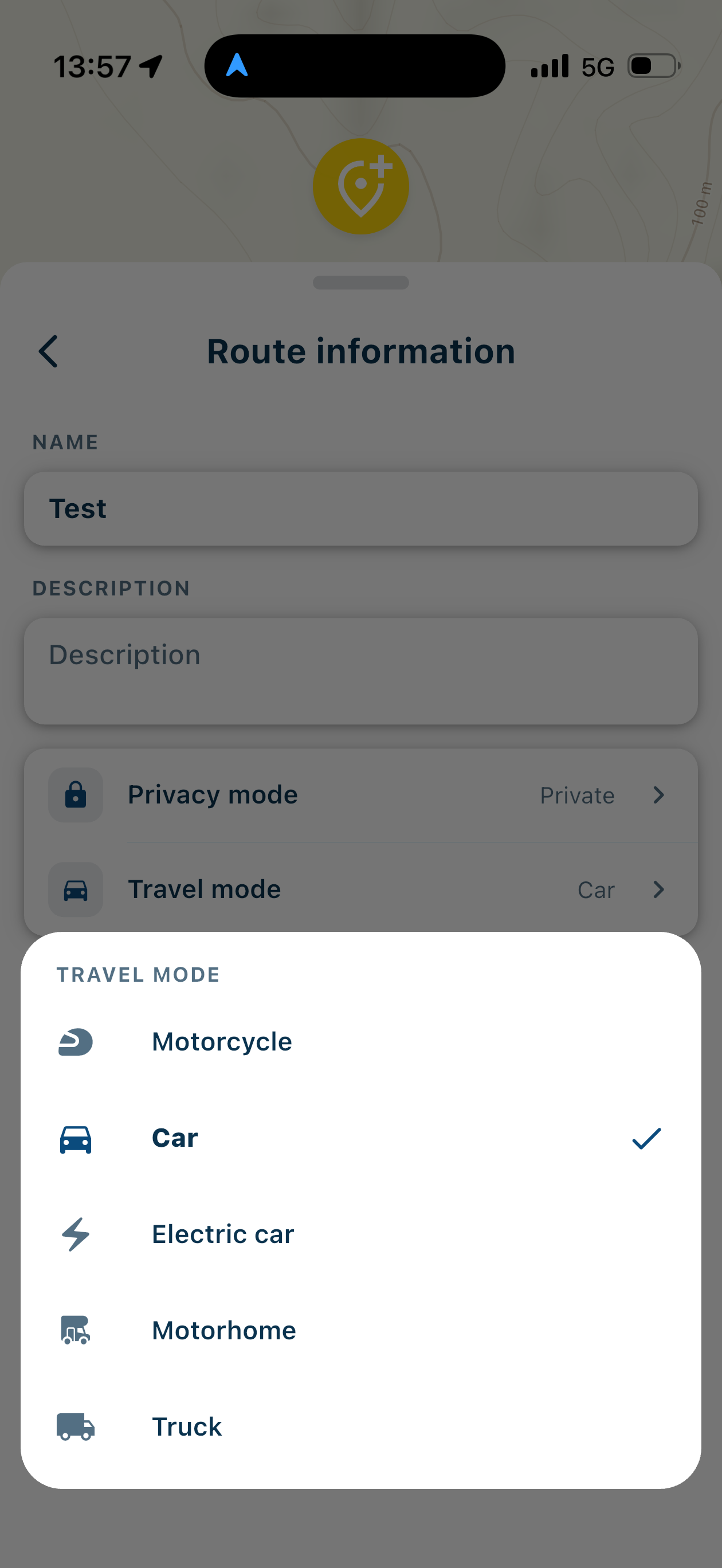
EDIT: got it - I have to create a route in car mode and after saving(!), I can reopen the route and switch to foot or cycle. A bit confusing, but it seems to work…
-
Not using beta. You can change the travel mode AFTER editing and saving the route. That will update the route as well. This is probably a loophole but it would be a pity if the app should not be used to edit a Here based walking or cycling route.
-
Not using beta. You can change the travel mode AFTER editing and saving the route. That will update the route as well. This is probably a loophole but it would be a pity if the app should not be used to edit a Here based walking or cycling route.
Yep - SAVING is the key.
-
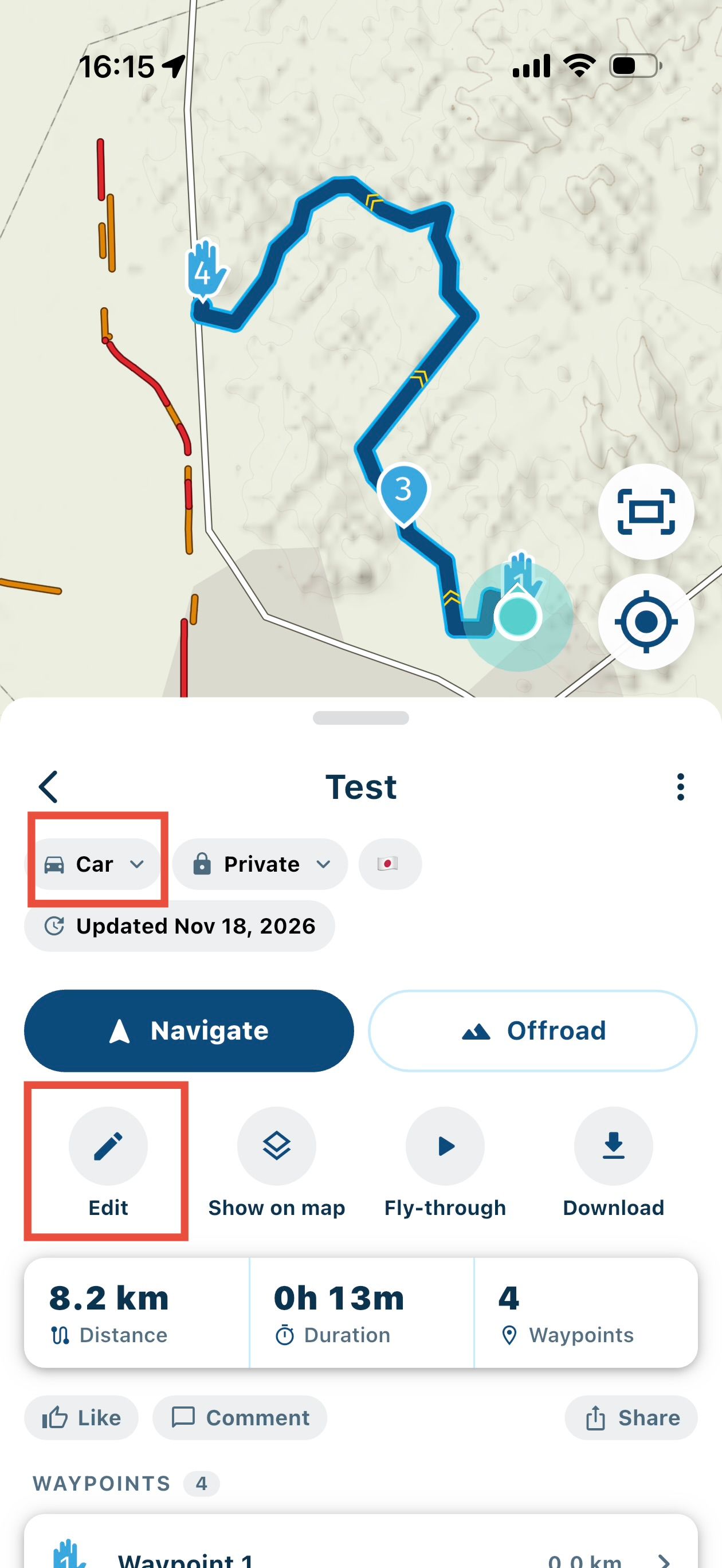
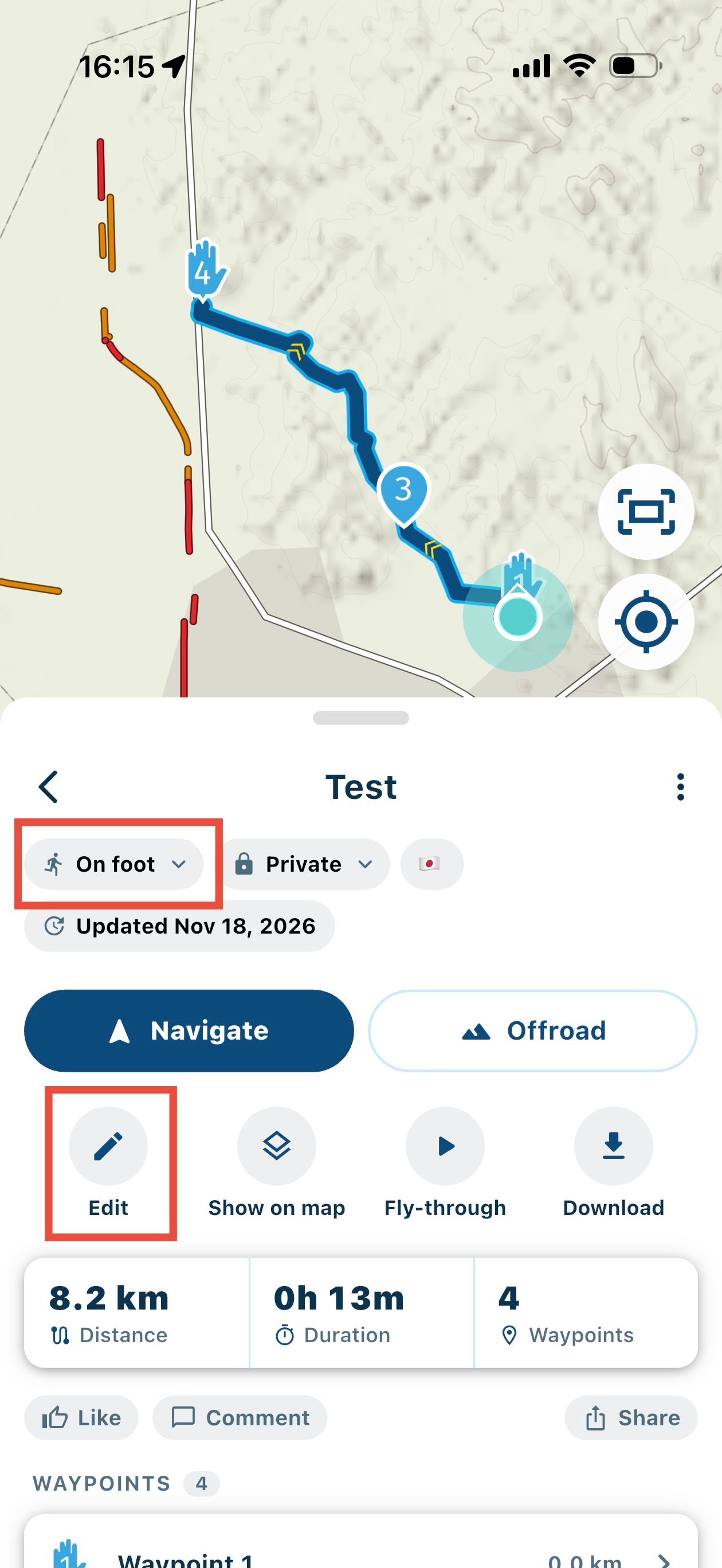
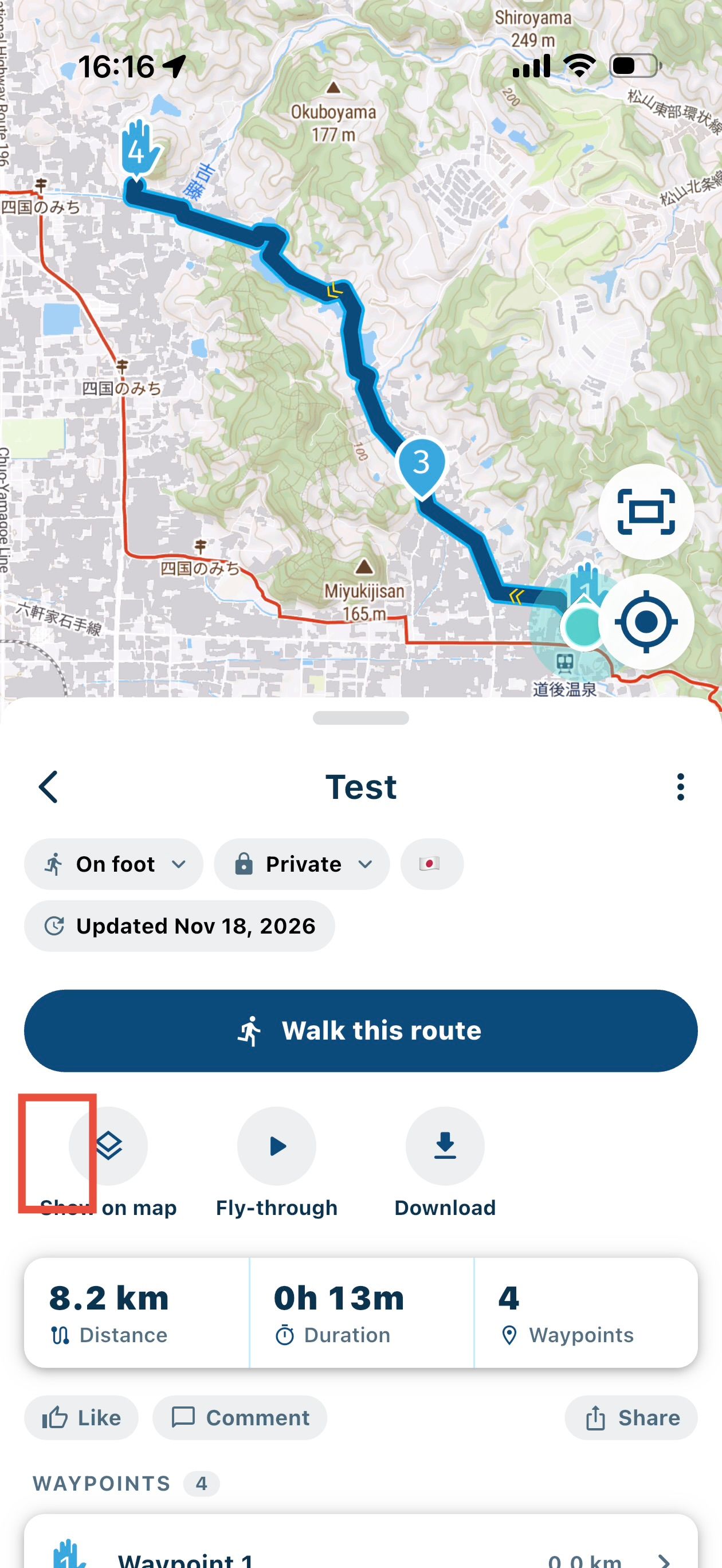
And another bug: when car is assigned, I can edit the route, and if I change it to foot, I can edit the route as well.
However, after entering edit mode and returning (or leaving the preview page and coming back), I can't edit the route. I first have to change back to car and leave the preview page.So, all in all, it looks like editing a route in foot or cycle mode isn't intended, but because the route doesn't auto-save immediately after changing its mode, it's still possible.
Hello! It looks like you're interested in this conversation, but you don't have an account yet.
Getting fed up of having to scroll through the same posts each visit? When you register for an account, you'll always come back to exactly where you were before, and choose to be notified of new replies (either via email, or push notification). You'll also be able to save bookmarks and upvote posts to show your appreciation to other community members.
With your input, this post could be even better 💗
Register Login-
 9975
-
024757
-
 0427
-
 0422
-
0432
-
 04142
-
 0366
-
0313