Log in
-

The app remembers your login: once you're signed in, you stay signed in, even after closing the app or restarting your phone. You only have to log in again if you tap "Log out" yourself, so the tip above is the right one: just close the app instead of logging out. You also don't have to type it yourself: the login fields work with your phone's password manager (iCloud Keychain on iPhone, Google Password Manager on Android). If your login is saved there, tap the email field and pick it from the suggestion above the keyboard.
-

That would be great if I didn't have to actually log out of one phone in order for the other one to work. (see my post in the problems area). If I have both phones open and logged in, I have to completely log out of one in order for the other to access things like my library with the remaining one. If only one phone is logged in (doesn't matter which one) things work as they should. It seems that my account is only recognizing one device at a time even though there is 2 registered.
I get either "no internet connection" or "scouldn't refresh" messages. Doesn't seem to be any set of circumstances that dictate one or the other. -
I use the Google Chrome browser, which offers the option to save usernames and passwords. This saves you from having to type them in.
I use the Google Chrome browser, which offers the option to save usernames and passwords. This saves you from having to type them in.
I am referring to logging into the app on my Android phone.
Login is not an issue on my desktop. -

Well the only solution in that case is to use a password manager on the phone.
I’ve had a good experience with LastPass myself, both on my computer and on my phone and tablet! And it's for free. Then you have only to remember one password for all and if your phone support fingerprints even that is not necessary anymore.
And yes, I'm also an old guy with fat fingers. -

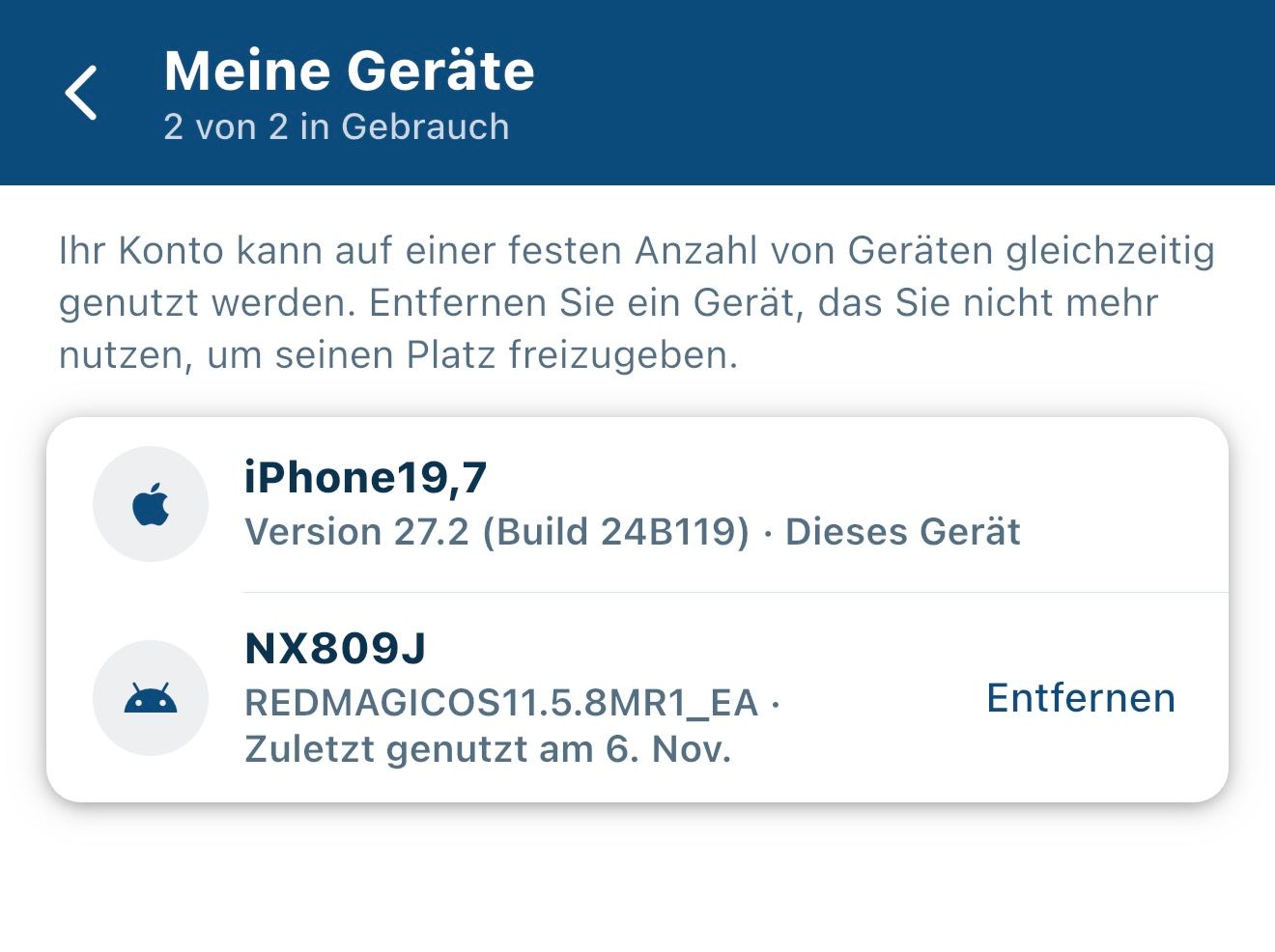
If you tap on your profile in the top right-hand corner of the app, you’ll find the ‘My devices’ option under ‘This phone’. How many devices are listed there? You might want to try removing all devices except the one you’re currently using to view this. Then log in to the other device again and see if it works now.
-
I uninstalled and reinstalled the app on both phones. No joy. The issue seems to be the beta site not recognizing more than one device even though there are 2 listed. Note:
One is showing as "removed" Nov 6 even though there is no provision for removing a device so I cannot "remove" a device.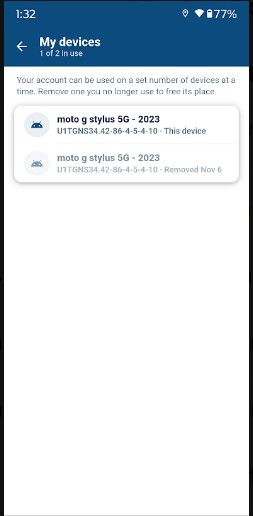
Both devices can be logged into, and function fine, on the original app. This seems to be a "beta" issue.
-
Both devices are Motorola stylus 5G phones. Build numbers are the same but all other identifiers (eg. IP address) is different. Since both phones work on the "legacy" app and this is the screen shot of the device page in that app
(identical to the screen of the "beta} version), I can't help but think that there is a glitch in the 'beta" app with regards to my account.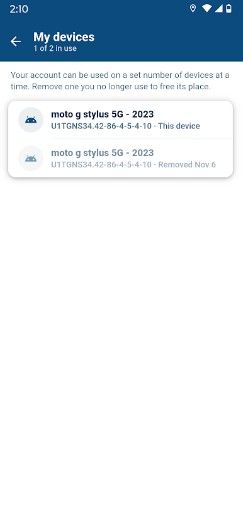
-
I just submitted a ticket.

Hello! It looks like you're interested in this conversation, but you don't have an account yet.
Getting fed up of having to scroll through the same posts each visit? When you register for an account, you'll always come back to exactly where you were before, and choose to be notified of new replies (either via email, or push notification). You'll also be able to save bookmarks and upvote posts to show your appreciation to other community members.
With your input, this post could be even better 💗
Register Login-
01338
-
 023394
-
012212
-
2241.7k
-
114174
-
 010131
-
 0892
-
0847