Points of interest
-

Hi everyone, I'm planning routes in MRA Routeplanner, and when I select Points of Interest, they don't appear on the screen. I'm using a Mac. I've tried it at both gas stations and mountain passes; they appear for a second and then disappear immediately when I zoom in. I'm hoping there's a solution to this problem. Congratulations on the app, its updates, and all the work that goes into it.
-
Hi everyone, I'm planning routes in MRA Routeplanner, and when I select Points of Interest, they don't appear on the screen. I'm using a Mac. I've tried it at both gas stations and mountain passes; they appear for a second and then disappear immediately when I zoom in. I'm hoping there's a solution to this problem. Congratulations on the app, its updates, and all the work that goes into it.

@Lluís-Casals the solution is the zoom level. Play around with that and the POI’s Will popup
-
Thanks Marinus, I'm using the mouse wheel and I can't get them to appear. I've tried the + and - keys, but once they appear they disappear again in a second. I can't even select the point.
Thanks anyway, I'll keep trying.
-

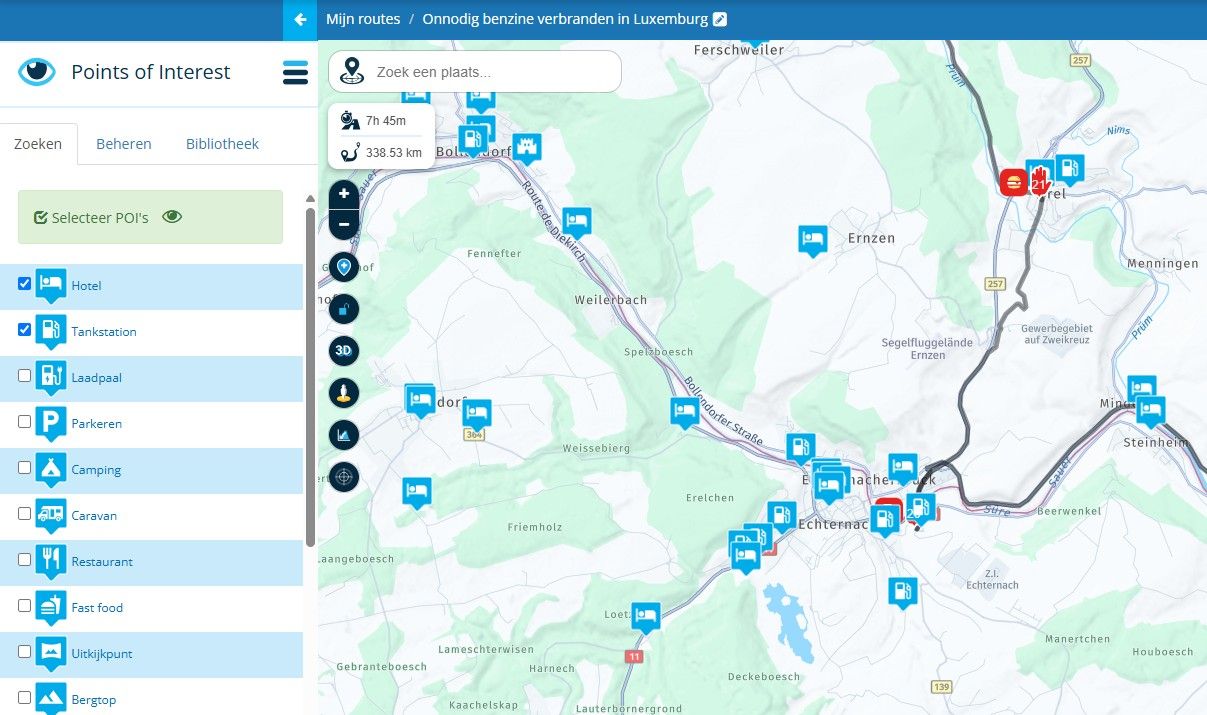
I have that problem too, but no so often as in the past. Like this example:
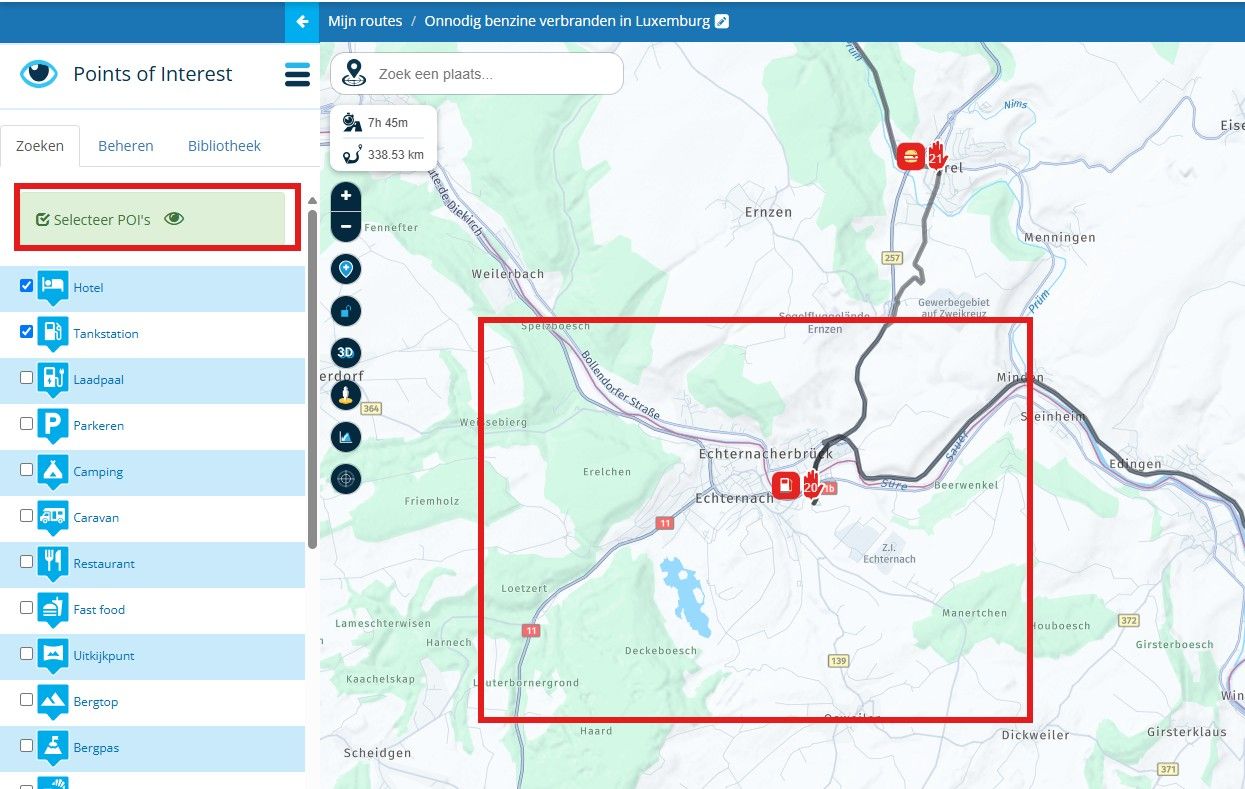
In any case, the zoom must be set to 1km (the box with the eye then turns green). Sometimes they disappear and just reappear. The trick is to play around with your mouse wheel for a bit. Then they usually become visible again. Like this
-
44 / 5.000
I'll keep playing with the zoom.Thank you very much.
Hello! It looks like you're interested in this conversation, but you don't have an account yet.
Getting fed up of having to scroll through the same posts each visit? When you register for an account, you'll always come back to exactly where you were before, and choose to be notified of new replies (either via email, or push notification). You'll also be able to save bookmarks and upvote posts to show your appreciation to other community members.
With your input, this post could be even better 💗
Register Login-
 01847
01847
-
 07138
07138
-
 06130
06130
-
 01042
01042
-
 1327343
-
058
-
0521
-
0519