MRA 6.0.0 (515) Track bar covered not displayed /// Streckenbalken überdeckt nicht angezeigt
-

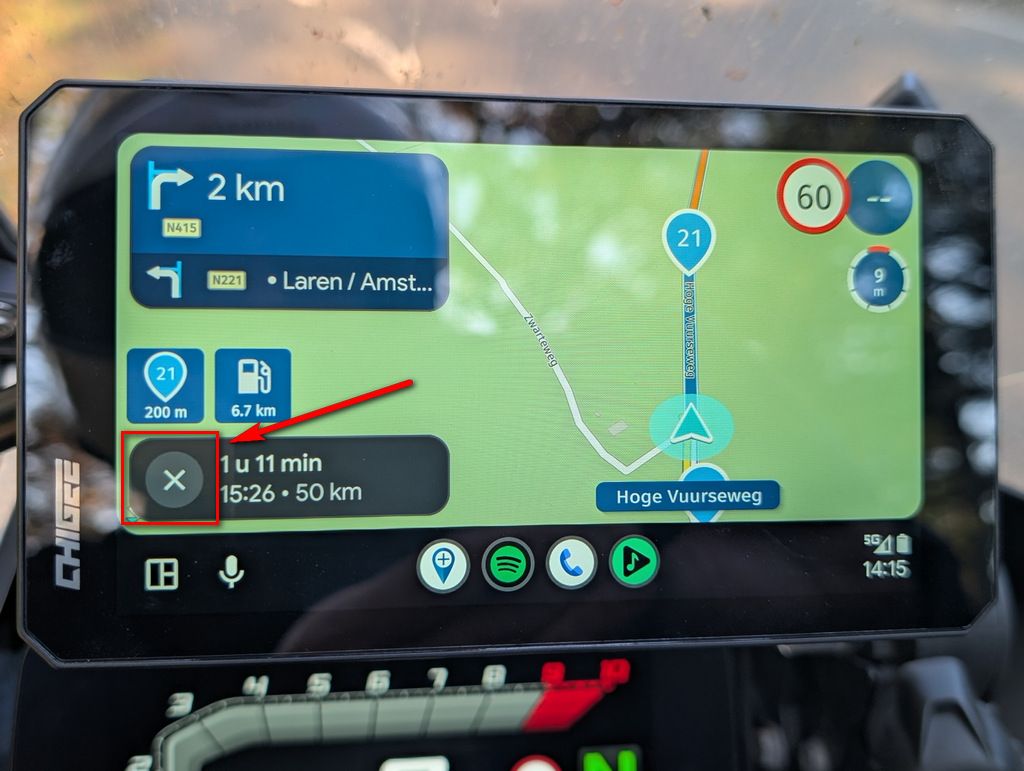
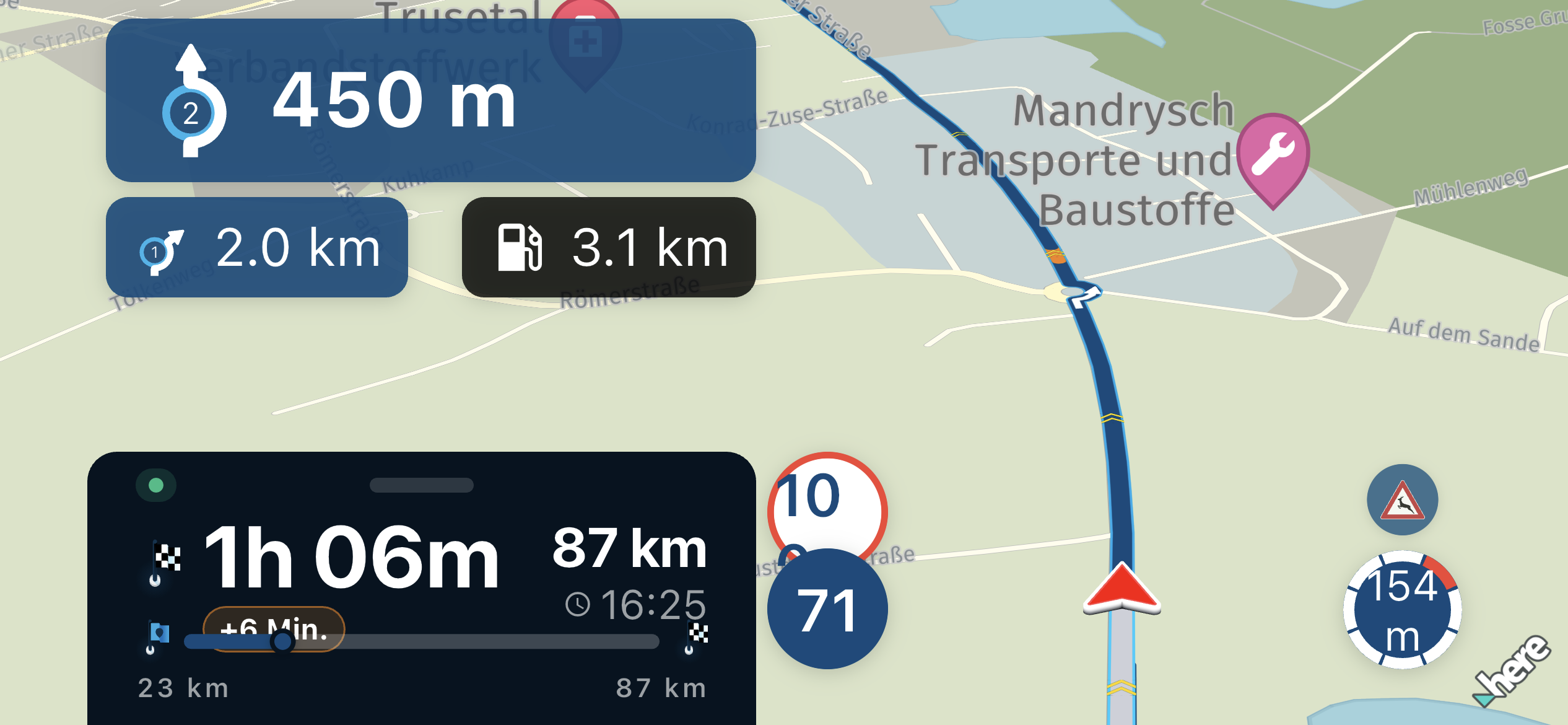
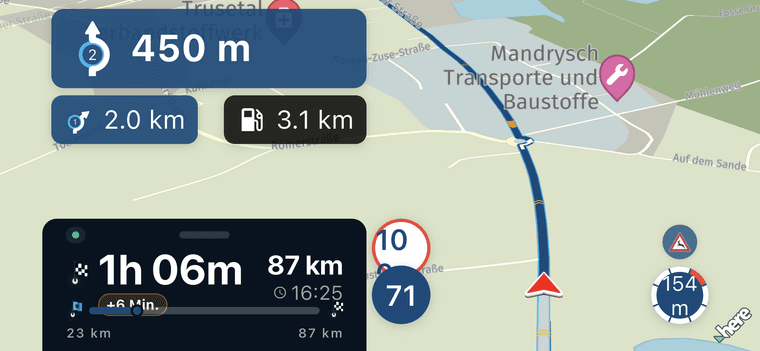
Picture 1: The new track bar is shown in the horizontal display but unfortunately covers other information.
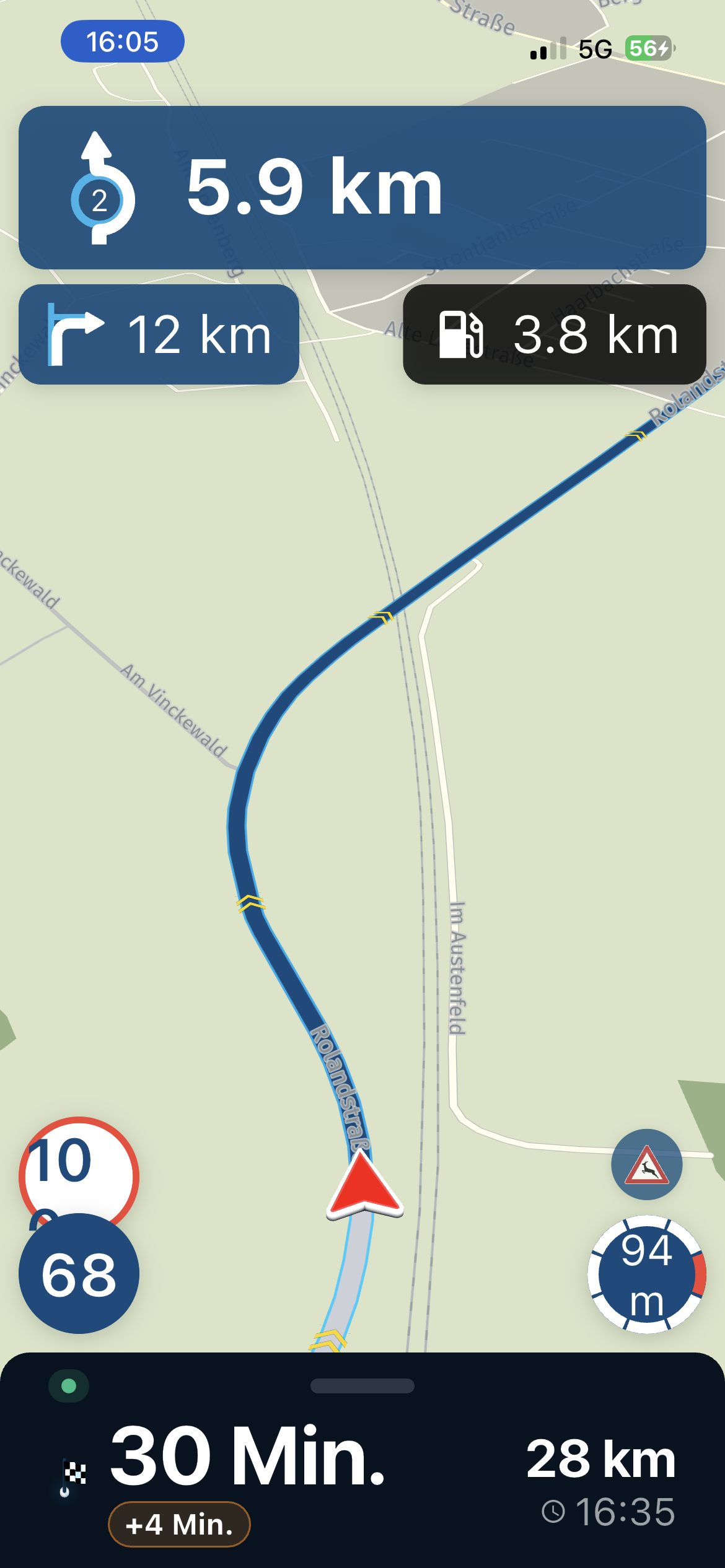
Picture 2: The new track bar is unfortunately not even displayed in the vertical display.
**Is that intentional or are there settings that could change this? **
—-###—-
Bild 1: Der neue Streckenbalken wird im waagerechten Display mit angezeigt aber überdeckt leider dabei andere Informationen.
Bide 2: Der neue Streckenbalken wird im senkrechten Display leider gar nicht erst angezeigt.
Ist das so gewollt oder gibt es da Einstellungen die dieses verändern könnten ?
Picture 1
Picture 2
-

This is intentional.
When driving the same road back the major advantage is that the tracklog line is not covering your route. -
That was meant in the pictures has nothing to do with the tracklog
—###—-
Das war gemeint in den Bildern hat nichts mit dem Tracklog zu tun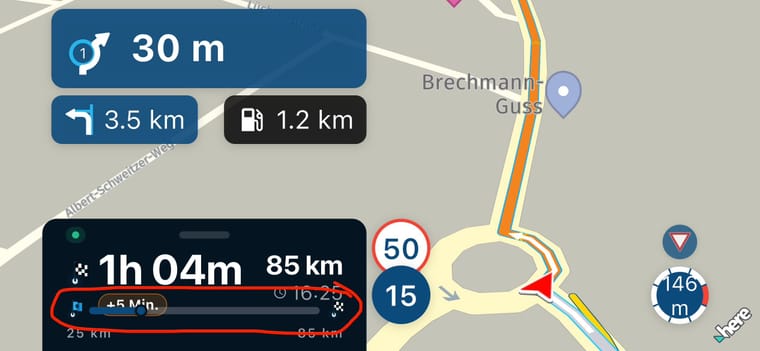
-
This is intentional.
When driving the same road back the major advantage is that the tracklog line is not covering your route.
This is intentional.
When driving the same road back the major advantage is that the tracklog line is not covering your route.The answer irritates me maybe fits the post s. Link ...https://forum.myrouteapp.com/post/83933
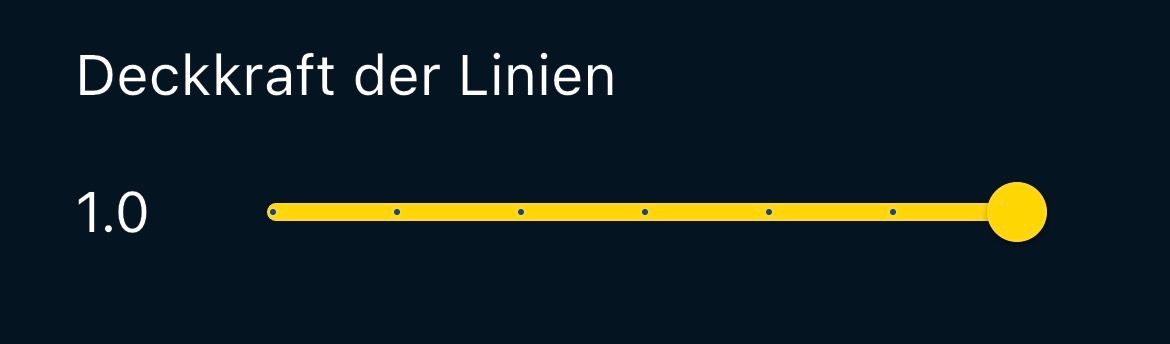
But with 1.0 of the line I never had the problem, the yellow tracklog is helpful.
Hello! It looks like you're interested in this conversation, but you don't have an account yet.
Getting fed up of having to scroll through the same posts each visit? When you register for an account, you'll always come back to exactly where you were before, and choose to be notified of new replies (either via email, or push notification). You'll also be able to save bookmarks and upvote posts to show your appreciation to other community members.
With your input, this post could be even better 💗
Register Login-
 01466
01466
-
01341
-
013175
-
112103
-
0922
-
0841
-
 0989
0989
-
 0719
0719