Showing Tracks with Routes on the Garmin XT3
-

In another post discussing .gpx 1.2, skipping waypoints, etc. I found that I couldn't show my route and track simultaneously for some reason. I did have my track colored a different color (Black) and it was set to its widest width, but it simply wasn't showing up with the route as I expected.
In previous Garmin units before the XT3 when you opened a track it would prompt simply "Show on Map" and when you would select this option that track would appear on the map along with your route.
However, in the XT3 the option is called "Show on Top", and when you select it you're prompted "Display this track on top of all other tracks on the map". That should have been a hint that something was very different with the XT3!
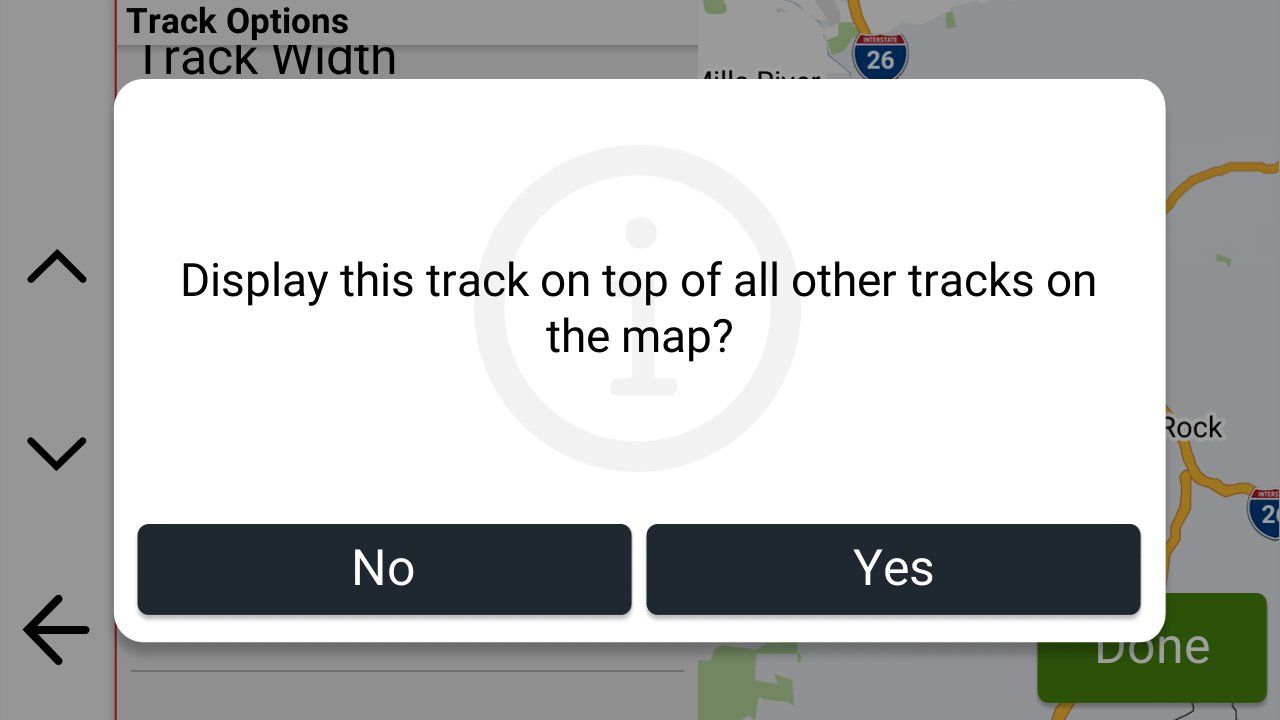
@carl-lee asked if I was using Explore (which I'm not) and suggested that if I was perhaps I should check and make sure that the visibility of my Collection was turned on.
While I'm not using Explore, I am using Collections (which I think that all XT3's have to use now), and when I checked sure enough the visibility of my Collection was turned off.
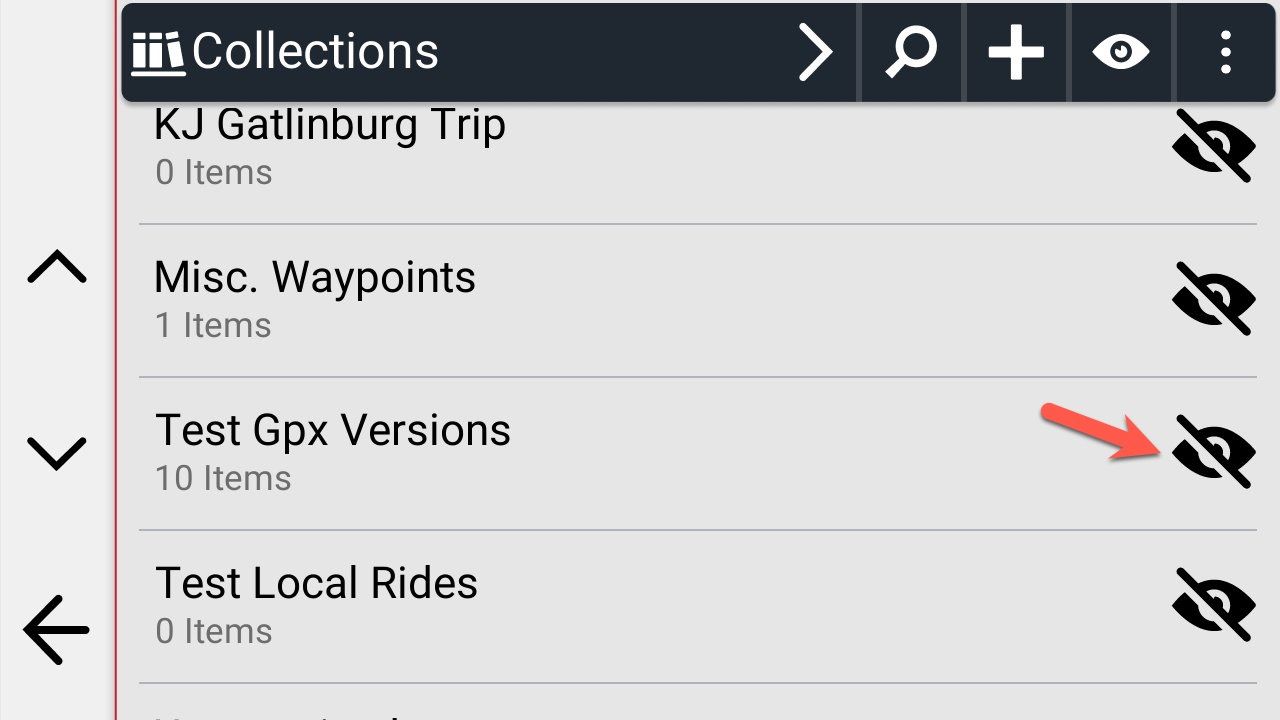
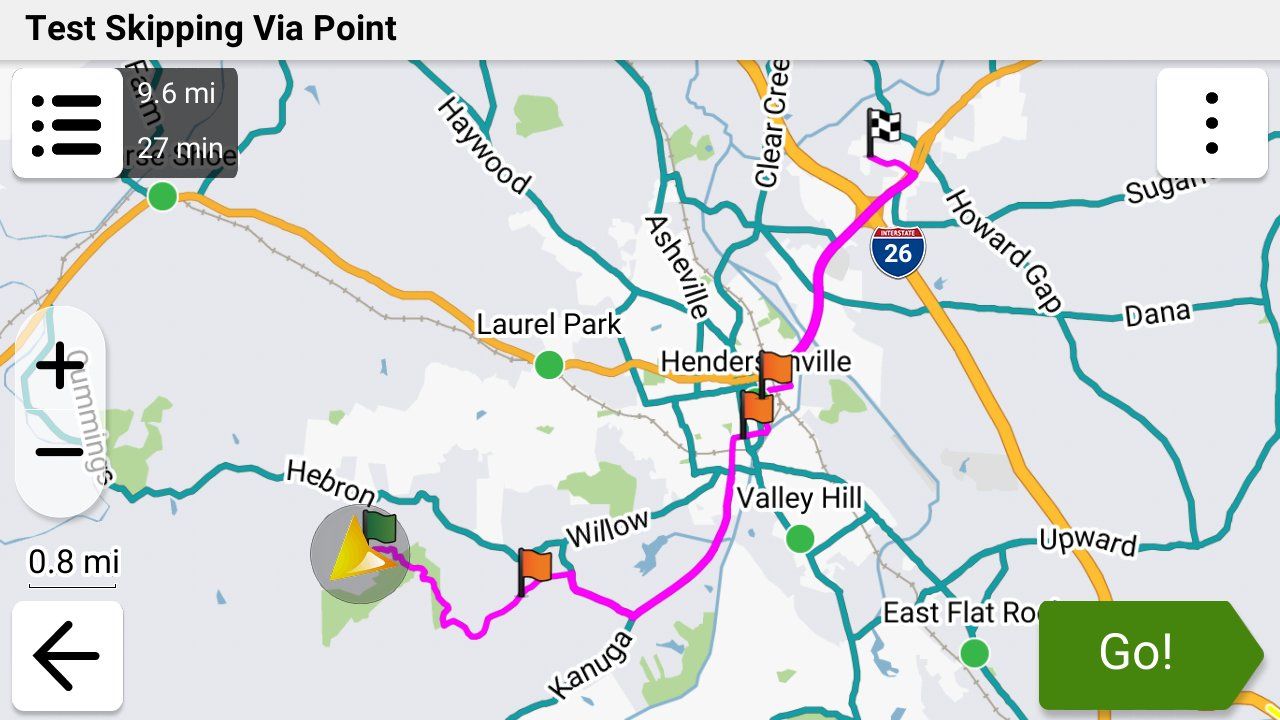
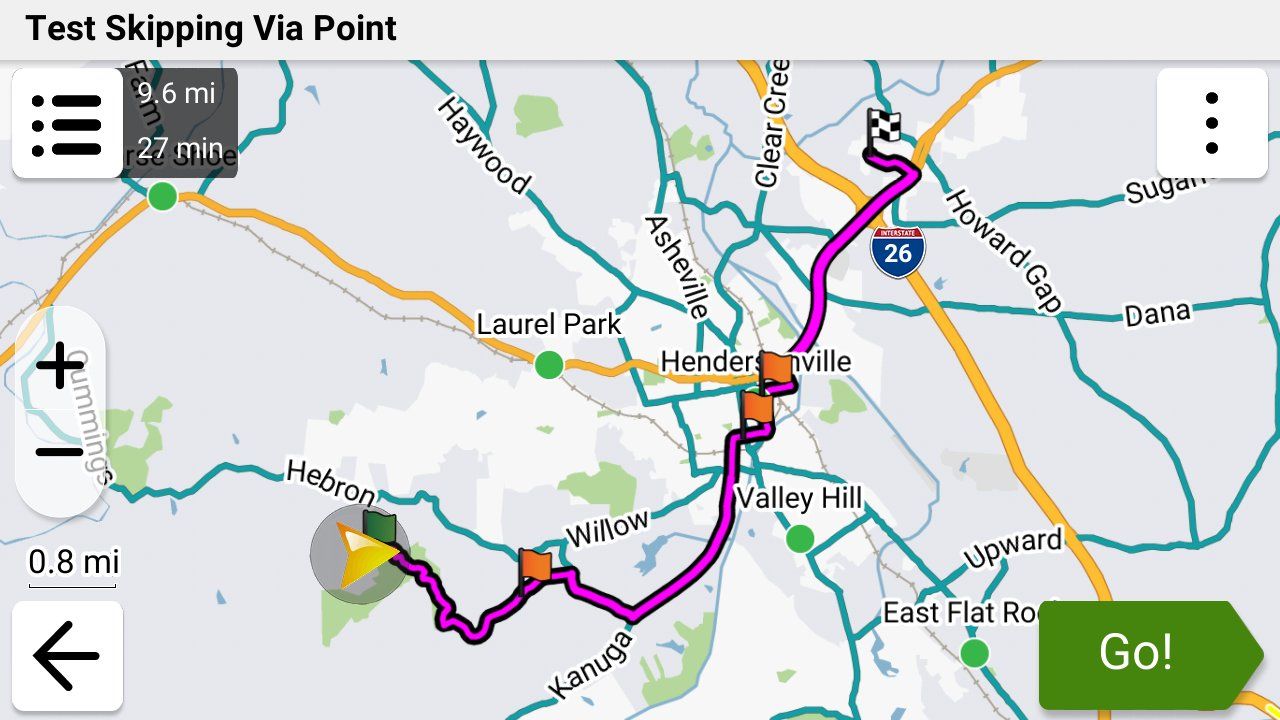
Duh! Rookie mistake! Not my first, and definitely won't be my last. Ok, I turned the visibility on, then selected my route and here's a screenshot from my XT3 of what I saw:
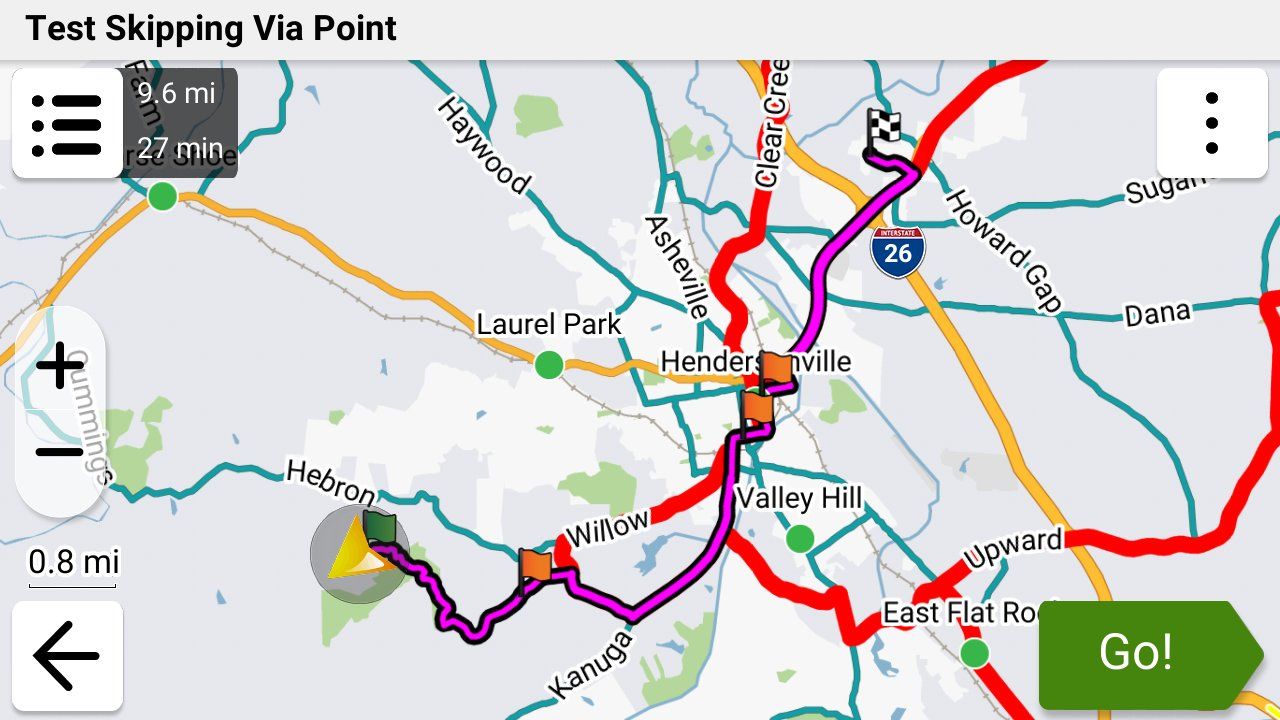
In this collection I have 5 routes and 5 tracks. My route showed up, and my track then showed up (shown in black) but the XT 3 shows EVERY track in the Collection when the visibility is turned on.
So THIS is the reason that the XT3 now has a "Display this track on top of all other tracks on the map" option instead of a "Show on Map" option. By design when you select a route in a Collection the XT3 automatically shows ALL of the tracks in that collection as well. That's a REALLY poor design choice IMO, but for now we have to live with it.
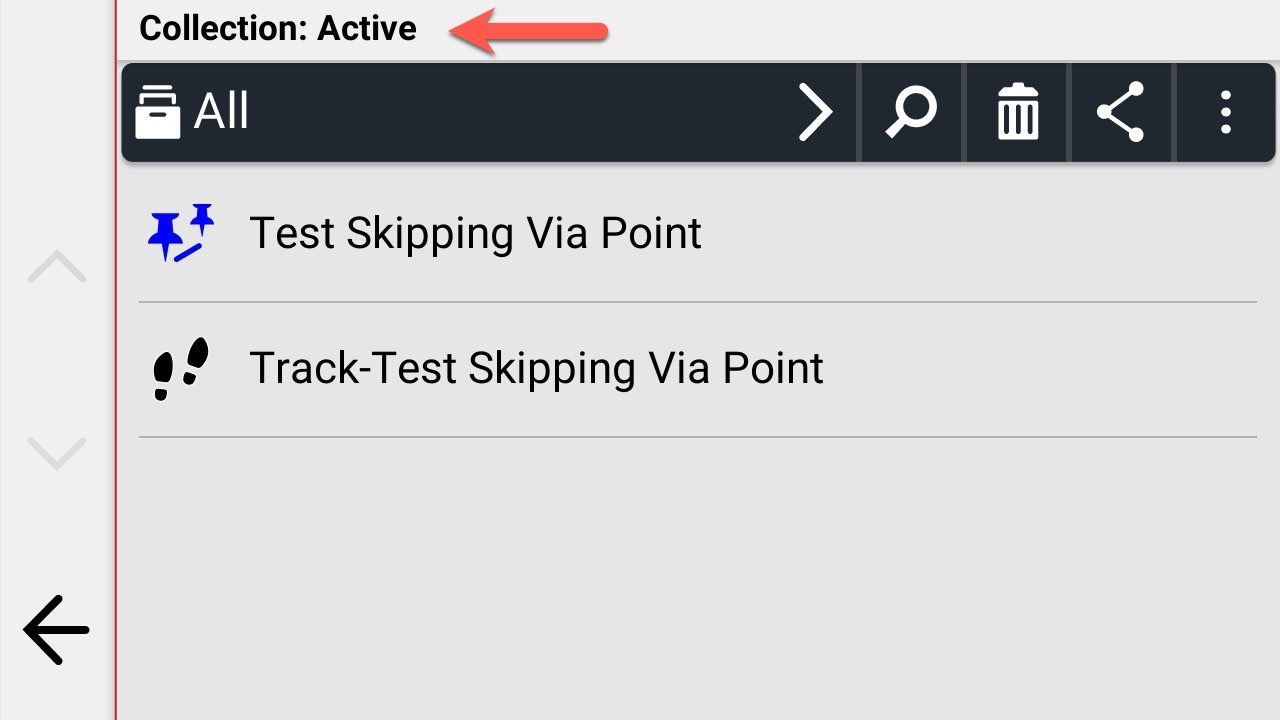
My workaround takes a minute or less and it shouldn't be necessary, but it works quite well. I created a new Collection called "Active", copied my route and track into it, turned the visibility of my Active collection on and all of the other collections off, then opened the route in the Active Collection. Remember I had already changed the color on my track to Black, set its width to Widest and selected its Show on Top option. Here are the results. Finally!
-
Steve Jarrell referenced this topic on
-

@steve-jarrell hi again, that's exactly what I used to do but now, when importing a new GPX1.2(route,track,POI), I add it to a new collection. I then make all other collections invisible - although I tend to only have one in the Zumo at any one time. This can either be achieved via Tread or only importing one file at a time from the SD card then deleting once the route is complete (it will still remain on the SD card for another import if you need it).
I hope that makes sense. Mine is the XT2 but I reckon collections and all that other stuff I said will be the same.
-
Yep, that would absolutely work. Instead of deleting the route and track you could also just move them to another collection. I jumped straight from the XT to the XT3 so I didn't realize that the XT2 utilized collections as well.
The collection "nonsense" came from Basecamp which, in my opinion, had one of the worst user interfaces of any piece of software ever created. Once you understand their warped logic it's not bad though.
Thanks!
-

I have several collections on my XT3.
Planning
Riding
I import all routes (GPX 1.2) and assign them to the 'Planning' collection for storage.
For the route I am about to ride, I change the collection to 'Riding'.
Once I have ridden the route, I delete it—along with the track—from the XT3. -
Just to add that, from experience, my XT2 which has a slower processor than the XT3 seems to run sweeter and faster if it isn't full of collections, routes and waypoints. I therefore keep it fairly clean and only load up the route and track needed for the day.
Anything on the SD card remains separate and untouched unless required. -
I have several collections on my XT3.
Planning
Riding
I import all routes (GPX 1.2) and assign them to the 'Planning' collection for storage.
For the route I am about to ride, I change the collection to 'Riding'.
Once I have ridden the route, I delete it—along with the track—from the XT3.
@Hans-van-de-Ven-MR.MRA That's a very good plan as well. Thanks for the input!
-
Just to add that, from experience, my XT2 which has a slower processor than the XT3 seems to run sweeter and faster if it isn't full of collections, routes and waypoints. I therefore keep it fairly clean and only load up the route and track needed for the day.
Anything on the SD card remains separate and untouched unless required.
@Carl-Lee I agree. Less is absolutely more in that case. I have been doing a lot of testing with my XT3 hence all of the collections and routes. I normally don't have anywhere near that many collections, routes or track on the Garmin although the XT3 can easily handle them. I just don't like the clutter!

Hello! It looks like you're interested in this conversation, but you don't have an account yet.
Getting fed up of having to scroll through the same posts each visit? When you register for an account, you'll always come back to exactly where you were before, and choose to be notified of new replies (either via email, or push notification). You'll also be able to save bookmarks and upvote posts to show your appreciation to other community members.
With your input, this post could be even better 💗
Register Login-
 0825
0825
-
 011235
-
 115124
-
0519
-
0750
-
 0490
0490
-
 0669
0669
-
 18413
18413