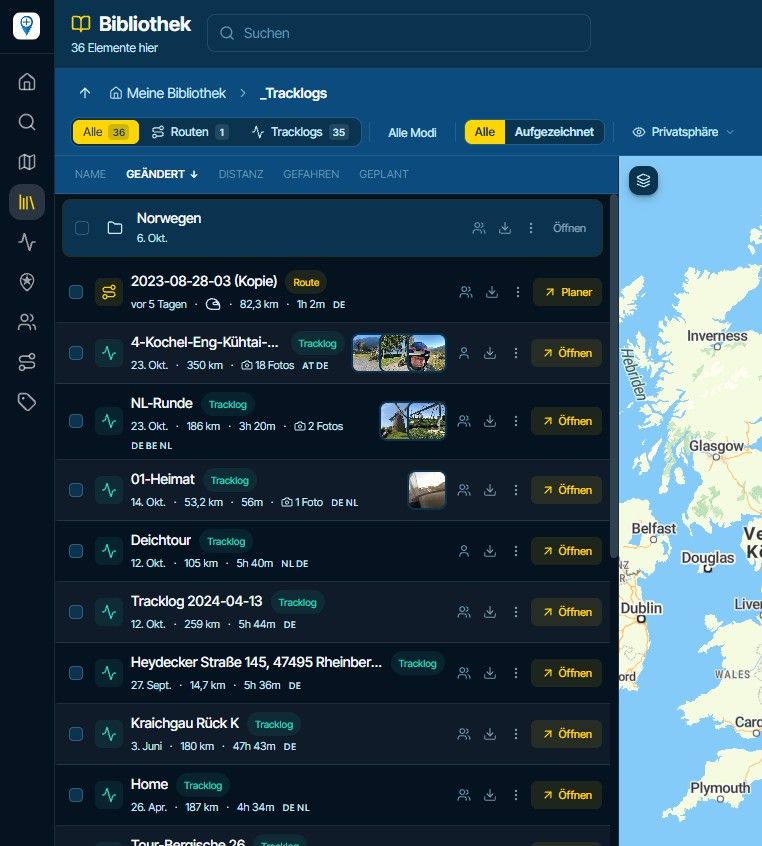
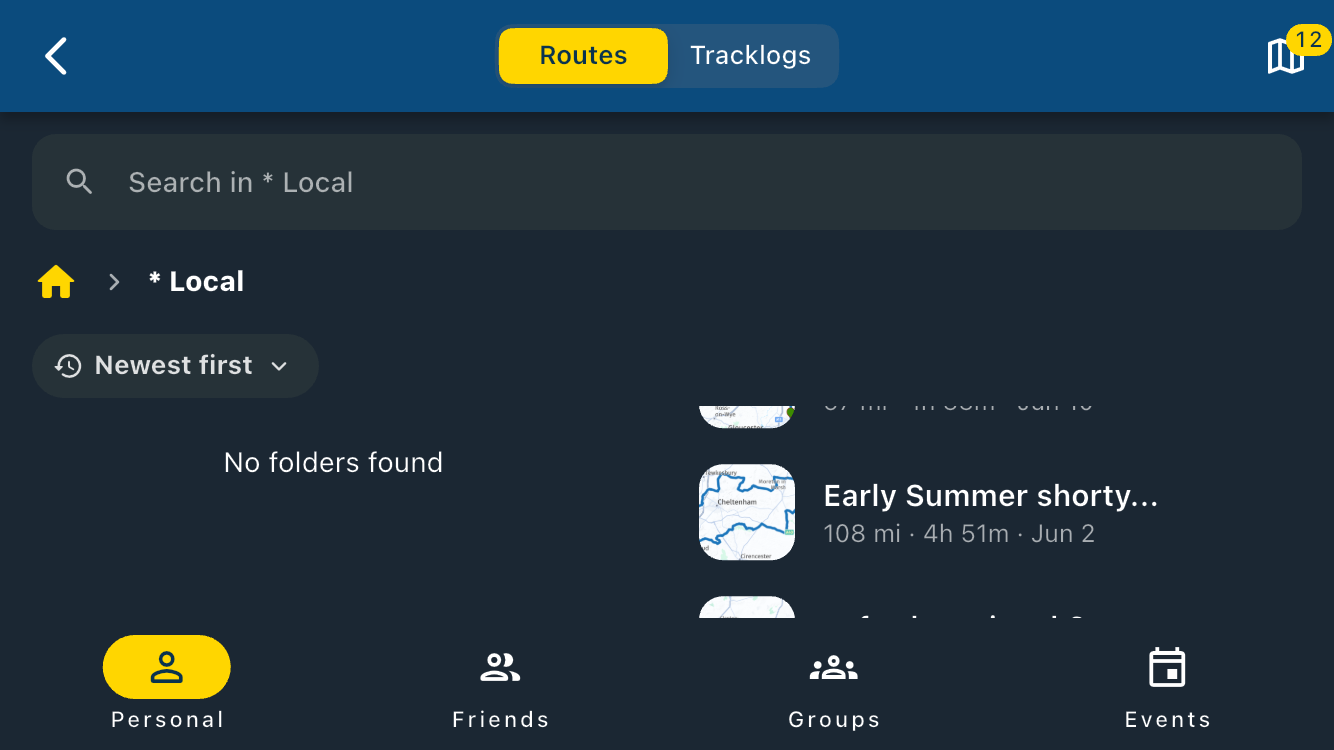
Anyone tried Ridernav R7M with MRA via AA yet?
-
When you compare better devices with lesser devices. You mostly notice the differences when you switch to the "lesser" device after using the better device for a while.

When you compare better devices with lesser devices. You mostly notice the differences when you switch to the "lesser" device after using the better device for a while.
Correct. And sometimes 'less is more'.
I've got all I need now.
-

I tried my friend's Ridernav R7M with MRA NAV on my phone just before ordering the R7M. Well..... the Navigation screen does not look like it does on my phone, missing the 3 dots menu and is somewhat rearranged.
I was disappointed and decided not to order.
Besides, the actual screen on the R7M is just barely, and I mean BARELY larger than the screen on my Samsung S15 Ultra. There is a lot of dead space around the screen on the R7M. So, all together it was a deal braker for me.Positive emotions are worth every penny ;)
-
I tried my friend's Ridernav R7M with MRA NAV on my phone just before ordering the R7M. Well..... the Navigation screen does not look like it does on my phone, missing the 3 dots menu and is somewhat rearranged.
I was disappointed and decided not to order.
Besides, the actual screen on the R7M is just barely, and I mean BARELY larger than the screen on my Samsung S15 Ultra. There is a lot of dead space around the screen on the R7M. So, all together it was a deal braker for me.
@Lenny-O Hi Lenny,
That is not due to the Ridernav R7M: What you see on the screen of the Ridernav R7M (and all other similar devices) is determined by the app you are using.
So not by the Ridernav R7M itself, because it only shows what it is being powered by.
This has to do with the way app developers have implemented Android Auto / Carplay, as well as the limitations imposed on them by Apple and Google...
And yes, it looks different and you are missing a lot. You could try other apps and see which one you like best in combination with a display. (For example, I am very happy with Kurviger for turn-by-turn navigation, and Sygic, Google and Waze for A to B navigation. (But that's up to you to decide
 )
)Regarding the size, I can only say 7 inches is 7 inches... and that is substantially larger than my mobile phone and, moreover, much more visible in sunlight.
If you want something even larger than 7 inches, keep in mind that it might limit your view of your motorcycle display.
And yes, the housing is larger than the display itself, but that is the case with all models and brands, so you will have to accept that if you want to do anything with it
By the way, there is only one device on the market that, according to reviewers, scores better with its specs, but it is 2.5 to 3 times as expensive as the Ridernav R7M. I tested that one too, and it works the same way.
In the meantime, I have driven 3,000 km with the Ridernav R7M and am very satisfied. I tested various other brands and models in combination with multiple navigation apps, but I found them all to be worse to bad.
(tip: The Ridernav R7M is always available for purchase with a 20 or 25% discount using a discount code)
-
Well, I ordered the RiderNav R7M for my BMW R1300GSA and will use it with MRA for a trip to Noordkaap this June - I assume everything will work fine and I will let you know my experiences afterwards.
-
Well, I ordered the RiderNav R7M for my BMW R1300GSA and will use it with MRA for a trip to Noordkaap this June - I assume everything will work fine and I will let you know my experiences afterwards.
Well, I ordered the RiderNav R7M for my BMW R1300GSA and will use it with MRA for a trip to Noordkaap this June - I assume everything will work fine and I will let you know my experiences afterwards.
Do you have an update, please ?
-
@Ed-Lauwerens-0 Bring an alternative navigation system. There are quite a few reports of problems with the R7M...
@b0hd1 said:
@Ed-Lauwerens-0 Bring an alternative navigation system. There are quite a few reports of problems with the R7M...
I do not consider your criticism of the Ridernav R7M to be representative of the bigger picture. Contrary to what you claim, and based on my 3000km of experience, I actually see a very different picture. There are also many solid, comprehensive, and positive Ridernav R7M reviews. (for anyone: go take a look for yourself
) -
@Lenny-O Hi Lenny,
That is not due to the Ridernav R7M: What you see on the screen of the Ridernav R7M (and all other similar devices) is determined by the app you are using.
So not by the Ridernav R7M itself, because it only shows what it is being powered by.
This has to do with the way app developers have implemented Android Auto / Carplay, as well as the limitations imposed on them by Apple and Google...
And yes, it looks different and you are missing a lot. You could try other apps and see which one you like best in combination with a display. (For example, I am very happy with Kurviger for turn-by-turn navigation, and Sygic, Google and Waze for A to B navigation. (But that's up to you to decide
)Regarding the size, I can only say 7 inches is 7 inches... and that is substantially larger than my mobile phone and, moreover, much more visible in sunlight.
If you want something even larger than 7 inches, keep in mind that it might limit your view of your motorcycle display.
And yes, the housing is larger than the display itself, but that is the case with all models and brands, so you will have to accept that if you want to do anything with it
By the way, there is only one device on the market that, according to reviewers, scores better with its specs, but it is 2.5 to 3 times as expensive as the Ridernav R7M. I tested that one too, and it works the same way.
In the meantime, I have driven 3,000 km with the Ridernav R7M and am very satisfied. I tested various other brands and models in combination with multiple navigation apps, but I found them all to be worse to bad.
(tip: The Ridernav R7M is always available for purchase with a 20 or 25% discount using a discount code)
@PieterG Hi, Pieter!
Thank you for chiming in with your comments, I appreciate it.
My goal was to have a larger screen than my Zumo XT and my phone in a carplay unit that would operate the MRA Navigation App just like I see it on my phone. (Maybe that part is unrealistic)
So, for me R7M failed on screen size and the MRA NAV operation, thus rendering getting one pointless.
Oh, well.... The search continuesPositive emotions are worth every penny ;)
-
@PieterG Hi, Pieter!
Thank you for chiming in with your comments, I appreciate it.
My goal was to have a larger screen than my Zumo XT and my phone in a carplay unit that would operate the MRA Navigation App just like I see it on my phone. (Maybe that part is unrealistic)
So, for me R7M failed on screen size and the MRA NAV operation, thus rendering getting one pointless.
Oh, well.... The search continues
@Lenny-O You're welcome ;-).
Please keep in mind that no matter what type of Smart Display you buy, you always have to deal with the following architecture:
Smartphone Hardware
↓
Operating System
Android / iOS
↓
Application
Google Maps, MRA, Kurviger, Sygic, Waze, etc.
↓
Projection Platform
Android Auto / Apple CarPlay >> This is where it is determined what you see on the screen and how it is displayed.
↓
Communication Layer
Wi-Fi & Bluetooth
↓
Smart Display Hardware
Ridernav R7M, Chigee AIO-5/6, Carpuride, Aoocci, etc.
↓
Smart Display Firmware / Operating System
↓
Human-Machine Interface (HMI) >> There may also be differences here in the way the information is presented.
Display, touchscreenSo, all models display the same app interface on the screen, because it is determined by the Android Auto / Apple CarPlay layer.
If you're looking for a Smart Display (not a tablet or iPad) larger than 7 inches, the choice is very limited: I don't know of any good examples.
-
@Lenny-O You're welcome ;-).
Please keep in mind that no matter what type of Smart Display you buy, you always have to deal with the following architecture:
Smartphone Hardware
↓
Operating System
Android / iOS
↓
Application
Google Maps, MRA, Kurviger, Sygic, Waze, etc.
↓
Projection Platform
Android Auto / Apple CarPlay >> This is where it is determined what you see on the screen and how it is displayed.
↓
Communication Layer
Wi-Fi & Bluetooth
↓
Smart Display Hardware
Ridernav R7M, Chigee AIO-5/6, Carpuride, Aoocci, etc.
↓
Smart Display Firmware / Operating System
↓
Human-Machine Interface (HMI) >> There may also be differences here in the way the information is presented.
Display, touchscreenSo, all models display the same app interface on the screen, because it is determined by the Android Auto / Apple CarPlay layer.
If you're looking for a Smart Display (not a tablet or iPad) larger than 7 inches, the choice is very limited: I don't know of any good examples.
@PieterG Thank you for this, as the carplay area is totally new to me. I use Garmin for years, but now want to run the MRA Nav, because I di believe that it it the best and has grteat future to get even better!
So may I ask you ( or anyone else) to tell me the 2 top carplay options to run MRA NAV (as in the best / closest screen layout with the least screen functionality lost, while having a bright and readable screen, and work with the Wonder Wheel) in 2 scenarious:
-
Cost is no factor:
A?
B? -
Staying on the reasonable budget (sort of like R7M).
A?
B?
Thank you!
-
-

All Carplay and Android Auto device are sort of the same. The limitations on the devices does not come from the brands but they come from Apple and Google.
There are lot of brands, screen sizes, screen ratios and resolutions.Take a look at the specs of popular brands like Chigee and Carpuride. These specs simply work. Every other brand which has more or less the same spec, should behave the same.
Max screen brightness is one of the big differences between the devices. Which results in different prices. Because the screen is one of the major parts of a device. -
@PieterG Thank you for this, as the carplay area is totally new to me. I use Garmin for years, but now want to run the MRA Nav, because I di believe that it it the best and has grteat future to get even better!
So may I ask you ( or anyone else) to tell me the 2 top carplay options to run MRA NAV (as in the best / closest screen layout with the least screen functionality lost, while having a bright and readable screen, and work with the Wonder Wheel) in 2 scenarious:
-
Cost is no factor:
A?
B? -
Staying on the reasonable budget (sort of like R7M).
A?
B?
Thank you!
@Lenny-O
I used to use TomTom Rider long time ago and after that a BMW Navigator IV(=Garmin-ish) for many years. But the BMW Nav's all get the same 'ghosting' problem after a few years and they become unusable.
(Repair costs 150 Euro every time) This is why I started my search for a follow-up solution and I ran into the same things as you are nowI started testing all kinds of models and brands of Smart Displays with MRA, Google Maps, Sygic, Waze, Calimoto, Stegra .io and Kurviger using both Android Auto and Apple Carplay on several Android phones and iPhones.
My opinion: all AA and AC implementations are still premature today (missing functions, etc.) and most nav apps are ok, but I'm the most unhappy with MRA app due to crashes (6-8 times a day, complexity and a very high risk of incorrect settings or operation due to the unintuitive GUI and too many (unclear or fatal) options. (The MRA app should have a “Simple Mode” button to put it into ' Kurviger mode' to make it rock solid usable!
).
Also, most important, with MRA you can NOT ride seamlessly through mountainous areas without an internet connection! (If you turn of data on your phone, MRA will not be able to do what you need..)If the aviation industry used software like this, all the planes would fall out of the sky!
But hey, this is just my opinion after 3,000 km of testing the MRA app....The MRA route planner website is very good though, once you get used to it.
After all of this, I’m happiest with Kurviger: simple, stable, everything you need right at your fingertips without having to search for it. The only thing you should always do when riding a turn-by-turn route, in my opinion, is turn off automatic recalculation. Do that, and it works rock-solid like a charm!
And with Kurviger you can ride seamlessly through mountainous areas when the Internet connection fails!I use Kurviger app with both Android Auto and CarPlay. With CarPlay, the buttons are positioned on the left side of the Smart Screen, while with Android Auto they are at the bottom, which unfortunately wastes valuable screen space. So I prefer Carplay but Android Auto is also fine.
There is no way at all you can get an exact copy of any of the phone app-views on a smart display. The AA/AC layer is simply preventing that. (for all apps)
Options with Wonderwheel support:
1.A Chigee aio 6
1.B Chigee aio 5
2.A Ridernav R7M.
2.B. ...... none
2.C to Z. See Youtube and look for channel 'Smart Riding Gadgets' for all kind of tests (keep in mind that you are only interested in the models with Wonderwheel support) -
-
@Lenny-O
I used to use TomTom Rider long time ago and after that a BMW Navigator IV(=Garmin-ish) for many years. But the BMW Nav's all get the same 'ghosting' problem after a few years and they become unusable.
(Repair costs 150 Euro every time) This is why I started my search for a follow-up solution and I ran into the same things as you are nowI started testing all kinds of models and brands of Smart Displays with MRA, Google Maps, Sygic, Waze, Calimoto, Stegra .io and Kurviger using both Android Auto and Apple Carplay on several Android phones and iPhones.
My opinion: all AA and AC implementations are still premature today (missing functions, etc.) and most nav apps are ok, but I'm the most unhappy with MRA app due to crashes (6-8 times a day, complexity and a very high risk of incorrect settings or operation due to the unintuitive GUI and too many (unclear or fatal) options. (The MRA app should have a “Simple Mode” button to put it into ' Kurviger mode' to make it rock solid usable!
).
Also, most important, with MRA you can NOT ride seamlessly through mountainous areas without an internet connection! (If you turn of data on your phone, MRA will not be able to do what you need..)If the aviation industry used software like this, all the planes would fall out of the sky!
But hey, this is just my opinion after 3,000 km of testing the MRA app....The MRA route planner website is very good though, once you get used to it.
After all of this, I’m happiest with Kurviger: simple, stable, everything you need right at your fingertips without having to search for it. The only thing you should always do when riding a turn-by-turn route, in my opinion, is turn off automatic recalculation. Do that, and it works rock-solid like a charm!
And with Kurviger you can ride seamlessly through mountainous areas when the Internet connection fails!I use Kurviger app with both Android Auto and CarPlay. With CarPlay, the buttons are positioned on the left side of the Smart Screen, while with Android Auto they are at the bottom, which unfortunately wastes valuable screen space. So I prefer Carplay but Android Auto is also fine.
There is no way at all you can get an exact copy of any of the phone app-views on a smart display. The AA/AC layer is simply preventing that. (for all apps)
Options with Wonderwheel support:
1.A Chigee aio 6
1.B Chigee aio 5
2.A Ridernav R7M.
2.B. ...... none
2.C to Z. See Youtube and look for channel 'Smart Riding Gadgets' for all kind of tests (keep in mind that you are only interested in the models with Wonderwheel support)
@PieterG Thanks again, Pieter!
My set up today is MRA Planner, MRA Nav App route xfer to Zumo XT via Garmin Drive.
I have been running the MRA NAV in parallel to the Zumo XT for about 2000 miles now.
I must say that MRA NAV performed quite admirably and 95% of discrepancies were caused by the user error (me) or misunderstanding / lack of in depth understanding of the features and settings.
So, I am quite comfortable and confident with the MRA NAV and that's why I just wanted to get a larger and brighter unit.
As far as navigating with MRA when the Internet is not available - this is no issue at all, really!
As of today, as long as your routes are Synchronized - they are available for off-line navigation, provided you have downloaded the maps you need to run the routes.
You don't even need the Internet to kick-off the route, like it was before in the prior releases, just be Synched.
I love the new features of running a route as a track for one, it's amazing!
So, I am a big fan and supporter of MRA and really love the fact that it is a living-thing, developing and evolving unlike others that are stagnant or deprecated by now....I think I will stick to my current setup for now and see what developes in the near future
Thank you for your thoughts!!! -
@PieterG Thank you for this, as the carplay area is totally new to me. I use Garmin for years, but now want to run the MRA Nav, because I di believe that it it the best and has grteat future to get even better!
So may I ask you ( or anyone else) to tell me the 2 top carplay options to run MRA NAV (as in the best / closest screen layout with the least screen functionality lost, while having a bright and readable screen, and work with the Wonder Wheel) in 2 scenarious:
-
Cost is no factor:
A?
B? -
Staying on the reasonable budget (sort of like R7M).
A?
B?
Thank you!

@Lenny-O All the pros and cons of AA and CP have now been set out here in sufficient detail.
Perhaps you should broaden your horizons a little in your search for a new device and find out whether a 7-inch tablet might be the better choice.
It offers the screen view you’re used to, with none of the limitations of AA or CP; it offers unbeatable brightness and can be operated using various controllers.
Yes, all that does, of course, cost a bit more than a device that simply reflects, but it leaves nothing to be desired
DMD-NOR7E GPS Navigation Tablet powered by Android https://share.google/iNnI6e1M6ppbT5yiC
Motorcycle GPS Navigation Kit | Caretta | 7" Adventure GPS https://share.google/GQvgCAMUf2BTj81Y0
I’ve had the NOR7E for two weeks now, and I’m wondering why I didn’t go down this route sooner.
-
-
Did you consider the Caretta? Just a neutral question.
Want to use the Caretta for the next bike but it look the Nor7E is also very intresting. Both has gone their own way which causes differences.(I use MRA Next only on Android Auto. Every comment, suggestion, etc will be based on my usage with Android Auto)
-
Did you consider the Caretta? Just a neutral question.
Want to use the Caretta for the next bike but it look the Nor7E is also very intresting. Both has gone their own way which causes differences.
@M.-Schrijver Yes, of course… a friend of mine has one…
He opted for the Caretta because he wants to be able to zoom with the Wonderwheel.I, on the other hand, already have the Silverfox C1, so I went for the NOR7E.
The Caretta is much bulkier and the mount is quite heavy-duty.
And the NOR7E comes with a full licence for the DMD software – that was another reason I chose it.
I wouldn’t be without it now

 ️
️ -
@PieterG Thanks again, Pieter!
My set up today is MRA Planner, MRA Nav App route xfer to Zumo XT via Garmin Drive.
I have been running the MRA NAV in parallel to the Zumo XT for about 2000 miles now.
I must say that MRA NAV performed quite admirably and 95% of discrepancies were caused by the user error (me) or misunderstanding / lack of in depth understanding of the features and settings.
So, I am quite comfortable and confident with the MRA NAV and that's why I just wanted to get a larger and brighter unit.
As far as navigating with MRA when the Internet is not available - this is no issue at all, really!
As of today, as long as your routes are Synchronized - they are available for off-line navigation, provided you have downloaded the maps you need to run the routes.
You don't even need the Internet to kick-off the route, like it was before in the prior releases, just be Synched.
I love the new features of running a route as a track for one, it's amazing!
So, I am a big fan and supporter of MRA and really love the fact that it is a living-thing, developing and evolving unlike others that are stagnant or deprecated by now....I think I will stick to my current setup for now and see what developes in the near future
Thank you for your thoughts!!!
@Lenny-O said:
@PieterG Thanks again, Pieter!
My set up today is MRA Planner, MRA Nav App route xfer to Zumo XT via Garmin Drive.
I have been running the MRA NAV in parallel to the Zumo XT for about 2000 miles now.
I must say that MRA NAV performed quite admirably and 95% of discrepancies were caused by the user error (me) or misunderstanding / lack of in depth understanding of the features and settings.
So, I am quite comfortable and confident with the MRA NAV and that's why I just wanted to get a larger and brighter unit.
As far as navigating with MRA when the Internet is not available - this is no issue at all, really!
As of today, as long as your routes are Synchronized - they are available for off-line navigation, provided you have downloaded the maps you need to run the routes.
You don't even need the Internet to kick-off the route, like it was before in the prior releases, just be Synched.
I love the new features of running a route as a track for one, it's amazing!
So, I am a big fan and supporter of MRA and really love the fact that it is a living-thing, developing and evolving unlike others that are stagnant or deprecated by now....I think I will stick to my current setup for now and see what developes in the near future
Thank you for your thoughts!!!Hi Lenny,
I think MRA will work excellently on a tablet. (then you won't be bothered by all the AA/AC limitations and freezes)
Regarding navigation without an internet connection: I have tested this extensively. Naturally, with the latest updates, maps downloaded, MRA in offline mode, phone equipped with the latest firmware, etc. etc., and the data connection on my phone, and thus the Internet, was also disabled.
I can assure you that I received notifications many times from the MRA app itself (!) that it could not reach the server, as well as other error messages indicating that the connection was missing. The most annoying part: navigation did not work until I reactivated the data/Internet connection.
I was able to reproduce this problem multiple times, after first rebooting all equipment, so it was a thorough test.
This is what happened to me for days on end. God only knows what caused it...
(for the record: I haven't experienced these problems with other apps, so hardware and/or configuration errors can be excluded)Additionally, if you are in an MRA group and a shared route has been created within that group and you need to reload that route (like what happened to me when the MRA app crashed in conjunction with AA/AC for the umpteenth time), then MRA obviously doesn't see the group without an internet connection, with the result that you don't see the group routes either.
So if you are riding in the mountains and have no connection, it's game over for your ride. You therefore have to download those group routes in advance. That is possible, but it takes some searching to figure out how to do it and where the file is located. (but then again, you do run the risk, for example during a multi-day trip, of not having the latest version on your phone if the group administrator has made a last-minute change to the route...)Good luck finding a suitable solution for yourself!
-
@Lenny-O said:
@PieterG Thanks again, Pieter!
My set up today is MRA Planner, MRA Nav App route xfer to Zumo XT via Garmin Drive.
I have been running the MRA NAV in parallel to the Zumo XT for about 2000 miles now.
I must say that MRA NAV performed quite admirably and 95% of discrepancies were caused by the user error (me) or misunderstanding / lack of in depth understanding of the features and settings.
So, I am quite comfortable and confident with the MRA NAV and that's why I just wanted to get a larger and brighter unit.
As far as navigating with MRA when the Internet is not available - this is no issue at all, really!
As of today, as long as your routes are Synchronized - they are available for off-line navigation, provided you have downloaded the maps you need to run the routes.
You don't even need the Internet to kick-off the route, like it was before in the prior releases, just be Synched.
I love the new features of running a route as a track for one, it's amazing!
So, I am a big fan and supporter of MRA and really love the fact that it is a living-thing, developing and evolving unlike others that are stagnant or deprecated by now....I think I will stick to my current setup for now and see what developes in the near future
Thank you for your thoughts!!!Hi Lenny,
I think MRA will work excellently on a tablet. (then you won't be bothered by all the AA/AC limitations and freezes)
Regarding navigation without an internet connection: I have tested this extensively. Naturally, with the latest updates, maps downloaded, MRA in offline mode, phone equipped with the latest firmware, etc. etc., and the data connection on my phone, and thus the Internet, was also disabled.
I can assure you that I received notifications many times from the MRA app itself (!) that it could not reach the server, as well as other error messages indicating that the connection was missing. The most annoying part: navigation did not work until I reactivated the data/Internet connection.
I was able to reproduce this problem multiple times, after first rebooting all equipment, so it was a thorough test.
This is what happened to me for days on end. God only knows what caused it...
(for the record: I haven't experienced these problems with other apps, so hardware and/or configuration errors can be excluded)Additionally, if you are in an MRA group and a shared route has been created within that group and you need to reload that route (like what happened to me when the MRA app crashed in conjunction with AA/AC for the umpteenth time), then MRA obviously doesn't see the group without an internet connection, with the result that you don't see the group routes either.
So if you are riding in the mountains and have no connection, it's game over for your ride. You therefore have to download those group routes in advance. That is possible, but it takes some searching to figure out how to do it and where the file is located. (but then again, you do run the risk, for example during a multi-day trip, of not having the latest version on your phone if the group administrator has made a last-minute change to the route...)Good luck finding a suitable solution for yourself!
God only knows what caused it...
(for the record: I haven't experienced these problems with other apps, so hardware and/or configuration errors can be excluded)I'm sorry you've encountered these problems......
But God has nothing to do with it.... The problem stems from a lack of user knowledge and, as a result, incorrect usage.
Offline navigation works perfectly, just as Lenny described.
The fact that you haven't had any problems with other apps doesn't mean MRA is to blame if you've encountered issues.
Every app has its own quirks and settings, but if those aren’t set correctly or if mistakes were made while using the app, you shouldn’t blame the app itself.Please don’t get me wrong… even with MRA, not everything is perfect, but your description shows me that user errors were definitely made.
-
Every app has indeed their own quirks. But to my opnion. MRA must be used in a smaller bandwith to get to work correct. There is less room for user errors for the app to handle.
Other apps can handle user error better without giving problems. -
God only knows what caused it...
(for the record: I haven't experienced these problems with other apps, so hardware and/or configuration errors can be excluded)I'm sorry you've encountered these problems......
But God has nothing to do with it.... The problem stems from a lack of user knowledge and, as a result, incorrect usage.
Offline navigation works perfectly, just as Lenny described.
The fact that you haven't had any problems with other apps doesn't mean MRA is to blame if you've encountered issues.
Every app has its own quirks and settings, but if those aren’t set correctly or if mistakes were made while using the app, you shouldn’t blame the app itself.Please don’t get me wrong… even with MRA, not everything is perfect, but your description shows me that user errors were definitely made.
God only knows what caused it...
(for the record: I haven't experienced these problems with other apps, so hardware and/or configuration errors can be excluded)I'm sorry you've encountered these problems......
But God has nothing to do with it.... The problem stems from a lack of user knowledge and, as a result, incorrect usage.
Offline navigation works perfectly, just as Lenny described.
The fact that you haven't had any problems with other apps doesn't mean MRA is to blame if you've encountered issues.
Every app has its own quirks and settings, but if those aren’t set correctly or if mistakes were made while using the app, you shouldn’t blame the app itself.Please don’t get me wrong… even with MRA, not everything is perfect, but your description shows me that user errors were definitely made.
Hi Peter,
I believe I only described my experiences, right?
Somewhere earlier I also wrote that I think MRA should have a 'simple mode' button (or 'Kurviger mode' ) for impatient suckers like me. So that the chance of user errors fatal to your route is reduced to a rock-solid app. You don't have to agree with me, no problem. But this is my conviction.And regarding the question of whether or not God has anything to do with this: that just depends on what you believe, doesn't it? If it wasn't God, then is must be the devil
-

OK, I promised feedback on using the RiderNav R7M on a 8.500 km trip to Noordkaap last June 2026. I drive a BMW R1300GSA and use the R7M with Apple CarPlay. My iPhone, on which I run the MRA app, is in my top case, connected to USB power.
Overall, I am very pleased with the R7M. The screen is very clear and big, it has a touch screen function which is very convenient and works much faster than using the WonderWheel.
First, I had stuff to learn about the MRA app. I found that on remote places, the MRA screen would go blanc (buttons were there, no map however). I learned that I had to download the maps of the countries where I rode and put the app on off-line, than all went well from there on. The R7M experience. First of all, there was always good CarPlay connection - just start the bike and after a jew seconds, the MRA screen would pop up. Switching to Apple Music for starting music en switching back to MRA, just by touching the screen, perfect. During 4 weeks of riding, it happened 3 times that while riding, the R7M just restarted. Screen goes black and starts up again. You don't have to do anything, it comes back on immediately itself. Not a real issue, but I mention it anyway. What happened more often, is that the connection with the WonderWheel stopped. Restarting does reconnect the connection, but not nice. It happened once every 2 days of riding. In the end it was no issue for me, because using the Wonderwheel to navigate the buttons in CarPlay is a hassle. I found out that using the touch screen is soooo much easier, I never uses the Wonderwheel anyway. So, overall I am very happy and do recommend the R7M/Carplay/MRA combination to all BMW drives. A great screen for a very competitive price in my opinion.
Hello! It looks like you're interested in this conversation, but you don't have an account yet.
Getting fed up of having to scroll through the same posts each visit? When you register for an account, you'll always come back to exactly where you were before, and choose to be notified of new replies (either via email, or push notification). You'll also be able to save bookmarks and upvote posts to show your appreciation to other community members.
With your input, this post could be even better 💗
Register Login


-
 1565
1565
-
 0529
0529
-
18199
-
 138470
-
0324
-
0264
-
03164
-
 713171