Reverse route
-

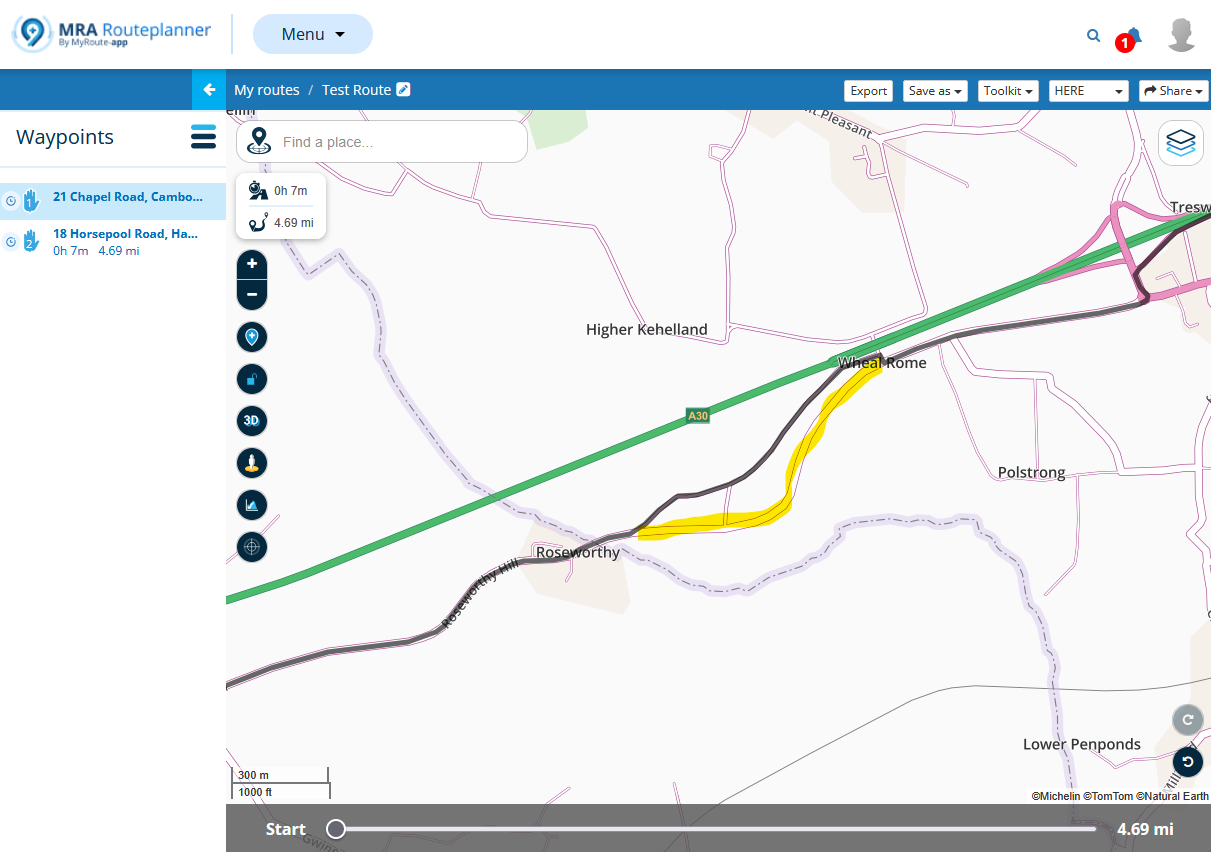
Reverse route is not really useable. Every time ive tried to use it the app gets dementia! For starters, it does not have the intelligence to switch directional lanes. So it ends up looping around every error. But here’s the worst part. I make a copy of the route, save it, ask for reverse route. Wherever there is a lane direction error I move the waypoint to the correct side of the highway. I save every time I make a change. Close the app and reopen, the changes are not saved. Ok, try again, this time they seem to be saved. Then on the highway the app starts right in instructing me do as much wrong as possible!
The only way to prevent this is to start a new route from scratch. On long routes this is very tiresome. -

Hi @Fred-Gilbert
It’s always a good idea to review your route, whether it’s reversed or not. Make sure the route points are neatly aligned with the HERE map line (for Gold members). Also keep in mind the guidelines that help you create a smooth and reliable route. This way you’ll avoid surprises along the way and enjoy a relaxed ride. Maybe you can share your route so I can take a look at it.
Make it public and publish the link? Place it in a hidden folder if you don’t want all your friends to see this route! -

I am not familiar with this problem. I often use the option to reverse the route. And yes, I often make a copy before doing this.
It is true that there may then be errors in the route on roads with multiple lanes. These must then be manually entered into the correct lane. This is especially true on motorways. But it is much faster than creating a new route.
MRA always saves. I don't know why this didn't happen for you, but I can see that all changes to a route are processed after I have closed and reopened a route! -
Reverse route is not really useable. Every time ive tried to use it the app gets dementia! For starters, it does not have the intelligence to switch directional lanes. So it ends up looping around every error. But here’s the worst part. I make a copy of the route, save it, ask for reverse route. Wherever there is a lane direction error I move the waypoint to the correct side of the highway. I save every time I make a change. Close the app and reopen, the changes are not saved. Ok, try again, this time they seem to be saved. Then on the highway the app starts right in instructing me do as much wrong as possible!
The only way to prevent this is to start a new route from scratch. On long routes this is very tiresome.
@Fred-Gilbert, You placed your topic in the APP section, does that mean that you were planning in the in-app planner? I think you would be doing yourself a favor to do these kinds of changes on the web-planner in the browser on a large screen. There you can set a transparency to the route line, which makes it easier to see loops. As far as I know there is no single other planner dat replaces waypoints when you change direction. Intelligence is to avoid placing waypoints on one-way lanes in the planning phase (yes, that is not always possible, I know). I know from experience that navigating a reversed route is really no problem, if correctly reviewed.
Hello! It looks like you're interested in this conversation, but you don't have an account yet.
Getting fed up of having to scroll through the same posts each visit? When you register for an account, you'll always come back to exactly where you were before, and choose to be notified of new replies (either via email, or push notification). You'll also be able to save bookmarks and upvote posts to show your appreciation to other community members.
With your input, this post could be even better 💗
Register Login-
 26116
26116
-
 0589
0589
-
04183
-
 0368
0368
-
4474
-
 0214
0214
-
2276
-
05177