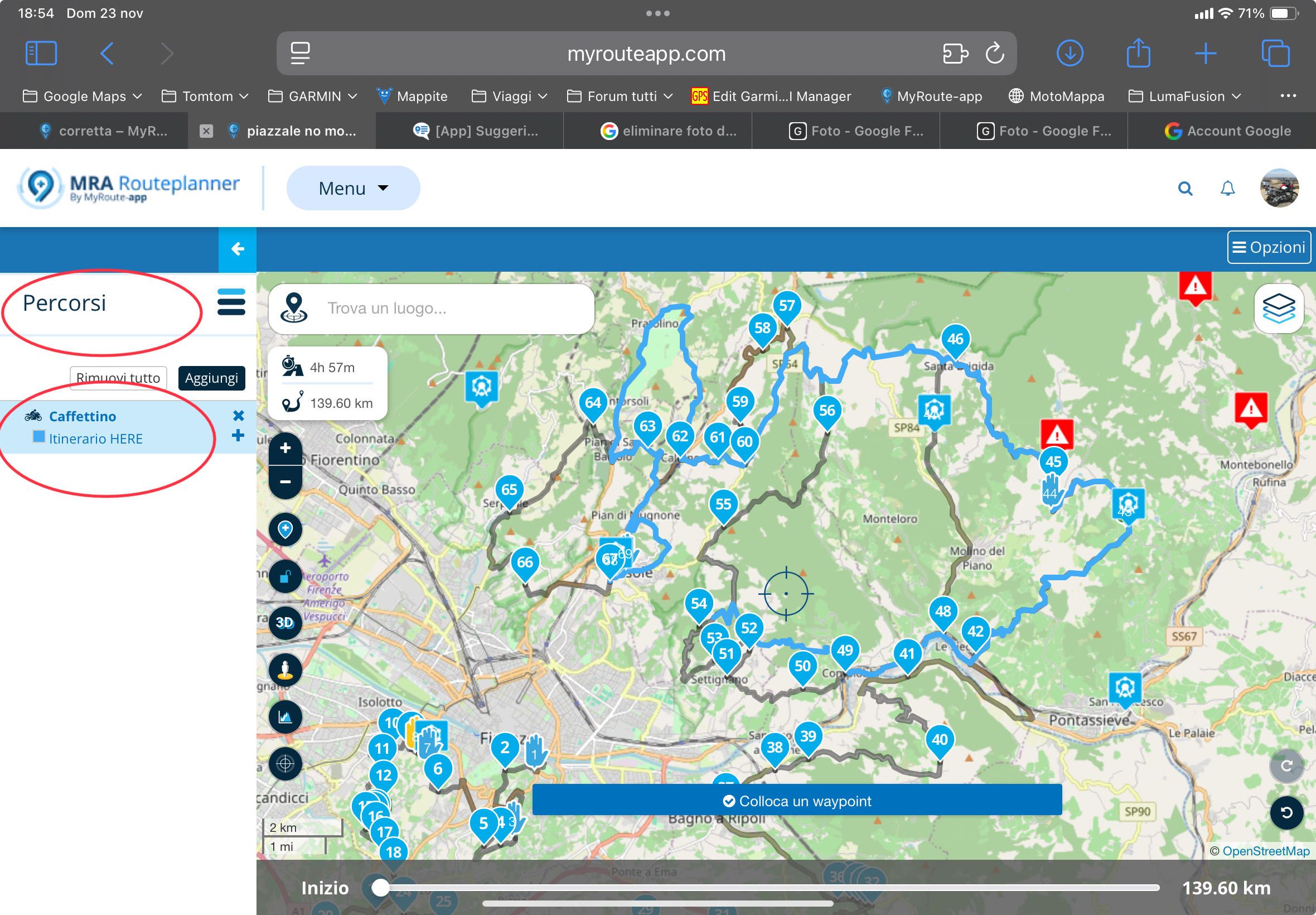
Vedi la SEZIONE PERCORSI sotto il percorso
-

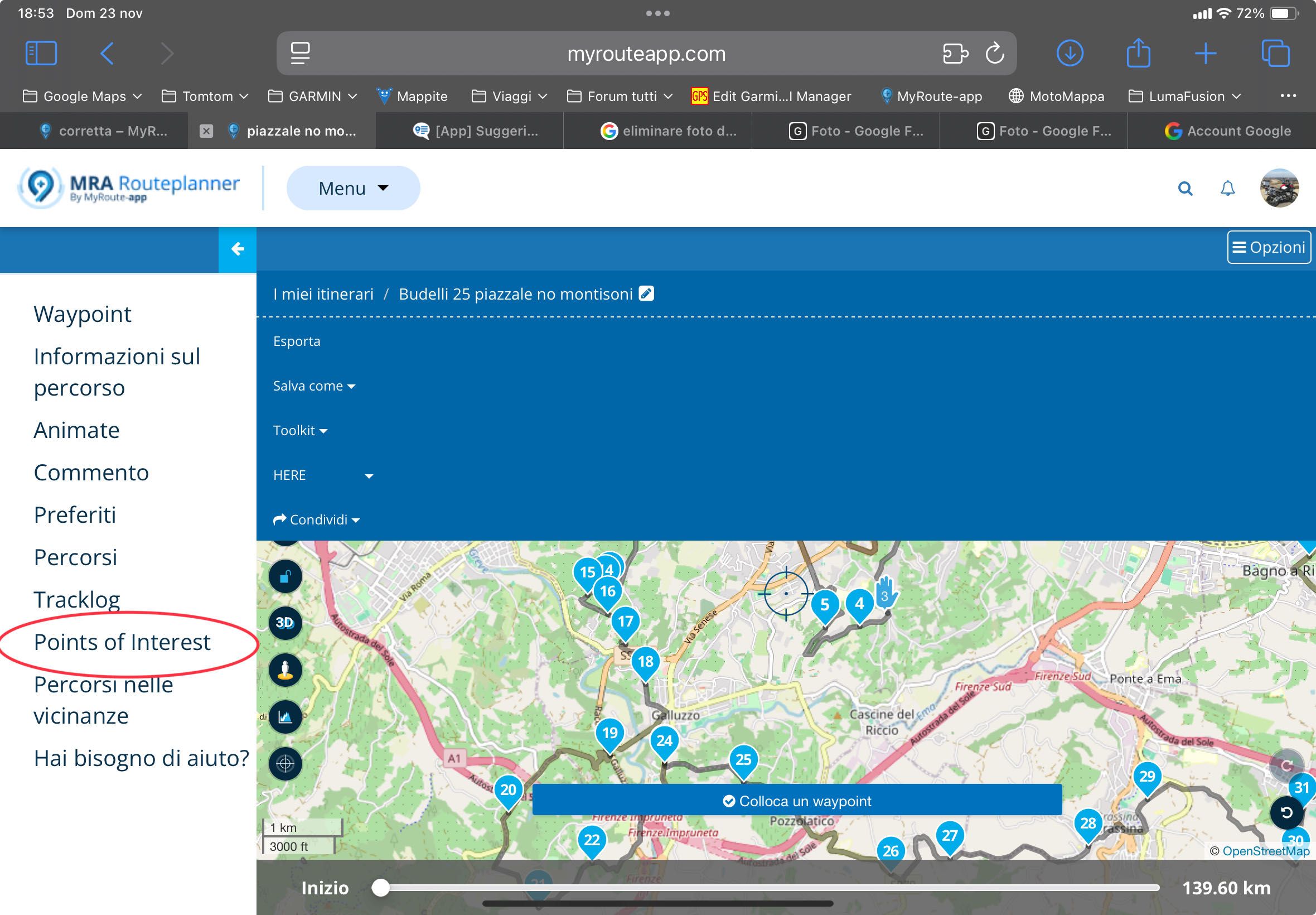
If in the planner you set the display of the personal library of points of interest,
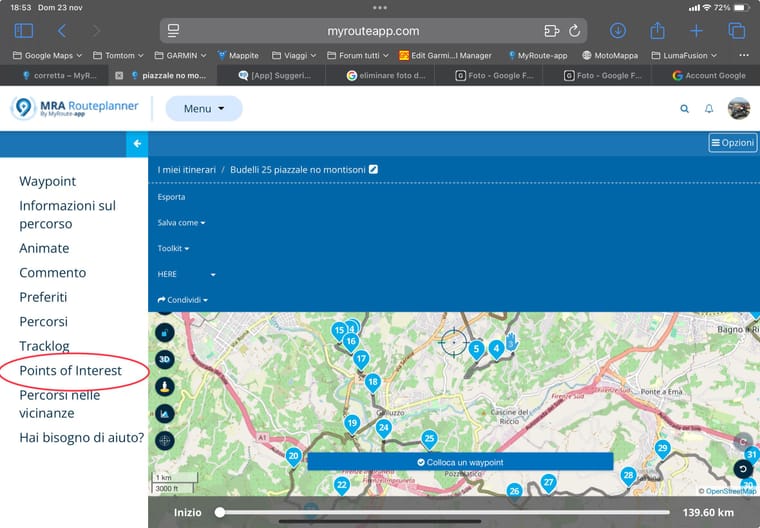 These can also be seen in the app during an itinerary that is being traveled, in the planner they can also be superimposed and routes, n
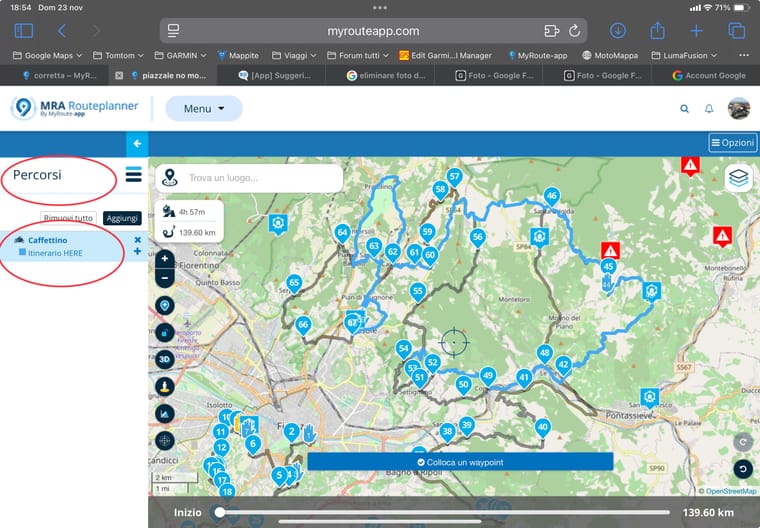 Could you make sure to display the routes section as you do with the library of points of interest? Sometimes I organize routes with a couple of versions with cuts and more, having the ROUTES sections below (as you do you can also do with garmi), you could see and decide whether to cut and where to cut... do you say that this can be possible?
 -
If in the planner you set the display of the personal library of points of interest,
These can also be seen in the app during an itinerary that is being traveled, in the planner they can also be superimposed and routes, n Could you make sure to display the routes section as you do with the library of points of interest? Sometimes I organize routes with a couple of versions with cuts and more, having the ROUTES sections below (as you do you can also do with garmi), you could see and decide whether to cut and where to cut... do you say that this can be possible?
@Aiello-antonino it is another nice idea & I use/add many routes to paths I am planning
I would certainly want the option to turn off the display of additional routes in the navigation app as I think it could get very confusing when navigation & seeing multiple paths crossing, several paths which are just alternatives that I may or may not usecurrently I place a coloured waypoint a little ahead of any junction to any alternative route I have planned with a description either in the waypoint name or notes telling me what the option is & the name of the alternative route
I then switch between the routes to see if the alternative is a better optionI have to say I have been very impressed with how MRA copes with actually switching back & forth between routes while on the move, it pretty much seamlessly recalculates the new route & gives me the time of arrival at the destination which is for me a very important number
-
I usually add a single route at a time, for example a variant that I may have created to cut, or the possibility of not knowing in person, but only through Google maps, for example, the possibility that there may be closed roads, or that maybe they have been reopened and Google still gives them as closed etc etc... and having the possibility of being able to decide only with a glance, but also being able to keep the gpx track under the itinerary so that if the wrong road I notice it immediately! Anyway yes, they are doing a great job! I used tomtom first and then garmin, but for a couple of months I use MRA for all my outings, and I feel really good, yesterday my friends were surprised to be able to modify a route on the fly and find it immediately in the navigation app...

Hello! It looks like you're interested in this conversation, but you don't have an account yet.
Getting fed up of having to scroll through the same posts each visit? When you register for an account, you'll always come back to exactly where you were before, and choose to be notified of new replies (either via email, or push notification). You'll also be able to save bookmarks and upvote posts to show your appreciation to other community members.
With your input, this post could be even better 💗
Register Login-
 089
089
-
 1512
1512
-
0614
-
 0524
0524
-
 0413
0413
-
0419
-
 2493
2493
-
 0522
0522