Skip to content
  • Categories
  • Recent
  • Popular
  • Support
  • MyRoute-app
Collapse
Brand Logo

MRA Community Forum

  1. Home
  2. General Discussion
  3. POI’s

POI’s

Scheduled Pinned Locked Moved General Discussion
2 Posts 2 Posters 563 Views 2 Watching
  • Oldest to Newest
  • Newest to Oldest
  • Most Votes
Reply
  • Reply as topic
Log in to reply
This topic has been deleted. Only users with topic management privileges can see it.
  • Dave 1uundefined Offline
    Dave 1uundefined Offline
    Dave 1u
    wrote on last edited by
    #1

    Apologies if this subject has been covered but I’m fairly new to MRA. If got my head round the creation of routes with via points and shaping points abs fortunately I have a Garmin Zumo XT which can handle the two different types of waypoints. What I’d like to be able to do is ADD a POI. I know that I can select a POI and utilise it as a waypoint and save it as a POI but if I’m aware of a good wild camping area for example, I’d like to add that as a POI to my route.....is this an option? If not can it be please?

    Stefan Hummelinkundefined 1 Reply Last reply
    0
    • Dave 1uundefined Dave 1u

      Apologies if this subject has been covered but I’m fairly new to MRA. If got my head round the creation of routes with via points and shaping points abs fortunately I have a Garmin Zumo XT which can handle the two different types of waypoints. What I’d like to be able to do is ADD a POI. I know that I can select a POI and utilise it as a waypoint and save it as a POI but if I’m aware of a good wild camping area for example, I’d like to add that as a POI to my route.....is this an option? If not can it be please?

      Stefan Hummelinkundefined Offline
      Stefan Hummelinkundefined Offline
      Stefan Hummelink
      Alpha tester
      wrote on last edited by Stefan Hummelink
      #2

      @Dave-1u You can add any point in the map as a POI inside the specific route. I say explicitly inside that route, because without further actions these POI's are not present in a new route unless you save these locations as favourites too or create a custom group of POI's through a external file.

      You can add an own POI by clicking the "Beheren=Manage" tab in the POI menu:
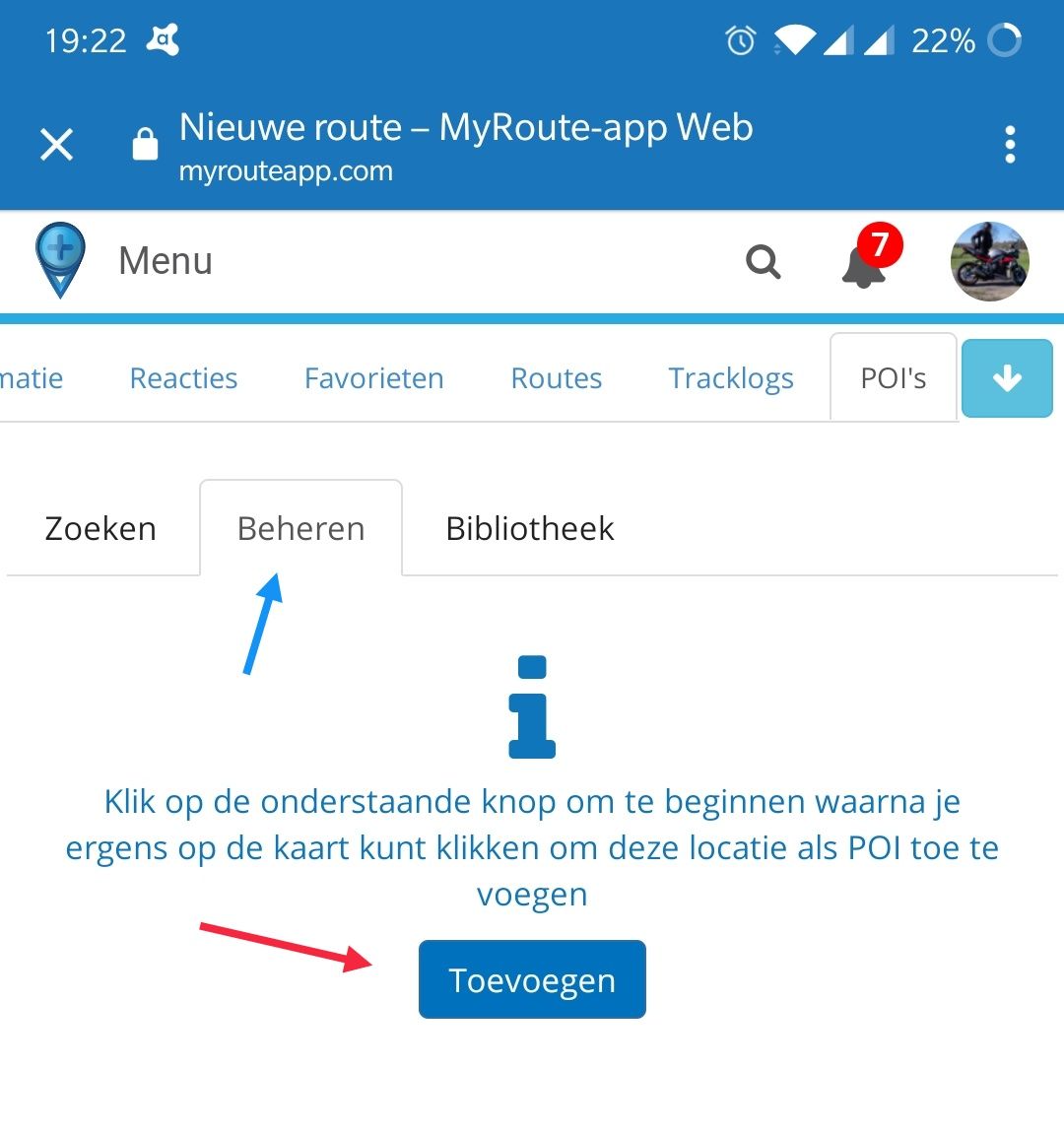
      Screenshot_20210108-192259.jpg
      After clicking the "Toevoegen=Add" button you can select any point on the map, click on "POI Plaatsen=Place POI" and a POI popup menu will ask for a custom name:
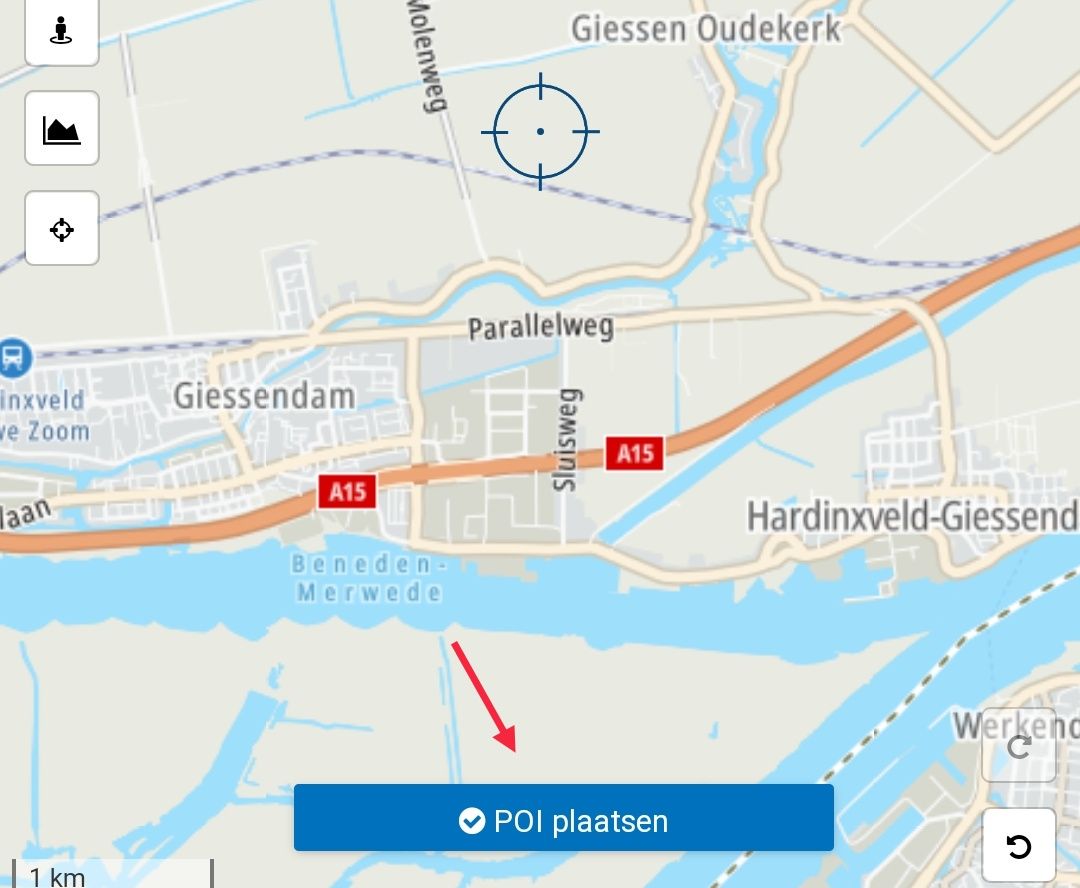
      Screenshot_20210108-192453.jpg

      Type custom name or simply use POI and click "Accepteren=Accept":
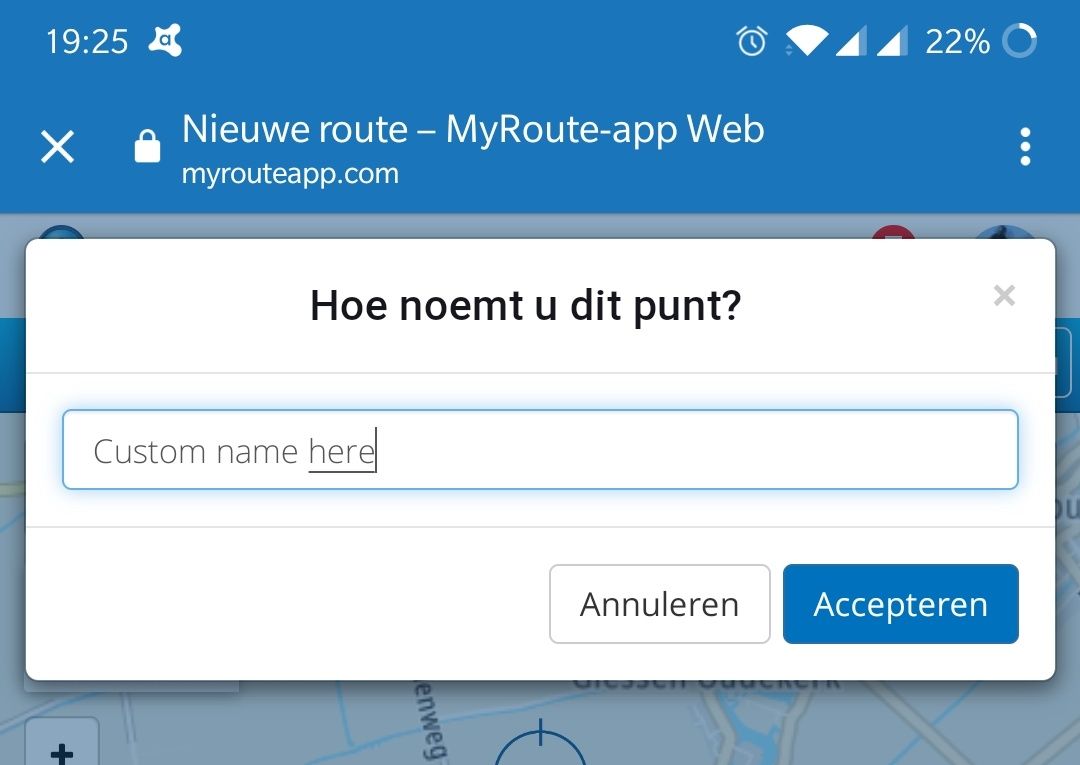
      Screenshot_20210108-192536.jpg

      Now the POI has been created. Unfortunately the icon itself cannot be changed.
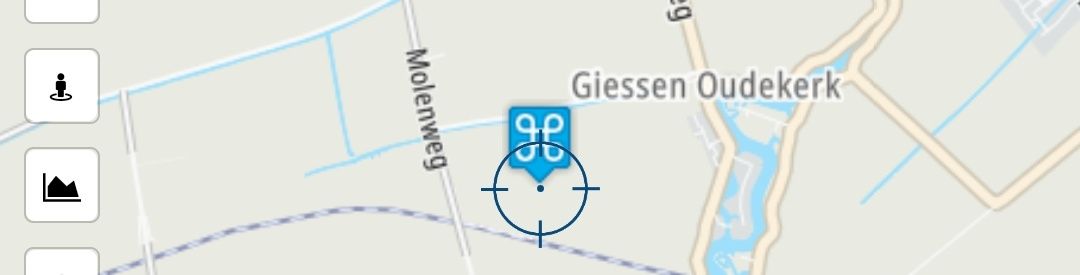
      Screenshot_20210108-192544.jpg

      Now you'll find the custom POI in the same "Beheren=Manage" tab of the POI menu:
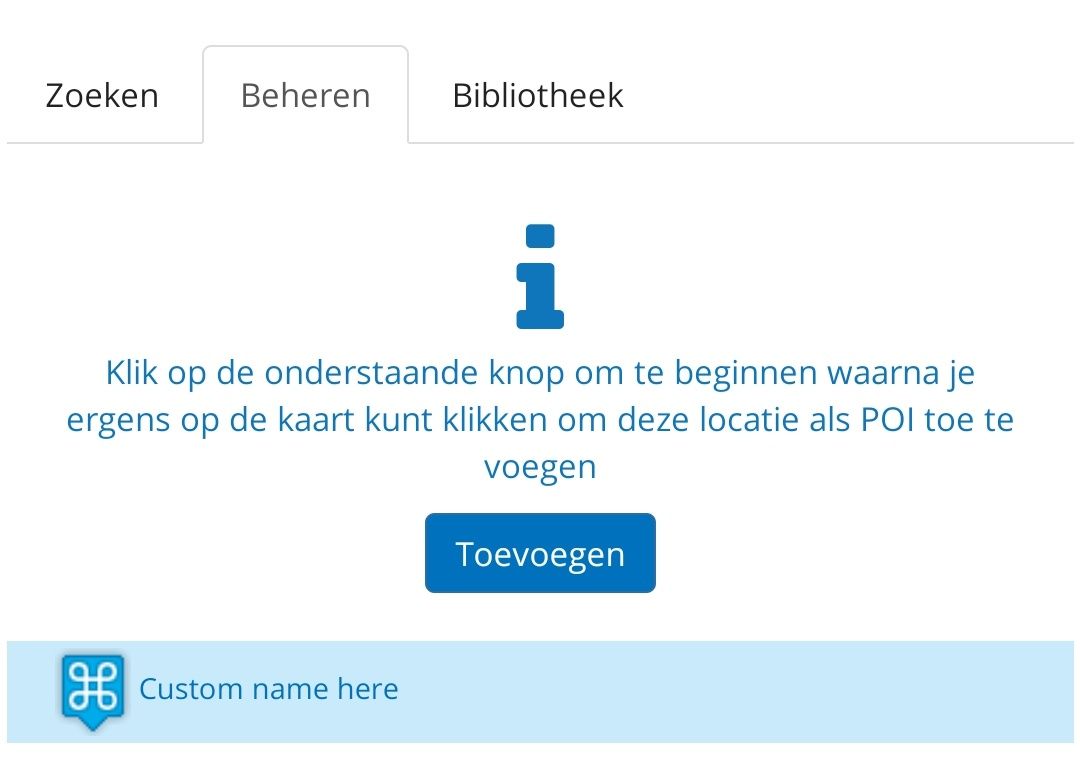
      Screenshot_20210108-193028.jpg

      Manks bu'j te bange.

      1 Reply Last reply
      0

      Hello! It looks like you're interested in this conversation, but you don't have an account yet.

      Getting fed up of having to scroll through the same posts each visit? When you register for an account, you'll always come back to exactly where you were before, and choose to be notified of new replies (either via email, or push notification). You'll also be able to save bookmarks and upvote posts to show your appreciation to other community members.

      With your input, this post could be even better 💗

      Register Login
      Reply
      • Reply as topic
      Log in to reply
      • Oldest to Newest
      • Newest to Oldest
      • Most Votes


      ACTIVE USERS
      Stefan Hummelinkundefined
      Stefan Hummelink
      Dave 1uundefined
      Dave 1u
      POPULAR TOPICS
      • Waypoint verplaatsen uit zichzelf.
        Rob Verhoeffundefined
        Rob Verhoeff
        0
        20
        174

      • New update 5.2 - Avoid roadblocks, persistent map items, POI management and share
        Rae Sewellundefined
        Rae Sewell
        24
        21
        1.0k

      • MRA connector - Zumo XT (+SD)
        Guztundefined
        Guzt
        0
        9
        152

      • Why does route change when connecting to Android Auto?
        Herman Veldhuizenundefined
        Herman Veldhuizen
        0
        11
        323

      • Offline navigation as of June, 2026 release 5.1
        Lenny Oundefined
        Lenny O
        1
        5
        45

      • Routepunten automatisch overspringen
        Mister Bundefined
        Mister B
        0
        11
        225

      • Symbolen
        Hans Kragtundefined
        Hans Kragt
        0
        5
        71

      • GPX Versions 1.1 vs 1.2 for Garmin Visually Explained
        Steve Jarrellundefined
        Steve Jarrell
        7
        14
        425

      MY GROUPS
      • Login

      • Login or register to search.
      • First post
        Last post
      0
      • Categories
      • Recent
      • Popular
      • Support
      • MyRoute-app