Skip to content
  • Categories
  • Recent
  • Popular
  • Support
  • MyRoute-app
Collapse
Brand Logo

MRA Community Forum

  1. Home
  2. [Beta] The MyRoute-app
  3. [Beta] Problems, Bugs and other Issues
  4. 5.0.0 (420) on Android Tablet

5.0.0 (420) on Android Tablet

Scheduled Pinned Locked Moved [Beta] Problems, Bugs and other Issues
3 Posts 2 Posters 31 Views 2 Watching
  • Oldest to Newest
  • Newest to Oldest
  • Most Votes
Reply
  • Reply as topic
Log in to reply
This topic has been deleted. Only users with topic management privileges can see it.
  • Jörgenundefined Offline
    Jörgenundefined Offline
    Jörgen
    Valued contributor
    wrote on last edited by
    #1

    Hi, there are some problems I noticed with V 420 on my Oukitel Tablet. (I changed toRT3 Pro with Android 14)

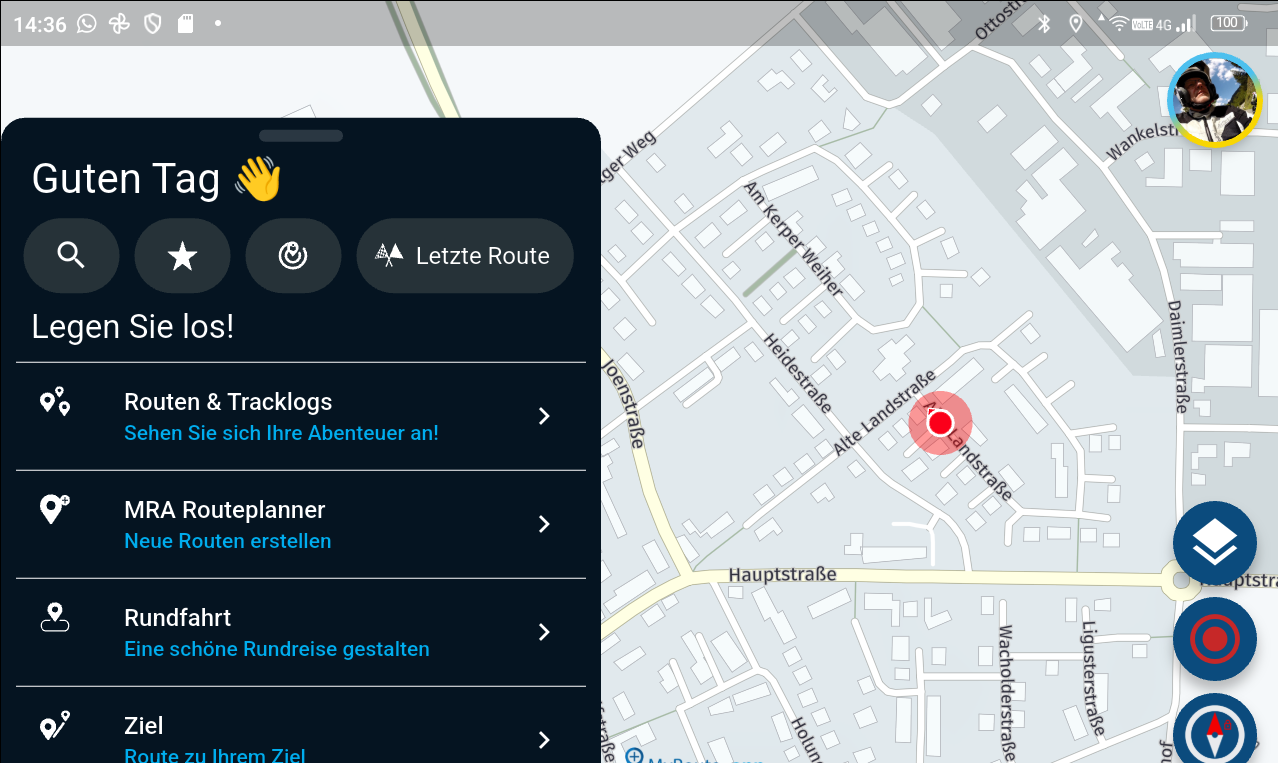
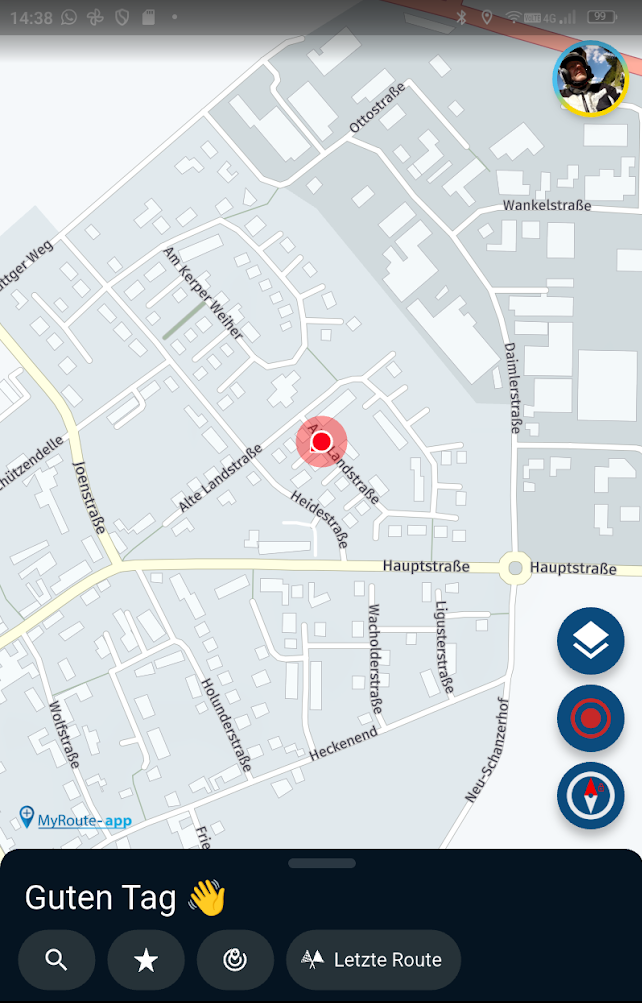
    1. I can not move the start menu down in landscape format. It moves min. 1 cm that's all. In portrait mode, it moves down completely.

    Normal view:
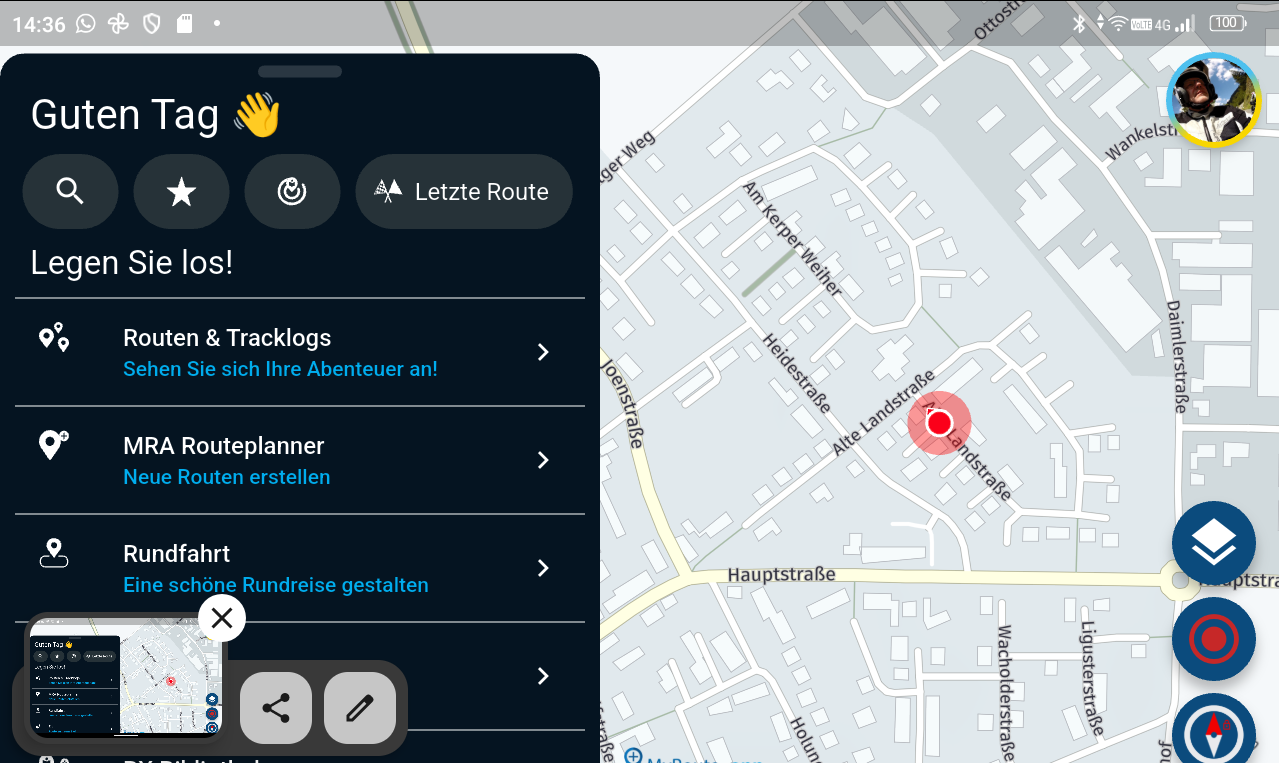
    63e04d73-e2b4-4917-8127-4fe456b6a784-image.png
    .

    Minimum move down:
    d8fd96eb-4e16-4cd6-8f96-88ce5aa5d83a-image.png
    .
    Portrait mode:
    e47e5092-cffe-450e-b6c3-7380ad5526b6-image.png
    .
    .
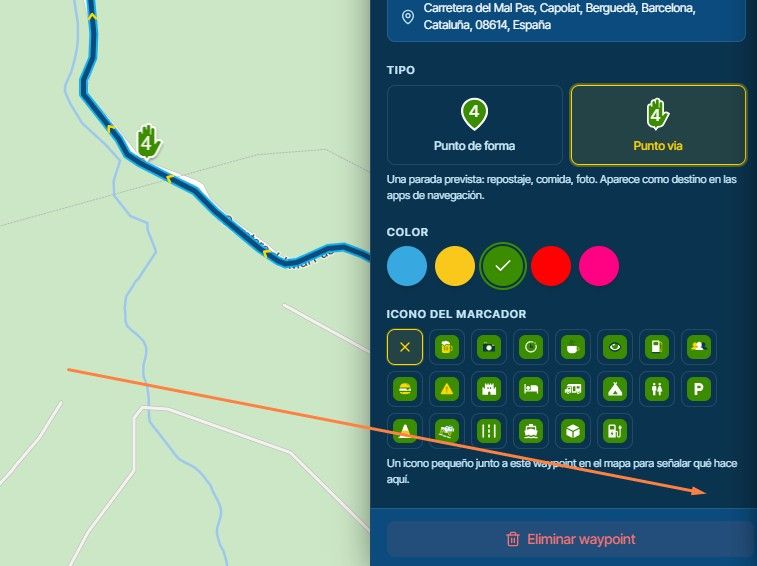
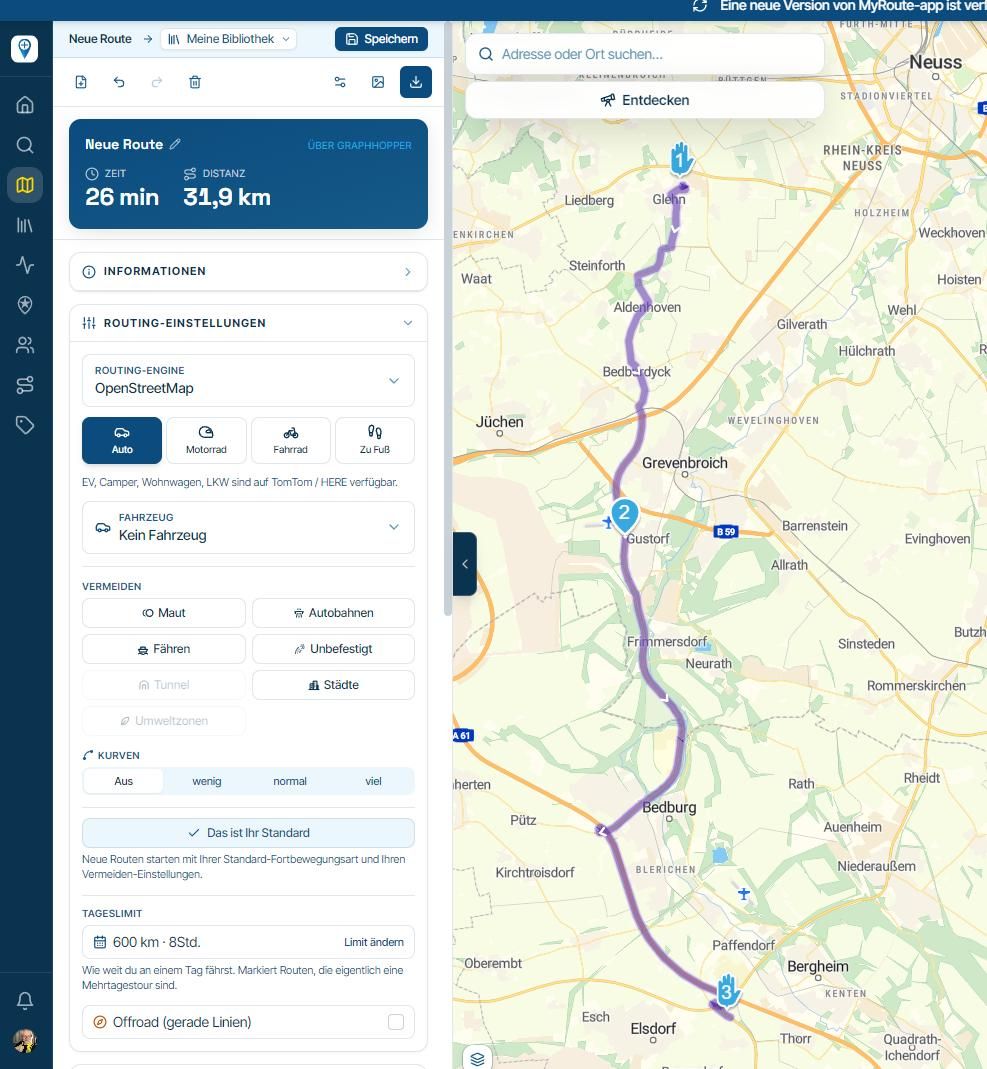
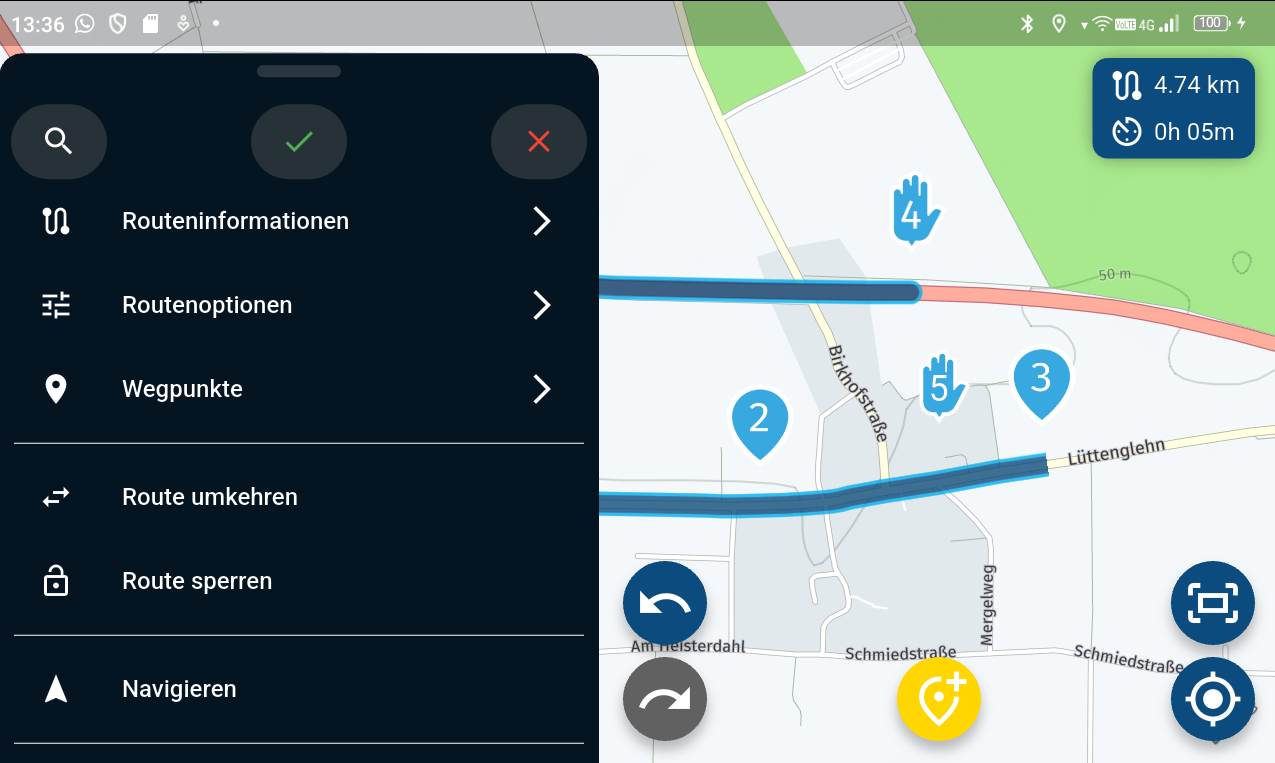
    2. WayPoint setting in InApp Routeplanner. In Landscape mode it is not possible to set the WP correct on the street. The WP is set by hand top not by hand bottom. In portrait, it is OK!
    573c0d62-7569-400b-9d69-e1e93dcda071-image.png
    .
    .

    1. Then there is something wrong with the positioning in landscape. Depending on what you are doing on the screen, the centre position (red arrow) jumps back and forth or does not use the centre.

    See video: https://youtu.be/UhGaWx5M0aY

    I start a track.
    The current position then jumps under the menu.
    I tap on Navigate and the current position is outside the screen.
    I tap on the three dots and the position is now correct.
    I stop navigation and start again.
    Now I tap on Navigate a little longer, everything still looks fine.
    Now I tap on the compass to change the view.
    The position jumps to the centre of the screen in all views.
    Normally, the position should be slightly to the right.
    When I tap on the menu, the position jumps to the centre right.

    Hardware
    iPhone 12 pro (iOS 18.7.1)
    Oukitel RT3 pro (Andr. 14)
    Samsung XCover 4 (Andr. 9 Pie)
    Wireless CarPlay mit (Elebest C650)
    Wired CarPlay (SEAT Arona - 2021)
    More information about Workshops here

    1 Reply Last reply
    1
    • Corjan Meijerinkundefined Offline
      Corjan Meijerinkundefined Offline
      Corjan Meijerink
      Developer
      wrote on last edited by
      #2

      1: design choice - menu can't (and won't) be able to be moved down in landscape
      2: I'll investigate a bit more (possibly fixed in the upcoming update)
      3: Believe it's fixed for sure in the upcoming update

      Jörgenundefined 1 Reply Last reply
      1
      • Corjan Meijerinkundefined Corjan Meijerink

        1: design choice - menu can't (and won't) be able to be moved down in landscape
        2: I'll investigate a bit more (possibly fixed in the upcoming update)
        3: Believe it's fixed for sure in the upcoming update

        Jörgenundefined Offline
        Jörgenundefined Offline
        Jörgen
        Valued contributor
        wrote on last edited by
        #3

        @Corjan-Meijerink said in 5.0.0 (420) on Android Tablet:

        1: design choice - menu can't (and won't) be able to be moved down in landscape 😢
        2: I'll investigate a bit more (possibly fixed in the upcoming update) 👍
        3: Believe it's fixed for sure in the upcoming update 👍

        Hardware
        iPhone 12 pro (iOS 18.7.1)
        Oukitel RT3 pro (Andr. 14)
        Samsung XCover 4 (Andr. 9 Pie)
        Wireless CarPlay mit (Elebest C650)
        Wired CarPlay (SEAT Arona - 2021)
        More information about Workshops here

        1 Reply Last reply
        0
        Reply
        • Reply as topic
        Log in to reply
        • Oldest to Newest
        • Newest to Oldest
        • Most Votes


        ACTIVE USERS
        Jörgenundefined
        Jörgen
        Corjan Meijerinkundefined
        Corjan Meijerink
        POPULAR TOPICS
        • Absurd detours on the highway maps HERE
          Aiello antoninoundefined
          Aiello antonino
          0
          17
          164

        • V5.0.0 : map remain on screen, hiding menu
          Nick Dawsonundefined
          Nick Dawson
          1
          26
          2.0k

        • Problem? Question? Read this first!
          Andree 1undefined
          Andree 1
          -2
          2
          3.3k

        • iPad - Changing Text for an Waypoint closes the Waypoints list.
          Big Al 1undefined
          Big Al 1
          0
          6
          369

        • Waypoint Ballons very Big and small Poi.
          M. Schrijverundefined
          M. Schrijver
          0
          6
          210
        MY GROUPS
        • Login

        • Login or register to search.
        • First post
          Last post
        0
        • Categories
        • Recent
        • Popular
        • Support
        • MyRoute-app