Skip to content
  • Categories
  • Recent
  • Popular
  • Support
  • MyRoute-app
Collapse
Brand Logo

MRA Community Forum

  1. Home
  2. MRA Routeplanner Next Beta
  3. [Web-Beta] Suggestions and Discussions
  4. Route Opacity Viewing Existing Routes in Library

Route Opacity Viewing Existing Routes in Library

Scheduled Pinned Locked Moved [Web-Beta] Suggestions and Discussions
6 Posts 3 Posters 39 Views 1 Watching
  • Oldest to Newest
  • Newest to Oldest
  • Most Votes
Reply
  • Reply as topic
Log in to reply
This topic has been deleted. Only users with topic management privileges can see it.
  • DRD
    DRD
    DRD
    wrote last edited by
    #1

    Howdy, On the Beta website, When I grab a route I created months ago in my library , and I want to show someone the route at my desktop or TV screen, I cannot see the route numbers , names of roads, or anything because the color of the route is a dark blue and it is wide so it covers up all the pertinent information. You can't see important information. Even when I zoom in , it still covers everything. Is there anyway to change this so I can easily see what route I am on?
    Peter Zehentreiter 1 Reply Last reply
    0
    • DRD DRD

      Howdy, On the Beta website, When I grab a route I created months ago in my library , and I want to show someone the route at my desktop or TV screen, I cannot see the route numbers , names of roads, or anything because the color of the route is a dark blue and it is wide so it covers up all the pertinent information. You can't see important information. Even when I zoom in , it still covers everything. Is there anyway to change this so I can easily see what route I am on?

      Peter Zehentreiter
      Peter Zehentreiter
      Peter Zehentreiter
      wrote last edited by
      #2

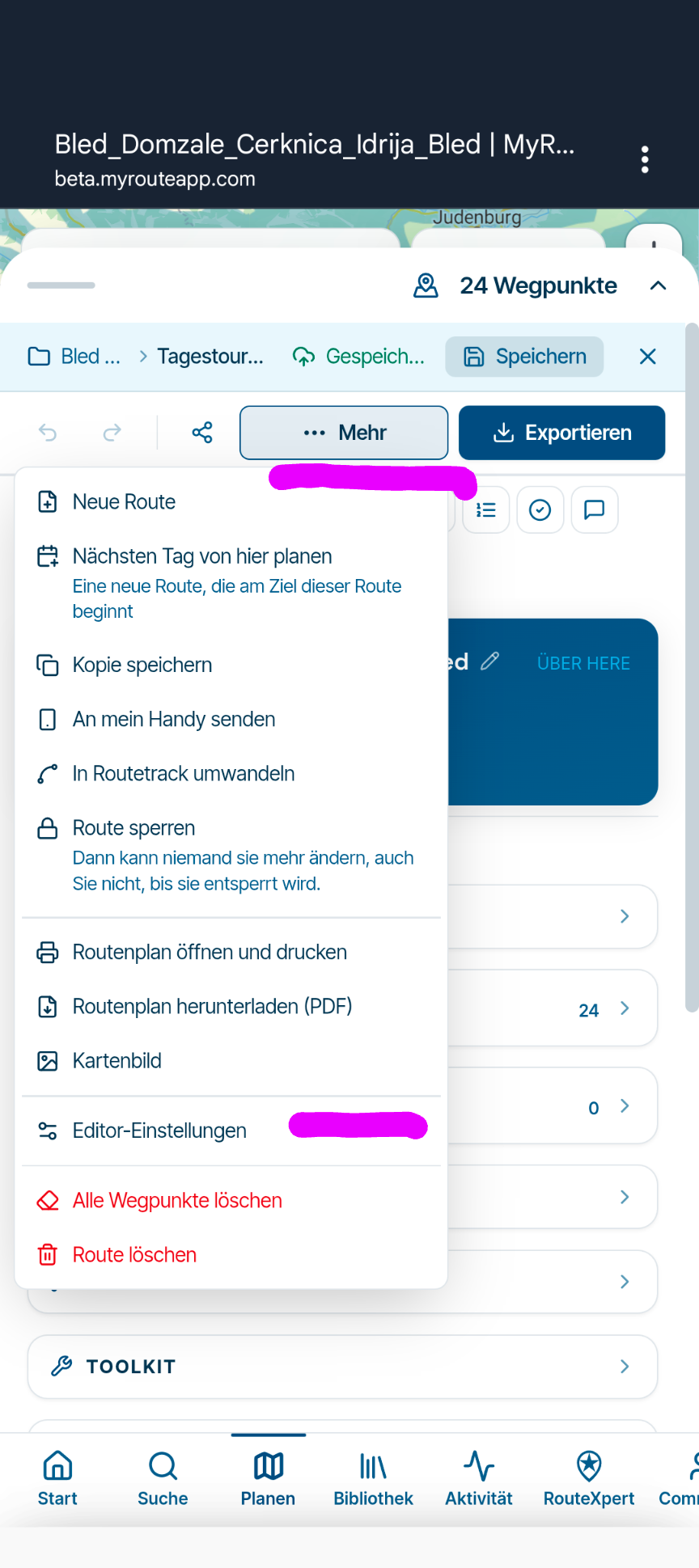
      @DRD Open your route in the planner.

      At the top, you’ll find a field labelled ‘More’; there you’ll find the editor settings, where you can adjust the colour, thickness and opacity 34181.png
      BMW R 1250 GS
      MRA Navigation & SilverFox C1 Controller
      DMD-NOR7E 7"
      SPC Universal mount
      Motorola Edge 40 "offline"
      Sena SLR 3
      Sena 50 R

      DRD 1 Reply Last reply
      0
      • Peter Zehentreiter Peter Zehentreiter

        @DRD Open your route in the planner.

        At the top, you’ll find a field labelled ‘More’; there you’ll find the editor settings, where you can adjust the colour, thickness and opacity 34181.png

        DRD
        DRD
        DRD
        wrote last edited by
        #3

        @Peter-Zehentreiter , Thank you, That is very helpful. Do you know if once you adjust the color and Opacity , does it stay permanently (is it global) like that so when you navigate the route it is also the same, or do you have to change it again in the Navigation Next App?

        Peter Zehentreiter 1 Reply Last reply
        0
        • DRD DRD

          @Peter-Zehentreiter , Thank you, That is very helpful. Do you know if once you adjust the color and Opacity , does it stay permanently (is it global) like that so when you navigate the route it is also the same, or do you have to change it again in the Navigation Next App?

          Peter Zehentreiter
          Peter Zehentreiter
          Peter Zehentreiter
          wrote last edited by
          #4

          @DRD No, the website’s settings aren’t carried over to the app; you can set the line width and opacity separately in the app.

          https://beta.myrouteapp.com/manuals

          https://beta.myrouteapp.com/manuals?on=app

          BMW R 1250 GS
          MRA Navigation & SilverFox C1 Controller
          DMD-NOR7E 7"
          SPC Universal mount
          Motorola Edge 40 "offline"
          Sena SLR 3
          Sena 50 R

          1 Reply Last reply
          0
          • DRD
            DRD
            DRD
            wrote last edited by
            #5

            Ok, Thank you. I haven't used the App for a while and I'm heading on a long trip. I have a quick question about the App, can I ask here??

            Nick Carthew 1 Reply Last reply
            0
            • DRD DRD

              Ok, Thank you. I haven't used the App for a while and I'm heading on a long trip. I have a quick question about the App, can I ask here??

              Nick Carthew
              Nick Carthew
              Nick Carthew
              RouteXpert
              wrote last edited by
              #6

              @DRD Better if you asked your App question in the mobile app section. https://forum.myrouteapp.com/category/24/the-myroute-app

              Always willing to help if I can.
              Triumph Tiger 1200 XRT called Tina.
              MRA Navigation Next and SilverFox BJ8

              1 Reply Last reply
              0

              Hello! It looks like you're interested in this conversation, but you don't have an account yet.

              Getting fed up of having to scroll through the same posts each visit? When you register for an account, you'll always come back to exactly where you were before, and choose to be notified of new replies (either via email, or push notification). You'll also be able to save bookmarks and upvote posts to show your appreciation to other community members.

              With your input, this post could be even better 💗

              Register Login
              Reply
              • Reply as topic
              Log in to reply
              • Oldest to Newest
              • Newest to Oldest
              • Most Votes


              ACTIVE USERS
              Nick Carthew
              Nick Carthew
              DRD
              DRD
              Peter Zehentreiter
              Peter Zehentreiter
              POPULAR TOPICS
              • Find other members in my area?
                Hubert Thoring
                Hubert Thoring
                0
                11
                220

              • Route Opacity Viewing Existing Routes in Library
                Nick Carthew
                Nick Carthew
                0
                6
                39

              • Guida Libera
                Rob Verhoeff
                Rob Verhoeff
                0
                7
                199

              • Question on Beta access
                BertM
                BertM
                0
                13
                363

              • Route leads straight to endpoint
                Rolf Engelsman
                Rolf Engelsman
                0
                3
                22

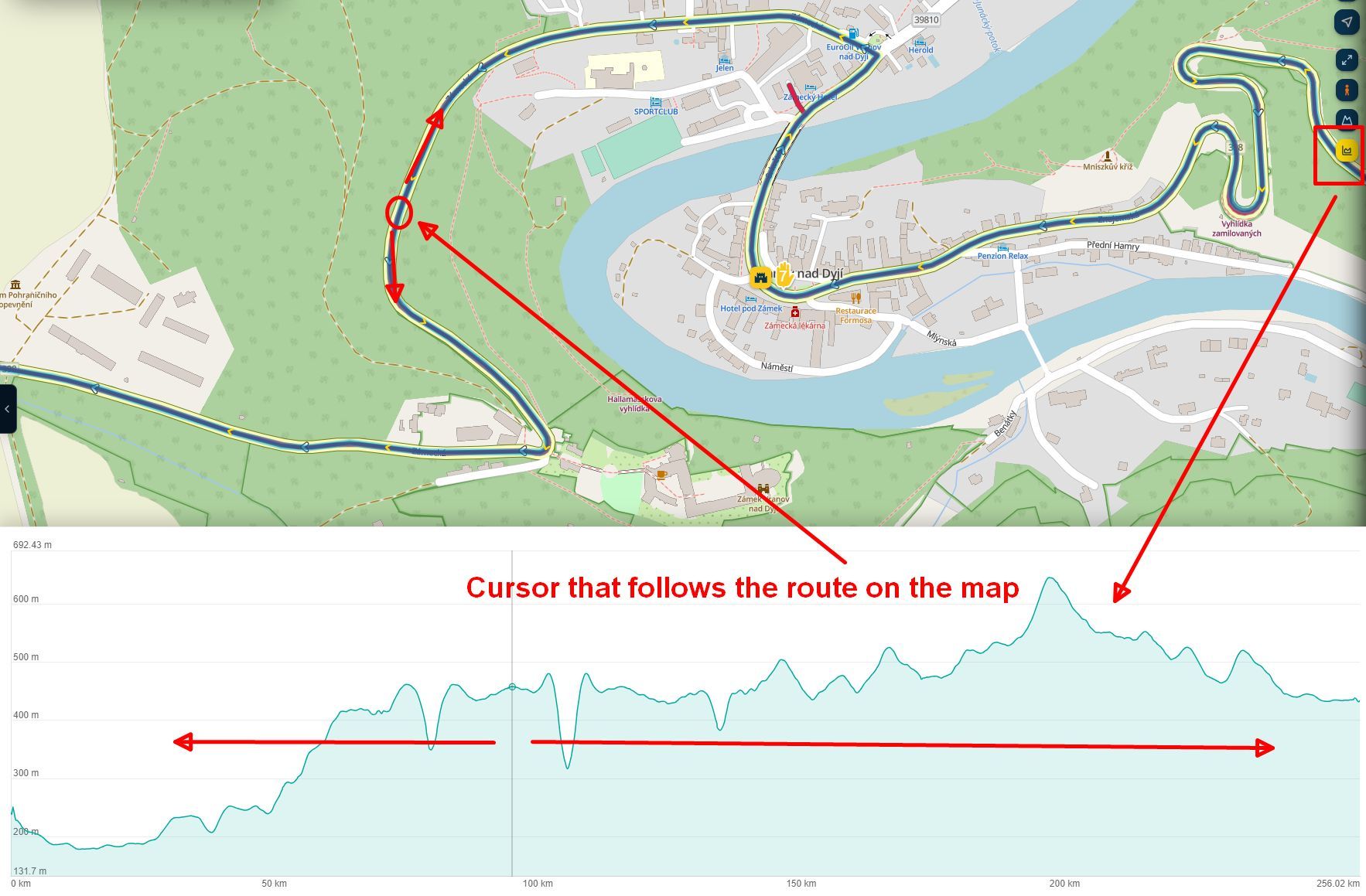
              • Elevation profile: cursor that follows the route on the map
                Corrado Miniati
                Corrado Miniati
                0
                13
                77

              • Along the route
                Hubert Thoring
                Hubert Thoring
                0
                2
                13

              • Street View: choose between a via point and a shaping point
                0
                1
                3

              MY GROUPS
              • Login

              • Login or register to search.
              • First post
                Last post
              0
              • Categories
              • Recent
              • Popular
              • Support
              • MyRoute-app