Website update - A Photos page, split by your day limit, arrive on time and more
-

Hi everyone!

Another website update is live, with plenty of your forum topics in it again
 Here's what changed since Thursday's update.
New
- A Photos page, under Activity: every photo from your tracklogs, by month and day, with "On this day" photos from earlier years. The Photos tile and Recent photos on the home page open it.
- Split into days by your day limit. Tick "Cut by my day limit" and the planner picks where each day ends: at a waypoint near the right spot, or at a new waypoint on the route. Split into days now also works on a route with only a start and a finish.
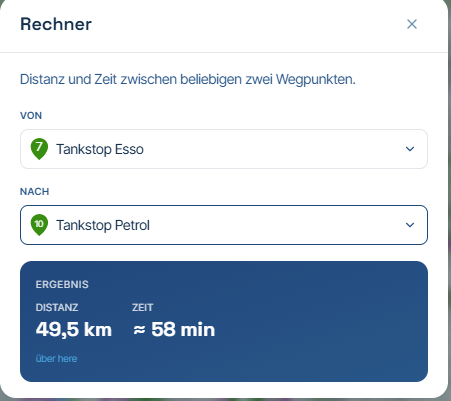
- Arrive on time. With an arrive-by time set, the planner offers the departure that gets you there in time, counting the riding and your stops.
- Plan the next day from here. Start a new route at the finish of the route you just planned, from the planner's menu or the empty planner.
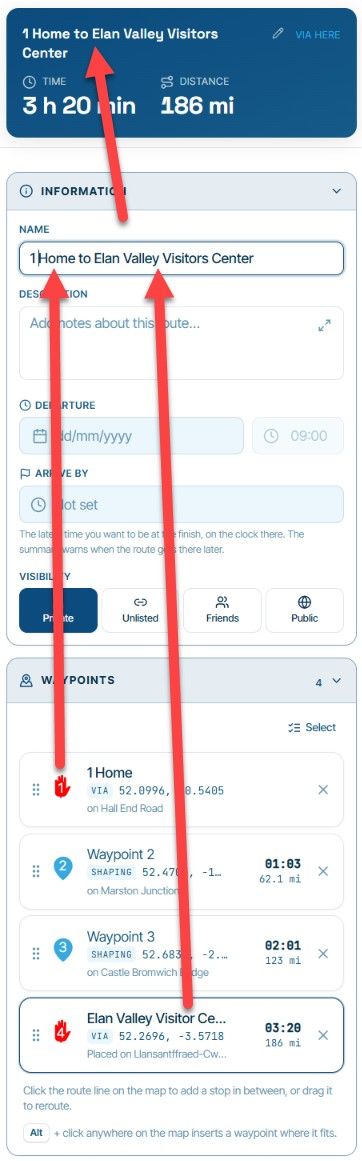
- An unsaved route gets a name from its first and last waypoint, like "Utrecht to Arnhem" or "Round trip from Zwolle", until you type your own.
- Trips: choose your photos. The trip's author can pick a day photo as the header image, and choose and order the five photos above the days.
- Trip day titles are translated for each reader, like the rest of the trip.
- Friends invited to a group ride can join it without the code, and the invite says it asks you along.
- The arrow keys walk the library rows and show each route on the map. Enter opens it.
- The digest email names what happened: what people reacted to and commented on, who did it, and the newest comment.
Improvements and changes
- The compare card folds to a slim bar so you can keep planning, and Compare again asks the engines once instead of on every edit.
- The routing engine list ticks the engine this route uses, and says the star only sets the default for new routes.
- With Street View on, picking a waypoint shows the panorama there. Street View keeps clear of the waypoint panel, and "Open Street View here" is a proper button.
- Showing a segment from the waypoint panel or the waypoint list opens it in the sidebar.
- Discover: the D key and the Discover button always open the Discover tab, also from its folded bar. Show on the map and Add all follow the places listed in view after a zoom, and "Show N places on the map" zooms out to all of them.
- Framing the route (F) keeps every waypoint clear of the search box and the Discover panel.
- A new route over the one on screen takes the map back to its opening view.
- The Layers and map style menus open one at a time, also with the L and M keys, and the map style list no longer covers the Layers button.
- Escape leaves a search box, so the next shortcut works straight away. The shortcuts list shows Ctrl+Y for Redo.
- The planner's settings fit a phone screen and scroll, so the route line width is reachable again.
- The route picker's way back to the folder above stays visible on short screens, and the last rows of a list scroll clear of the selection bar.
- The German website says Event everywhere.
- A simpler page when a page can't be found.
Fixed
- Daylight told a ride that starts in the dark to leave earlier. It now says later.
- Switching the routing engine no longer removes the route line while the new engine works.
- In the time picker, typing the hour and then picking the minutes no longer puts back the old hour.
- Turning POIs into via points keeps every one of them a via point, also the ones in the middle.
- A friend opening a POI folder you shared with them now sees its groups instead of an empty folder.
- The digest email's "Open your notifications" button opens your notifications instead of a missing page.
That's it! Thanks again for all your feedback

Cheers,
Corjan -
Corjan Meijerink referenced this topic
-

A lot of changes…
But about this:
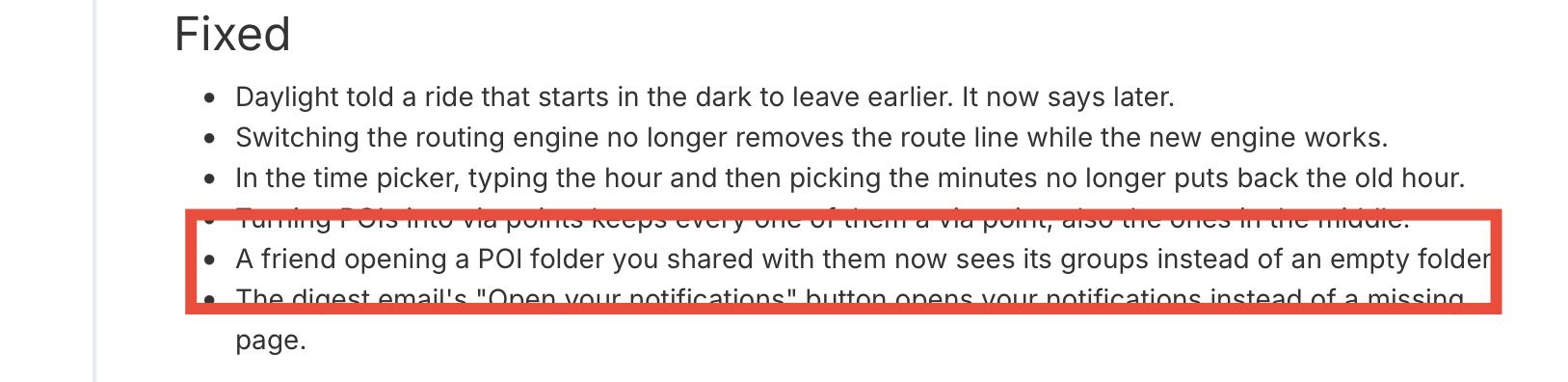
The friend can open POI but is not possible to add into own library unless save as GPX and then import.
Could be possible??
Regards



Hello! It looks like you're interested in this conversation, but you don't have an account yet.
Getting fed up of having to scroll through the same posts each visit? When you register for an account, you'll always come back to exactly where you were before, and choose to be notified of new replies (either via email, or push notification). You'll also be able to save bookmarks and upvote posts to show your appreciation to other community members.
With your input, this post could be even better 💗
Register Login-
 4526
-
0557
-
 1564
-
 0448
-
0657
-
0445
-
0553
-
0310