Lock button
-

Hi ya
Where has the lock screen button gone so you don't click on the map accidentally and add a way point if that makes sense?
Also where has the Google maps overlay gun or the scenic overlay or are they still there under a different name?
Thank you Tom
-
Hi ya
Where has the lock screen button gone so you don't click on the map accidentally and add a way point if that makes sense?
Also where has the Google maps overlay gun or the scenic overlay or are they still there under a different name?
Thank you Tom
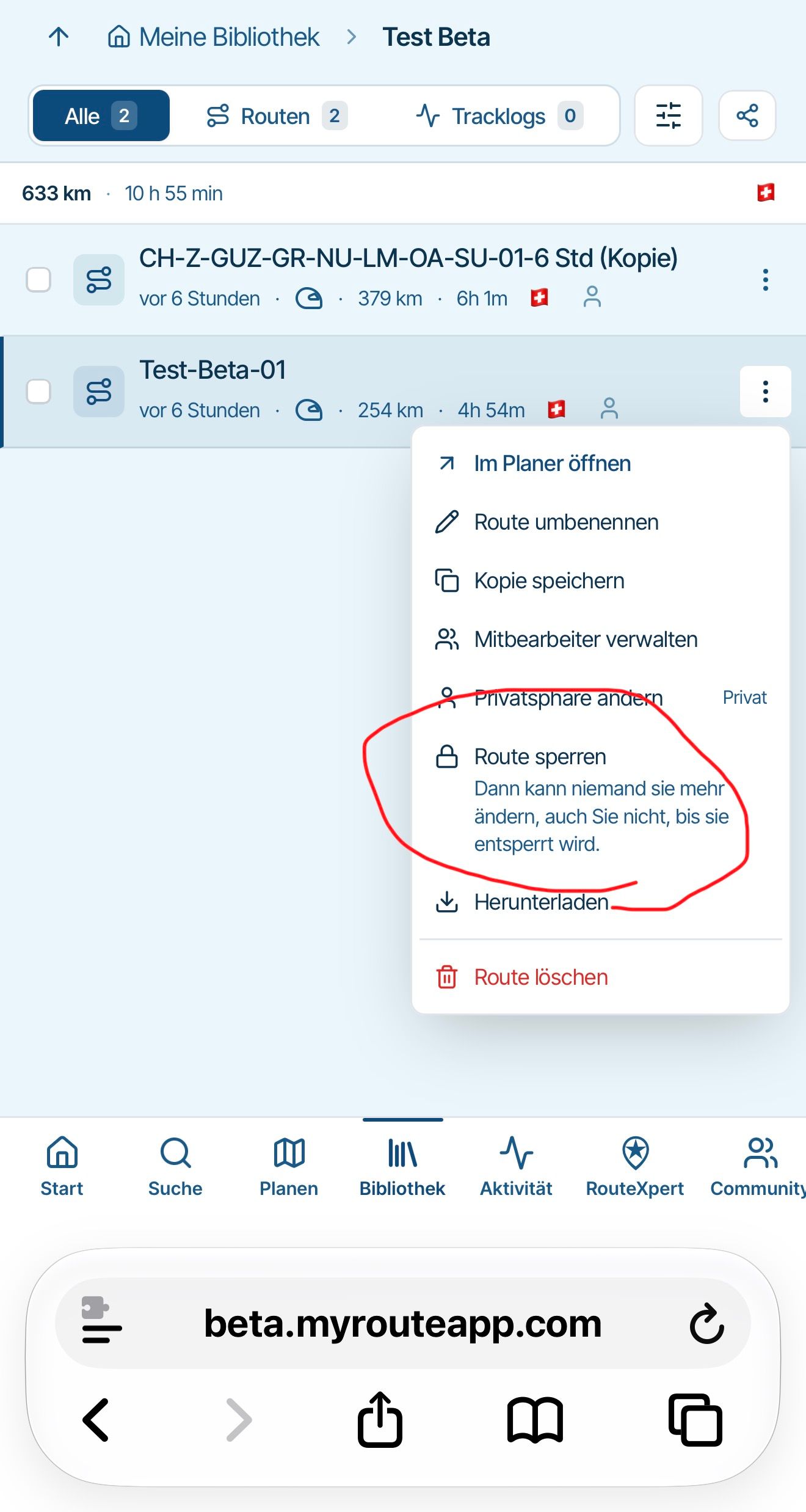
@tfdahazellgmail.com Click on the three dots and you’ll find an option to block the routes.
@corjan-meijerink
Would it be possible to implement an option that allows you to block ‘all routes’ in a folder?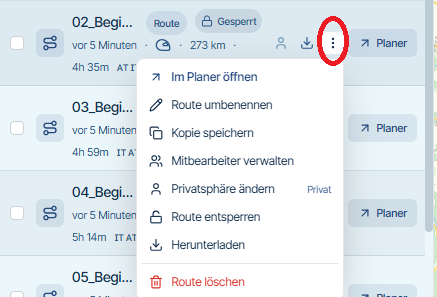
-
I also liked an additional step/confirmation to place a waypoint on the map, now it is a little annoying and I must use Ctrl+Z quite often.
-
@tfdahazellgmail.com Click on the three dots and you’ll find an option to block the routes.
@corjan-meijerink
Would it be possible to implement an option that allows you to block ‘all routes’ in a folder?
@Peter-Zehentreiter no, I meant when you're in the planning stages of a route
-
Can we have the lock button back please?
Viewing routes on an iPad, I a constantly touching somewhere and creating a waypoint. I use the padlock all the time to prevent that.
Hello! It looks like you're interested in this conversation, but you don't have an account yet.
Getting fed up of having to scroll through the same posts each visit? When you register for an account, you'll always come back to exactly where you were before, and choose to be notified of new replies (either via email, or push notification). You'll also be able to save bookmarks and upvote posts to show your appreciation to other community members.
With your input, this post could be even better 💗
Register Login-
023138
-
 118151
-
015116
-
 01192
-
0936
-
3990
-
2886
-
-1874