MRA Routeplanner, Zumo XT and a list of waypoints
-
@Ian-Teasdale ...I do understand you - I had same issues. So I'm going to make some suggestions - not sure you would like it. But for me it was a solution; may other users will suggest other solutions

-
at first: give your Garmin to someone else (as a gift
 )
) -
second: if you are using MRA for route planning, it's much more than an advantage to use for navigation the MyRoute-App. No file transfer needed, and what you have planned, it will be exactly the same on your mobile device.
In the app, it's possible to see the next couple of waypoints as you asked. -
rhird: if your mobile device gets in trouble in case of rain - a modern rainproof device could be an option. I tried a couple of - with less success - until I found so called T-865X from ThorkRacing. I decided for this bigger one (like a tablet) instead of the smaller one (like a smartphone), because the bigger screen with bigger text is much more easy to read. Especially if you follow tracks. That devices can be operated by a remote controller (knob on the handle bar) and offers a function to lock the screen in case of raindrops.
-
fourth: if you still intend to use pdf docs for route description, that's also possible by mentioned devices by displaying on screen. With the same advantage in the rain.
I know, several riders want to use MyRoute-App for navigation on the phone. But hesitate to use the expensive device on the bike. They are going to use such modern AA devices like Cigee or others - connected with the phone in pocket.
I'm sorry to say, but that's not a solution for me. Still too many teething problems (the forums are full with error reports). And it's a stupid device without own function. It's only a mirror of a mobile phone. And if the mobile phone gets an issue - you will be without any navigation. That's a no go for my very long journeys!
@Guzzist said in MRA Routeplanner, Zumo XT and a list of waypoints:
And it's a stupid device without own function. It's only a mirror of a mobile phone.
Personally I hate this "mirror" analogy, because it is really NOT...
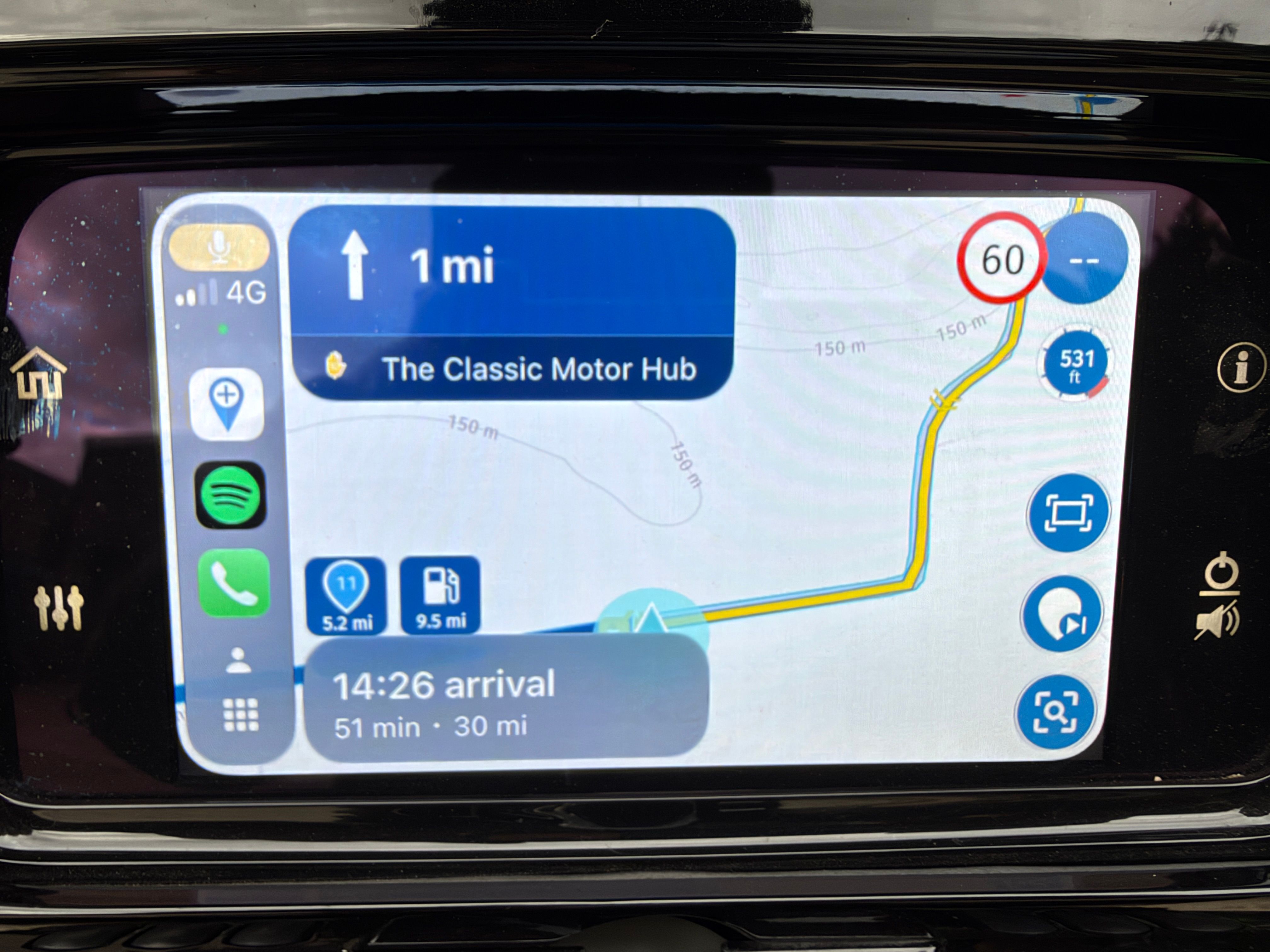
The UI of Android Auto as well as CarPlay devices shows less information, has limited features, and does not share the same operationable elements as the native app. -
-

Thank you @Mzokk - I did know but, like much in this world, it had been forgotten. Not the perfect solution - far too much scrolling if there lots of directions approaching, but this is mostly an issue on motorways and so not such an issue and the method I'll adopt until MRA app provides this on the AA screen. Thanks again and to the others who replied.
-
@Guzzist said in MRA Routeplanner, Zumo XT and a list of waypoints:
And it's a stupid device without own function. It's only a mirror of a mobile phone.
Personally I hate this "mirror" analogy, because it is really NOT...
The UI of Android Auto as well as CarPlay devices shows less information, has limited features, and does not share the same operationable elements as the native app.
@Con-Hennekens ...ok Con, because it was in the beginning not a full featered Android device (only a couple of apps were available) - it was never am option for me. I also did not find a "hand held device" (with internal battery).
Initiated by you, I did some investigation and detected now, in meantime there are approx. 300 apps available.Still, I could not find if MyRoute-App can be installed directly on such devices - and is working without connection to smartphone.
But also here in our forum, there are many issues reported with such devices, we don't see on real Android devices.So, I accept your meaning - but I'm super happy with my current solution

-
@Con-Hennekens ...ok Con, because it was in the beginning not a full featered Android device (only a couple of apps were available) - it was never am option for me. I also did not find a "hand held device" (with internal battery).
Initiated by you, I did some investigation and detected now, in meantime there are approx. 300 apps available.Still, I could not find if MyRoute-App can be installed directly on such devices - and is working without connection to smartphone.
But also here in our forum, there are many issues reported with such devices, we don't see on real Android devices.So, I accept your meaning - but I'm super happy with my current solution
@Guzzist, I really do understand that it works just fine for many, especially for A2B routes, which are much less demanding in terms of interaction. But the UI is simply not identical. Not only for MRA, but for ALL navigation apps. People who use the app already on native devices, are often disappointed after switching to an AA/CP device. That's why I am alerted by the term "mirror"
I am just an enthusiastic MRA user, and hope you will be one too!
Most motorcycle problems are caused by the nut that connects the handlebar to the saddle.
Check out RideSleepRepeat.eu, a biker community for sharing stays across Europe
-
@Guzzist, I really do understand that it works just fine for many, especially for A2B routes, which are much less demanding in terms of interaction. But the UI is simply not identical. Not only for MRA, but for ALL navigation apps. People who use the app already on native devices, are often disappointed after switching to an AA/CP device. That's why I am alerted by the term "mirror"
@Con-Hennekens some devices has real mirror function like my carradio on android 6. it is good that you explain that mirror is something else as AA or CP. negative side of mirror is that you only mirror the screen and not the control on the screen.
-
have the same issue. I’ve learned by now that Garmin doesn't distinguish between the icons created by MRA for hard stops. When transferring from MRA using the Here/Garmin map and GPX 1.1 [route, track, GPI], hard shaping points are displayed exclusively as flags. Garmin can't handle anything else, so no icons for burgers, gas stations, or hotel beds. What I do instead is rename the address using ALL CAPS to things like FUEL STOP, COFFEE, or similar. Does anyone have a better idea or tip?
-
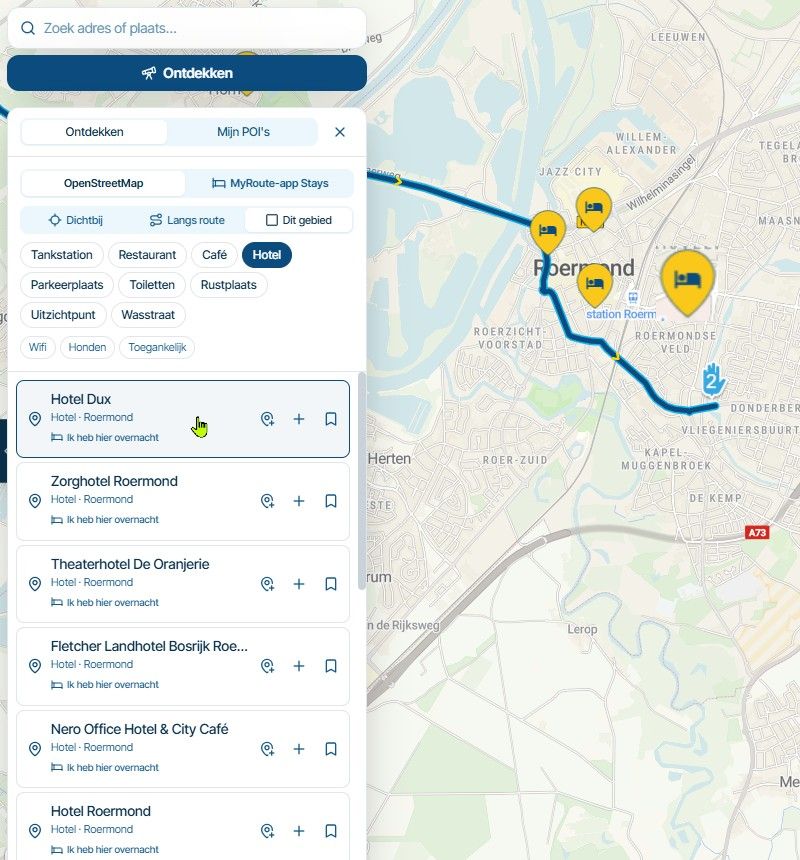
Hi all. I have been using the MRA Routeplanner and exporting the routes to my Zumo XT without (many) problems for some time but there’s always been a little issue I’ve had – seeing a list of the waypoints whilst I’m on the bike. I’m sure we’ve all spent quite some time planning our routes and putting waypoints for fuel or coffee but when you’re actually riding, it can be difficult to see much more than the next one. I would like to be able to see a list of the waypoints, or at least the next 5 or 6. It is useful to be able to decide if I need to fill up at the next stop or if I can stretch to the one after that (and if we’re being honest, we’ve all done that when considering toilet stops!) I have exported the route as a PDF and after some cropping and scaling, printed them out and put this in the clear lid on my tank bag. This works but if it rains heavily and you need to re-plan tomorrow’s route you won’t have a printer with you! I could use my phone and show the route on the app but this just adds to the clutter I already have in front of me and isn’t rain friendly. I ride a Honda with an Android Auto screen but the AA version of the app doesn’t show a list of waypoints (does it?) I’ve looked for pdf or image apps for AA but there don’t seem to be any (Google has decided…). Any thoughts or experiences of what others have done?
Cheers, Ian.
@Ian-Teasdale when I was stupid enough to use a Garmin XT as my navigation device I would do likewise as @tommy-ruiterman making the important points on the route Via points & naming them so that the XT read out an instruction as you approached the point
so I would label a fuel stop as "Fuel - Next 25" miles so I knew if or if not I could make the next -
@Con-Hennekens ...ok Con, because it was in the beginning not a full featered Android device (only a couple of apps were available) - it was never am option for me. I also did not find a "hand held device" (with internal battery).
Initiated by you, I did some investigation and detected now, in meantime there are approx. 300 apps available.Still, I could not find if MyRoute-App can be installed directly on such devices - and is working without connection to smartphone.
But also here in our forum, there are many issues reported with such devices, we don't see on real Android devices.So, I accept your meaning - but I'm super happy with my current solution
@Con-Hennekens ...ok Con, because it was in the beginning not a full featered Android device (only a couple of apps were available) - it was never am option for me. I also did not find a "hand held device" (with internal battery).
Initiated by you, I did some investigation and detected now, in meantime there are approx. 300 apps available.Still, I could not find if MyRoute-App can be installed directly on such devices - and is working without connection to smartphone.
But also here in our forum, there are many issues reported with such devices, we don't see on real Android devices.So, I accept your meaning - but I'm super happy with my current solution
Wie weet op de nieuwe Carouride W702 Plus dar kan je nu elke app installeren zo ook de MRA myroute het werkt standalone verbinding online kan via Hotspot mobiel zit GPS op en kunt alles bedienen, heb de zelde, MRA myrouteapp installeren werk perfect laat alle funkties zien en kunt bedienen vanuit de Carpurite,
Heb niet grondig kunnen testen, maar ben ook geen beta tester aangezien de Carpuride nog op de motor moet. monteren.Heb wel een 2e exemplaar beschikbaar om grondig te kunnen testen door MRA beta testers, wegens een garantie geval bij Carpuride .
Het display werkt uitstekend, wel zit aleen in het scherm zeen groene vlek, gerantie geval, de nieuwe display heb ik al wel binnen, maar om grondig te testen, lijkt me uitstekend als beschikking stellen door het team van beta testers, en aangezien nummer 6 in ontwikkeling is tot definitieve daten lijk me een kans? -
have the same issue. I’ve learned by now that Garmin doesn't distinguish between the icons created by MRA for hard stops. When transferring from MRA using the Here/Garmin map and GPX 1.1 [route, track, GPI], hard shaping points are displayed exclusively as flags. Garmin can't handle anything else, so no icons for burgers, gas stations, or hotel beds. What I do instead is rename the address using ALL CAPS to things like FUEL STOP, COFFEE, or similar. Does anyone have a better idea or tip?
have the same issue. I’ve learned by now that Garmin doesn't distinguish between the icons created by MRA for hard stops. When transferring from MRA using the Here/Garmin map and GPX 1.1 [route, track, GPI], hard shaping points are displayed exclusively as flags. Garmin can't handle anything else, so no icons for burgers, gas stations, or hotel beds. What I do instead is rename the address using ALL CAPS to things like FUEL STOP, COFFEE, or similar. Does anyone have a better idea or tip?
The problem is not the Garmin, but that the export of the GPX file from MRA is very limited and they do not use the symbol tag in the export. This tag is used by Garmin for displaying the right symbols.
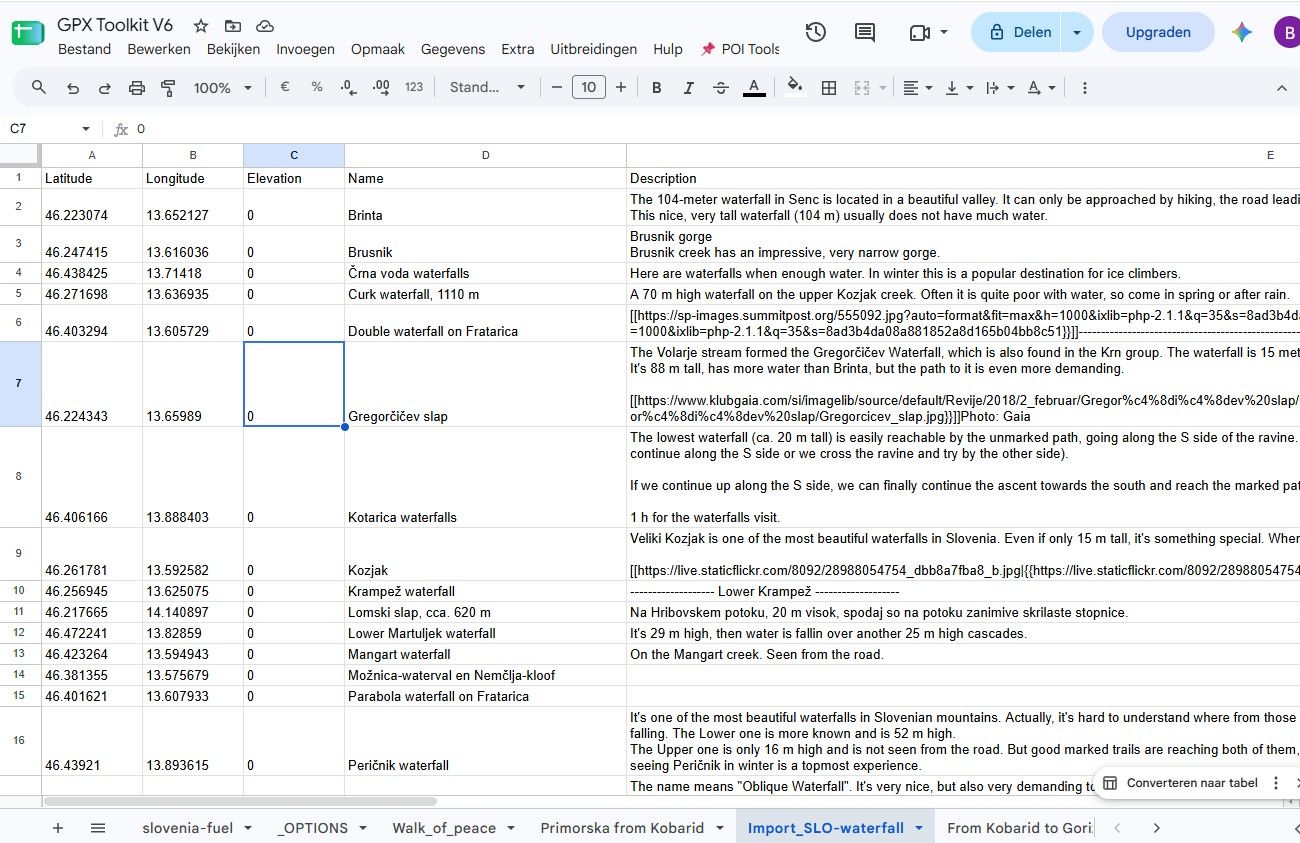
As the POI handling in MRA is very poor, for example when you transfer a POI from your Libary to a route it will not transfer the icon and let you edit it, I ended up creating my own tool in Google sheets for renaming and adding POI, after first trying this in Excel.
I load the route/track/POI created in MRA into the tool, add the Icons in the sheet, and check it in a Leaflet map.
I then export it to a GPX and copy it to the flash card of my device.
As I like to fiddle around and learn new things ( I am not a programmer....) this tool has evolved into a tool to make storyboards, so it not only for tranferring POI files anymore.Lets hope the new version 6 will have some approvements in POI handeling and transfer to external devices.
Here some screenshots:
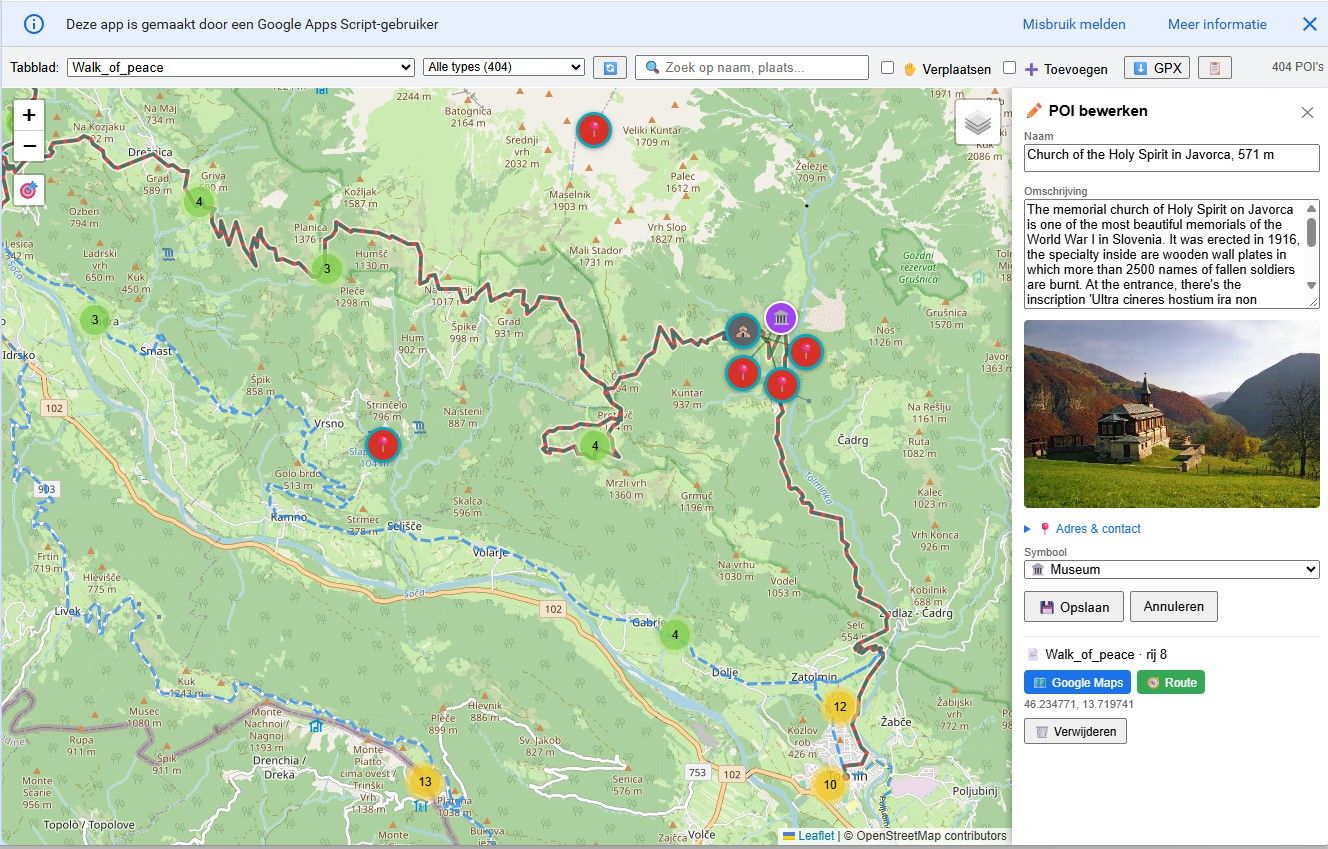

![198783[1].png](/assets/uploads/files/1768347432270-bc5cb7f1-cca9-458e-8cc7-4014ad3998bc-198783-1.png)
Hello! It looks like you're interested in this conversation, but you don't have an account yet.
Getting fed up of having to scroll through the same posts each visit? When you register for an account, you'll always come back to exactly where you were before, and choose to be notified of new replies (either via email, or push notification). You'll also be able to save bookmarks and upvote posts to show your appreciation to other community members.
With your input, this post could be even better 💗
Register Login-
 0714
0714
-
 0527
0527
-
0594
-
 2424
2424
-
16146
-
 0427
0427
-
 0417
0417
-
0122.6k