Skip to content
  • Categories
  • Recent
  • Popular
  • Support
  • MyRoute-app
Collapse
Brand Logo

MRA Community Forum

  1. Home
  2. The MyRoute-app
  3. [App] Android Auto & CarPlay
  4. Opening Route Direct from Android Auto Screen

Opening Route Direct from Android Auto Screen

Scheduled Pinned Locked Moved [App] Android Auto & CarPlay
8 Posts 6 Posters 311 Views 3 Watching
  • Oldest to Newest
  • Newest to Oldest
  • Most Votes
Reply
  • Reply as topic
Log in to reply
This topic has been deleted. Only users with topic management privileges can see it.
  • Andrew Dickerson Offline
    Andrew Dickerson Offline
    Andrew Dickerson
    wrote last edited by
    #1

    When opening a route on the AA screen direct it does not give you an option to choose next waypoint (on the phone it automatically chooses waypoint 2, which is correct). On the AA screen it defaults to 1 (which in my case us my home/start) - this then considers the route complete before you're started.

    Marinus van Deudekom 1 Reply Last reply
    0
    • Andrew Dickerson Andrew Dickerson

      When opening a route on the AA screen direct it does not give you an option to choose next waypoint (on the phone it automatically chooses waypoint 2, which is correct). On the AA screen it defaults to 1 (which in my case us my home/start) - this then considers the route complete before you're started.

      Marinus van Deudekom Offline
      Marinus van Deudekom Offline
      Marinus van Deudekom
      RouteXpert
      wrote last edited by
      #2

      @Andrew-Dickerson if you mean that you would like to choose between the start or the nearest shaping point. That you must set on your phone itself

      Honda Goldwing GL1500,
      Honda Silverwing GL 650
      DMD2 T865X 8 inch Android tablet using MRA next for navigation
      Garmin XT sold
      Samsung S24FE mounted on a Quadlock and using Android Auto in my car

      1 Reply Last reply
      0
      • Karl-Heinz Schwendner Offline
        Karl-Heinz Schwendner Offline
        Karl-Heinz Schwendner
        wrote last edited by
        #3

        For me the same issue - it's set on the phone to start with the nearest shaping point and use the current location.
        But when I start it on my Carpuride it always wants to start with point 1 !

        You can skip route point - but can't see at the carpuride (android auto) how many point you have to skip!

        It's absolutely frustrating!

        1 Reply Last reply
        0
        • Mzokk Offline
          Mzokk Offline
          Mzokk
          wrote last edited by
          #4

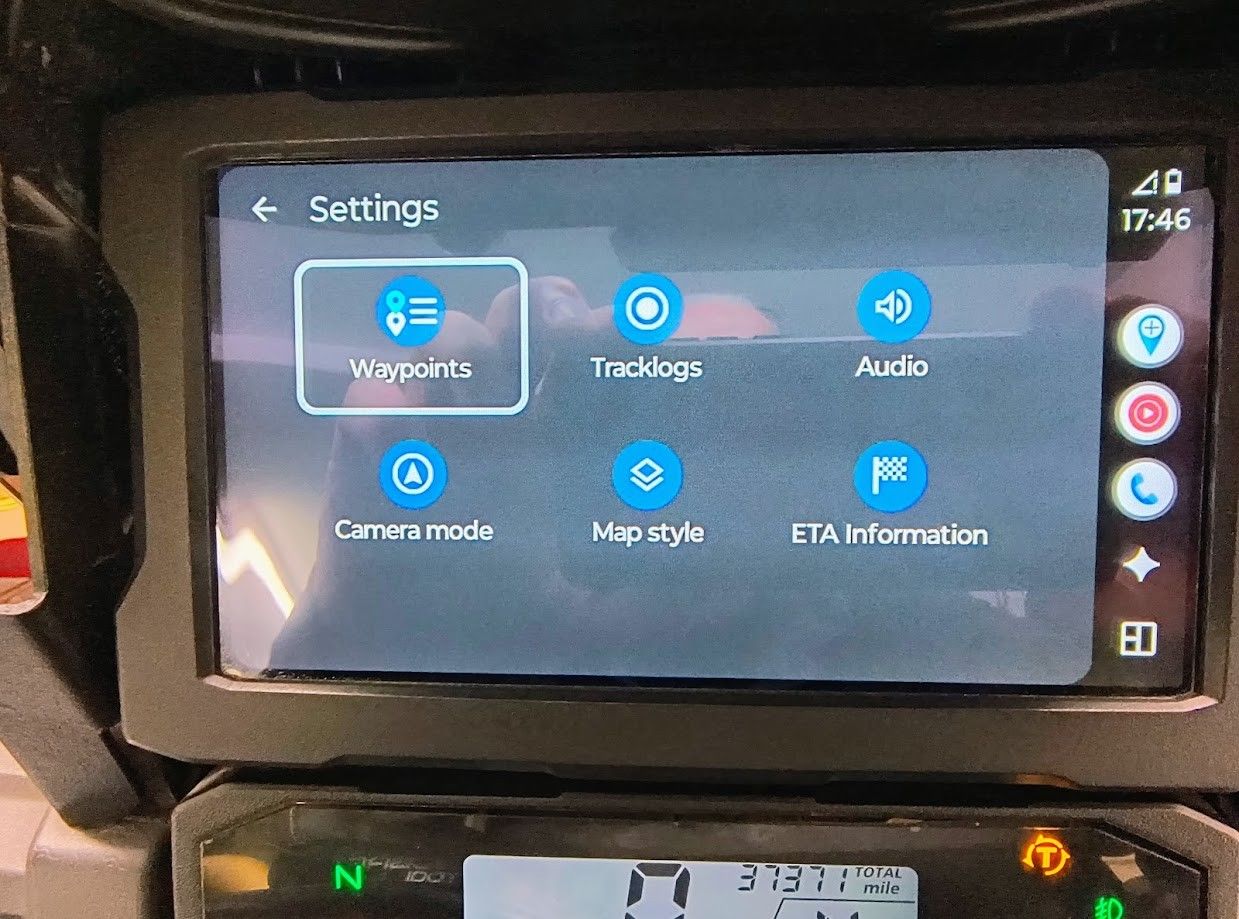
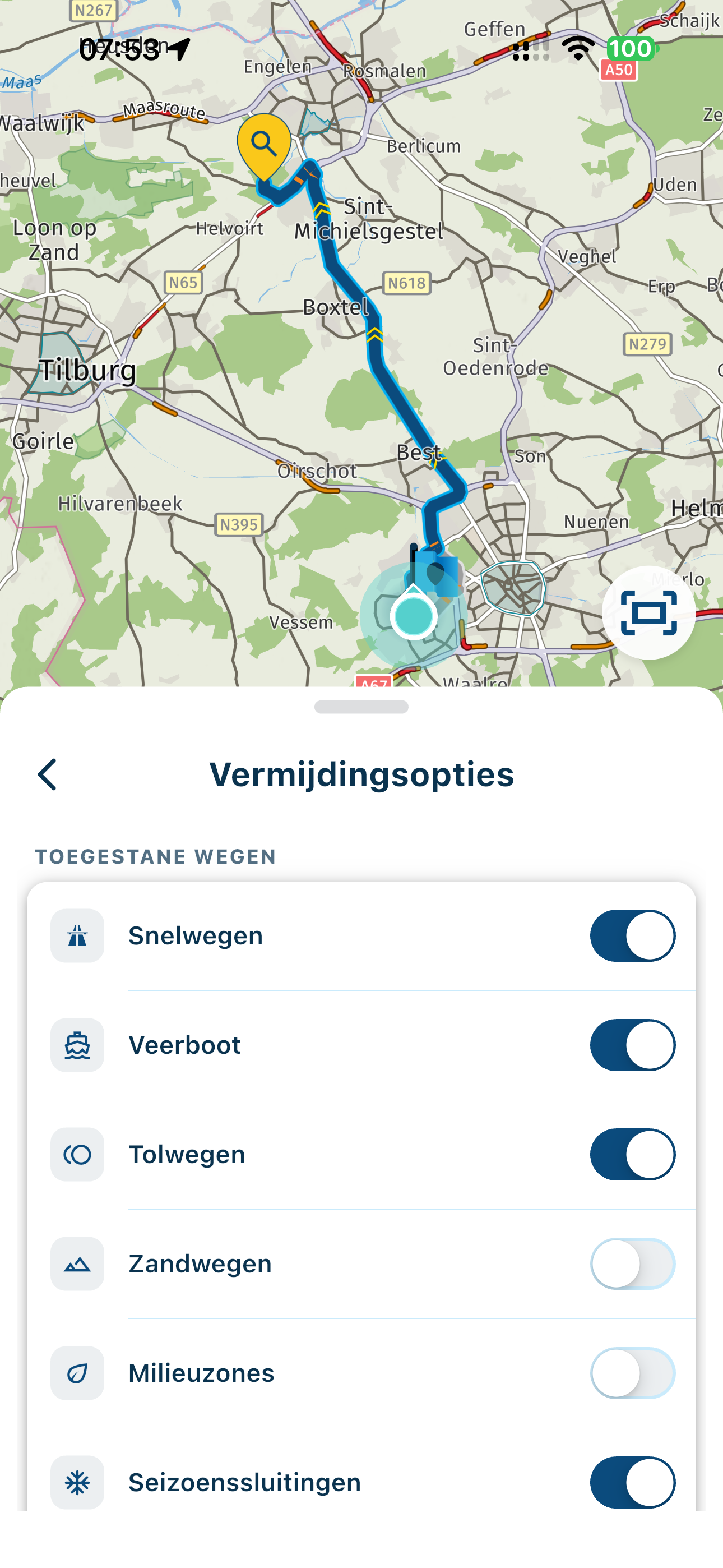
          If you start the route in AA then go to the gearwheel select waypoints then select the waypoint you want to start at then go back to the navigation screen.

          e2090cd4-f4e5-4a2e-936c-83b241c7f9b9-image.jpeg

          1 Reply Last reply
          0
          • Karl-Heinz Schwendner Offline
            Karl-Heinz Schwendner Offline
            Karl-Heinz Schwendner
            wrote last edited by
            #5

            For me the same issue - it's set on the phone to start with the nearest shaping point and use the current location.
            But when I start it on my Carpuride it always wants to start with point 1 !

            You can skip route point - but can't see at the carpuride (android auto) how many point you have to skip!

            It's absolutely frustrating!

            Marinus van Deudekom 1 Reply Last reply
            0
            • Karl-Heinz Schwendner Karl-Heinz Schwendner

              For me the same issue - it's set on the phone to start with the nearest shaping point and use the current location.
              But when I start it on my Carpuride it always wants to start with point 1 !

              You can skip route point - but can't see at the carpuride (android auto) how many point you have to skip!

              It's absolutely frustrating!

              Marinus van Deudekom Offline
              Marinus van Deudekom Offline
              Marinus van Deudekom
              RouteXpert
              wrote last edited by
              #6

              @Karl-Heinz-Schwendner look at what @mzokk posted and you can see a work around. In that way you can see the list of waypoints hence choosing the one you want

              Honda Goldwing GL1500,
              Honda Silverwing GL 650
              DMD2 T865X 8 inch Android tablet using MRA next for navigation
              Garmin XT sold
              Samsung S24FE mounted on a Quadlock and using Android Auto in my car

              1 Reply Last reply
              0
              • LennyO Online
                LennyO Online
                LennyO
                RouteXpert
                wrote last edited by
                #7

                Better yet, do not start your route right at your house. Have the Waypoint #1 a few hundred feet along the intended route (I doubt you need navigation instructioins around your house or on your street... 🙂 ). This way you will eliminate 2 issues at once:

                1. Missing a Start (which is a Via point) and be sent back
                2. Manual intervention to skip WP #1 or selecting any other place to start from.

                Positive emotions are worth every penny ;)

                Hubert Thoring 1 Reply Last reply
                2
                • LennyO LennyO

                  Better yet, do not start your route right at your house. Have the Waypoint #1 a few hundred feet along the intended route (I doubt you need navigation instructioins around your house or on your street... 🙂 ). This way you will eliminate 2 issues at once:

                  1. Missing a Start (which is a Via point) and be sent back
                  2. Manual intervention to skip WP #1 or selecting any other place to start from.
                  Hubert Thoring Offline
                  Hubert Thoring Offline
                  Hubert Thoring
                  Valued contributor
                  wrote last edited by
                  #8

                  @LennyO sagte:

                  Better yet, do not start your route right at your house. Have the Waypoint #1 a few hundred feet along the intended route (I doubt you need navigation instructioins around your house or on your street... 🙂 ). This way you will eliminate 2 issues at once:

                  1. Missing a Start (which is a Via point) and be sent back
                  2. Manual intervention to skip WP #1 or selecting any other place to start from.

                  Very important and correct the hint, because it is often done wrong and leads to problems if not observed

                  VG Hubert
                  Beta Test "Next App" dazu die Hardware .
                  iPad 9. Gen iOS 26.6.1/ iPhone 16e iOS 26.6.1 / Navi iPhone Xr iOS 18.7.10 / PC mit MS Win11 /❗️MyRoute-App im Cradel und Remotek-One❗️ Info zu MRA & Remotek One

                  1 Reply Last reply
                  1

                  Hello! It looks like you're interested in this conversation, but you don't have an account yet.

                  Getting fed up of having to scroll through the same posts each visit? When you register for an account, you'll always come back to exactly where you were before, and choose to be notified of new replies (either via email, or push notification). You'll also be able to save bookmarks and upvote posts to show your appreciation to other community members.

                  With your input, this post could be even better 💗

                  Register Login
                  Reply
                  • Reply as topic
                  Log in to reply
                  • Oldest to Newest
                  • Newest to Oldest
                  • Most Votes


                  ACTIVE USERS
                  Hubert Thoring
                  Hubert Thoring
                  LennyO
                  LennyO
                  Marinus van Deudekom
                  Marinus van Deudekom
                  Karl-Heinz Schwendner
                  Karl-Heinz Schwendner
                  Mzokk
                  Mzokk
                  Andrew Dickerson
                  Andrew Dickerson
                  POPULAR TOPICS
                  • Is there a way to put a Home button in the program
                    Mike wiruth
                    Mike wiruth
                    0
                    11
                    157

                  • routepunten overslaan gebeurd niet zoals verwacht
                    RetiredWingMan
                    RetiredWingMan
                    1
                    24
                    728

                  • Google maps and Streetview
                    Stevedo 6 0
                    Stevedo 6 0
                    1
                    13
                    643

                  • Opening Route Direct from Android Auto Screen
                    Hubert Thoring
                    Hubert Thoring
                    0
                    8
                    311

                  • instelling voor exact track rijden
                    Hubert Thoring
                    Hubert Thoring
                    0
                    2
                    45

                  • Route doesn’t recalculate to my destination
                    Stevedo 6 0
                    Stevedo 6 0
                    0
                    8
                    316

                  • How do i export or 'save as' a file into Garmin Camper 770 - Help
                    Hubert Thoring
                    Hubert Thoring
                    0
                    4
                    108

                  • Traffic information
                    Hubert Thoring
                    Hubert Thoring
                    0
                    4
                    306

                  MY GROUPS
                  • Login

                  • Login or register to search.
                  • First post
                    Last post
                  0
                  • Categories
                  • Recent
                  • Popular
                  • Support
                  • MyRoute-app