New release screen issue / question
-

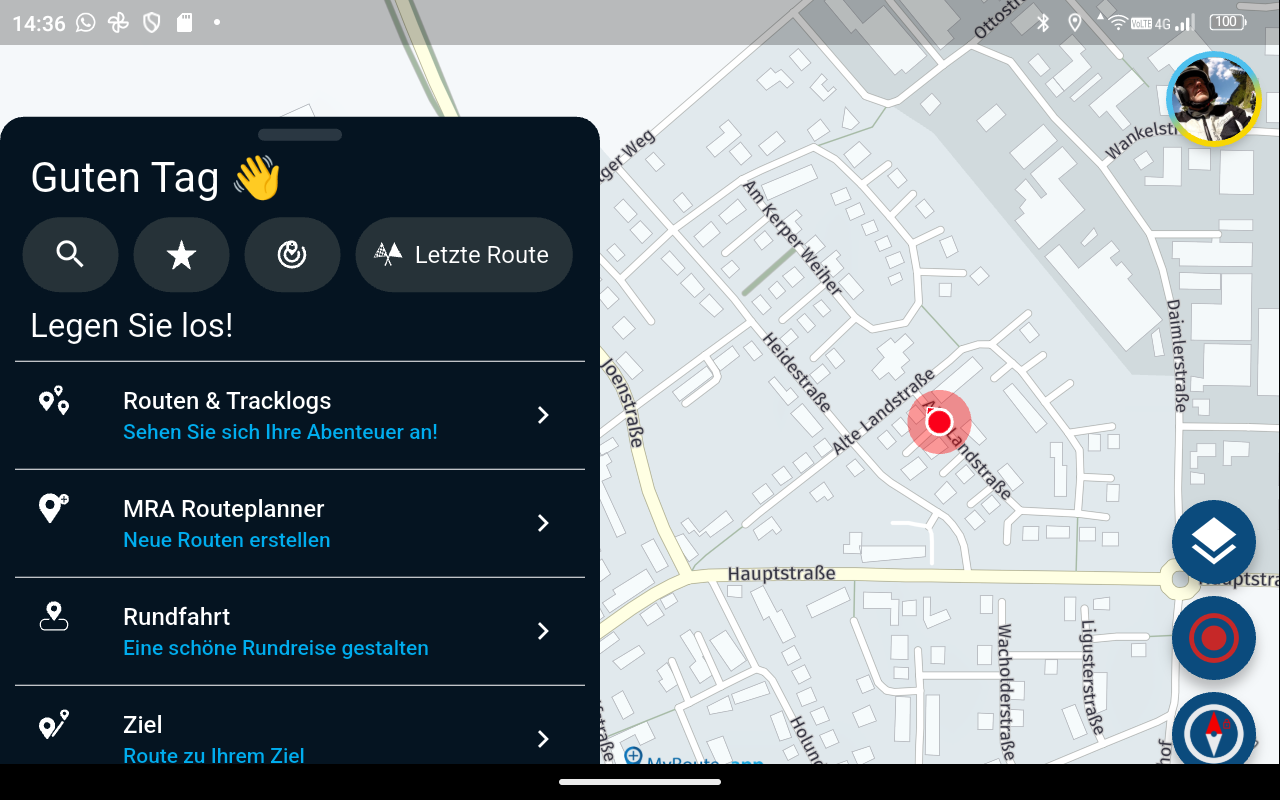
When the phone is in the landscape mode, i could not drag the initial black box with options down to expose more of the map.
Is it me or there is no way now???
Thanks! -

Hi, that is for all (by design). I would like to have this also.

-
My phone is always in landscape.
-
Same here.
-

For a GS with the cradle I have this solution ...Cradel vertical ...
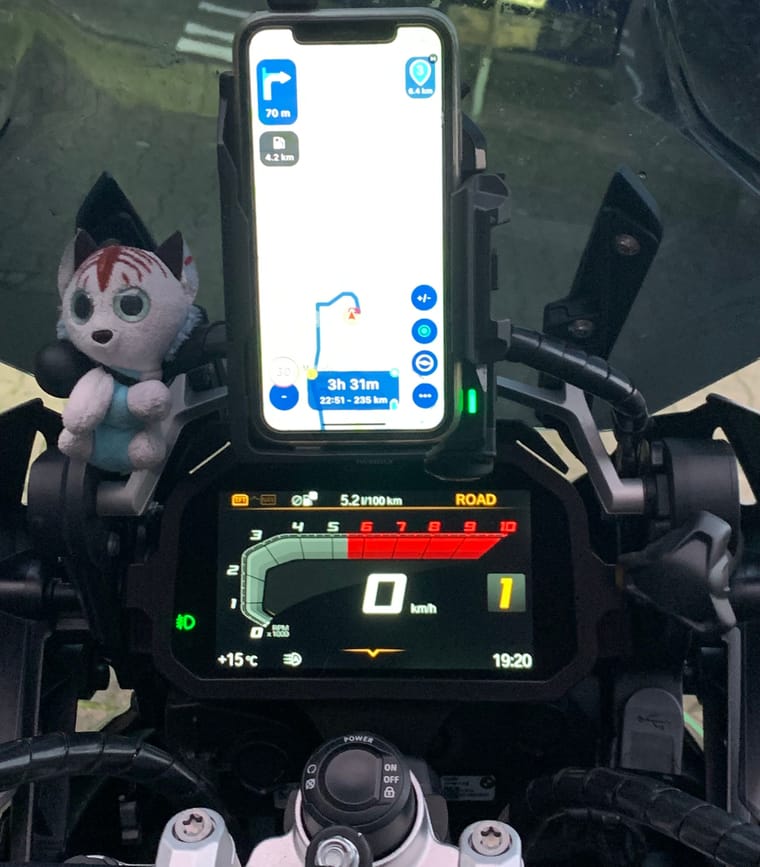
-
But I also miss a better solution for the menu for horizontal because many navigation devices are fixed and horizontally installed.
A request to MRA:
- So the menu should also be able to be pushed down horizontally !!!
VG Hubert
Beta Test "Next App" dazu die Hardware .
iPad 9. Gen iOS 26.7/ iPhone 16e iOS 26.7/ Navi iPhone Xr iOS 18.7.10 / PC mit MS Win11 /❗️MyRoute-App im Cradel und Remotek-One❗️ Info zu MRA & Remotek One -
But I also miss a better solution for the menu for horizontal because many navigation devices are fixed and horizontally installed.
A request to MRA:
- So the menu should also be able to be pushed down horizontally !!!

@Hubert-Thoring, how many times are you going to bring this up...?
@Lenny-O, this is a design-decision that has been made. A free drive mode is being worked on, and that will show the map full screen. In the meantime, if you really want a map without any info, you can long-press on the navigate button for any route. For this purpose you can create a "free-drive" route with just one waypoint, to mimic the behavior of the version 4 MRA app.
-
My phone is always in landscape.
Sorry, I'm a bit confused.
@Lenny-O, are you asking about the "start screen" that @Jörgen mentioned, which looks quite similar to the screen in planning mode? Or are you referring to the design while navigating, as shown in @Hubert-Thoring's post?
Hello! It looks like you're interested in this conversation, but you don't have an account yet.
Getting fed up of having to scroll through the same posts each visit? When you register for an account, you'll always come back to exactly where you were before, and choose to be notified of new replies (either via email, or push notification). You'll also be able to save bookmarks and upvote posts to show your appreciation to other community members.
With your input, this post could be even better 💗
Register Login-
 18251.7k
-
 1224189
-
 88102
88102
-
 07113
07113
-
 57461
57461
-
0635
-
0627
-
5682