Skip to content
  • Categories
  • Recent
  • Popular
  • Support
  • MyRoute-app
Collapse
Brand Logo

MRA Community Forum

  1. Home
  2. MyRoute-app Routeplanner
  3. [Web] Suggestions and Discussion
  4. Traffic situation and road bypasses

Traffic situation and road bypasses
Scheduled Pinned Locked Moved [Web] Suggestions and Discussion
14 Posts 4 Posters 3.7k Views 1 Watching
  • Oldest to Newest
  • Newest to Oldest
  • Most Votes
Reply
  • Reply as topic
Log in to reply
This topic has been deleted. Only users with topic management privileges can see it.
  • Travellexxieundefined Travellexxie

    In your case I would have made a route in Slovenia until the border and in XT set highway "on" and in Italy from the border load a route for Italy and set in XT highway "off".
    Alternativ: make the route in the MRA planner, set highway "on" and make your route (you will have to use a lot of shapingpoints in Italy). Than export the GPX 1.2 and set your recalculation "off". Your route will guide you as you planned it.

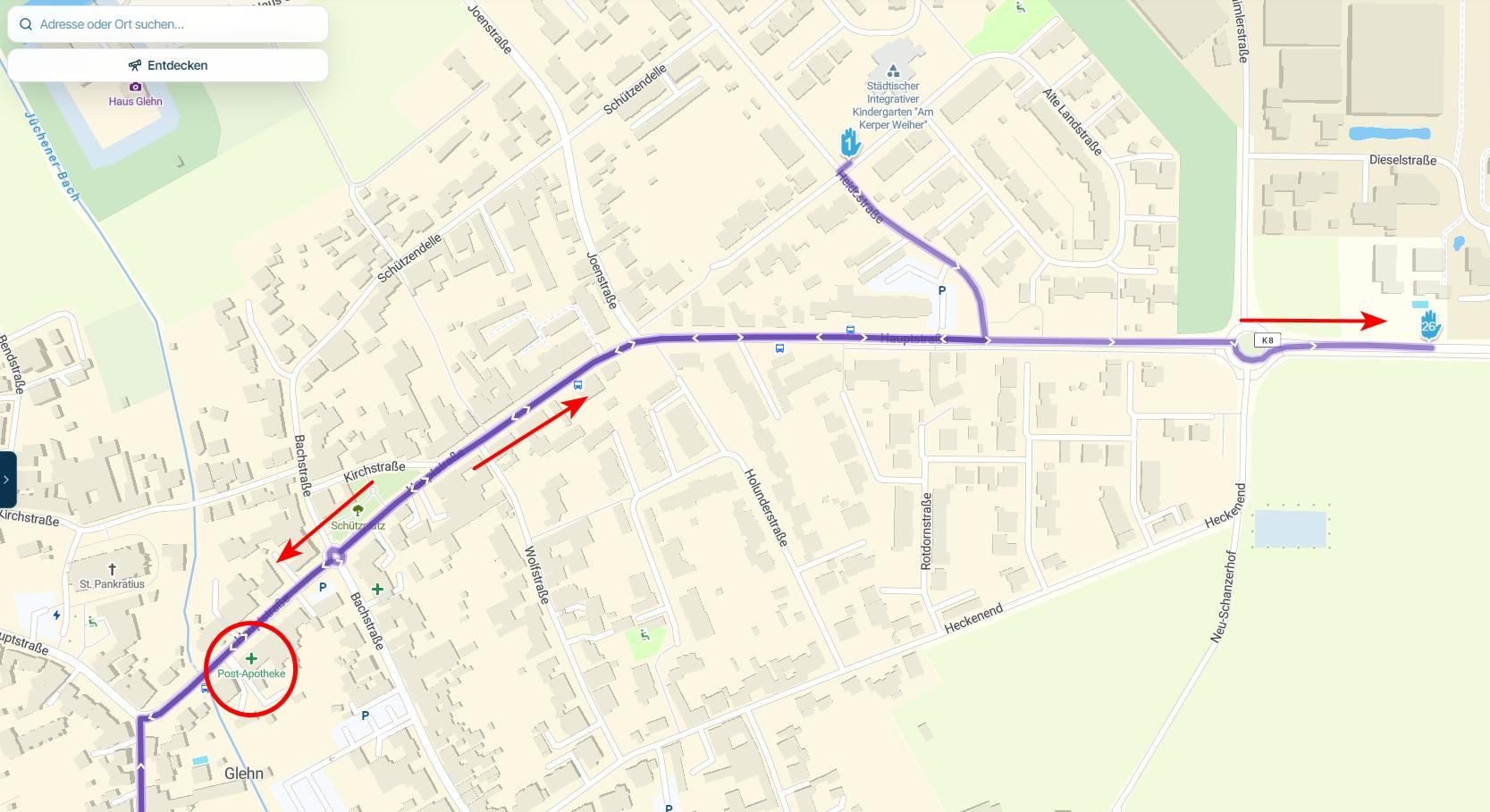
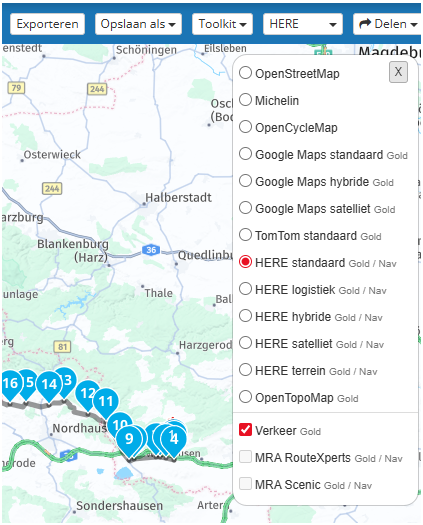
    If you, where in my screenshot it says "verkeer", enable traffic, you will see the closed roads. 46687a00-ef54-4c74-813f-c90b97d0e937-image.png
    Boštjan Kreutzundefined Offline
    Boštjan Kreutzundefined Offline
    Boštjan Kreutz
    wrote on last edited by
    #3

    @Lex.Kloet.RX Good idea about creating two separate routes to solve the highway problem.
    About creating one route and using a lot of shaping points... I thought that the max suggested is about 40 shaping/via points, otherwise Garmin would have problems...
    For Garmin XT I also always use GPX 1.1, since that was recomended. GPX 1.2 was said to be for the Zumo XT2 so I never tried it.

    But the most important:

    If you, where in my screenshot it says "verkeer", enable traffic, you will see the closed roads.

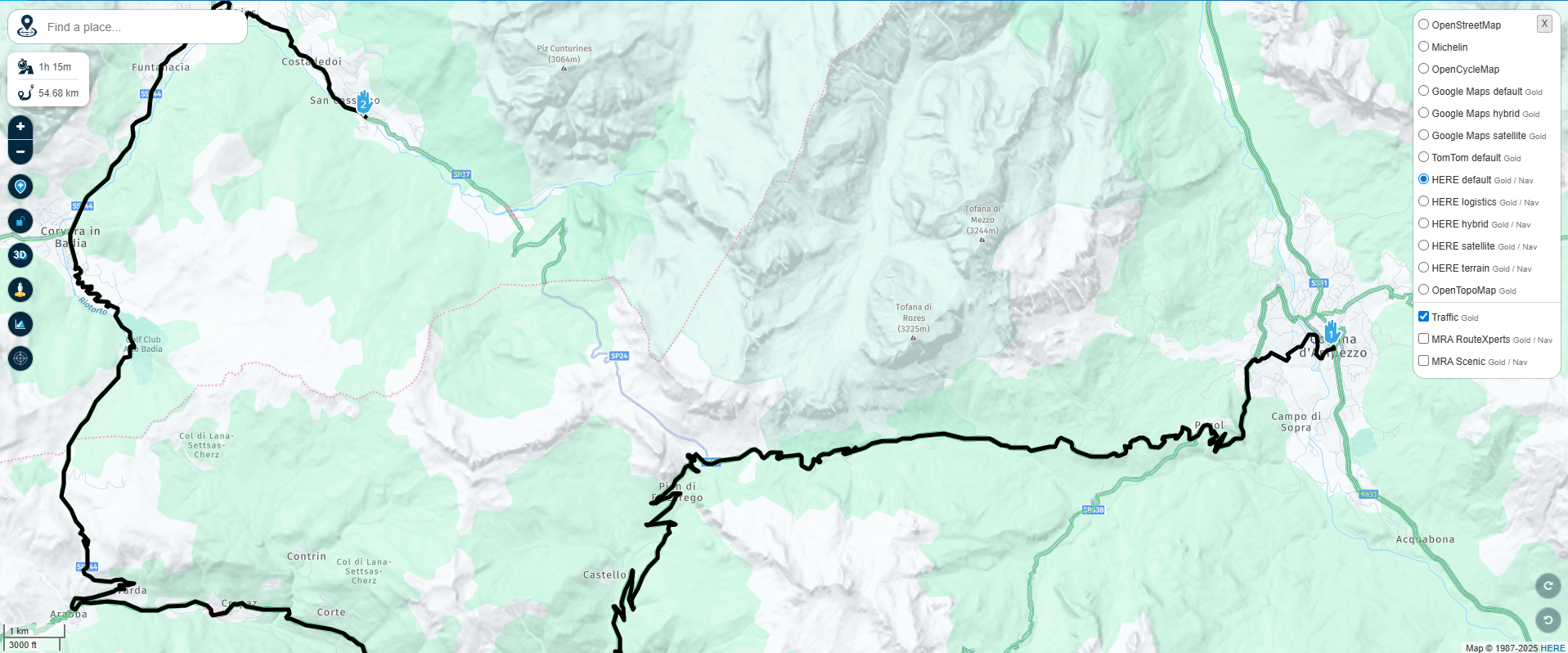
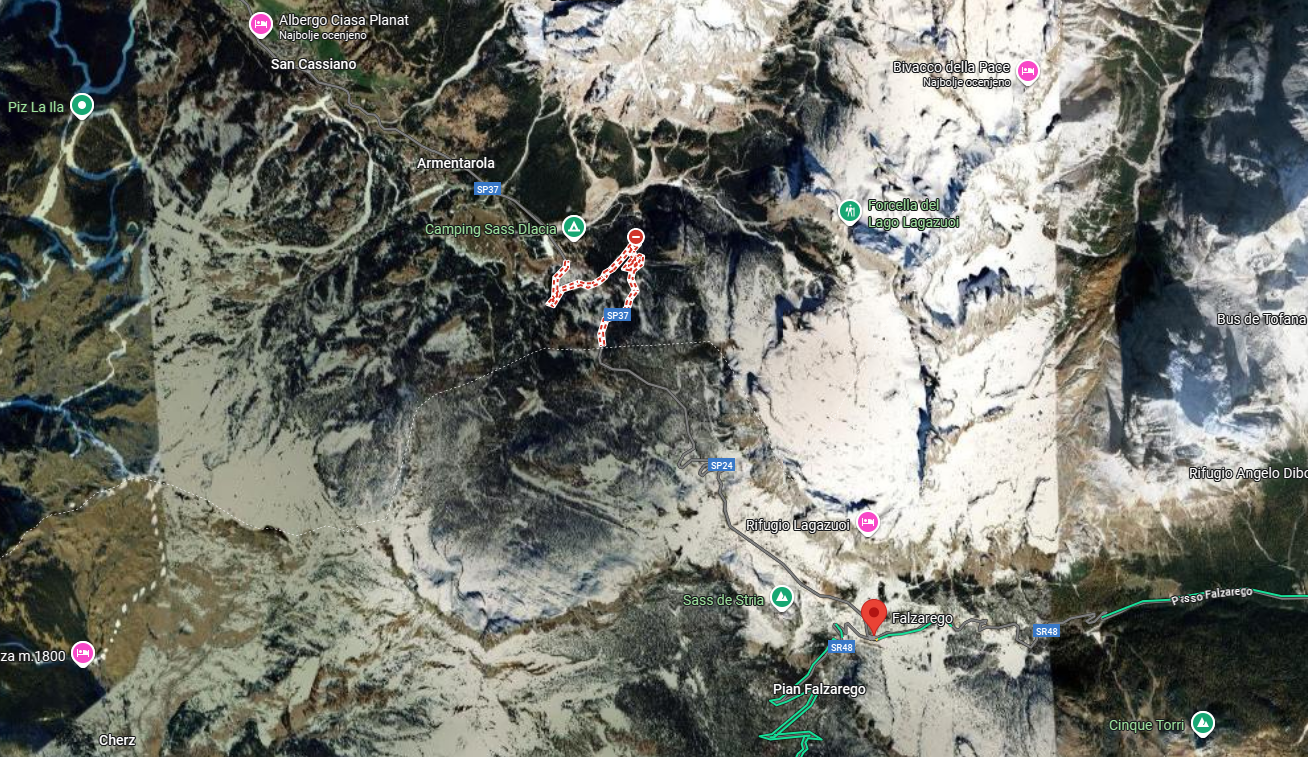
    Well... I have Traffic enabled and I don't see road closed. Check the screen I attached in the OP.
    I do see that the MRA navigated me on the other road, but I don't see that that happened because of the closed road.

    richard 3vundefined Travellexxieundefined 2 Replies Last reply
    0
    • Boštjan Kreutzundefined Boštjan Kreutz

      @Lex.Kloet.RX Good idea about creating two separate routes to solve the highway problem.
      About creating one route and using a lot of shaping points... I thought that the max suggested is about 40 shaping/via points, otherwise Garmin would have problems...
      For Garmin XT I also always use GPX 1.1, since that was recomended. GPX 1.2 was said to be for the Zumo XT2 so I never tried it.

      But the most important:

      If you, where in my screenshot it says "verkeer", enable traffic, you will see the closed roads.

      Well... I have Traffic enabled and I don't see road closed. Check the screen I attached in the OP.
      I do see that the MRA navigated me on the other road, but I don't see that that happened because of the closed road.

      richard 3vundefined Offline
      richard 3vundefined Offline
      richard 3v
      wrote on last edited by richard 3v
      #4

      @Boštjan-Kreutz said in Traffic situation and road bypasses:

      Well... I have Traffic enabled and I don't see road closed. Check the screen I attached in the OP.

      I had a similar issue on Sunday. I was returning from the Eifel area of Germany to the UK via the channel tunnel.

      I took the suggested fastest route using the E40 in Belgium. Three times the motorway was closed with no warning, and worse for me, no suggested diversions.
      OK, the first one I was using offline navigation so that could have been user error, but as I had to stop to figure out my own alternative route I switched my phone onto online, with all traffic settings turned on.
      The next two closures again I got no warnings, and again even worse, no alternative directions.
      This made for a very unpleasant journey as although I had allowed ample time for the suggested route I had to be at the tunnel before a certain time, and these diversions were eating into my safety margin.

      Does anyone have any ideas / suggestions why MRA did not route me around these second two closures.

      Boštjan Kreutzundefined 1 Reply Last reply
      0
      • richard 3vundefined richard 3v

        @Boštjan-Kreutz said in Traffic situation and road bypasses:

        Well... I have Traffic enabled and I don't see road closed. Check the screen I attached in the OP.

        I had a similar issue on Sunday. I was returning from the Eifel area of Germany to the UK via the channel tunnel.

        I took the suggested fastest route using the E40 in Belgium. Three times the motorway was closed with no warning, and worse for me, no suggested diversions.
        OK, the first one I was using offline navigation so that could have been user error, but as I had to stop to figure out my own alternative route I switched my phone onto online, with all traffic settings turned on.
        The next two closures again I got no warnings, and again even worse, no alternative directions.
        This made for a very unpleasant journey as although I had allowed ample time for the suggested route I had to be at the tunnel before a certain time, and these diversions were eating into my safety margin.

        Does anyone have any ideas / suggestions why MRA did not route me around these second two closures.

        Boštjan Kreutzundefined Offline
        Boštjan Kreutzundefined Offline
        Boštjan Kreutz
        wrote on last edited by
        #5

        @richard-3v just to be super clear, you were probably using MRA Next on your phone to navigate?
        My case was not while navigating with Next, but while creating route in a MRA route editor.

        1 Reply Last reply
        0
        • richard 3vundefined Offline
          richard 3vundefined Offline
          richard 3v
          wrote on last edited by
          #6

          @Boštjan-Kreutz
          Yes, that is correct. Sorry for causing confusion.
          But I would still appreciate an answer from anyone with ideas.

          1 Reply Last reply
          0
          • Boštjan Kreutzundefined Boštjan Kreutz

            @Lex.Kloet.RX Good idea about creating two separate routes to solve the highway problem.
            About creating one route and using a lot of shaping points... I thought that the max suggested is about 40 shaping/via points, otherwise Garmin would have problems...
            For Garmin XT I also always use GPX 1.1, since that was recomended. GPX 1.2 was said to be for the Zumo XT2 so I never tried it.

            But the most important:

            If you, where in my screenshot it says "verkeer", enable traffic, you will see the closed roads.

            Well... I have Traffic enabled and I don't see road closed. Check the screen I attached in the OP.
            I do see that the MRA navigated me on the other road, but I don't see that that happened because of the closed road.

            Travellexxieundefined Offline
            Travellexxieundefined Offline
            Travellexxie
            Valued contributor
            wrote on last edited by
            #7

            @Boštjan-Kreutz The XT has 29 viapoints as a maximum for one route (otherwise the route is split). Shapingpoints I don't know by heart, but many more.

            Nope, 1.2 is for all Zumo's. It runs very well on the XT, when you have recalculation off.

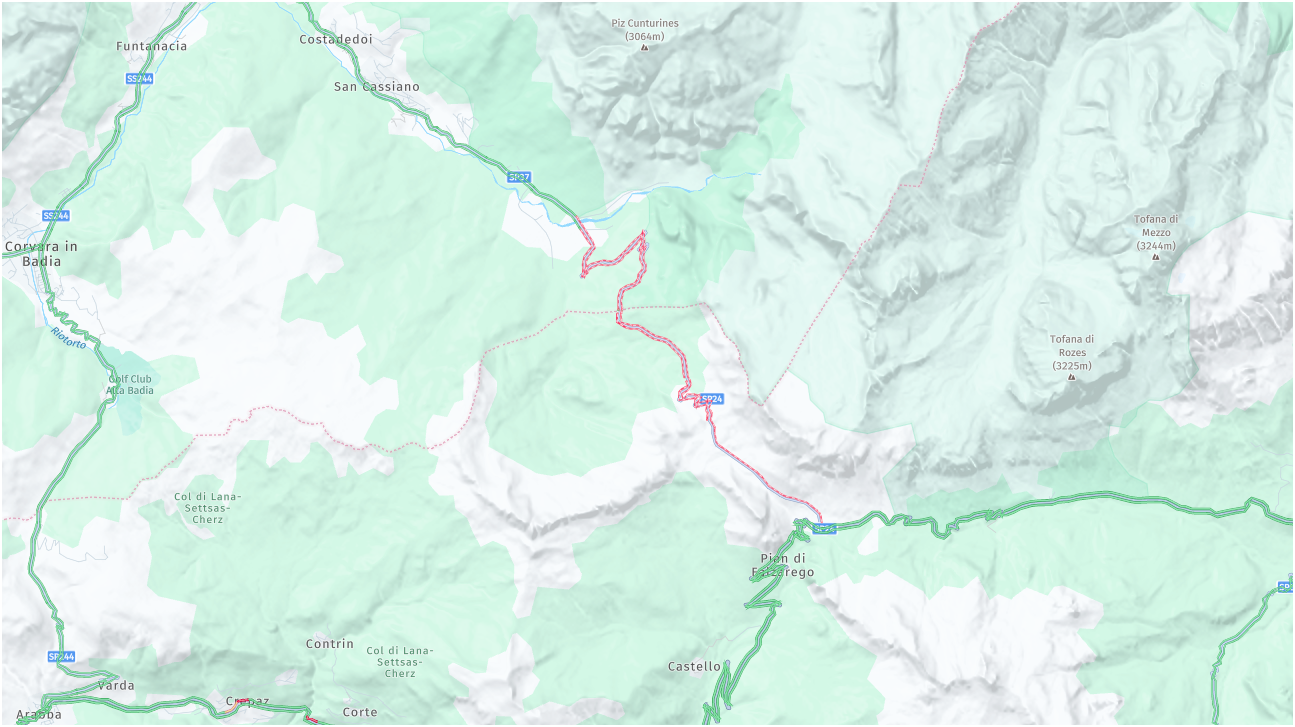
            you have to zoom in a little bit more:
            485c332d-8960-440c-8fa4-7fd8fc8fa2e5-image.png

            Met andere apps maak je een route, met MRA componeer je een route!

            Ducati Monster 1200 met Garmin Zümo XT
            Fiat 124 Spider/Camper Dethleffs met Navigation-App op Samsung Tab Active4 Pro
            MRA Lifetime Gold

            JP dundefined 1 Reply Last reply
            0
            • Boštjan Kreutzundefined Offline
              Boštjan Kreutzundefined Offline
              Boštjan Kreutz
              wrote on last edited by
              #8

              Thank you so much for the explanation on max points and also about the export version... I am a new user and these kind of info is always welcome and I will for sure test that out when I get the next chance.

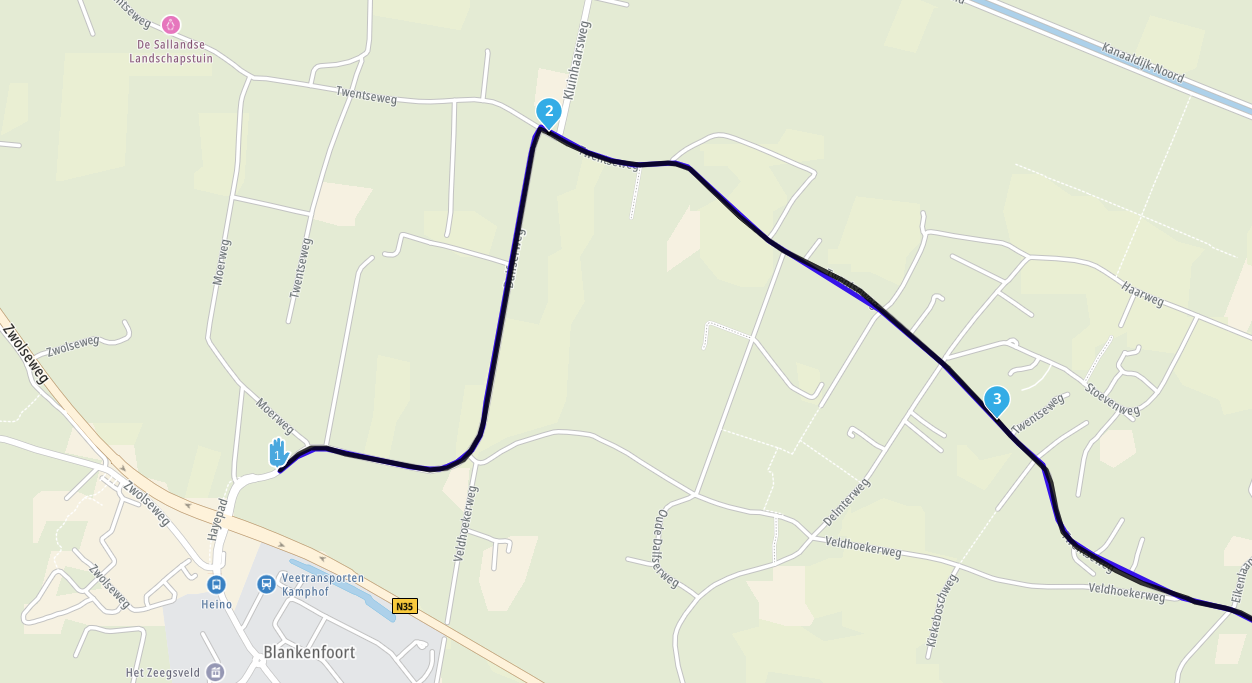
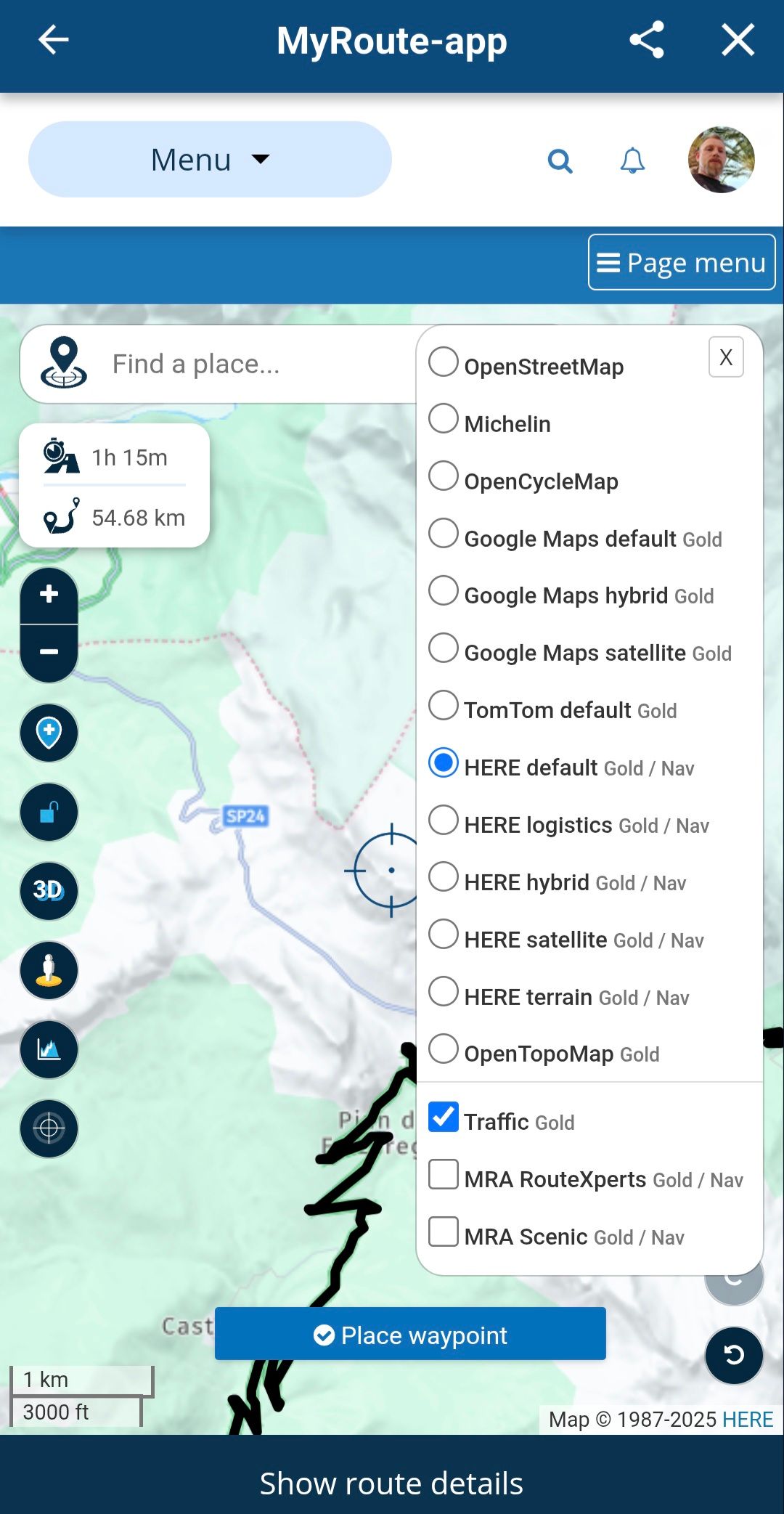
              For the traffic info... I can zoom how much I want, and I don't get the display like yours. I checked to have traffic enabled and also checked all maps (for default I use HERE). I just don't get that red line. On Windows I use Chrome. But I also checked MRA app on my andorid phone, open my test route - still don't see that red line. I also created another new route... no red line... Could it be a location issue?
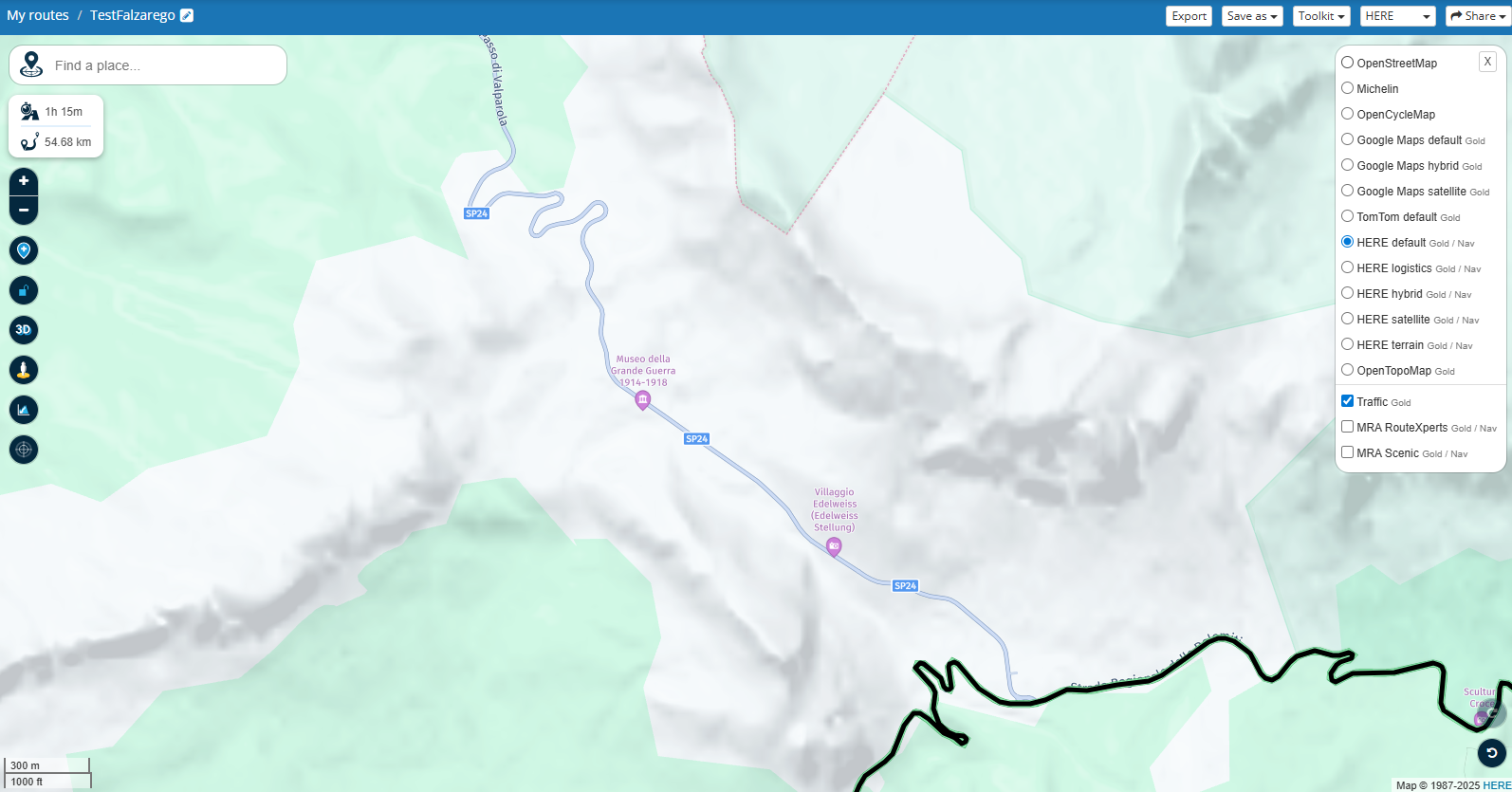
              3.png
              Screenshot_20251001_122006.jpg

              1 Reply Last reply
              0
              • Travellexxieundefined Offline
                Travellexxieundefined Offline
                Travellexxie
                Valued contributor
                wrote on last edited by
                #9

                What kind of subscription do you have?

                Met andere apps maak je een route, met MRA componeer je een route!

                Ducati Monster 1200 met Garmin Zümo XT
                Fiat 124 Spider/Camper Dethleffs met Navigation-App op Samsung Tab Active4 Pro
                MRA Lifetime Gold

                Boštjan Kreutzundefined 1 Reply Last reply
                0
                • Travellexxieundefined Travellexxie

                  What kind of subscription do you have?

                  Boštjan Kreutzundefined Offline
                  Boštjan Kreutzundefined Offline
                  Boštjan Kreutz
                  wrote on last edited by
                  #10

                  @Lex.Kloet.RX I have a "MRA Routeplanner Gold Lifetime member", but I don't have NEXT navigation system subscription.

                  Travellexxieundefined 1 Reply Last reply
                  0
                  • Boštjan Kreutzundefined Boštjan Kreutz

                    @Lex.Kloet.RX I have a "MRA Routeplanner Gold Lifetime member", but I don't have NEXT navigation system subscription.

                    Travellexxieundefined Offline
                    Travellexxieundefined Offline
                    Travellexxie
                    Valued contributor
                    wrote on last edited by
                    #11

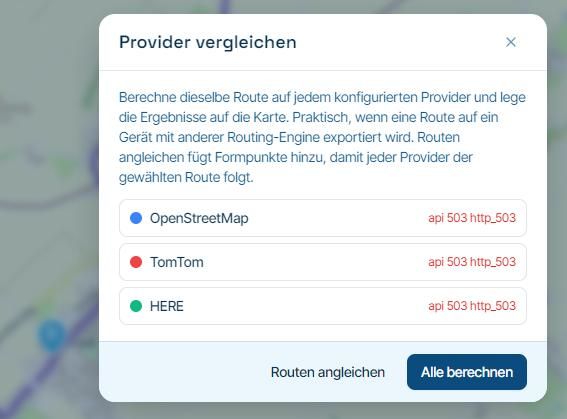
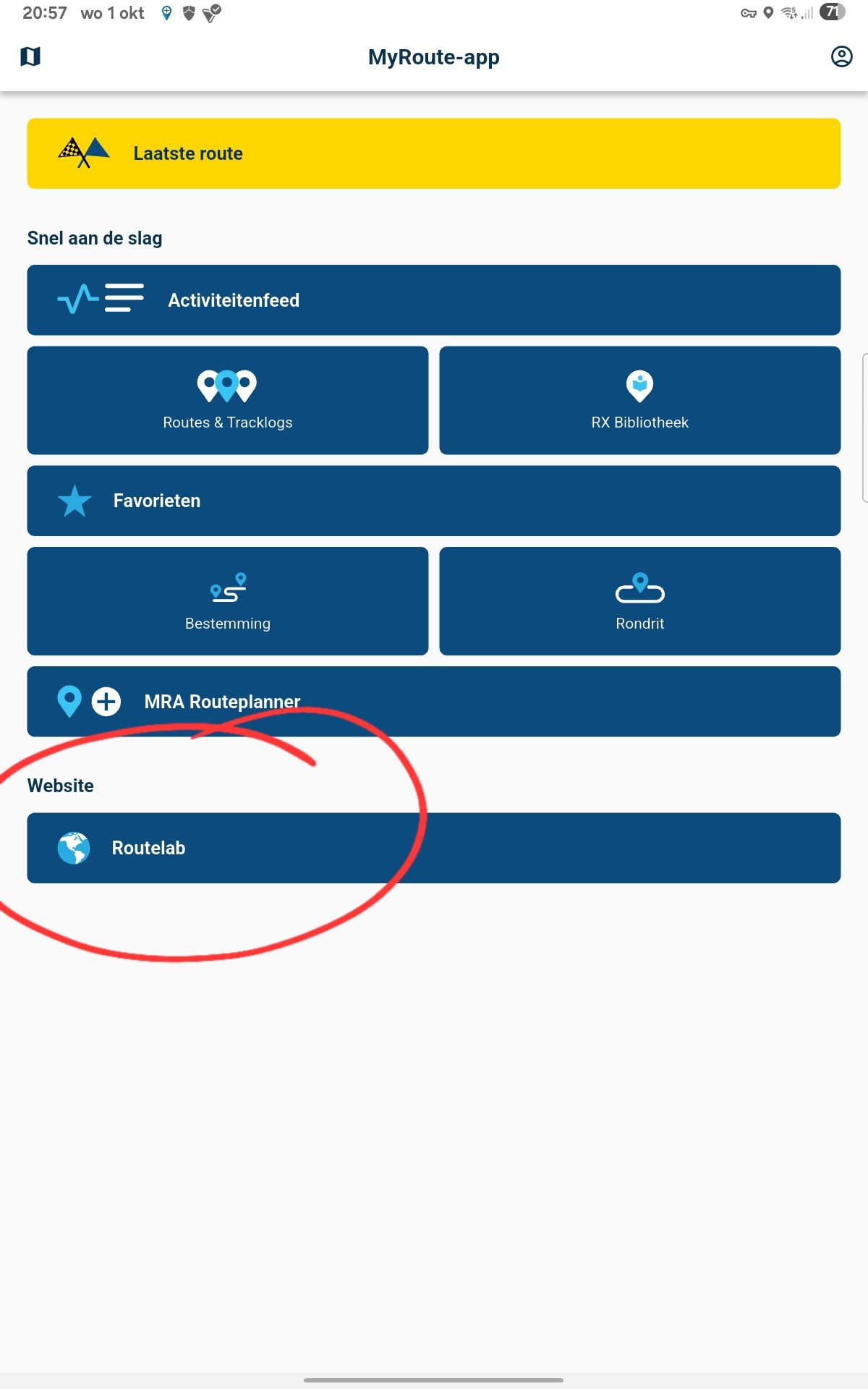
                    @Boštjan-Kreutz try to use the routelab in the app, instead of the MRA Routeplanner 1000034157.jpg
                    Met andere apps maak je een route, met MRA componeer je een route!

                    Ducati Monster 1200 met Garmin Zümo XT
                    Fiat 124 Spider/Camper Dethleffs met Navigation-App op Samsung Tab Active4 Pro
                    MRA Lifetime Gold

                    Boštjan Kreutzundefined 1 Reply Last reply
                    0
                    • Travellexxieundefined Travellexxie

                      @Boštjan-Kreutz try to use the routelab in the app, instead of the MRA Routeplanner 1000034157.jpg

                      Boštjan Kreutzundefined Offline
                      Boštjan Kreutzundefined Offline
                      Boštjan Kreutz
                      wrote on last edited by
                      #12

                      @Lex.Kloet.RX Interesting.

                      I already did what you suggested yesterday and I attached the screen not showing red line. But I double checked now, on the android MRA app, option website-Routelab -> and now it shows the red line. How? Why?
                      I also tried opening on Windows Chrome browser, the same TestFalzarego route then yesterday, and now I also get red line on the web browser...

                      I guess there was some sort of bug, or something else happened (perhaps some catched files), but I would really like to have this kind of road closures to be shown always and reliable. When I do planing it is really useful not to have to double check another SW or google maps to have crucial information at hand.

                      Anyhow, thanks for all your input. It was nevertheless a good learning experience.

                      1 Reply Last reply
                      0
                      • Travellexxieundefined Offline
                        Travellexxieundefined Offline
                        Travellexxie
                        Valued contributor
                        wrote on last edited by
                        #13

                        Maybe a cache problem

                        Met andere apps maak je een route, met MRA componeer je een route!

                        Ducati Monster 1200 met Garmin Zümo XT
                        Fiat 124 Spider/Camper Dethleffs met Navigation-App op Samsung Tab Active4 Pro
                        MRA Lifetime Gold

                        1 Reply Last reply
                        0
                        • Travellexxieundefined Travellexxie

                          @Boštjan-Kreutz The XT has 29 viapoints as a maximum for one route (otherwise the route is split). Shapingpoints I don't know by heart, but many more.

                          Nope, 1.2 is for all Zumo's. It runs very well on the XT, when you have recalculation off.

                          you have to zoom in a little bit more:

                          485c332d-8960-440c-8fa4-7fd8fc8fa2e5-image.png

                          JP dundefined Offline
                          JP dundefined Offline
                          JP d
                          wrote on last edited by
                          #14

                          @Lex.Kloet.RX said in Traffic situation and road bypasses:

                          Shapingpoints I don't know by heart, but many more.

                          200

                          1 Reply Last reply
                          1

                          Hello! It looks like you're interested in this conversation, but you don't have an account yet.

                          Getting fed up of having to scroll through the same posts each visit? When you register for an account, you'll always come back to exactly where you were before, and choose to be notified of new replies (either via email, or push notification). You'll also be able to save bookmarks and upvote posts to show your appreciation to other community members.

                          With your input, this post could be even better 💗

                          Register Login
                          Reply
                          • Reply as topic
                          Log in to reply
                          • Oldest to Newest
                          • Newest to Oldest
                          • Most Votes


                          ACTIVE USERS
                          Travellexxieundefined
                          Travellexxie
                          Boštjan Kreutzundefined
                          Boštjan Kreutz
                          JP dundefined
                          JP d
                          richard 3vundefined
                          richard 3v
                          POPULAR TOPICS
                          • Update 5.1 - CarPlay / Android Auto improvements and more!
                            Corjan Meijerinkundefined
                            Corjan Meijerink
                            18
                            74
                            3.8k

                          • Navigation stopped working during Tour
                            Thomas Neumeyerundefined
                            Thomas Neumeyer
                            1
                            44
                            3.2k

                          • No Route editing/creating possible
                            Travellexxieundefined
                            Travellexxie
                            0
                            6
                            17

                          • 6 crashes
                            white.mouseundefined
                            white.mouse
                            0
                            8
                            215

                          • Favorite
                            Con Hennekensundefined
                            Con Hennekens
                            0
                            5
                            113

                          • iPhone wordt veel te heet tijdens navigeren
                            Rob Verhoeffundefined
                            Rob Verhoeff
                            1
                            5
                            172

                          • Route Detour
                            supergundefined
                            superg
                            0
                            2
                            58

                          • Route, wil niet meer laden.
                            supergundefined
                            superg
                            0
                            2
                            37

                          MY GROUPS
                          • Login

                          • Login or register to search.
                          • First post
                            Last post
                          0
                          • Categories
                          • Recent
                          • Popular
                          • Support
                          • MyRoute-app