Skip to content
  • Categories
  • Recent
  • Popular
  • Support
  • MyRoute-app
Collapse
Brand Logo

MRA Community Forum

  1. Home
  2. The MyRoute-app
  3. [App] Problems, Bugs and other Issues
  4. When adding pauze in a route, it doesn't get calculated in the app

When adding pauze in a route, it doesn't get calculated in the app

Scheduled Pinned Locked Moved [App] Problems, Bugs and other Issues
5 Posts 4 Posters 1.3k Views 2 Watching
  • Oldest to Newest
  • Newest to Oldest
  • Most Votes
Reply
  • Reply as topic
Log in to reply
This topic has been deleted. Only users with topic management privileges can see it.
  • Alex 79 Offline
    Alex 79 Offline
    Alex 79
    wrote on last edited by
    #1

    When I create a route and add a pause for coffe or lunch it is calculated right in the web version.
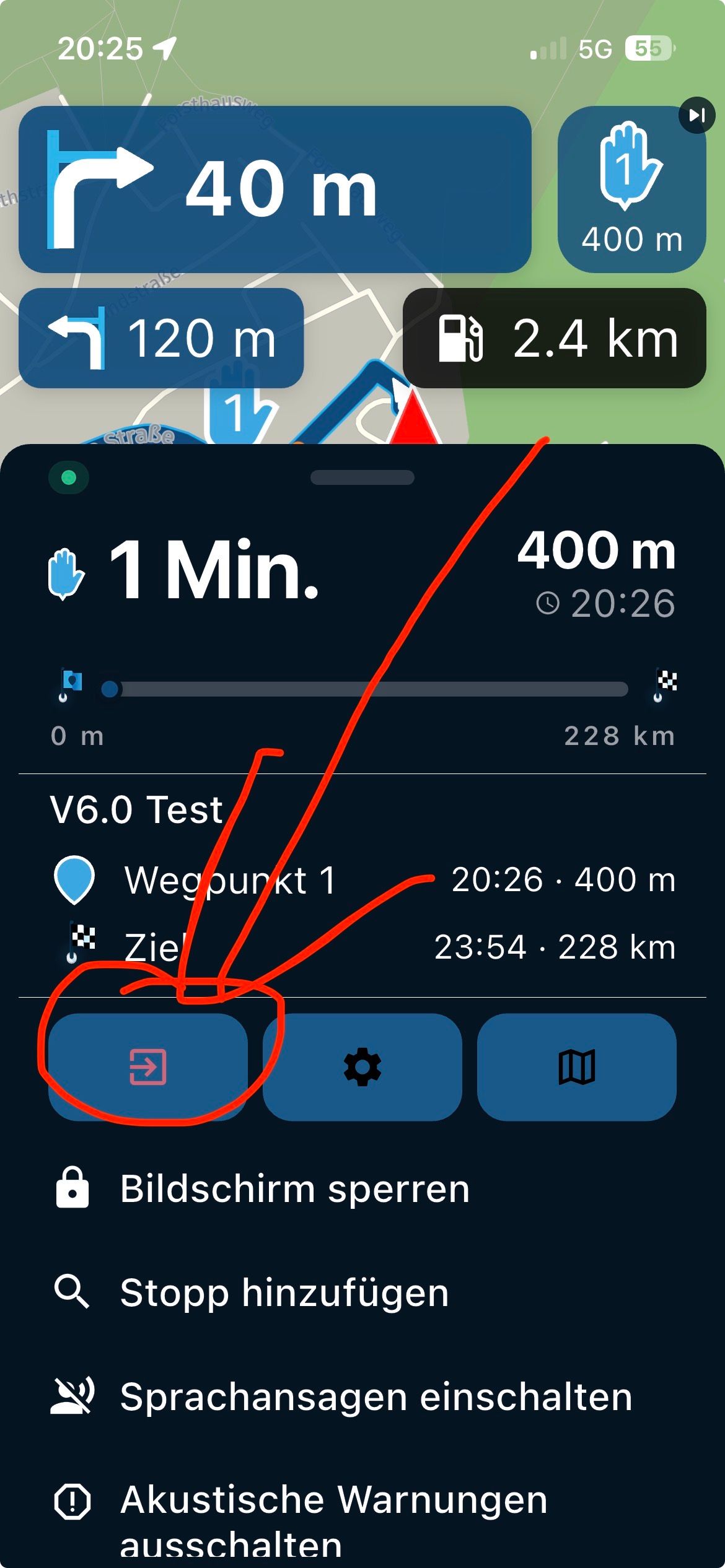
    However, when I start to navigate with the app on my Android phone the time isn't calculated in the timeline.

    So in the web version I make a route of say 2:53 and add a pause of 30 mins.
    The total time goes up to 3:23.
    When navigating the route on my phone with the app it stays 2:53.

    Is there a setting I am missing or is this a bug in the app or in combination with my device?

    Rob Verhoeff 1 Reply Last reply
    1
    • Marinus van Deudekom Offline
      Marinus van Deudekom Offline
      Marinus van Deudekom
      RouteXpert
      wrote on last edited by
      #2

      Nope you didn’t miss a thing. It’s indeed different then the webplanner

      Honda Goldwing GL1500,
      Honda Silverwing GL 650
      DMD2 T865X 8 inch Android tablet using MRA next for navigation
      Garmin XT sold
      Samsung S24FE mounted on a Quadlock and using Android Auto in my car

      1 Reply Last reply
      1
      • Alex 79 Alex 79

        When I create a route and add a pause for coffe or lunch it is calculated right in the web version.
        However, when I start to navigate with the app on my Android phone the time isn't calculated in the timeline.

        So in the web version I make a route of say 2:53 and add a pause of 30 mins.
        The total time goes up to 3:23.
        When navigating the route on my phone with the app it stays 2:53.

        Is there a setting I am missing or is this a bug in the app or in combination with my device?

        Rob Verhoeff Offline
        Rob Verhoeff Offline
        Rob Verhoeff
        Alpha tester
        wrote on last edited by
        #3

        @Alex-79 That's exactly how it works! In the route planner, you can schedule breaks. These are never included in your actual route. When you start the route, your navigation system doesn't know when or how long you'll take that scheduled break, right? In the planner, it's just an indication of how long you'll be on the road that day. Once you've reached your planned break point and get back on the road after 30 minutes, the remaining route time will be adjusted accordingly, depending on how long you actually stopped. Maybe instead of 30 minutes, you stopped for 45 minutes. In that case, your "planned time" wouldn't be accurate anymore either.

        🏍️ BMW K1600GT-P (2013) | Nolan N100-5 with Sena 30K
        📱 iOS on iPhone 13 & 16 (mounted on Quadlock or AliExpress extention on BMW-cradle)
        🚙 Apple CarPlay in VW T-Roc
        💻 Routelab on MacBook Air & iMac (Tahoe & Ventura)

        1 Reply Last reply
        3
        • Travellexxie Offline
          Travellexxie Offline
          Travellexxie
          Valued contributor
          wrote on last edited by
          #4

          The pause will only appear, if you export a gpx1.2 to a Garmin Zumo. Than pausetime is added to the routetime, so you can exactly tell your wife, when she can start preparing dinner 😉

          Met andere apps maak je een route, met MRA componeer je een route!

          Ducati Monster 1200 met Garmin Zümo XT
          Fiat 124 Spider/Camper Dethleffs met Navigation-App op Samsung Tab Active4 Pro
          MRA Lifetime Gold

          1 Reply Last reply
          2
          • Alex 79 Offline
            Alex 79 Offline
            Alex 79
            wrote on last edited by
            #5

            Thanks for the replies guys!
            So I will stop looking for the hidden option to turn this on.
            I understand the reasoning, but would like to be able to turn this on of off.
            And when I pass the pause point the route time can be calculated again right. Just the same as I do a stop now and then start riding again in 30 mins, or 45 mins.

            Anyways... thanks for the confirmation. And on to the feature request part of the forum 😉

            1 Reply Last reply
            0
            • Alex 79 Alex 79 referenced this topic on

            Hello! It looks like you're interested in this conversation, but you don't have an account yet.

            Getting fed up of having to scroll through the same posts each visit? When you register for an account, you'll always come back to exactly where you were before, and choose to be notified of new replies (either via email, or push notification). You'll also be able to save bookmarks and upvote posts to show your appreciation to other community members.

            With your input, this post could be even better 💗

            Register Login
            Reply
            • Reply as topic
            Log in to reply
            • Oldest to Newest
            • Newest to Oldest
            • Most Votes


            ACTIVE USERS
            Marinus van Deudekom
            Marinus van Deudekom
            Travellexxie
            Travellexxie
            Rob Verhoeff
            Rob Verhoeff
            Alex 79
            Alex 79
            POPULAR TOPICS
            • GPX Versions 1.1 vs 1.2 for Garmin Visually Explained
              Mzokk
              Mzokk
              7
              174
              13.9k

            • The compas direction on the elevation circle is wrong
              Guzzist
              Guzzist
              0
              30
              1.1k

            • Carpuride scherm vast
              Corjan Meijerink
              Corjan Meijerink
              3
              26
              1.2k

            • Camperroutes
              De Ploey Georges
              De Ploey Georges
              0
              4
              149

            • App probleem scenic route niet mogelijk
              Philip Verbeek
              Philip Verbeek
              0
              3
              77

            • Latest version of the App?
              white.mouse
              white.mouse
              0
              3
              95

            • HERE maps updates
              Travellexxie
              Travellexxie
              0
              10
              300

            • Route maken in TomTom kaart en vervolgens met de app navigeren
              Con Hennekens
              Con Hennekens
              0
              7
              222

            MY GROUPS
            • Login

            • Login or register to search.
            • First post
              Last post
            0
            • Categories
            • Recent
            • Popular
            • Support
            • MyRoute-app