Skip to content
  • Categories
  • Recent
  • Popular
  • Support
  • MyRoute-app
Collapse
Brand Logo

MRA Community Forum

  1. Home
  2. MyRoute-app Routeplanner
  3. [Web] Problems, Bugs and other Issues
  4. Expand Puts Higher Number Waypoints Between Lower Numbered

Expand Puts Higher Number Waypoints Between Lower Numbered

Scheduled Pinned Locked Moved [Web] Problems, Bugs and other Issues
15 Posts 7 Posters 4.0k Views 5 Watching
  • Oldest to Newest
  • Newest to Oldest
  • Most Votes
Reply
  • Reply as topic
Log in to reply
This topic has been deleted. Only users with topic management privileges can see it.
  • Martin Woodford Offline
    Martin Woodford Offline
    Martin Woodford
    wrote on last edited by
    #3

    https://www.myrouteapp.com/route/open/11112336
    Thanks

    1 Reply Last reply
    0
    • Tony 13 Offline
      Tony 13 Offline
      Tony 13
      wrote on last edited by
      #4

      does not do it quite the same on my laptop. But the result is the same, it ends up with waypoints added into the wrong place, effectively creating a double back. Very odd, but no idea why

      1 Reply Last reply
      0
      • Martin Woodford Martin Woodford

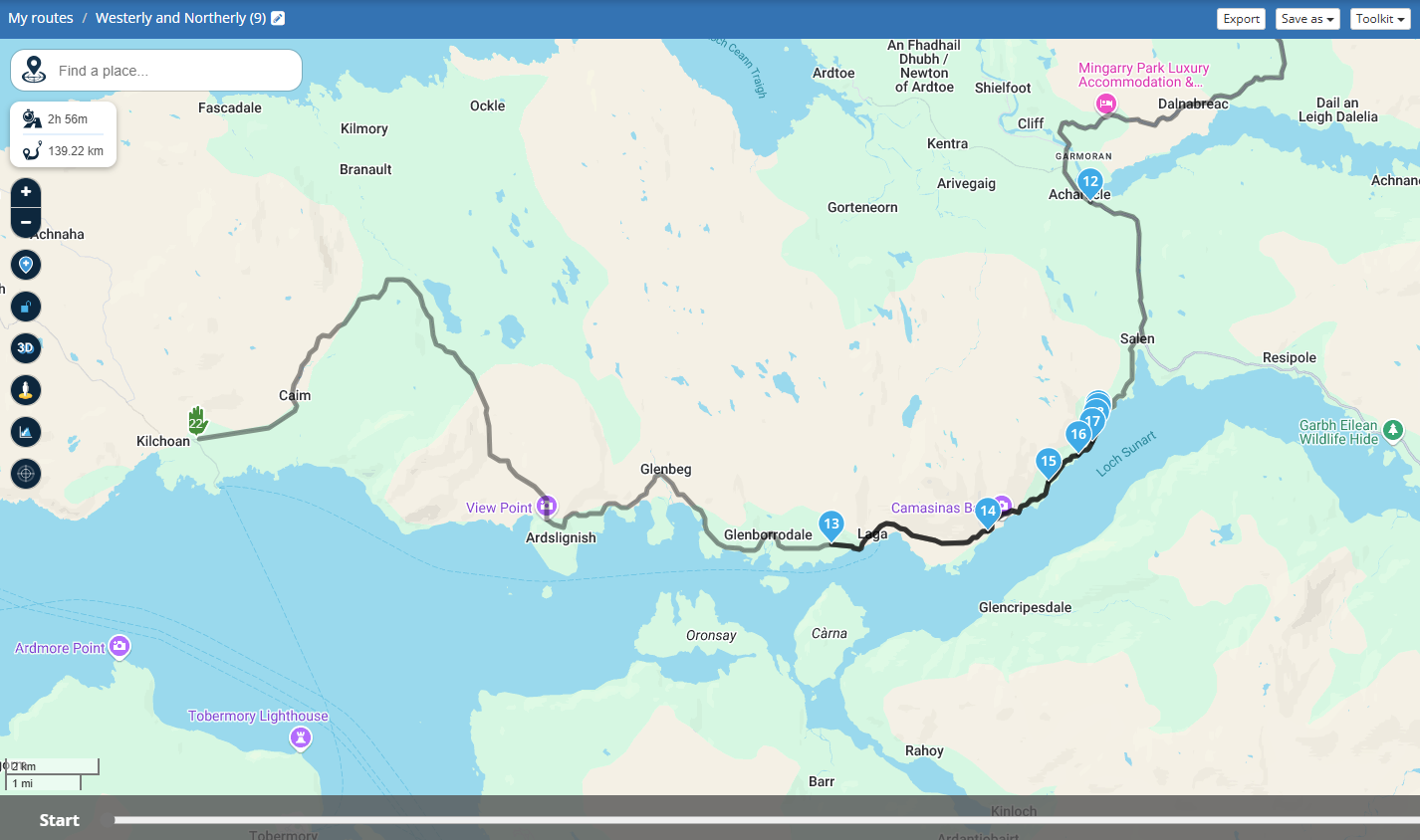
        I recently created a long route which I split into 11 days. I then used expand to increase the number of waypoints in those splits. Most of them worked OK but two of them inserted higher number waypoints between lower numbers, so as an example the sequence on the map would show 21, 24, 23, 22. The effect of this was that when following the route on my BMW NavVI I would get messages to make a U turn. The route(s) were created using HERE maps and transferred using the connector. Before expanding I checked none of the waypoints I'd plotted were on the wrong side of dual carriageways. or in side roads etc.

        Adrian Avram Offline
        Adrian Avram Offline
        Adrian Avram
        wrote on last edited by Adrian Avram
        #5

        @Martin-Woodford
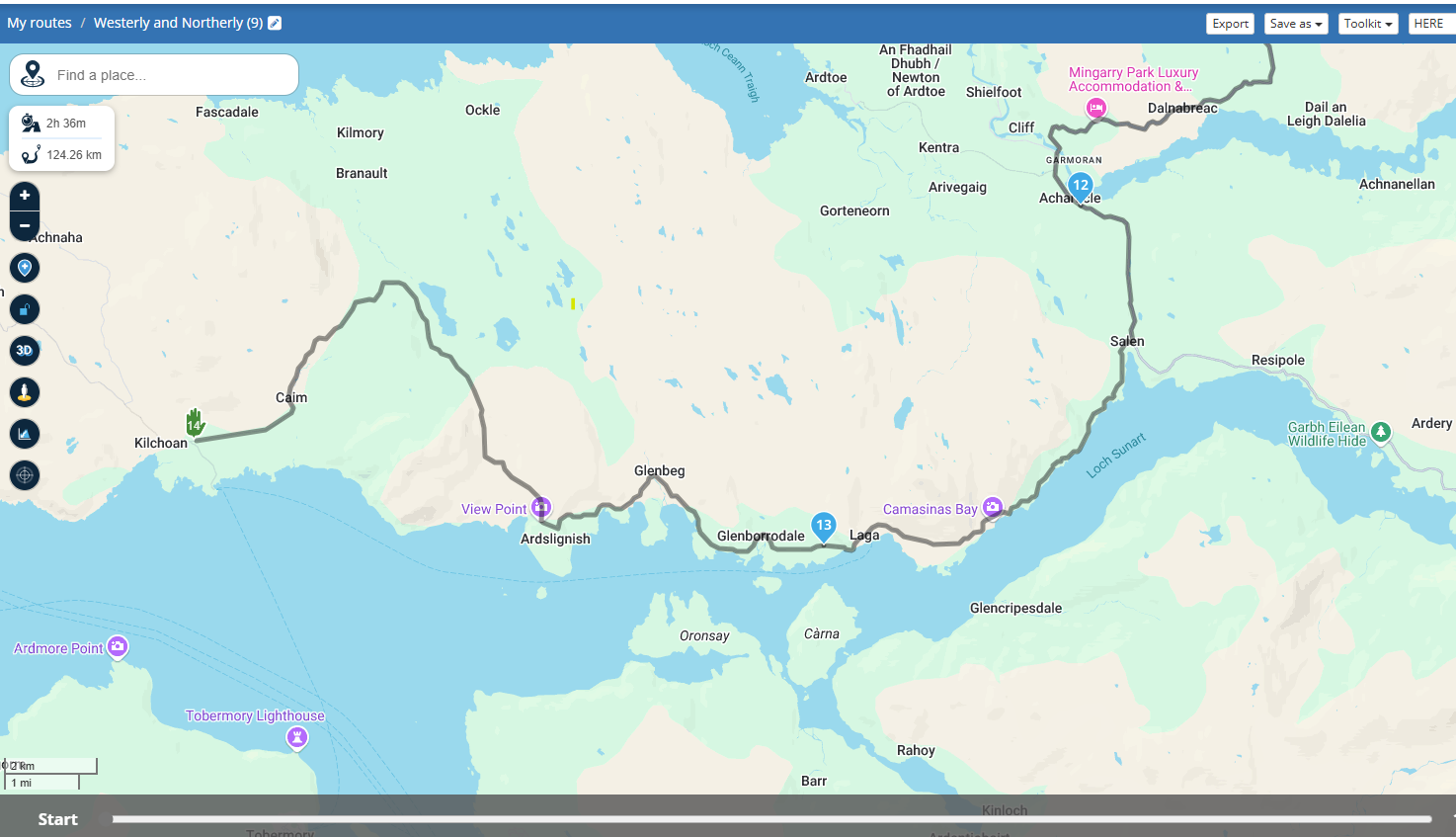
        Just delete all the points between 14 and 12.
        Maybe its a Here map issue, and not MRA's fault.
        71b1ec43-c564-42d4-a83b-5e59ca5b4f75-image.png

        b141c28c-7d5d-4324-9a35-6fb301ba0c02-image.png

        Best regards,
        Adrian

        📱Samsung S24 Ultra with MyRoute-APP (GOLD Lifetime)
        🏍️Honda NC750X (2021) with AA/CarPlay by CHIGEE Aio-5
        🚙Renaul Duster with onboard AA/CarPlay Unit

        1 Reply Last reply
        0
        • Martin Woodford Offline
          Martin Woodford Offline
          Martin Woodford
          wrote on last edited by
          #6

          @Adrian-Avram
          Hi Adrian
          Thanks for responding but I don't think you've understood the issue. To ensure the (Garmin) BMW NavVI follows the exact route I've plotted I want to make sure there are enough waypoints that it won't make any changes (all of the settings on the NavVI are correct but it's still a known issue that many satnavs change imported routes) so, after I've manually got the route I want I the use the expand function in the toolkit to add multiple additional waypoints. The issue is that on 2 of the 11 routes MRA expand added waypoints out of sequence.

          Skellum 1 Reply Last reply
          1
          • Martin Woodford Martin Woodford

            I recently created a long route which I split into 11 days. I then used expand to increase the number of waypoints in those splits. Most of them worked OK but two of them inserted higher number waypoints between lower numbers, so as an example the sequence on the map would show 21, 24, 23, 22. The effect of this was that when following the route on my BMW NavVI I would get messages to make a U turn. The route(s) were created using HERE maps and transferred using the connector. Before expanding I checked none of the waypoints I'd plotted were on the wrong side of dual carriageways. or in side roads etc.

            Rob Verhoeff Offline
            Rob Verhoeff Offline
            Rob Verhoeff
            Alpha tester
            wrote on last edited by
            #7

            @Martin-Woodford I created my own route exactly according to the coordinates of your route. When I then expand my route to 20 points, I experience exactly the same as your findings. No idea what’s causing that.

            🏍️ BMW K1600GT-P (2013) | Nolan N100-5 with Sena 30K
            📱 iOS on iPhone 13 & 16 (mounted on Quadlock or AliExpress extention on BMW-cradle)
            🚙 Apple CarPlay in VW T-Roc
            💻 Routelab on MacBook Air & iMac (Tahoe & Ventura)

            1 Reply Last reply
            0
            • Martin Woodford Martin Woodford

              @Adrian-Avram
              Hi Adrian
              Thanks for responding but I don't think you've understood the issue. To ensure the (Garmin) BMW NavVI follows the exact route I've plotted I want to make sure there are enough waypoints that it won't make any changes (all of the settings on the NavVI are correct but it's still a known issue that many satnavs change imported routes) so, after I've manually got the route I want I the use the expand function in the toolkit to add multiple additional waypoints. The issue is that on 2 of the 11 routes MRA expand added waypoints out of sequence.

              Skellum Offline
              Skellum Offline
              Skellum
              wrote on last edited by
              #8

              @Martin-Woodford If you check the co-ordinates of waypoints 13 & 23, you will see for some reason they are the same - It would appear that the route reverses back to 13/23 once it reaches waypoint 14 and the system has added further waypoints (15 - 23) to assist this move.
              Maybe you inadvertently asked MRA to reverse the route from 14 or maybe it is an anomaly within MRA.
              I am sure someone more knowledgable will sort it out. Thanks Tony

              Rob Verhoeff Martin Woodford 2 Replies Last reply
              0
              • Skellum Skellum

                @Martin-Woodford If you check the co-ordinates of waypoints 13 & 23, you will see for some reason they are the same - It would appear that the route reverses back to 13/23 once it reaches waypoint 14 and the system has added further waypoints (15 - 23) to assist this move.
                Maybe you inadvertently asked MRA to reverse the route from 14 or maybe it is an anomaly within MRA.
                I am sure someone more knowledgable will sort it out. Thanks Tony

                Rob Verhoeff Offline
                Rob Verhoeff Offline
                Rob Verhoeff
                Alpha tester
                wrote on last edited by
                #9

                @Skellum I’ve also added extra waypoints to my own routes using the Toolkit expand option. That always works fine. But for some reason, it doesn’t work in @Martin-Woodford route.
                Even when I, for example, move the endpoint to an earlier point in the route by deleting the last three waypoints, the points reappear in a different, illogical locations.

                🏍️ BMW K1600GT-P (2013) | Nolan N100-5 with Sena 30K
                📱 iOS on iPhone 13 & 16 (mounted on Quadlock or AliExpress extention on BMW-cradle)
                🚙 Apple CarPlay in VW T-Roc
                💻 Routelab on MacBook Air & iMac (Tahoe & Ventura)

                1 Reply Last reply
                0
                • Adrian Avram Offline
                  Adrian Avram Offline
                  Adrian Avram
                  wrote on last edited by
                  #10

                  Maybe its better to add shaping points manually in key locations, if this issue persists ...

                  Best regards,
                  Adrian

                  📱Samsung S24 Ultra with MyRoute-APP (GOLD Lifetime)
                  🏍️Honda NC750X (2021) with AA/CarPlay by CHIGEE Aio-5
                  🚙Renaul Duster with onboard AA/CarPlay Unit

                  Martin Woodford 1 Reply Last reply
                  0
                  • Skellum Skellum

                    @Martin-Woodford If you check the co-ordinates of waypoints 13 & 23, you will see for some reason they are the same - It would appear that the route reverses back to 13/23 once it reaches waypoint 14 and the system has added further waypoints (15 - 23) to assist this move.
                    Maybe you inadvertently asked MRA to reverse the route from 14 or maybe it is an anomaly within MRA.
                    I am sure someone more knowledgable will sort it out. Thanks Tony

                    Martin Woodford Offline
                    Martin Woodford Offline
                    Martin Woodford
                    wrote on last edited by
                    #11

                    @Skellum
                    Hi Tony
                    Looking at the labels of the waypoints I think my original route had 14, numbers 1-13 and the final destination which is now #24. When I then used the expand function MRA appears to have added what are now #s 14-23 (they're labeled "waypoint" whereas my manually entered ones have a road designation). What I don't get is 1. why it's put them all in a cluster where it has and 2. why it's reversed the route.
                    Hopefully someone will have the answer.
                    Thanks

                    1 Reply Last reply
                    0
                    • Adrian Avram Adrian Avram

                      Maybe its better to add shaping points manually in key locations, if this issue persists ...

                      Martin Woodford Offline
                      Martin Woodford Offline
                      Martin Woodford
                      wrote on last edited by
                      #12

                      @Adrian-Avram
                      Hi Adrian
                      That rather defeats to purpose of having the function.
                      Thanks

                      1 Reply Last reply
                      1
                      • Martin Woodford Offline
                        Martin Woodford Offline
                        Martin Woodford
                        wrote on last edited by
                        #13

                        Do we know if anyone from MRA read these forum posts ?
                        Thanks

                        Corjan Meijerink 1 Reply Last reply
                        0
                        • white.mouse Offline
                          white.mouse Offline
                          white.mouse
                          Valued contributor
                          wrote on last edited by
                          #14

                          Yes they do Frequently

                          met een R1250RT met TFT en BMW Connected Ride App (die dus nog steeds niet voldoet!) ;
                          de Garmin Zumo XT en M.R.A. in combinatie met de Carpuride W702 (voor Android op de Motor!) en een Samsung Galaxy S24

                          1 Reply Last reply
                          0
                          • Martin Woodford Martin Woodford

                            Do we know if anyone from MRA read these forum posts ?
                            Thanks

                            Corjan Meijerink Offline
                            Corjan Meijerink Offline
                            Corjan Meijerink
                            Developer
                            wrote on last edited by
                            #15

                            @Martin-Woodford I never do 😛

                            No clue really what's going on for that specific route to be honest!
                            As indicated, most worked flawlessly but why this one route misbehaves is hard to tell.

                            1 Reply Last reply
                            0

                            Hello! It looks like you're interested in this conversation, but you don't have an account yet.

                            Getting fed up of having to scroll through the same posts each visit? When you register for an account, you'll always come back to exactly where you were before, and choose to be notified of new replies (either via email, or push notification). You'll also be able to save bookmarks and upvote posts to show your appreciation to other community members.

                            With your input, this post could be even better 💗

                            Register Login
                            Reply
                            • Reply as topic
                            Log in to reply
                            • Oldest to Newest
                            • Newest to Oldest
                            • Most Votes


                            ACTIVE USERS
                            white.mouse
                            white.mouse
                            Rob Verhoeff
                            Rob Verhoeff
                            Adrian Avram
                            Adrian Avram
                            Corjan Meijerink
                            Corjan Meijerink
                            Skellum
                            Skellum
                            Martin Woodford
                            Martin Woodford
                            Tony 13
                            Tony 13
                            POPULAR TOPICS
                            • Export to BMW CRN
                              Nick Carthew
                              Nick Carthew
                              1
                              20
                              728

                            • Auto skip many waypoints by itself while I was on route. [5.2.0 - 474]
                              M. Schrijver
                              M. Schrijver
                              0
                              43
                              3.0k

                            • Garmin XT2 - losing my mind!
                              John S Parry
                              John S Parry
                              0
                              8
                              137

                            • Update 5.2.2 - Quick fix
                              Marinus van Deudekom
                              Marinus van Deudekom
                              6
                              20
                              912

                            • Drive app fails to send GPX file - again...
                              John S Parry
                              John S Parry
                              0
                              2
                              31

                            • NC500 glitch
                              Nick Carthew
                              Nick Carthew
                              0
                              8
                              289

                            • MRA Beta V6.x - und Beta Webplaner 2.0 vielleicht bald
                              Hubert Thoring
                              Hubert Thoring
                              0
                              3
                              97

                            • High Contrast Maps
                              TuonoPants
                              TuonoPants
                              3
                              18
                              1.7k

                            MY GROUPS
                            • Login

                            • Login or register to search.
                            • First post
                              Last post
                            0
                            • Categories
                            • Recent
                            • Popular
                            • Support
                            • MyRoute-app