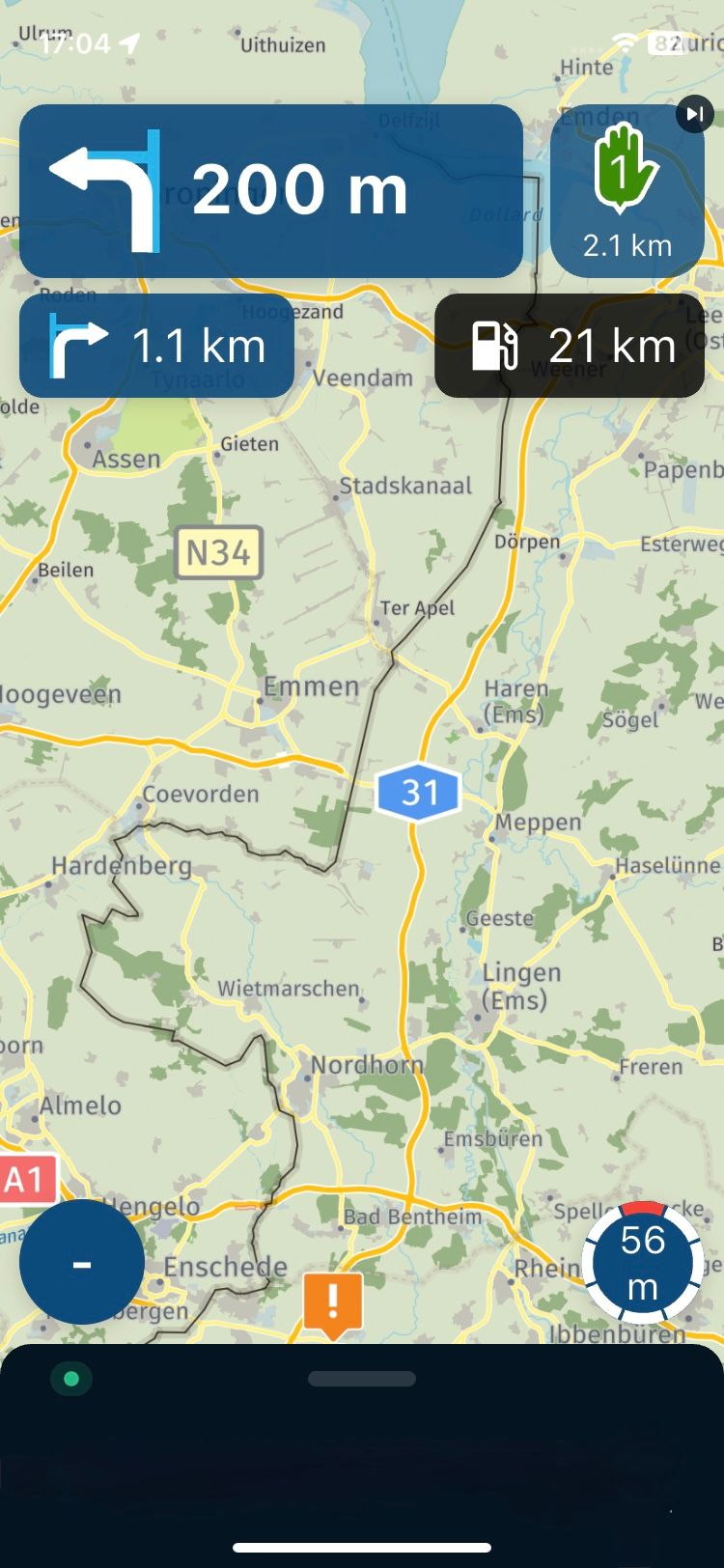
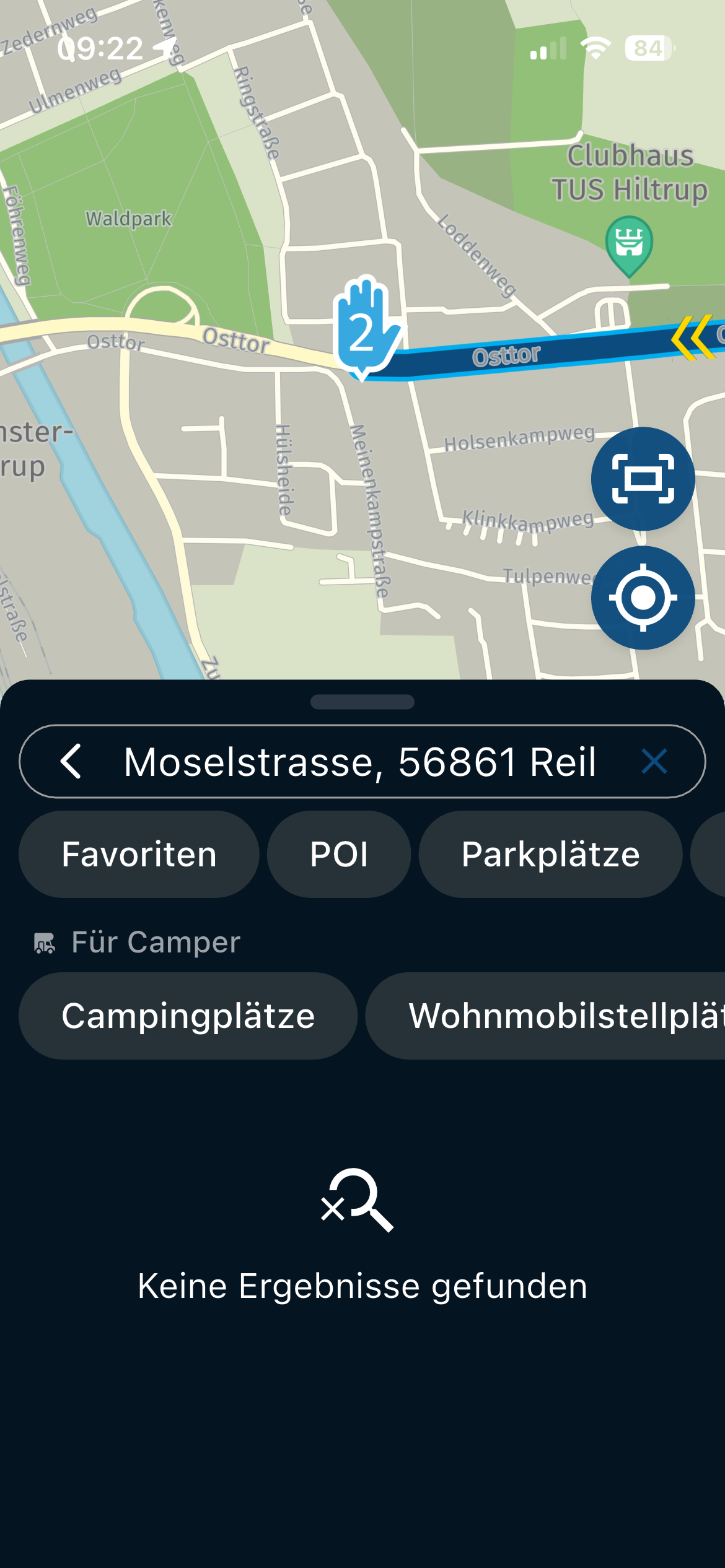
Still can not calculate route offline.
-

I am still having the same problem with offline maps that I have posted about two or three times recently.
Route is planned, downloaded for offline use and selected fro m "downloads". Offline navigation is enabled and all maps are up to date. When I attempt to start navigation I always get the notice "unable to calculate route offline". If I return to within wi fi range the route is calculated and then works as it should. However there are many times when I am not in wi fi range so the app is of no use.
I have posted about this several times and each time someone gives me something to check and I make sure to check these items each time I use the app, but still the same problem.
I do appreciate the enormous amount of work and effort that must have gone into developing this and dealing with all the problems as they arise, but as it stands, and I hate to say this, I am better seved by my old Garmin Drive Smart.
I await theNew Dawn!
-
I am still having the same problem with offline maps that I have posted about two or three times recently.
Route is planned, downloaded for offline use and selected fro m "downloads". Offline navigation is enabled and all maps are up to date. When I attempt to start navigation I always get the notice "unable to calculate route offline". If I return to within wi fi range the route is calculated and then works as it should. However there are many times when I am not in wi fi range so the app is of no use.
I have posted about this several times and each time someone gives me something to check and I make sure to check these items each time I use the app, but still the same problem.
I do appreciate the enormous amount of work and effort that must have gone into developing this and dealing with all the problems as they arise, but as it stands, and I hate to say this, I am better seved by my old Garmin Drive Smart.
I await theNew Dawn!

@Roger-Doidge does the device you have a GPS? Otherwise it might need wifi / cellular data to know where you are.
Might be a very stupid question but just thinking along.
Are the maps installed on device or on a SD card?
-
@Roger-Doidge does the device you have a GPS? Otherwise it might need wifi / cellular data to know where you are.
Might be a very stupid question but just thinking along.
Are the maps installed on device or on a SD card?

@Corjan-Meijerink, that is actually a very sensible idea I had not thought of...
It is hard to simulate this. I can switch of location services, but then the app simply throws a message to switch it on. It probably won't do that if location services is already on, but dependent on wifi/GSM that is switched off...@Roger-Doidge, now it would be interesting to know exactly what device you are using.
I am just an enthusiastic MRA user, and hope you will be one too!
Most motorcycle problems are caused by the nut that connects the handlebar to the saddle.
Check out RideSleepRepeat.eu, a biker community for sharing stays across Europe
-
@Corjan-Meijerink, that is actually a very sensible idea I had not thought of...
It is hard to simulate this. I can switch of location services, but then the app simply throws a message to switch it on. It probably won't do that if location services is already on, but dependent on wifi/GSM that is switched off...@Roger-Doidge, now it would be interesting to know exactly what device you are using.
@Con-Hennekens I'm using a Pixel 3a and as I have previously stated when I can get it to work , that is,calculate the route, it works perfectly.
My problem is that it does not seem to work unless the route can be calculated online,in spite of being downloaded and saved for offline use. I can not access my saved downloads offline so it effectively becomes of no use.
Is it intended to be use able completely offline. If not I would find little use for it. This would be very disappointing as when it works I find it superior to other GPS devices.
-
@Con-Hennekens I'm using a Pixel 3a and as I have previously stated when I can get it to work , that is,calculate the route, it works perfectly.
My problem is that it does not seem to work unless the route can be calculated online,in spite of being downloaded and saved for offline use. I can not access my saved downloads offline so it effectively becomes of no use.
Is it intended to be use able completely offline. If not I would find little use for it. This would be very disappointing as when it works I find it superior to other GPS devices.
@Roger-Doidge
I am not familiar with your Pixel phone but just googled “Pixel 3a gps issues” and lots of entries appear.
-

Same issue here with an iPhone, cellular and WiFi in flightmode. When ik klick on a route in download it will load the route, when i press Navigate it looks like it's calculating with a spinning wheel but after a view second i get a popup with "no internet connection can't calculate route", Go offline. I'm allready offline. And yes the iPhone has GPS.
Extra Dutch info
In de box staat, Geen internetverbinding, Kan route niet berekenen. Ga offline.
Tja ik ben al offline, vaag dus -
Same issue here with an iPhone, cellular and WiFi in flightmode. When ik klick on a route in download it will load the route, when i press Navigate it looks like it's calculating with a spinning wheel but after a view second i get a popup with "no internet connection can't calculate route", Go offline. I'm allready offline. And yes the iPhone has GPS.
Extra Dutch info
In de box staat, Geen internetverbinding, Kan route niet berekenen. Ga offline.
Tja ik ben al offline, vaag dus
@Cleo Airplane mode is a setting on your phone that turns off all wireless communication.
This includes cellular data, Wi-Fi, Bluetooth and GPS.
-
@Cleo Airplane mode is a setting on your phone that turns off all wireless communication.
This includes cellular data, Wi-Fi, Bluetooth and GPS.
@Albert-van-den-Elsen hi Albert, Today I did a life trip with the app when cellular was bad te app noticed me with a pop-up that it switch to offline modus, that worked like a charm.
If you like to test in flight mode it doesn’t work nu in real live it works -
@Cleo Airplane mode is a setting on your phone that turns off all wireless communication.
This includes cellular data, Wi-Fi, Bluetooth and GPS.
@Albert-van-den-Elsen, That is not entirely true... Flightmode does not disable GPS. GPS is only one-way communication and only receives. I use navigation in flightmode most of the time.
-
@Con-Hennekens I'm using a Pixel 3a and as I have previously stated when I can get it to work , that is,calculate the route, it works perfectly.
My problem is that it does not seem to work unless the route can be calculated online,in spite of being downloaded and saved for offline use. I can not access my saved downloads offline so it effectively becomes of no use.
Is it intended to be use able completely offline. If not I would find little use for it. This would be very disappointing as when it works I find it superior to other GPS devices.
@Roger-Doidge said in Still can not calculate route offline.:
My problem is that it does not seem to work unless the route can be calculated online,in spite of being downloaded and saved for offline use.
Are you sure you are starting a route? Can it be you are starting a track instead? Tracks need an active connection to be able to calculate indeed. Also remember to enable "offline navigation" in your settings - functional menu. If you don't, the calculation will be done online, and it will throw an error if it cannot do that.
I am just an enthusiastic MRA user, and hope you will be one too!
Most motorcycle problems are caused by the nut that connects the handlebar to the saddle.
Check out RideSleepRepeat.eu, a biker community for sharing stays across Europe
-
@Roger-Doidge said in Still can not calculate route offline.:
My problem is that it does not seem to work unless the route can be calculated online,in spite of being downloaded and saved for offline use.
Are you sure you are starting a route? Can it be you are starting a track instead? Tracks need an active connection to be able to calculate indeed. Also remember to enable "offline navigation" in your settings - functional menu. If you don't, the calculation will be done online, and it will throw an error if it cannot do that.
@Con-Hennekens Thanks for the suggestions but yes, all the items you mention have been correctly done.
A route planned on PC or phone downloaded and saved for offline use and then opened from downloads . Offline navigation enabled and maps up to date. What more can I do? -
@Con-Hennekens Thanks for the suggestions but yes, all the items you mention have been correctly done.
A route planned on PC or phone downloaded and saved for offline use and then opened from downloads . Offline navigation enabled and maps up to date. What more can I do?
@Roger-Doidge, you can share the route, so we can have a look. Sometimes a route just cannot be calculated due misplaces waypoints, or map errors. I can try to duplicate the error.
-
I am still having the same problem with offline maps that I have posted about two or three times recently.
Route is planned, downloaded for offline use and selected fro m "downloads". Offline navigation is enabled and all maps are up to date. When I attempt to start navigation I always get the notice "unable to calculate route offline". If I return to within wi fi range the route is calculated and then works as it should. However there are many times when I am not in wi fi range so the app is of no use.
I have posted about this several times and each time someone gives me something to check and I make sure to check these items each time I use the app, but still the same problem.
I do appreciate the enormous amount of work and effort that must have gone into developing this and dealing with all the problems as they arise, but as it stands, and I hate to say this, I am better seved by my old Garmin Drive Smart.
I await theNew Dawn!

@Roger-Doidge @Corjan-Meijerink - I just got back from a 9 day, 3330mi bike trip and had a lot of area within the state of Georgia (USA) where cell phone reception was nil.
I, too, had been having all kinds of issues with offlline maps/updates/routing, etc..however, I appear to have gotten lucky with this trip.
My procedure: At the end of each day, I reviewed/downloaded the next days route using wifi at the cabin accomodation my group stayed at, and making sure waypoints were on roads. Ultimately, not all were perfect, some were a bit off, however, it seemed to not be too far off that it did not affect the route calculation.
At one point, a message popped up saying no signal, switch to offline, or something like that. I selected yes to offline, and continued. I did notice that a little yellowup/down arrow symbol with a line through it come up, to which I assumed meant I was offline - see red circle in pic:
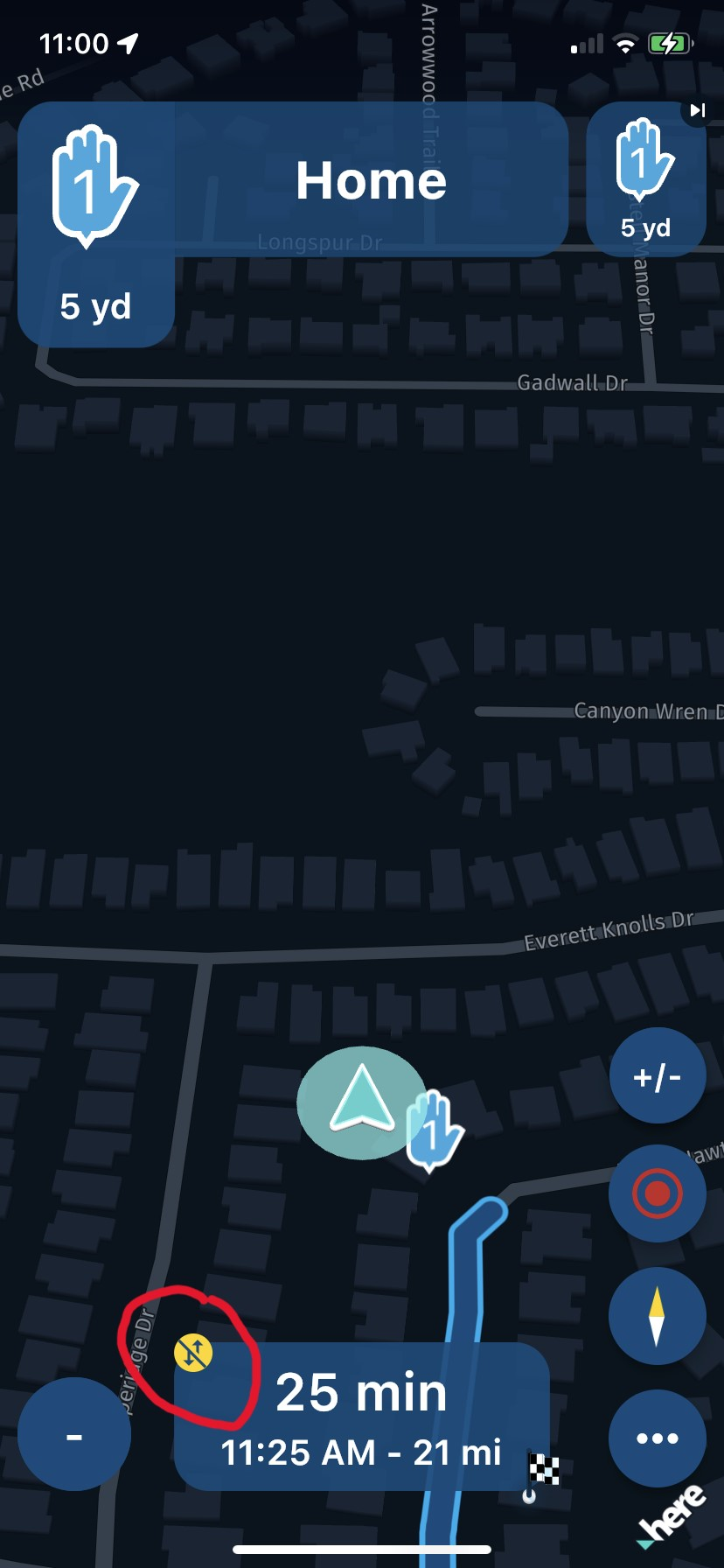
The same routine was used for the entire 9 day trip, and once that symbol appeared, it never went away. That is, until I realized it meant I was offline and I went back online when cell service allowed. Point being, offline came on when cell service was lost and only went off when manually turning it off in the Functional Settings. I do not recall if I had the Offline enabled prior to this, but believe I did not.
As backup, I also was using a Garmin XT, as with the offline map download issues (yes, seperate than offline navigation) just was not instilling confidence (always had to delete TestFlight, MyRoute-app, reboot iphone 11 and reinstall - very annoying and time consuming) and I could not take the chance of not having a route to follow.
Not sure if this helps or hinders the issue, but wanted to throw it out there. There are other issues (pros and cons) that I observed on the trip that I will draft and post later.
-
@Roger-Doidge @Corjan-Meijerink - I just got back from a 9 day, 3330mi bike trip and had a lot of area within the state of Georgia (USA) where cell phone reception was nil.
I, too, had been having all kinds of issues with offlline maps/updates/routing, etc..however, I appear to have gotten lucky with this trip.
My procedure: At the end of each day, I reviewed/downloaded the next days route using wifi at the cabin accomodation my group stayed at, and making sure waypoints were on roads. Ultimately, not all were perfect, some were a bit off, however, it seemed to not be too far off that it did not affect the route calculation.
At one point, a message popped up saying no signal, switch to offline, or something like that. I selected yes to offline, and continued. I did notice that a little yellowup/down arrow symbol with a line through it come up, to which I assumed meant I was offline - see red circle in pic:
The same routine was used for the entire 9 day trip, and once that symbol appeared, it never went away. That is, until I realized it meant I was offline and I went back online when cell service allowed. Point being, offline came on when cell service was lost and only went off when manually turning it off in the Functional Settings. I do not recall if I had the Offline enabled prior to this, but believe I did not.
As backup, I also was using a Garmin XT, as with the offline map download issues (yes, seperate than offline navigation) just was not instilling confidence (always had to delete TestFlight, MyRoute-app, reboot iphone 11 and reinstall - very annoying and time consuming) and I could not take the chance of not having a route to follow.
Not sure if this helps or hinders the issue, but wanted to throw it out there. There are other issues (pros and cons) that I observed on the trip that I will draft and post later.
@GT-JWR you are correct about the meaning of that icon. Sounds like a good experience under harsh circumstances. Looking forward to the other feedback!
-
I have the same experience during my last 500 km trip in Germany. I started online and during the trip I saw many times the message that the app switched to offline navigation. And after a while it every time automatically switched back to online. I was very happy with this functionality.
-
@Roger-Doidge @Corjan-Meijerink - I just got back from a 9 day, 3330mi bike trip and had a lot of area within the state of Georgia (USA) where cell phone reception was nil.
I, too, had been having all kinds of issues with offlline maps/updates/routing, etc..however, I appear to have gotten lucky with this trip.
My procedure: At the end of each day, I reviewed/downloaded the next days route using wifi at the cabin accomodation my group stayed at, and making sure waypoints were on roads. Ultimately, not all were perfect, some were a bit off, however, it seemed to not be too far off that it did not affect the route calculation.
At one point, a message popped up saying no signal, switch to offline, or something like that. I selected yes to offline, and continued. I did notice that a little yellowup/down arrow symbol with a line through it come up, to which I assumed meant I was offline - see red circle in pic:
The same routine was used for the entire 9 day trip, and once that symbol appeared, it never went away. That is, until I realized it meant I was offline and I went back online when cell service allowed. Point being, offline came on when cell service was lost and only went off when manually turning it off in the Functional Settings. I do not recall if I had the Offline enabled prior to this, but believe I did not.
As backup, I also was using a Garmin XT, as with the offline map download issues (yes, seperate than offline navigation) just was not instilling confidence (always had to delete TestFlight, MyRoute-app, reboot iphone 11 and reinstall - very annoying and time consuming) and I could not take the chance of not having a route to follow.
Not sure if this helps or hinders the issue, but wanted to throw it out there. There are other issues (pros and cons) that I observed on the trip that I will draft and post later.
@GT-JWR, Like @Arno-0 says, that's how it should work. If I recall correctly, the app checks every 2 minutes for internet, and if available it switches back to online. If it does not do that, you might have missed the latest update.
I am just an enthusiastic MRA user, and hope you will be one too!
Most motorcycle problems are caused by the nut that connects the handlebar to the saddle.
Check out RideSleepRepeat.eu, a biker community for sharing stays across Europe
-
@Con-Hennekens yes, understood - that was the point of my post, I was pleasantly surprised at how well it worked, unlike the experience the original poster had. Here's hoping it continues to work as planned!
-
Happy to hear the positive notes!
Hello! It looks like you're interested in this conversation, but you don't have an account yet.
Getting fed up of having to scroll through the same posts each visit? When you register for an account, you'll always come back to exactly where you were before, and choose to be notified of new replies (either via email, or push notification). You'll also be able to save bookmarks and upvote posts to show your appreciation to other community members.
With your input, this post could be even better 💗
Register Login-
 9831.5k
-
 018629
-
 5761.4k
-
1332368
-
 0326
0326
-
0335
-
1222
-
02113