Skip to content
  • Categories
  • Recent
  • Popular
  • Support
  • MyRoute-app
Collapse
Brand Logo

MRA Community Forum

  1. Home
  2. [Beta] The MyRoute-app
  3. [Beta] Problems, Bugs and other Issues
  4. Verschil tussen mijn gemaakte route en de navigatie

Verschil tussen mijn gemaakte route en de navigatie

Scheduled Pinned Locked Moved [Beta] Problems, Bugs and other Issues
3 Posts 3 Posters 66 Views
  • Oldest to Newest
  • Newest to Oldest
  • Most Votes
Reply
  • Reply as topic
Log in to reply
This topic has been deleted. Only users with topic management privileges can see it.
  • philippe 0undefined Offline
    philippe 0undefined Offline
    philippe 0
    wrote on last edited by
    #1

    Re: Route changes between planned & navigate
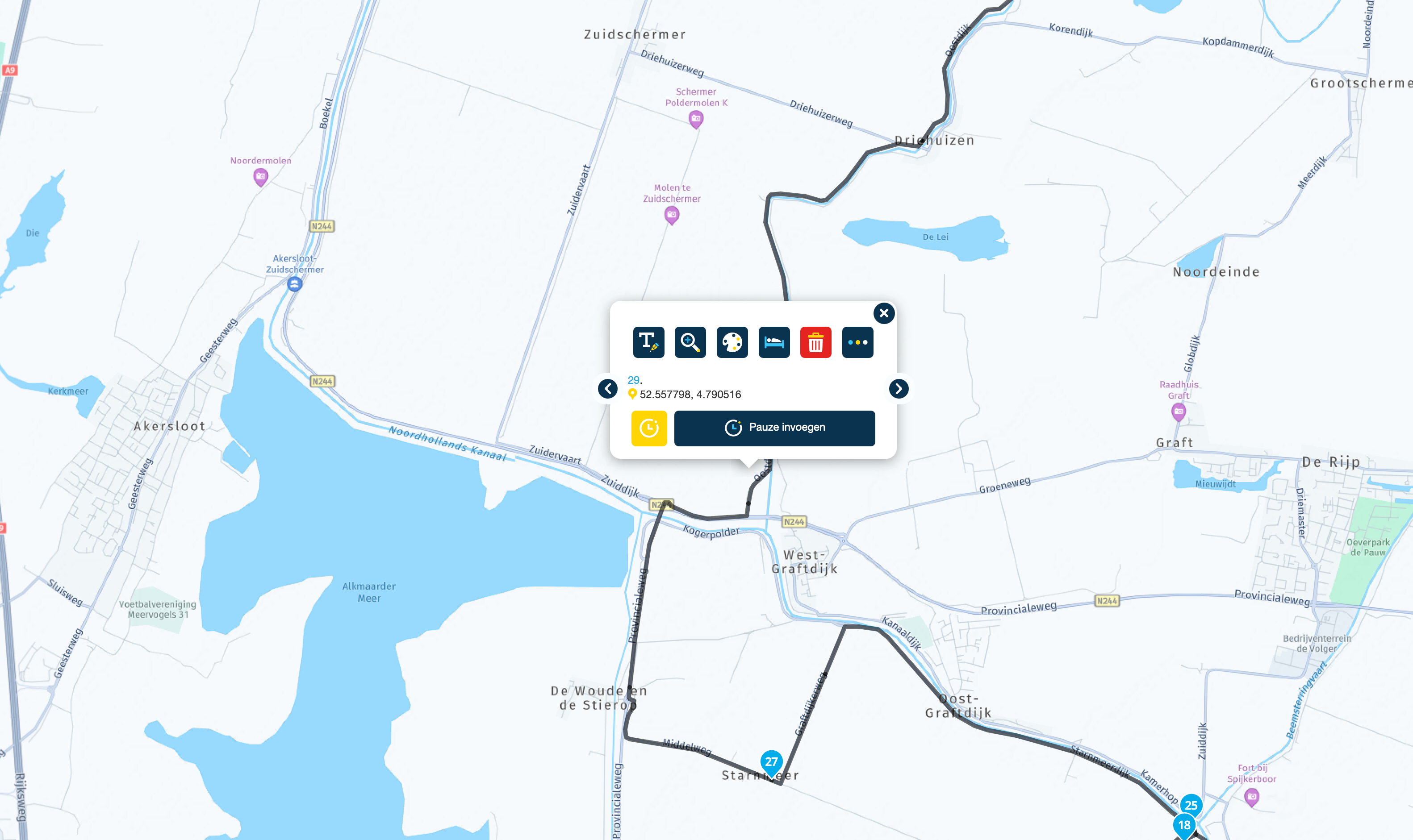
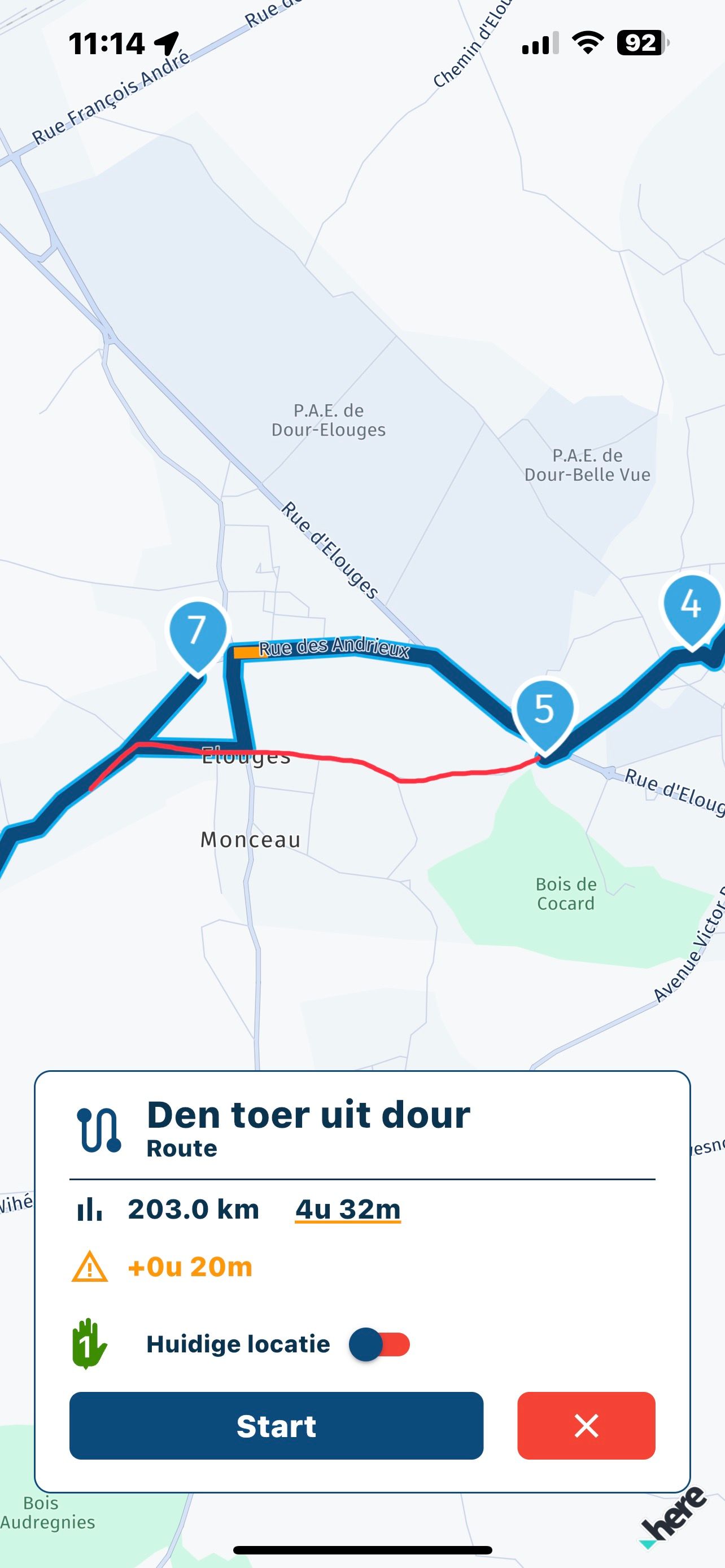
    Op de foto met rode lijn is de gemaakte route, en de navigatie maakt er iets anders van ?3CBF73EE-C1E1-4889-A8AA-5F1948B3C6F4.jpeg
    1 Reply Last reply
    -1
    • Tim  Thompsonundefined Offline
      Tim  Thompsonundefined Offline
      Tim Thompson
      wrote on last edited by
      #2

      Sure... It's common and why you need to verify the route on the target navigation device before navigating.

      Off the top of my head... Some things that can minimize the discrepancies...

      1. Make sure you are using the same map data in the route planner that is used on the target device. If MyRoute-app Mobile or MRA Navigation... Then HERE.

      2. Judicious placement and number of waypoints to prevent the mobile app's routing engine from deviating. Make sure waypoints are placed on roads. For example... In this case... maybe move route-point 5 down the road a bit.

      3. Are the routing options/settings the same in the route planner and mobile app? Recommendation... turn them all off.

      4. Verify mobile app route using track overlay. Adjust as necessary. If the above steps were done, I would guess that there should be very few - if any - adjustments needed.

      1 Reply Last reply
      0
      • Jack van Tilburgundefined Offline
        Jack van Tilburgundefined Offline
        Jack van Tilburg
        wrote on last edited by
        #3

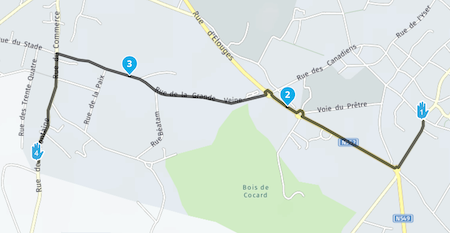
        The situation is difficult to judge if you do not see the position of point 6.
        If TS wants to be helped optimally, it is better to post a link to the route (with privacy setting on Public.
        Scherm­afbeelding 2023-03-15 om 16.08.29.png

        1 Reply Last reply
        0
        Reply
        • Reply as topic
        Log in to reply
        • Oldest to Newest
        • Newest to Oldest
        • Most Votes


        ACTIVE USERS
        philippe 0undefined
        philippe 0
        Jack van Tilburgundefined
        Jack van Tilburg
        Tim  Thompsonundefined
        Tim Thompson
        POPULAR TOPICS
        • Add existing POI to a route?
          white.mouseundefined
          white.mouse
          0
          15
          483

        • Shaping points and Via points
          Martin Wilckeundefined
          Martin Wilcke
          0
          29
          936

        • Audible speed camera alerts without active route in CarPlay
          benet_73undefined
          benet_73
          0
          5
          44

        • Correct sound settings?
          Peter Zehentreiterundefined
          Peter Zehentreiter
          0
          12
          181

        • Radar alert
          benet_73undefined
          benet_73
          0
          4
          33

        • Route maken op CarPlay scherm
          Rob Verhoeffundefined
          Rob Verhoeff
          0
          2
          40

        • Kruisje soms wit soms zwart
          Rob Verhoeffundefined
          Rob Verhoeff
          0
          2
          56

        • Non working LTE (but connected) connection causes MRA unable to launch or behave crazy
          undefined
          0
          1
          5
        MY GROUPS
        • Login

        • Login or register to search.
        • First post
          Last post
        0
        • Categories
        • Recent
        • Popular
        • Support
        • MyRoute-app