backbutton goes straight to homescreen
-

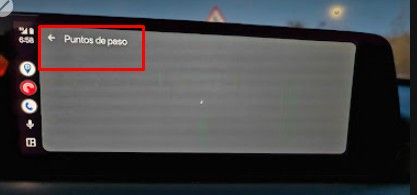
After having navigated with next, pushing the Android back button takes you straight to the Android homescreen, leaving MRA Mobile active in the background. However taking the "long way" by pushing the 3-dot menu and the red button "Stop navigation" and pressing "Yes I confirm" leads you back to the MRA homescreen with the map at your current position.
I would expect the same action for both methods.
I am just an enthusiastic MRA user, and hope you will be one too!
Most motorcycle problems are caused by the nut that connects the handlebar to the saddle.
Check out RideSleepRepeat.eu, a biker community for sharing stays across Europe
-
After having navigated with next, pushing the Android back button takes you straight to the Android homescreen, leaving MRA Mobile active in the background. However taking the "long way" by pushing the 3-dot menu and the red button "Stop navigation" and pressing "Yes I confirm" leads you back to the MRA homescreen with the map at your current position.
I would expect the same action for both methods.

@Con-Hennekens Thanks for sharing. We'll check the default Android back button usage and adjust where necessary!

-
The issue has been fixed in the upcoming update!
 We aim to release it at the end of this week
 -
Corjan Meijerink referenced this topic on
Hello! It looks like you're interested in this conversation, but you don't have an account yet.
Getting fed up of having to scroll through the same posts each visit? When you register for an account, you'll always come back to exactly where you were before, and choose to be notified of new replies (either via email, or push notification). You'll also be able to save bookmarks and upvote posts to show your appreciation to other community members.
With your input, this post could be even better 💗
Register Login-
 413114
-
 119837
-
 011474
-
0585
-
 05131
05131
-
 0454
0454
-
0446
-
06233