@Jack-van-Tilburg Thanks jack that muight a bit like I am looking for - though it would be brilliant if one could assign colours to self added POI's or pins.
@Erdna said in communication system:
@pat-McNamara
Cheers,
maybe "Helmchat" could be an option for you, too: https://helmchat.eu/
Regards from Austria,
André
Helmchat looks discontinued due to reasons of not working on Android 13.
The developer of Helmchat even redirects (new) users to Jitsi Meet, an Apple/Android chat application.
So, Helmchat is not an option either.
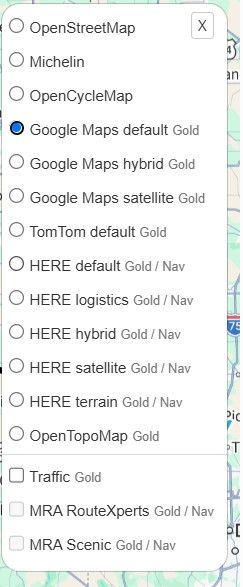
@Arch, If I look at Japan in OSM mode I see what you saw. But If I switch to the HERE map, it shows indeed names in "normal" alphabet. The use of HERE and TomTom maps is indeed only possible in a paid subscription. You can do some testing for the ultra-low price of € 5,95 per month. I'd say that's pretty cheap.
@Jack-van-Tilburg
I am looking forward to that new planner roadmap (in the hope that they actually do what they promise this time);
For Next, I think there is only one major problem left and that is the battery drain issue (and it needs resolving soon as everybody agrees).
After hthat, focus could be on the planner and the many suggestions made here to improve that thing.
@Robert-Erwin
You can only change the colors of routes that you add in the planner in the left column under <Routes>
The rest cannot be changed.
In the planner you can adjust the transparency in the toolbox.
@Con-Hennekens There isnothing wrong with you suggestion, and it depends how you look at it.
It could be easily argued that the whole of mra, including next, is operating in the cloud. Considering it like that makes adding a cloud graphic unnecessary.
The intention however was to single out the "mra universe", and show its relation to other things like google maps or bar buttons.
Anyway, obviously Coryan wants to look at this himself. We'll see what he cooks
@Bill-Stephens I have found that MyDrive syncing can behave unpredictably at times. What helps me in that situation is to disable and subsequently re-enable the synchronisation toggle in MyDrive (don't know if the MyDrive app on the phone has it, but the website certainly does) or even just changing the name/description of the route.
But this has only occurred for me in the TomTom Go app on my phone (routes not syncing even though the sync toggle shows as enabled in MyDrive). On my actual TomTom device, the only way routes were not syncing, was due to me not having the sync toggle enabled in MyDrive.