Skip to content
  • Categories
  • Recent
  • Popular
  • Support
  • MyRoute-app
Collapse
Brand Logo

MRA Community Forum

  1. Home
  2. General Discussion
  3. Zumo XT function Question

Zumo XT function Question

Scheduled Pinned Locked Moved General Discussion
5 Posts 3 Posters 1.1k Views 3 Watching
  • Oldest to Newest
  • Newest to Oldest
  • Most Votes
Reply
  • Reply as topic
Log in to reply
This topic has been deleted. Only users with topic management privileges can see it.
  • Greenhamundefined Offline
    Greenhamundefined Offline
    Greenham
    wrote on last edited by
    #1

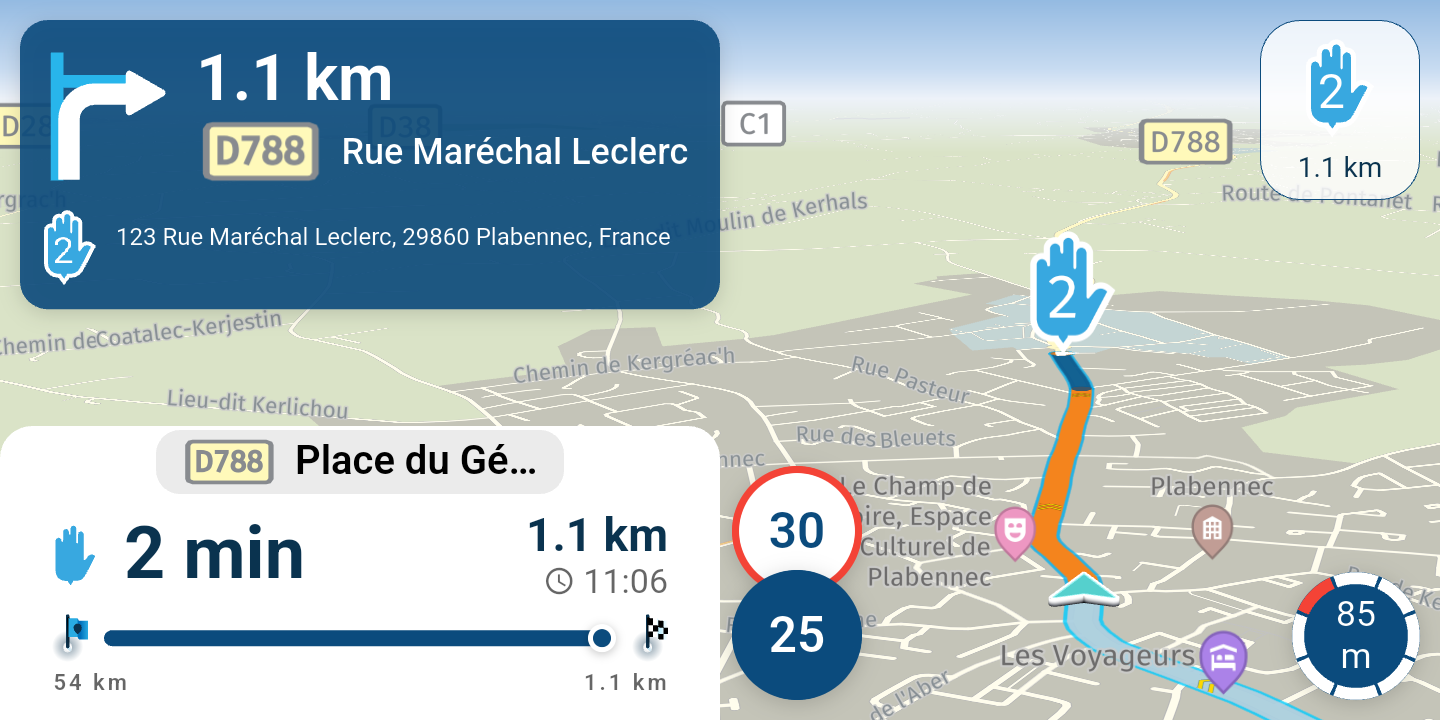
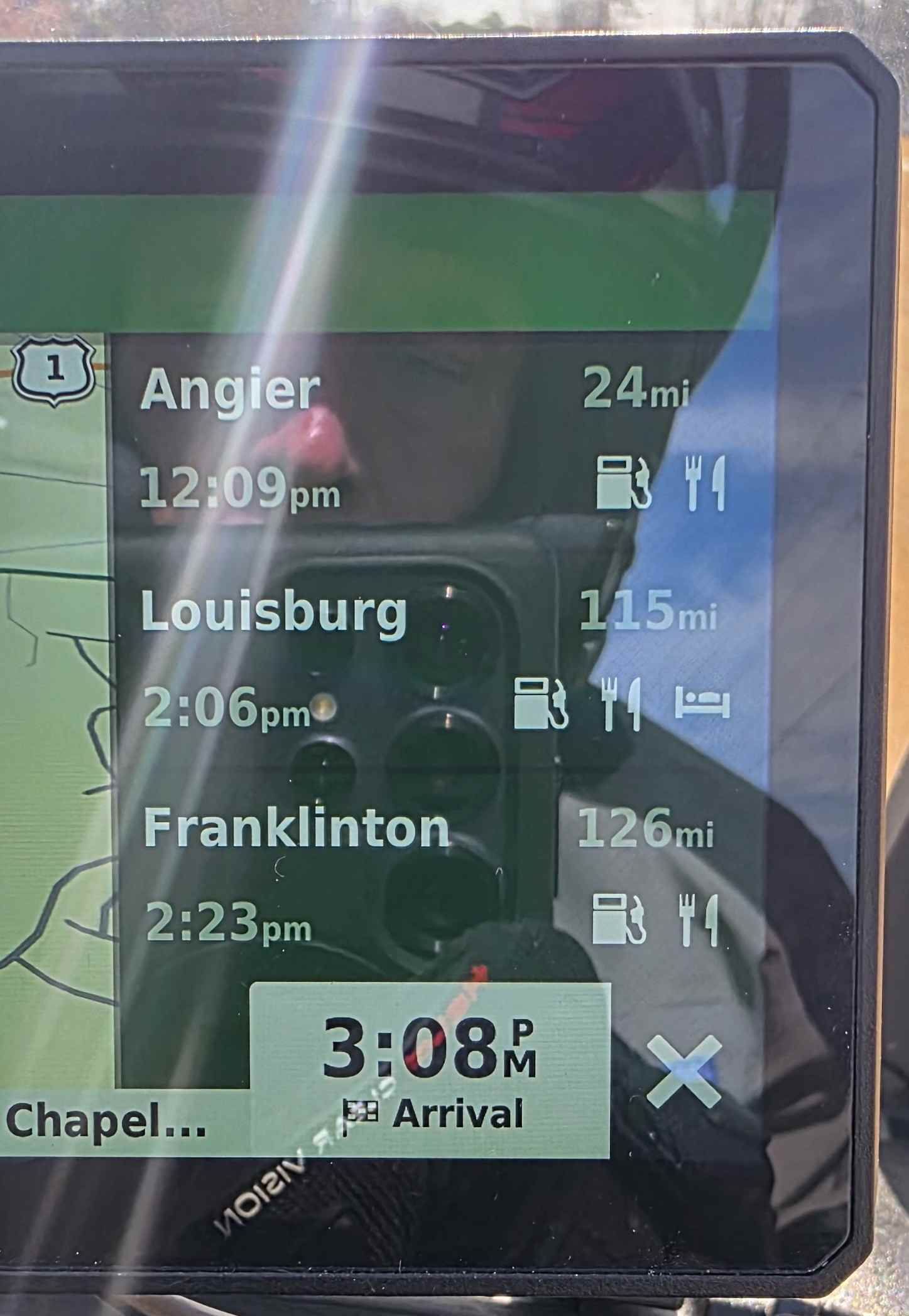
    I planned a route in MRA, Saved it as a Zumo 1.1 file, and when I opened it I got this on the side of the screen. It shows the next major towns along my route.

    I really like it, but not sure how I got it this time and to get it again when I want?
    Zumo.jpg

    "There is no problem so bad that you can't make it worse"

    • Chris Hadfield (NASA Astronaut)
    CD130undefined 1 Reply Last reply
    0
    • nomkoundefined Offline
      nomkoundefined Offline
      nomko
      wrote on last edited by
      #2

      @Greenham
      Tht's more a Garmin XT issue/question rather than a MRA issue/question.

      I use a XT and i can tell you it is a setting on your device. Has nothing to do with MRA or the gpx file you loaded.

      | MRA Gold Member |
      | Garmin Zumo XT + BMW K1200GT |
      | MRA Next + Kawasaki Z650 |

      Greenhamundefined 1 Reply Last reply
      1
      • nomkoundefined nomko

        @Greenham
        Tht's more a Garmin XT issue/question rather than a MRA issue/question.

        I use a XT and i can tell you it is a setting on your device. Has nothing to do with MRA or the gpx file you loaded.

        Greenhamundefined Offline
        Greenhamundefined Offline
        Greenham
        wrote on last edited by
        #3

        @Nomko-Nomden

        So I did some digging and you have to be a ROUTE when you ask it to show the upcoming cities/towns..

        I tried it and sure enough When I didn't have a route it was grayed out. When I stopped and opened a route and asked for they closest entry point to start. It was available again

        "There is no problem so bad that you can't make it worse"

        • Chris Hadfield (NASA Astronaut)
        nomkoundefined 1 Reply Last reply
        0
        • Greenhamundefined Greenham

          @Nomko-Nomden

          So I did some digging and you have to be a ROUTE when you ask it to show the upcoming cities/towns..

          I tried it and sure enough When I didn't have a route it was grayed out. When I stopped and opened a route and asked for they closest entry point to start. It was available again

          nomkoundefined Offline
          nomkoundefined Offline
          nomko
          wrote on last edited by
          #4

          @Greenham
          That's weird... If i use my XT for just an a to B route, it also does show the sidescreen with information.

          But... and i think this is the issues with me... i have my XT also linked to my mobile phone using a hotspot. So my XT is connected to the internet through my mobile phone so that my XT can search for relevant info/data.

          Maybe that's the difference here between your situation and mine.

          | MRA Gold Member |
          | Garmin Zumo XT + BMW K1200GT |
          | MRA Next + Kawasaki Z650 |

          1 Reply Last reply
          0
          • Greenhamundefined Greenham

            I planned a route in MRA, Saved it as a Zumo 1.1 file, and when I opened it I got this on the side of the screen. It shows the next major towns along my route.

            I really like it, but not sure how I got it this time and to get it again when I want?
            Zumo.jpg

            CD130undefined Online
            CD130undefined Online
            CD130
            Valued contributor
            wrote on last edited by
            #5

            @Greenham Normally there is a cross to close this window visible. This seems to fall away due to the green bar at the top. Do you always have that bar? Could it be that you have 2 maps on at the same time in the settings of the Garmin? That also gives all strange problems. You can only have 1 active map at a time from the same region. Yes changing the map settings you always have to restart the XT completely. Hopefully this helps 🙂

            The adventure starts where the plans end | READY TO >> RACE 🧡

            1 Reply Last reply
            0

            Hello! It looks like you're interested in this conversation, but you don't have an account yet.

            Getting fed up of having to scroll through the same posts each visit? When you register for an account, you'll always come back to exactly where you were before, and choose to be notified of new replies (either via email, or push notification). You'll also be able to save bookmarks and upvote posts to show your appreciation to other community members.

            With your input, this post could be even better 💗

            Register Login
            Reply
            • Reply as topic
            Log in to reply
            • Oldest to Newest
            • Newest to Oldest
            • Most Votes


            ACTIVE USERS
            nomkoundefined
            nomko
            CD130undefined
            CD130
            Greenhamundefined
            Greenham
            POPULAR TOPICS
            • Wrong One Way Arrow on Map
              Geoffrey Parrettundefined
              Geoffrey Parrett
              0
              8
              117

            • MRA 5.1.0 (458) Routenoptionen werden nicht berücksichtigt
              Corjan Meijerinkundefined
              Corjan Meijerink
              0
              6
              30

            • MyRoute App installeren op Carpuride 702 Plus
              Con Hennekensundefined
              Con Hennekens
              0
              6
              93

            • Rondreis Schotland en VK
              Alida Veenstraundefined
              Alida Veenstra
              0
              5
              82

            • Kant en klare BarButtons
              Con Hennekensundefined
              Con Hennekens
              1
              3
              112

            • Demande de paiement d'abonnement quand je veux démarrer mon itinéraire
              Olivier Decock 1 0undefined
              Olivier Decock 1 0
              0
              3
              77

            • MRA V5.1.0 (458) afstand naar tankstation niet correct met Android auto
              Leo Kleinundefined
              Leo Klein
              0
              3
              20

            • Rondrit maken en vervolgens navigeren lukt niet
              Brian McGundefined
              Brian McG
              0
              6
              236

            MY GROUPS
            • Login

            • Login or register to search.
            • First post
              Last post
            0
            • Categories
            • Recent
            • Popular
            • Support
            • MyRoute-app