Add "Upload File"
-

Hi,
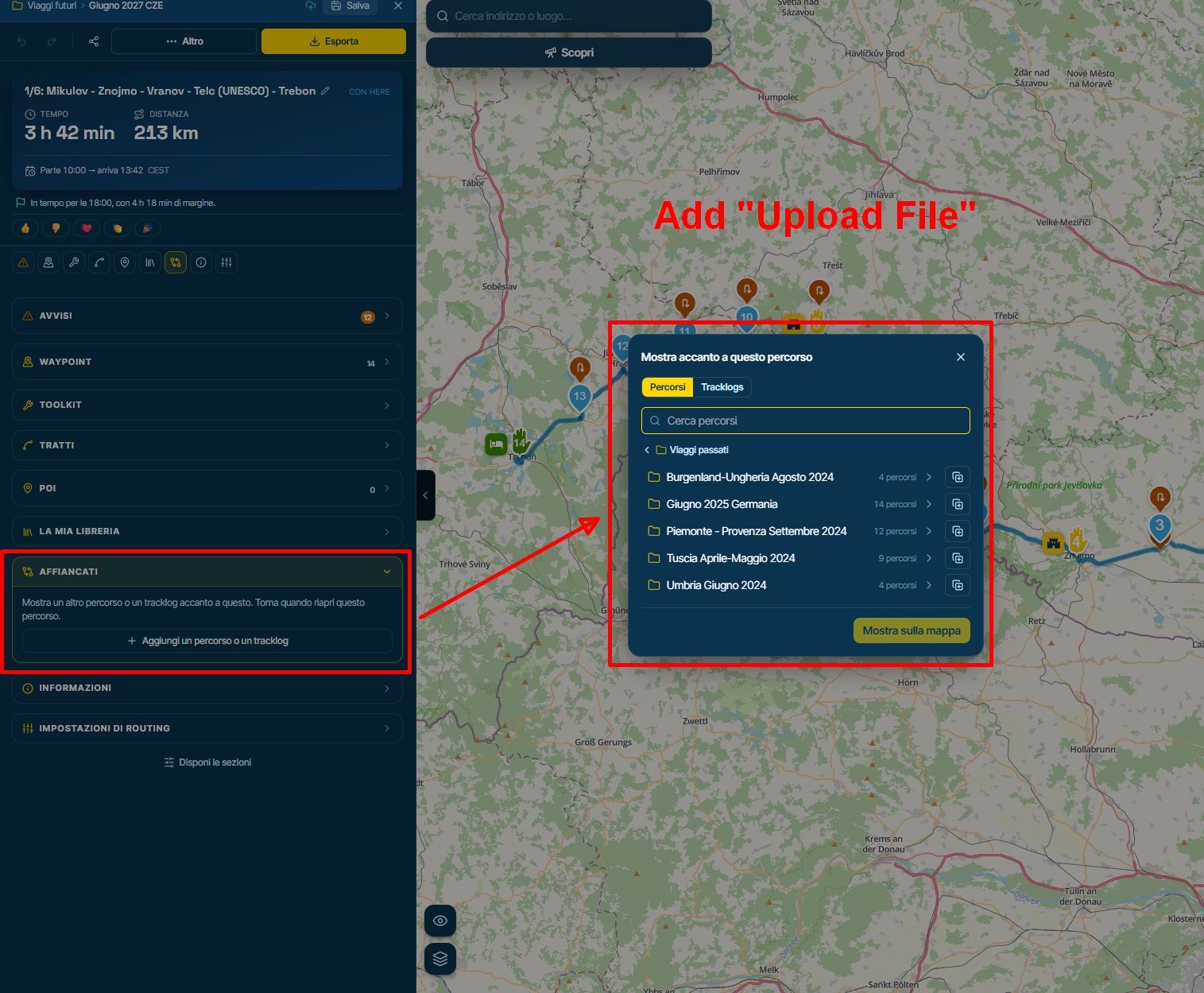
I was planning a route and had a GPX file on my PC (not in MRA) containing a detour that I wanted to evaluate as a possible addition to the route.
I noticed that in the "Side by Side" section it is only possible to add files that are already stored in the Library.
Would it be possible to add an "Upload File" button as well allowing users to select and import a file directly from their PC?Thanks
-

I think it would be better to upload this file separately first, because it must currently be in the library. So you also sort it better for yourself, and then you get it in the planning which helps you to plan new parts of a route.
Have fun on the new tour

VG Hubert
iPad 9. G iOS 27.2.1/iPhone 16e iOS 27.2.1/ iPhone Xr iOS 18.7.12 / PC Win11 /❗️MRA & BMW Cradel & Remotek One ❗️.. & ..❗️Navi Halter3D Druck Senkrecht ❗️ -
I think it would be better to upload this file separately first, because it must currently be in the library. So you also sort it better for yourself, and then you get it in the planning which helps you to plan new parts of a route.
Have fun on the new tour
@Hubert-Thoring
Hi Hubert,
if I ultimately decided to keep it I would save it to the Library, however, if I decided to discard it I would have done unnecessary work.
I think it would be more useful to first evaluate the new route and only then decide whether to save it or not.
This also gave me another idea: could an additional also "Save" button be provided for routes loaded through the "Upload File" function, allowing them to be stored in the Library only if the user decides to keep them?
I also noticed that the GPX file imported from the Planner's start page includes its waypoints, while the same file imported through the "Side by Side" section does not show them.
Would it be possible to implement waypoint support there as well?
In fact the "Merge" function in the Toolkit serves a different purpose, it allows you to add a route only after you have already reviewed it and confirmed that it meets your needs.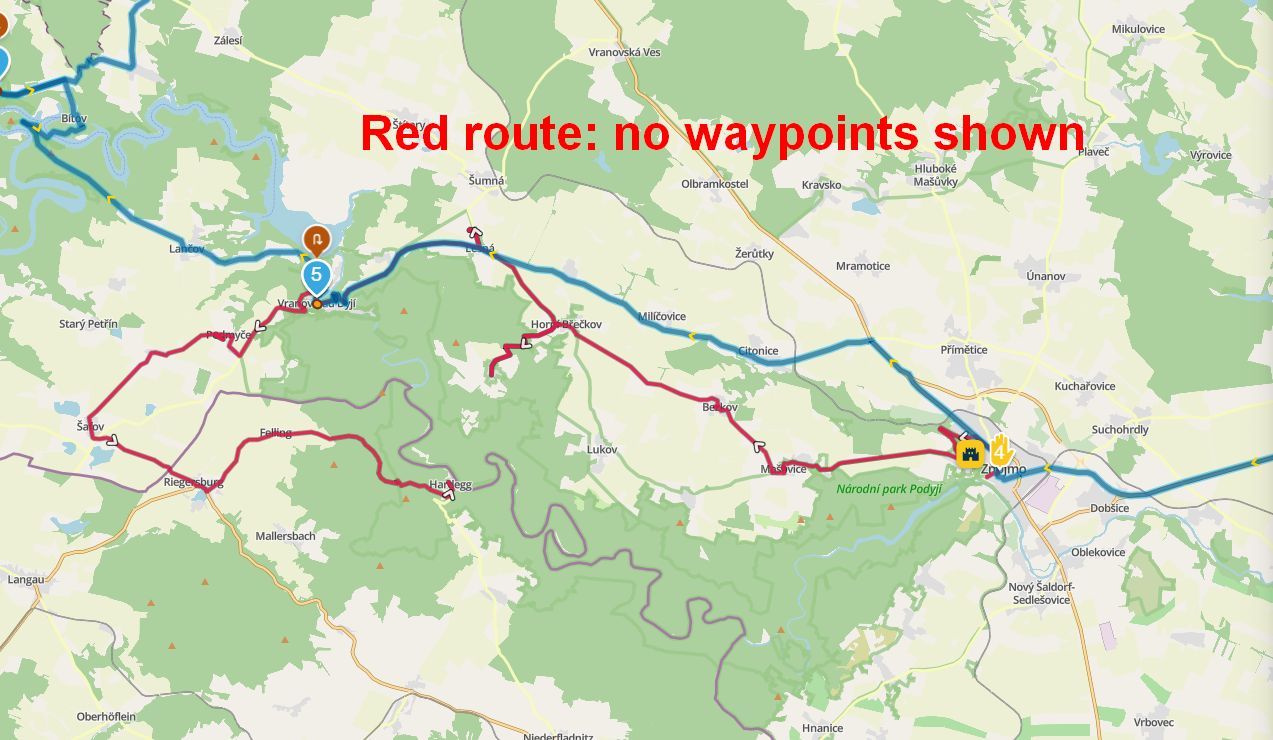
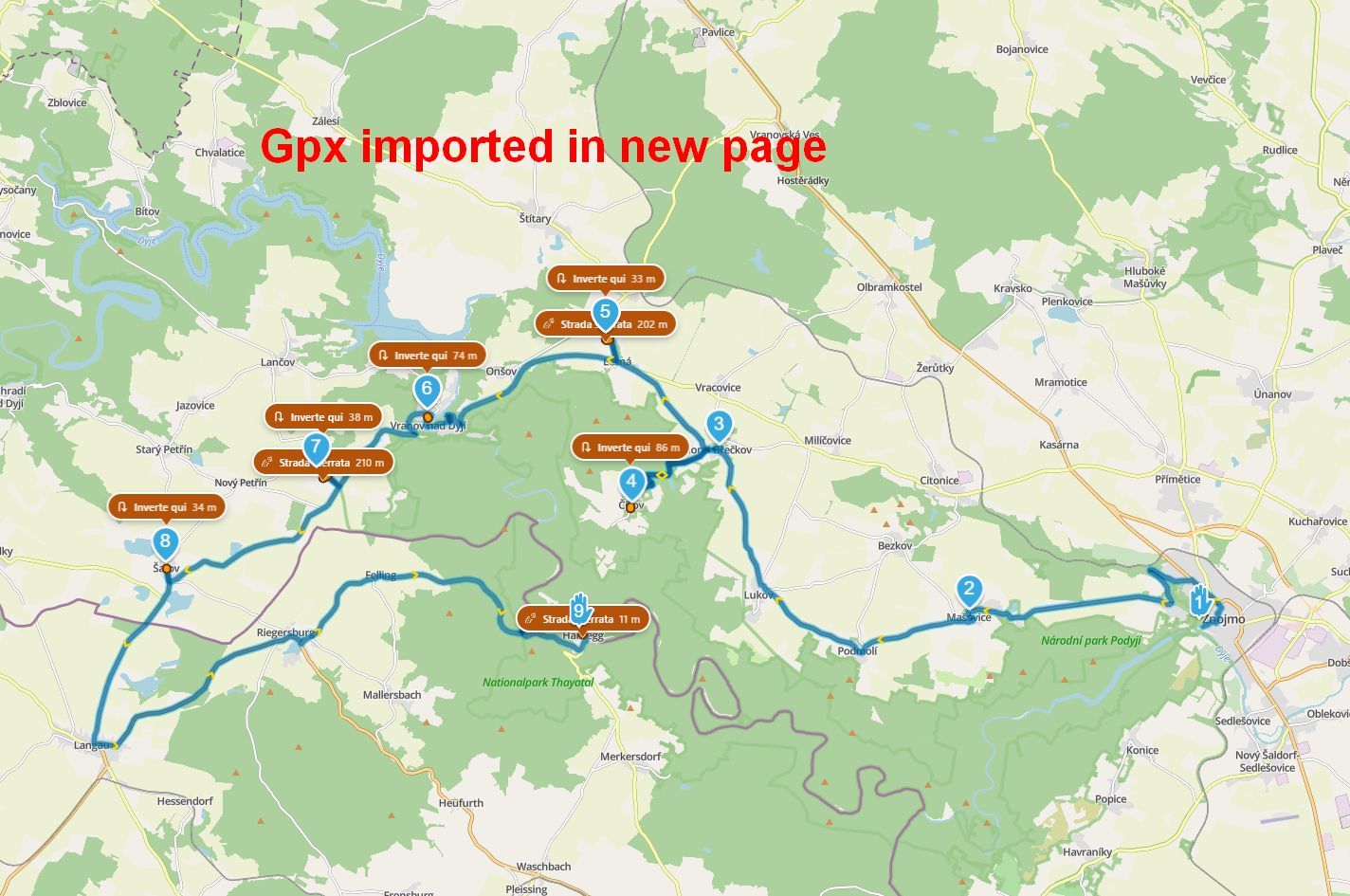
Thanks
-
Only one route full of all content is displayed at a time, both routes at the same time probably does not work ...
Suggestion, you open a second tab in the browser in the WebPlaner and call up the comparable route there, so you have both visible, and can, for example, copy things, so maybe the GPS location ...
-
Yes, thank you, I had already done that.
At the moment it is the best temporary workaround, but integrating it directly into the Planner's single-page workflow would be the optimal solution.
Hello! It looks like you're interested in this conversation, but you don't have an account yet.
Getting fed up of having to scroll through the same posts each visit? When you register for an account, you'll always come back to exactly where you were before, and choose to be notified of new replies (either via email, or push notification). You'll also be able to save bookmarks and upvote posts to show your appreciation to other community members.
With your input, this post could be even better 💗
Register Login-
 013315
-
 06125
-
0511
-
 4541
-
 010122
-
 0460
-
0384
-
 025