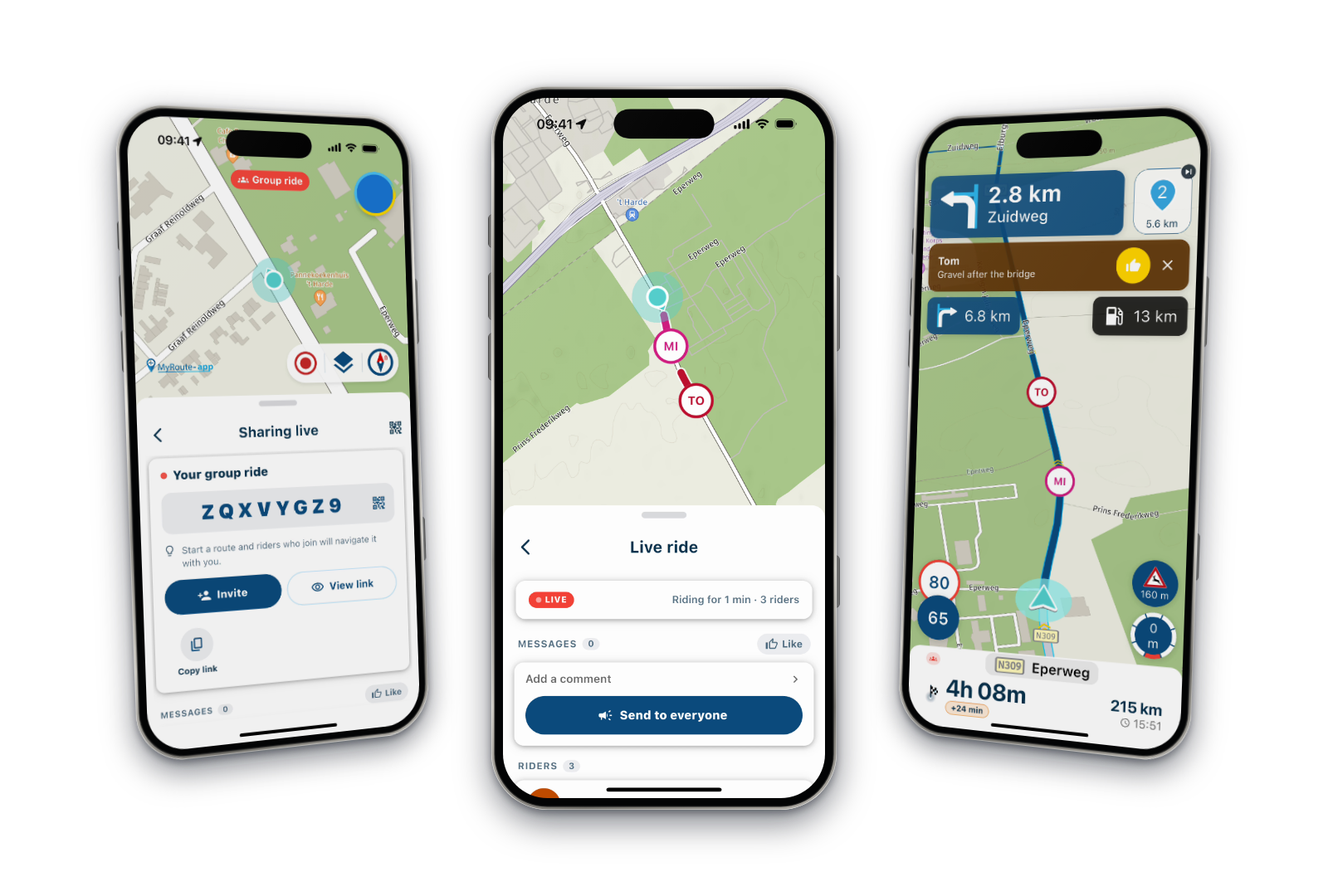
Documentation?
-

Is there any documentation on the changes to the navigation screen?
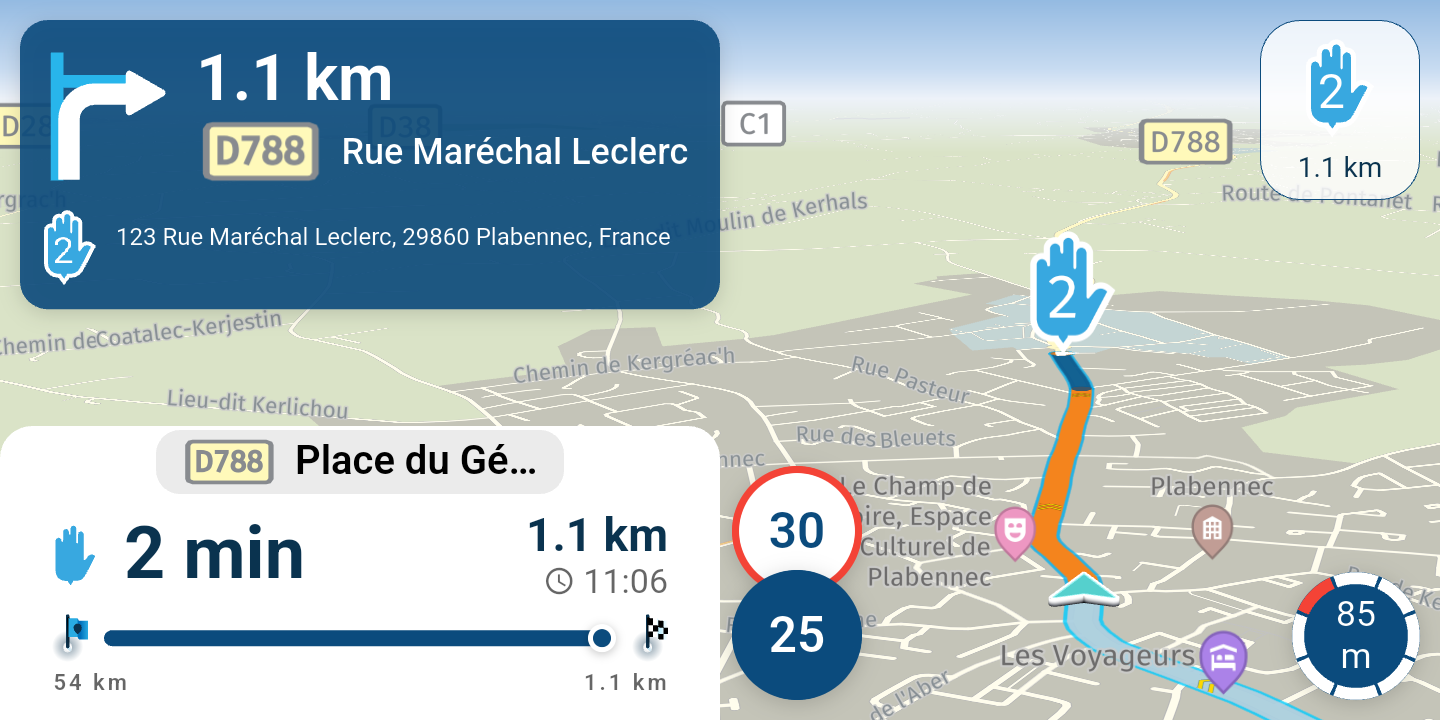
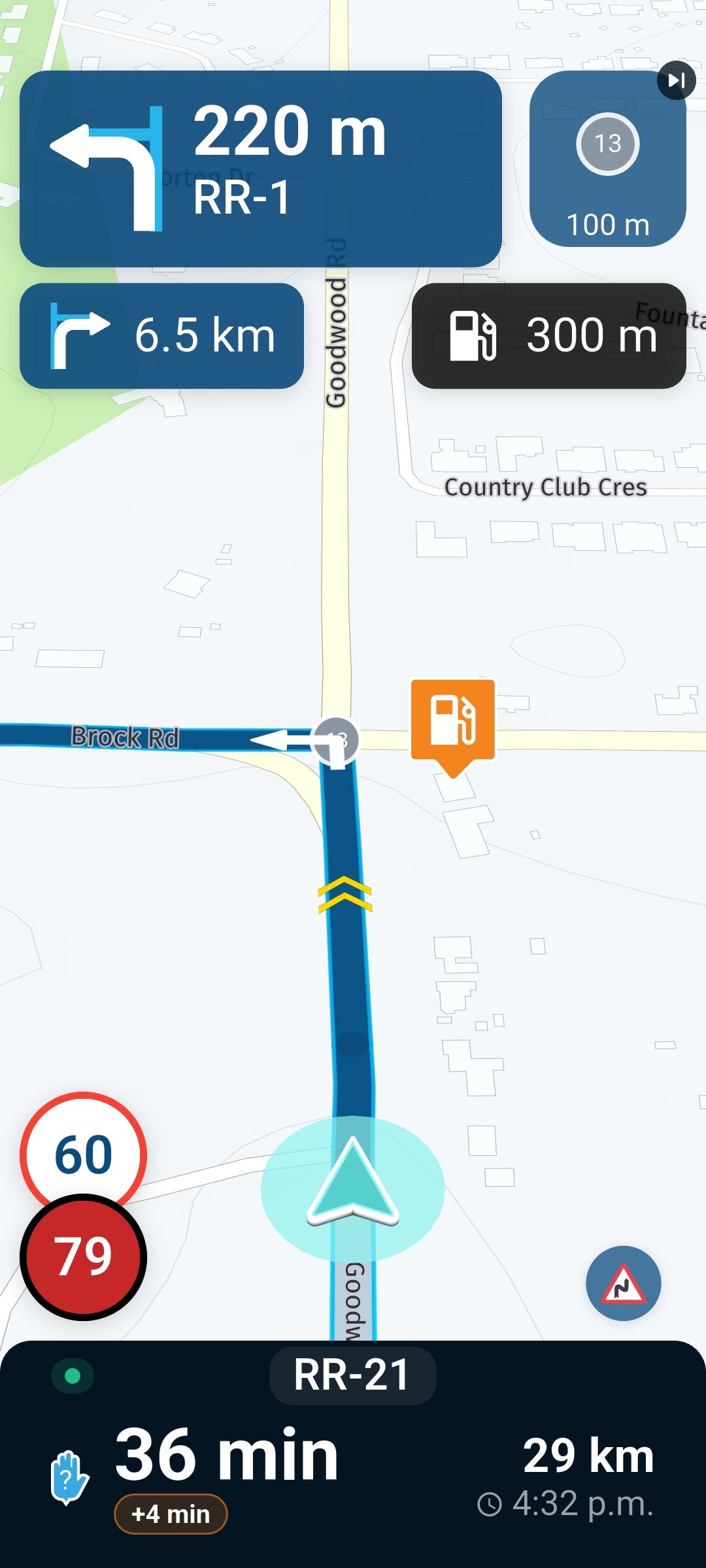
- Bottom right different icons appear at different tines. Is there a list and description?
- Bottom box under the time to next waypoint shows +5 mins. What is this?
- In the bottom box upper left corner shows a little blue dot. What is this?
- When you pull up the bottom box a line appears that looks like a progress bar but it does appear to do anything. What is it?
Thanks
2010 GL1800 Goldwing using Samsung Galaxy S20 5G Android 13.
-
Is there any documentation on the changes to the navigation screen?
- Bottom right different icons appear at different tines. Is there a list and description?
- Bottom box under the time to next waypoint shows +5 mins. What is this?
- In the bottom box upper left corner shows a little blue dot. What is this?
- When you pull up the bottom box a line appears that looks like a progress bar but it does appear to do anything. What is it?
Thanks

Bottom right different icons appear at different tines. Is there a list and description?
Bottom box under the time to next waypoint shows +5 mins. What is this?
In the bottom box upper left corner shows a little blue dot. What is this?
When you pull up the bottom box a line appears that looks like a progress bar but it does appear to do anything. What is it?- Those are warnings for upcoming road signs. The warning increases in size when approaching the sign, and decreases in size when not applicable anymore. (E.g. when you've passed the sign...)
- Estimated increase in ETA time due to traffic intel about your current route.
- This greenish dot is showing you that you are recording a TrackLog.
 Just tap your screen once to verify that this dot in the box is identical to the TrackLog button on screen next to the zoom buttons. Note that the screen is now set up so they these buttons cannot stay on screen permanently in contrast to earlier versions of the app. One may also encounter a tiny "red broadcasting tower icon" over there which means you will be Live sharing your location through MRA... See announcement from Corjan regarding live tracking.
 - This is indeed the progress bar on far along your route you are. It surely does something!

Hello! It looks like you're interested in this conversation, but you don't have an account yet.
Getting fed up of having to scroll through the same posts each visit? When you register for an account, you'll always come back to exactly where you were before, and choose to be notified of new replies (either via email, or push notification). You'll also be able to save bookmarks and upvote posts to show your appreciation to other community members.
With your input, this post could be even better 💗
Register Login-
 1317303
-
 01486
01486
-
 112166
-
 0648
0648
-
16166
-
1340633
-
 0498
0498
-
 135
135