Skip to content
  • Categories
  • Recent
  • Popular
  • Support
  • MyRoute-app
Collapse
Brand Logo

MRA Community Forum

  1. Home
  2. The MyRoute-app
  3. [App] Android Auto & CarPlay
  4. Apple Car Play - Distance to dest/waypoint rather than shaping point

Apple Car Play - Distance to dest/waypoint rather than shaping point

Scheduled Pinned Locked Moved [App] Android Auto & CarPlay
7 Posts 4 Posters 2.2k Views 2 Watching
  • Oldest to Newest
  • Newest to Oldest
  • Most Votes
Reply
  • Reply as topic
Log in to reply
This topic has been deleted. Only users with topic management privileges can see it.
  • Rob Kelley Offline
    Rob Kelley Offline
    Rob Kelley
    wrote on last edited by
    #1

    Hi
    I've started using Car Play, love it but a question.
    It only shows distance to the next shaping point, I don't care how far it is to the next shaping point, I'd iike to know how far it is to the destination, I can't find a way to change this, is it possible?

    Thanks

    GSA1250
    HD Street Glide
    HD Sport Glide
    XT500 x 2

    Marinus van Deudekom 1 Reply Last reply
    0
    • Rob Kelley Rob Kelley

      Hi
      I've started using Car Play, love it but a question.
      It only shows distance to the next shaping point, I don't care how far it is to the next shaping point, I'd iike to know how far it is to the destination, I can't find a way to change this, is it possible?

      Thanks

      Marinus van Deudekom Offline
      Marinus van Deudekom Offline
      Marinus van Deudekom
      RouteXpert
      wrote on last edited by
      #2

      @Rob-Kelley Hi Rob
      I guess you'll have to select the other options for ETA on your phone. That's probably set to the next shapingpoint. As far as I know you can't change that within CP of AA

      Honda Goldwing GL1500,
      Honda Silverwing GL 650
      DMD2 T865X 8 inch Android tablet using MRA next for navigation
      Garmin XT sold
      Samsung S24FE mounted on a Quadlock and using Android Auto in my car

      1 Reply Last reply
      1
      • Mzokk Offline
        Mzokk Offline
        Mzokk
        wrote on last edited by
        #3

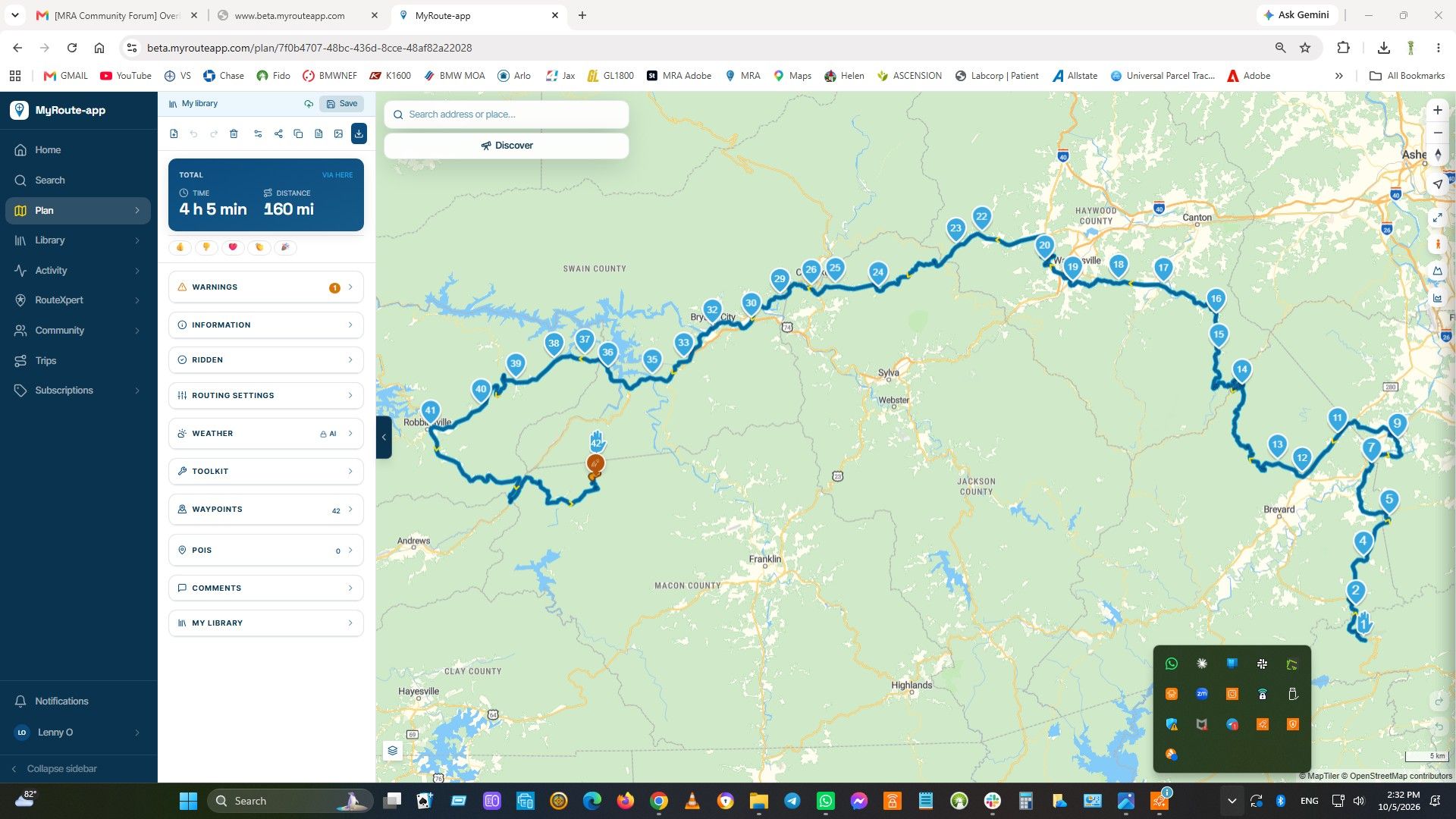
        If you go to Screen layout under navigation settings you have the choice to show next waypoint information. The choices are off, via (which is what you want) and all, which appears to be your current selection. Change it to via. I use Android Auto and this setting works for me.

        Rob Kelley 1 Reply Last reply
        1
        • Mzokk Mzokk

          If you go to Screen layout under navigation settings you have the choice to show next waypoint information. The choices are off, via (which is what you want) and all, which appears to be your current selection. Change it to via. I use Android Auto and this setting works for me.

          Rob Kelley Offline
          Rob Kelley Offline
          Rob Kelley
          wrote on last edited by
          #4

          @Mzokk thanks, I'll give that a try.

          GSA1250
          HD Street Glide
          HD Sport Glide
          XT500 x 2

          1 Reply Last reply
          0
          • richard 3v Offline
            richard 3v Offline
            richard 3v
            wrote on last edited by
            #5

            Don't know about Carplay as I use Android Auto but I can toggle between shaping / via / destination on my Carpuride screen.
            1 Reply Last reply
            0
            • Mzokk Offline
              Mzokk Offline
              Mzokk
              wrote on last edited by
              #6

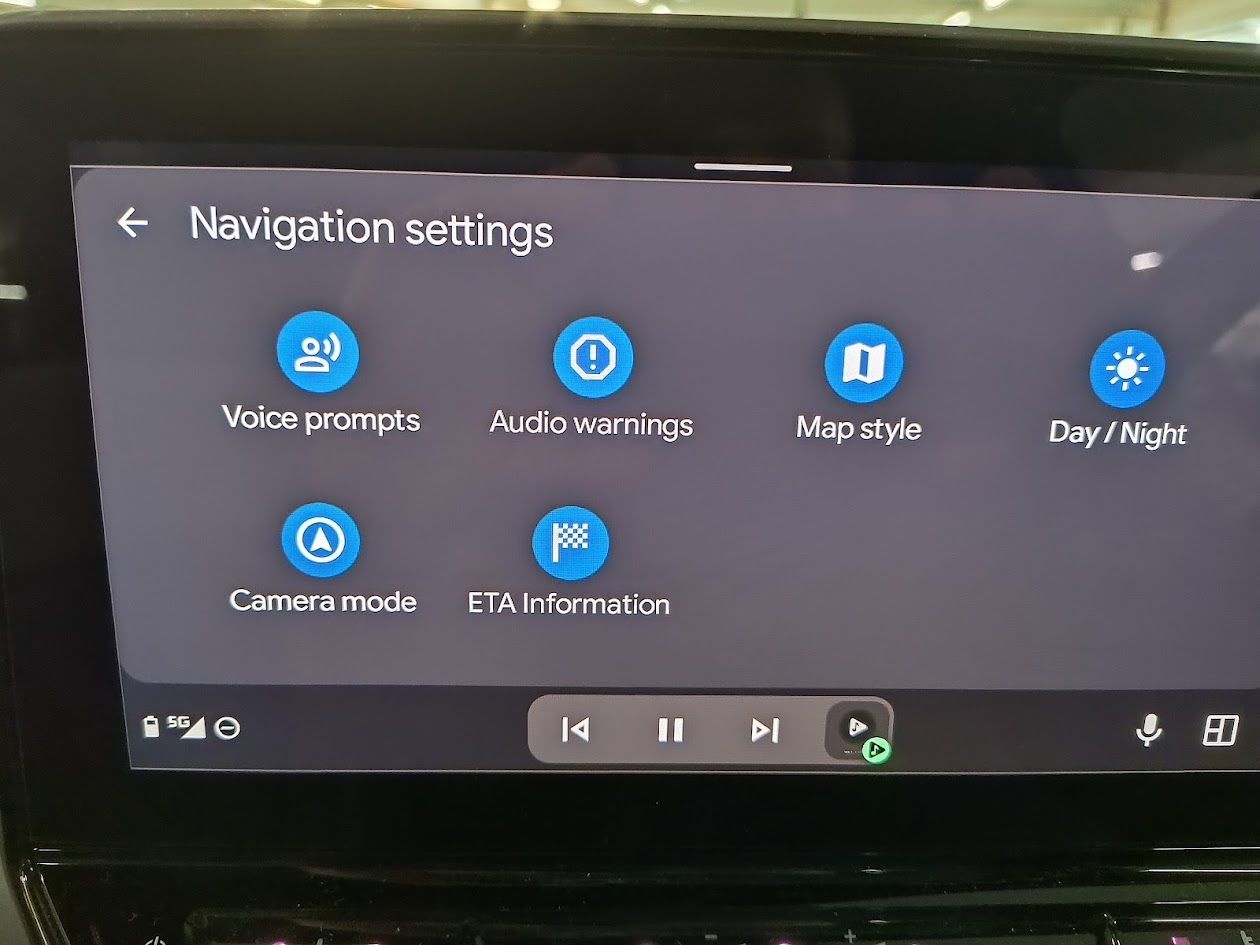
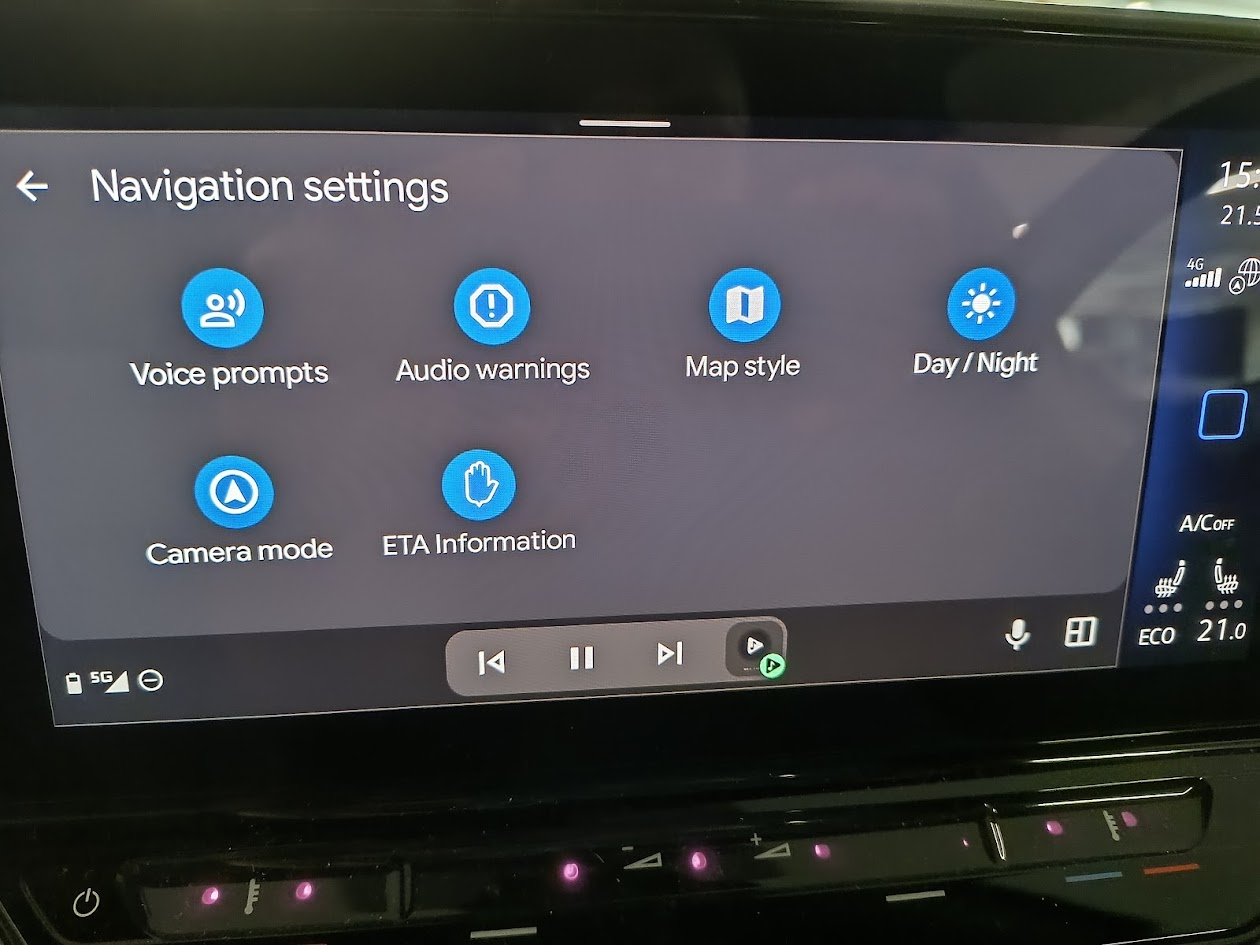
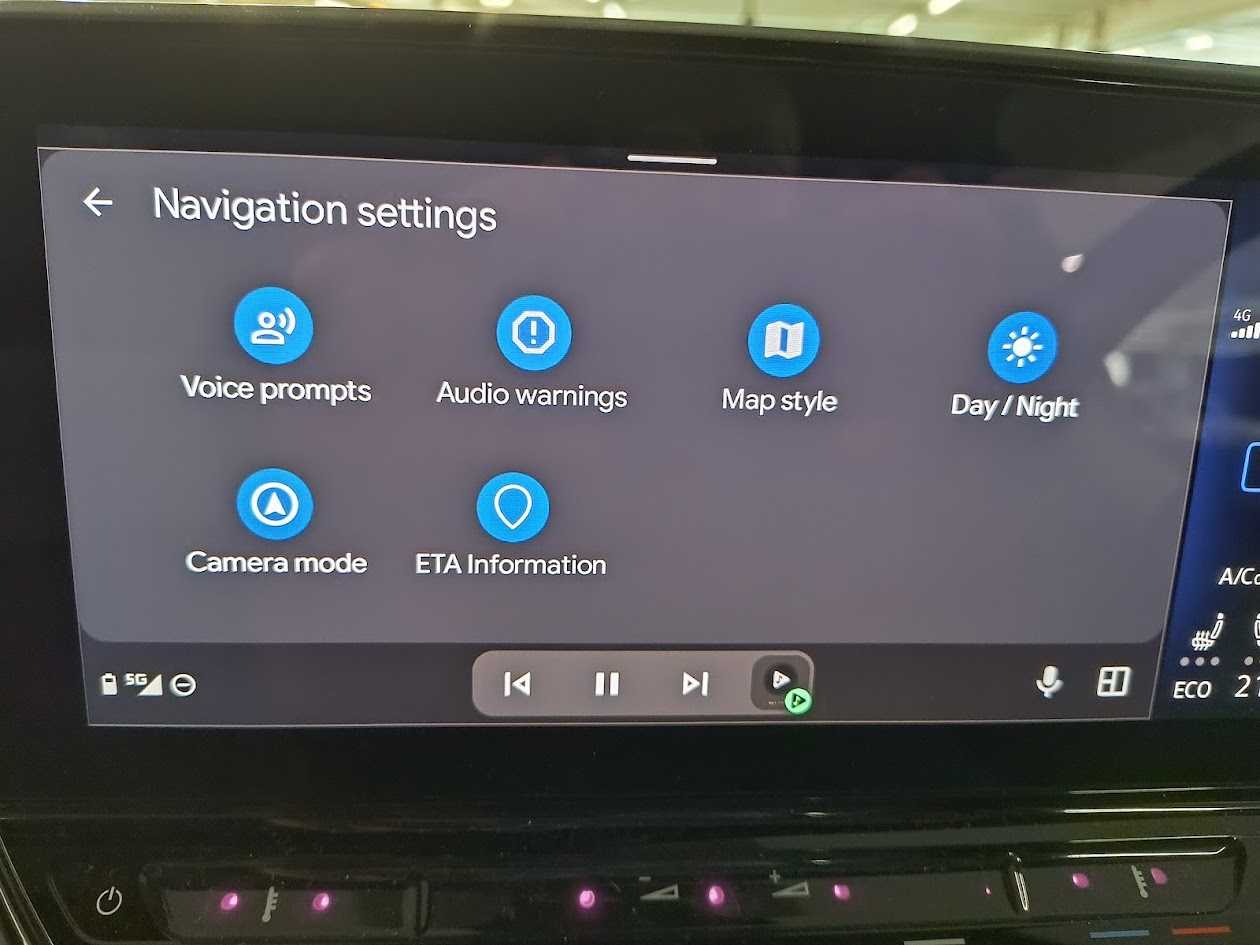
              I checked this in the car you can change the selection of info on next shaping point, Via point or Destination in Android Auto. Don't know about Carplay??

              image.png

              image.png
              image.png

              1 Reply Last reply
              0
              • Mzokk Offline
                Mzokk Offline
                Mzokk
                wrote on last edited by
                #7

                Just keep toggling the ICON. I just keep mine on next waypoint so had fogotten I could change the setting on the AA settings menu.

                1 Reply Last reply
                0

                Hello! It looks like you're interested in this conversation, but you don't have an account yet.

                Getting fed up of having to scroll through the same posts each visit? When you register for an account, you'll always come back to exactly where you were before, and choose to be notified of new replies (either via email, or push notification). You'll also be able to save bookmarks and upvote posts to show your appreciation to other community members.

                With your input, this post could be even better 💗

                Register Login
                Reply
                • Reply as topic
                Log in to reply
                • Oldest to Newest
                • Newest to Oldest
                • Most Votes


                ACTIVE USERS
                Marinus van Deudekom
                Marinus van Deudekom
                Mzokk
                Mzokk
                richard 3v
                richard 3v
                Rob Kelley
                Rob Kelley
                POPULAR TOPICS
                • Er gaat hier iets mis melding
                  Martijn 8d 0
                  Martijn 8d 0
                  0
                  15
                  329

                • Giving folders its own color
                  Rob Verhoeff
                  Rob Verhoeff
                  0
                  10
                  234

                • Update 5.2.1 - Android availability
                  Adrian Avram
                  Adrian Avram
                  2
                  9
                  274

                • Route app reageert niet
                  white.mouse
                  white.mouse
                  0
                  5
                  62

                • Paar onduidelijkheden.
                  Travellexxie
                  Travellexxie
                  1
                  16
                  177

                • Vormingspunt, viapunt en Eindpunt op Carplay
                  white.mouse
                  white.mouse
                  0
                  4
                  47

                • Oranje wegdelen op de route?
                  white.mouse
                  white.mouse
                  0
                  3
                  53

                • Blauwe routelijn lijft in Carplay wit
                  Corjan Meijerink
                  Corjan Meijerink
                  0
                  4
                  76

                MY GROUPS
                • Login

                • Login or register to search.
                • First post
                  Last post
                0
                • Categories
                • Recent
                • Popular
                • Support
                • MyRoute-app