New info website MRA Navigation Next
-

A new informative website has been published for MRA Navigation Next. Please also pay attention to the manuals, a lot of work done by Lisanne. The German and Italian translations of the manuals will come later. So and so the automatic translation is not great, we will try to improve it in the near future.
Have fun with the launch tomorrow!
-

Wow this new website looks very good!!!!
Big compliment to Lisanne!But I see a button with a link to the Navigation Next Forum that is used for the beta group.
Is that correct compared to the comment below that Corjan made in his post:@Corjan-Meijerink said in What's next?:
Hey all!

......You can keep posting feedback in this channel but obviously we will add a public section in the forum for all users to use. -
Wow this new website looks very good!!!!
Big compliment to Lisanne!But I see a button with a link to the Navigation Next Forum that is used for the beta group.
Is that correct compared to the comment below that Corjan made in his post:@Corjan-Meijerink said in What's next?:
Hey all!
......You can keep posting feedback in this channel but obviously we will add a public section in the forum for all users to use.
@Jack-van-Tilburg We will change the url off that button when the public Next forum is added. Thanks!
-

Wow, great! Compliments to Lisanne!
By now, it is not possible to download the PDF file. Tried 2 differnt browsers. Am I doing something wrong?BMW R1300 GS, BMW Connect Ride Next navigator; Quad Lock with Samsung Galaxy Ultra, iPad Pro (iPadOS 18.0 bèta version) MacBook Pro (MacOS Sequoia 15.2 bèta version), iMac (MacOS Monterey 12.7.6)
-
Wow, great! Compliments to Lisanne!
By now, it is not possible to download the PDF file. Tried 2 differnt browsers. Am I doing something wrong?
@Dikke-Wim I think displaying a download button is a setting in Calameo. From the supplier's perspective, I can imagine that this way they force the user to visit the website and always use the most up-to-date documentation. I know myself: I print a manual, and next week something changes. I'll complain, and then it turns out that I'm using an old version (the disadvantage of printing). And not printing saves another tree and reduces CO2 emissions that I can burn in my engine (a bit exaggerated
 )
)🏍️ BMW K1600GT-P (2013) | Nolan N100-5 with Sena 30K
📱 iOS on iPhone 13 & 16 (mounted on Quadlock or AliExpress extention on BMW-cradle)
🚙 Apple CarPlay in VW T-Roc
💻 Routelab on MacBook Air & iMac (Golden Gate & Ventura) -
@Dikke-Wim I think displaying a download button is a setting in Calameo. From the supplier's perspective, I can imagine that this way they force the user to visit the website and always use the most up-to-date documentation. I know myself: I print a manual, and next week something changes. I'll complain, and then it turns out that I'm using an old version (the disadvantage of printing). And not printing saves another tree and reduces CO2 emissions that I can burn in my engine (a bit exaggerated
)
@Rob-Verhoeff
I never print anything. What I normally do is download the PDF file into my documentation (archiving) system (Evernote). This way I can easily find it, even without internet connection.BMW R1300 GS, BMW Connect Ride Next navigator; Quad Lock with Samsung Galaxy Ultra, iPad Pro (iPadOS 18.0 bèta version) MacBook Pro (MacOS Sequoia 15.2 bèta version), iMac (MacOS Monterey 12.7.6)
-
@Rob-Verhoeff
I never print anything. What I normally do is download the PDF file into my documentation (archiving) system (Evernote). This way I can easily find it, even without internet connection.
@Dikke-Wim Save the url


-
If no print function is available, it would certainly be nice to be able to save the file so that you have it available off-line in a reader.
You also save the environment.
Incidentally, the "Save-As" function is often hidden behind the print button. -
If no print function is available, it would certainly be nice to be able to save the file so that you have it available off-line in a reader.
You also save the environment.
Incidentally, the "Save-As" function is often hidden behind the print button.
@Jack-van-Tilburg
Jack, again I fully agree with you (see also above). Since I work paperless and am used to keep everything in Evernote.... I would like to download the manual. -
If no print function is available, it would certainly be nice to be able to save the file so that you have it available off-line in a reader.
You also save the environment.
Incidentally, the "Save-As" function is often hidden behind the print button.
@Jack-van-Tilburg @Dikke-Wim Same problem. Even when downloading from your own archive, you may eventually encounter an outdated version. And especially in this stage, hopefully, more features will be rolled out quickly, increasing the likelihood of referring to an old manual. But that's just my opinion.
P.S.: You have gained so much experience by now that you don't need a manual anymore
🏍️ BMW K1600GT-P (2013) | Nolan N100-5 with Sena 30K
📱 iOS on iPhone 13 & 16 (mounted on Quadlock or AliExpress extention on BMW-cradle)
🚙 Apple CarPlay in VW T-Roc
💻 Routelab on MacBook Air & iMac (Golden Gate & Ventura) -
@Jack-van-Tilburg @Dikke-Wim Same problem. Even when downloading from your own archive, you may eventually encounter an outdated version. And especially in this stage, hopefully, more features will be rolled out quickly, increasing the likelihood of referring to an old manual. But that's just my opinion.
P.S.: You have gained so much experience by now that you don't need a manual anymore
@Rob-Verhoeff
I often do my best to rate topics for multi-user usage. There will be a large number there, especially from next week after the release, who didn't gain so much experience. And who don't always have internet connectivity or unlimited data to open the manual. -
@Rob-Verhoeff
I often do my best to rate topics for multi-user usage. There will be a large number there, especially from next week after the release, who didn't gain so much experience. And who don't always have internet connectivity or unlimited data to open the manual.
@Jack-van-Tilburg No worries, just kidding you with that last line.
🏍️ BMW K1600GT-P (2013) | Nolan N100-5 with Sena 30K
📱 iOS on iPhone 13 & 16 (mounted on Quadlock or AliExpress extention on BMW-cradle)
🚙 Apple CarPlay in VW T-Roc
💻 Routelab on MacBook Air & iMac (Golden Gate & Ventura) -
@Jack-van-Tilburg No worries, just kidding you with that last line.
@Rob-Verhoeff
I did see your -
A new informative website has been published for MRA Navigation Next. Please also pay attention to the manuals, a lot of work done by Lisanne. The German and Italian translations of the manuals will come later. So and so the automatic translation is not great, we will try to improve it in the near future.
Have fun with the launch tomorrow!

@Michel-van-Hagen-MRA-Founder, Many existing users are not aware of that website. They just visit myrouteapp.com and end up in the routelab. I think it is wise to add a prominent warning to the routelab page about the existence of and a link to the new website.
BTW, I always thought "Next" was meant as a working title for the project. Is it not complicating to keep that word in the name? We already see many users in the forum losing association of their subscription names with the apps they need to install.
The website looks good though

I am just an enthusiastic MRA user, and hope you will be one too!
Most motorcycle problems are caused by the nut that connects the handlebar to the saddle.
Check out RideSleepRepeat.eu, a biker community for sharing stays across Europe
-
@Michel-van-Hagen-MRA-Founder, Many existing users are not aware of that website. They just visit myrouteapp.com and end up in the routelab. I think it is wise to add a prominent warning to the routelab page about the existence of and a link to the new website.
BTW, I always thought "Next" was meant as a working title for the project. Is it not complicating to keep that word in the name? We already see many users in the forum losing association of their subscription names with the apps they need to install.
The website looks good though

@Con-Hennekens agreed, I have the same opinion…
🏍️ Tiger: DMD Nor7e + SilverFox controller
🏍️ Bobber: iPhone 15 Pro + Quad Lock mount
🚗 Car: iPhone 15 Pro with wireless Apple CarPlay -
@Con-Hennekens agreed, I have the same opinion…

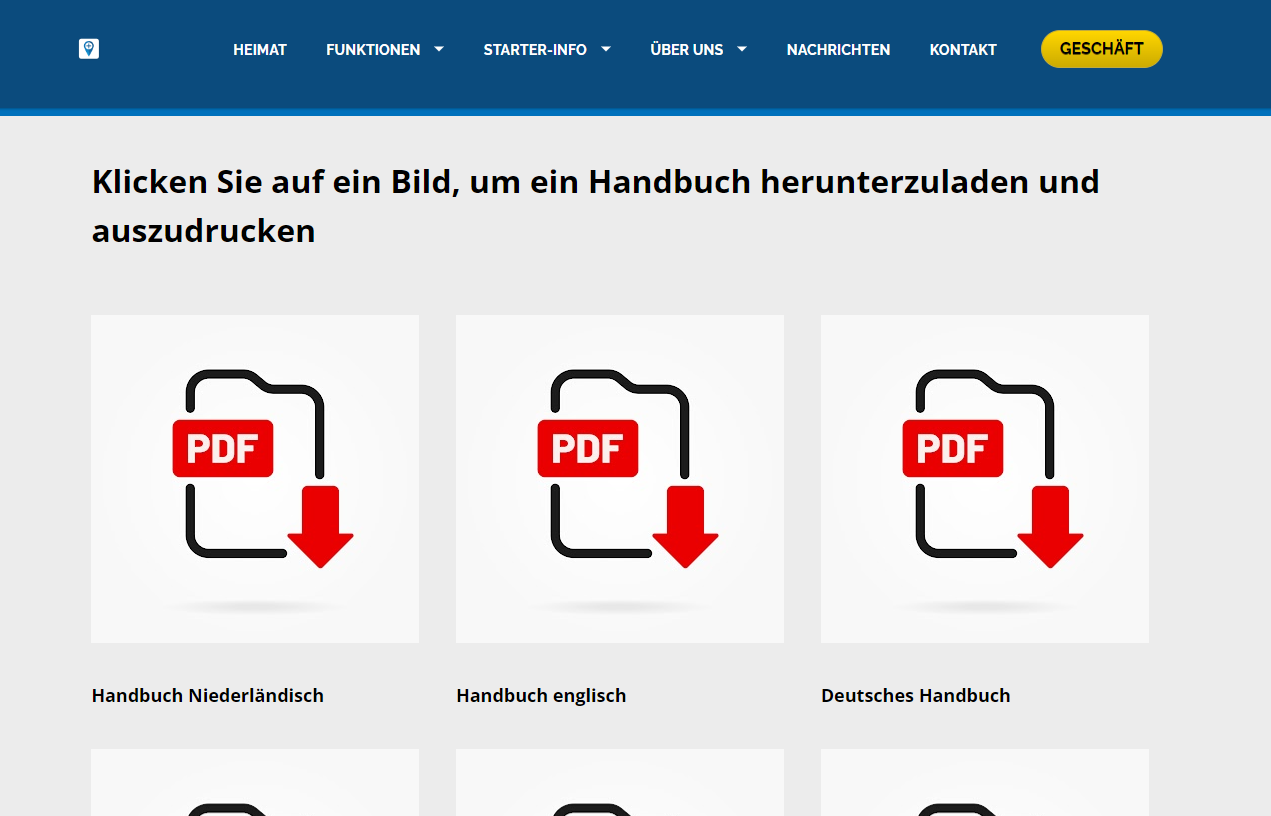
The German manual is in English.
May be wrong link/file.I would also change "Geschäft" into "Shop" and "Heimat" into "Start"
Hardware
iPhone 12 pro (iOS 26.2.1)
iPad (7.Gen.) 18.7.3
Oukitel RT3 Pro (Andr. 14)
Wireless CarPlay mit (Elebest C650)
Wired CarPlay (SEAT Arona - 2021)
MRA Workshops in Deutsch sind hier zu finden -
The German manual is in English.
May be wrong link/file.I would also change "Geschäft" into "Shop" and "Heimat" into "Start"
-
All translations are now included.
“People don’t take trips, trips take people.” – John Steinbeck
-
All translations are now included.
-

Good morning,
to save in pdf format:
1- open your documentation in calaméo
2- copy the document links
3-go to "CalameoDownload.com" --> copy the url of your version then save all the pages in pdf format and finally save.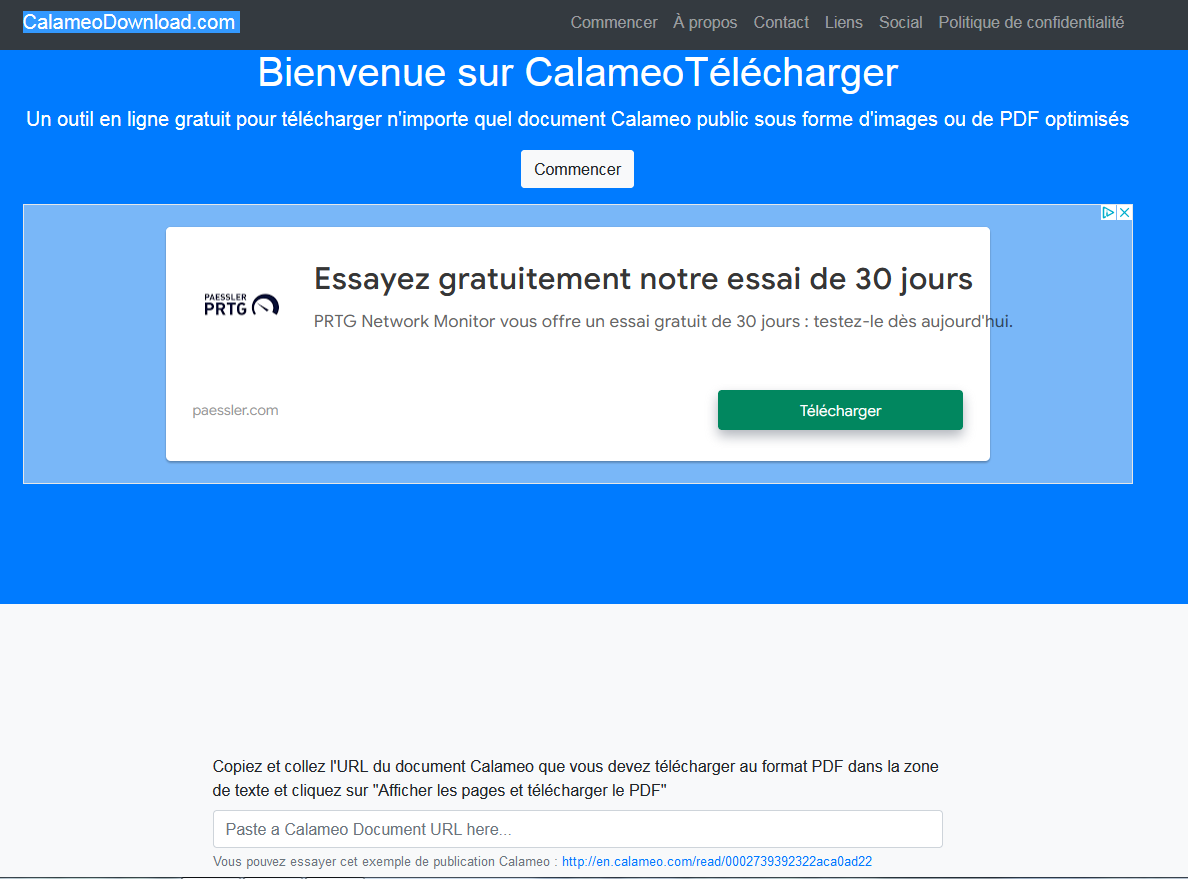



Hello! It looks like you're interested in this conversation, but you don't have an account yet.
Getting fed up of having to scroll through the same posts each visit? When you register for an account, you'll always come back to exactly where you were before, and choose to be notified of new replies (either via email, or push notification). You'll also be able to save bookmarks and upvote posts to show your appreciation to other community members.
With your input, this post could be even better 💗
Register Login-
 01323
01323
-
 0696
0696
-
0525
-
 0518
0518
-
059
-
0420
-
 08210
08210
-
 0311
0311